
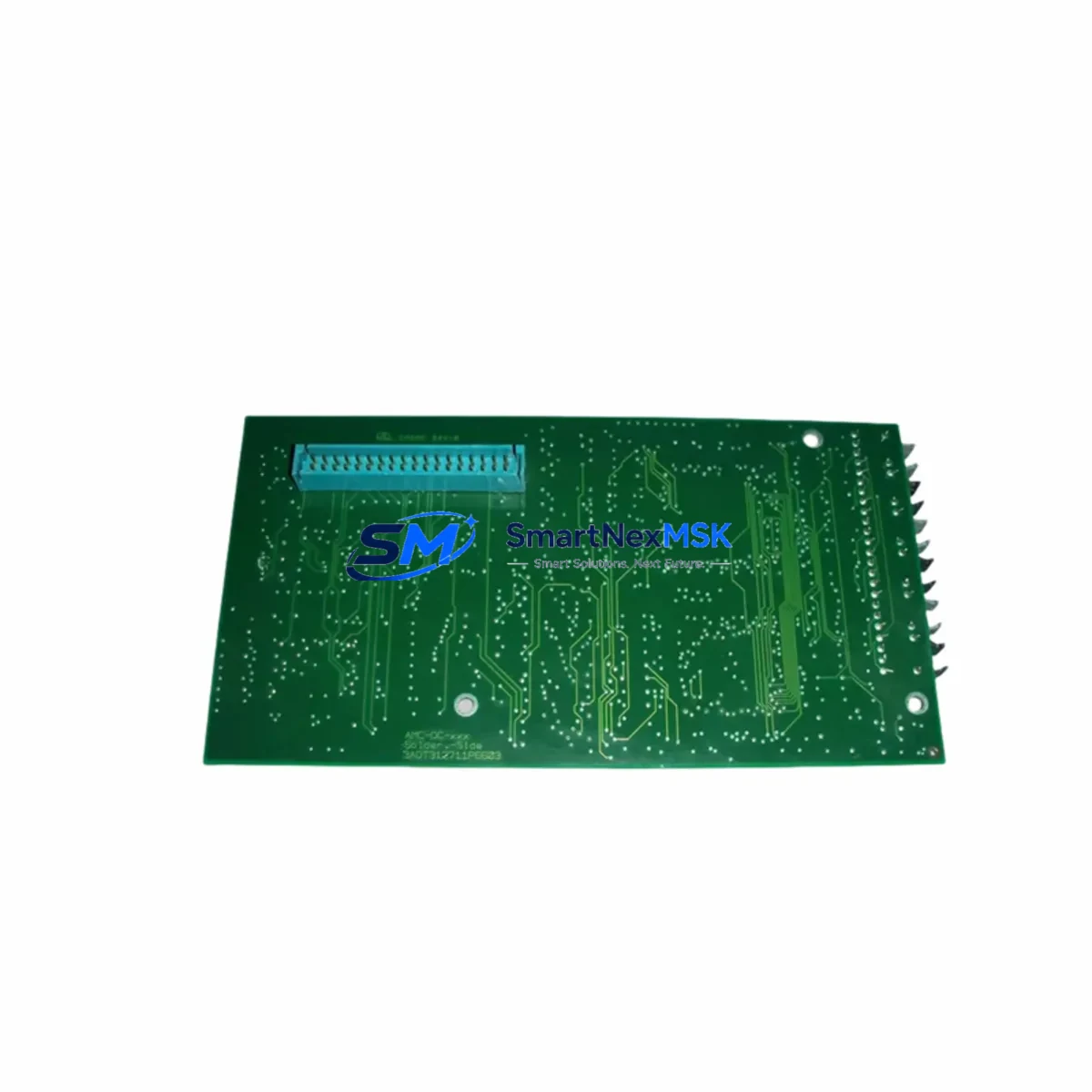
ABB SDCS-AMC-DC-2 Retrofit-Ready AMC Board for DCS800 Control Systems
The ABB SDCS-AMC-DC-2 is the Advanced Motor Control (AMC) board at the heart of the DCS800 series DC drive platform. As legacy DC drive installations age and original spare parts become increasingly difficult to source, the SDCS-AMC-DC-2 serves as the critical retrofit component that restores full drive functionality without requiring a complete drive replacement. Whether you are managing a planned upgrade, responding to an unplanned failure, or executing a phased modernization of your DC motor control infrastructure, this board provides a verified, drop-in compatible solution backed by a 12-month warranty and shipped from available stock.
The DCS800 platform was designed by ABB to replace the earlier DCS500 and Mentor II series drives, and the SDCS-AMC-DC-2 board continues to serve as the primary control intelligence for a wide installed base of DCS800 units across paper mills, steel rolling lines, extruder drives, crane hoists, and winding applications. When this board fails or becomes obsolete in your system, the consequences extend beyond the drive itself — affecting the SDCS-PIN-51C power interface board, the SDCS-FEX-2 field excitation module, and any connected SDCS-IOB-3 or SDCS-IOB-31 I/O expansion boards that depend on the AMC for coordinated control signals.
Upgrade Compatibility Table
| Parameter | Details |
|---|---|
| Compatible Drive Series | ABB DCS800 (all frame sizes: DCS800-S01 through DCS800-S04) |
| Replaces / Supersedes | SDCS-AMC-DC-1, earlier DCS800 AMC revisions |
| Backplane Interface | DCS800 internal ribbon connector; direct plug-in, no adapter required |
| Communication Compatibility | DDCS fiber optic (CH0/CH1/CH2/CH3), compatible with RDCO-02/03 adapters for PROFIBUS, DeviceNet, Modbus, CANopen |
| Firmware Compatibility | Supports DCS800 firmware versions; parameter set uploadable via DriveWindow or DriveStudio |
| Installation Requirement | ESD precautions required; drive must be fully de-energized before board swap |
| Retrofit Recommendation | Back up parameter set via DriveWindow prior to replacement; restore after installation |
| Commissioning Key Points | Verify armature current feedback, field current loop, speed feedback (encoder or tach), and I/O mapping |
| Warranty | 12 months from date of shipment |
| Outgoing Test | Function-tested before dispatch; test report available on request |
Retrofit Planning for Existing Automation Systems
A successful SDCS-AMC-DC-2 retrofit begins well before the board arrives on site. Engineers responsible for the upgrade should first audit the existing DCS800 configuration using DriveWindow Light or DriveStudio to export the full parameter set, including speed controller gains, current limits, field weakening curves, and all application macro settings. This parameter backup is essential — without it, recommissioning after board replacement becomes a full drive setup exercise rather than a simple swap.
The SDCS-AMC-DC-2 interfaces directly with the SDCS-PIN-51C power interface board via the internal backplane. Before removal, verify that the SDCS-PIN-51C is free of damage, that all gate pulse connections to the thyristor bridge are intact, and that the SDCS-FEX-2 field excitation board (where fitted) is operating within specification. A board swap that overlooks a degraded SDCS-FEX-2 will result in field current instability after recommissioning, which is a common source of post-retrofit callbacks.
For systems using encoder-based speed feedback, confirm that the SDCS-IOB-3 or SDCS-IOB-31 I/O expansion board is correctly seated and that the encoder signal wiring is undisturbed during the AMC board removal. Pulse encoder connections are particularly sensitive to connector reseating errors. Similarly, if the drive communicates upstream via a RDCO-02 or RDCO-03 fieldbus adapter — whether over PROFIBUS-DP, Modbus RTU, or DeviceNet — the adapter should be removed before the AMC board is extracted and reinstalled after the new board is seated, to avoid mechanical stress on the DDCS fiber optic connectors.
In control cabinet environments where the DCS800 is integrated with an ABB AC800M or AC500 PLC controller, or where the drive receives speed references from a third-party SCADA or DCS via analog I/O on the SDCS-IOB-3, the retrofit plan must include a signal continuity check. Verify that 4–20 mA or ±10 V reference signals are correctly mapped to the new board’s parameter set before returning the drive to automatic mode. HMI screens connected via the DDCS network — particularly those using Panel Builder or InduSoft-based visualization — should be tested for correct drive status word interpretation after the firmware is restored.
For multi-drive systems where several DCS800 units share a common DC bus or operate in master-follower torque sharing mode, the retrofit sequence must be planned to maintain bus stability. Isolate the drive under retrofit from the common bus before de-energizing, and confirm that the remaining drives can sustain the load independently during the changeover window. This is especially critical in winder and unwinder applications where tension control continuity is required.
Downtime Control During System Migration
Minimizing unplanned downtime during an SDCS-AMC-DC-2 replacement requires a structured approach to both preparation and execution. The single most effective measure is to have the replacement board on-site before the failed unit is removed — waiting for parts after a drive trip can extend a recoverable two-hour outage into a multi-day production loss. Maintaining a strategic spare of the SDCS-AMC-DC-2 in your critical spares inventory is the standard recommendation for any facility running DCS800 drives in continuous production.
Before powering down the drive, use DriveWindow to capture a live snapshot of the parameter set and note the current fault history. This data provides the commissioning engineer with a baseline for post-swap verification. After the new board is installed and the parameter set is restored, perform a no-load test run at reduced speed reference before reconnecting the mechanical load. Verify armature current feedback symmetry, field current response, and speed controller stability before returning to full production speed.
For facilities where the DCS800 controls a critical process with no bypass capability, consider pre-staging the replacement board with the parameter set pre-loaded using DriveStudio offline configuration. This approach reduces the on-site commissioning window to a physical swap and a final verification run, rather than a full parameter entry exercise under time pressure. Combined with a pre-tested SDCS-FEX-2 and a confirmed-good SDCS-PIN-51C, this preparation strategy routinely achieves drive restoration within a two- to four-hour maintenance window even in complex multi-axis installations.
Original program logic stored in the upstream PLC — whether an ABB AC800M, Siemens S7-300, or Allen-Bradley ControlLogix — is unaffected by the drive board replacement, provided that the drive’s communication address and fieldbus node configuration are restored correctly. HMI alarm pages and drive status displays should be verified for correct data exchange before the system is handed back to operations.
Retrofit Support FAQ
Q: Is the SDCS-AMC-DC-2 a direct drop-in replacement for the SDCS-AMC-DC-1?
A: Yes. The SDCS-AMC-DC-2 is the current production revision and is backward compatible with DCS800 frames that previously used the SDCS-AMC-DC-1. The backplane connector and physical form factor are identical. After installation, restore the parameter set from your DriveWindow backup and verify the firmware version is compatible with your drive’s power section revision.
Q: Do I need to re-enter all drive parameters after replacing the AMC board?
A: If you have a DriveWindow or DriveStudio parameter backup from the original board, parameters can be restored via upload in approximately 10–15 minutes. If no backup exists, full recommissioning is required, including motor nameplate data entry, current regulator autotune, speed controller tuning, and I/O signal verification. We strongly recommend performing a parameter backup before any planned maintenance.
Q: What commissioning checks are required after installation?
A: Key checks include: confirmation that the SDCS-PIN-51C gate pulse signals are correctly received, field current loop response via the SDCS-FEX-2, encoder or tachometer speed feedback signal integrity via the SDCS-IOB-3, fieldbus communication link status (RDCO adapter), and a no-load test run at 10–20% speed reference before full load engagement. All outgoing boards from our stock are function-tested prior to dispatch.
Q: What does the 12-month warranty cover?
A: The 12-month warranty covers manufacturing defects and functional failures under normal operating conditions from the date of shipment. Boards damaged by incorrect installation, overvoltage events, or operation outside the DCS800 design envelope are not covered. Our technical team is available to support installation and commissioning queries throughout the warranty period.
© 2026 SMARTNEXMSK. All rights reserved.
Original Source: https://smartnexmsk.com
Contact: [email protected] | +86 18259474341



