
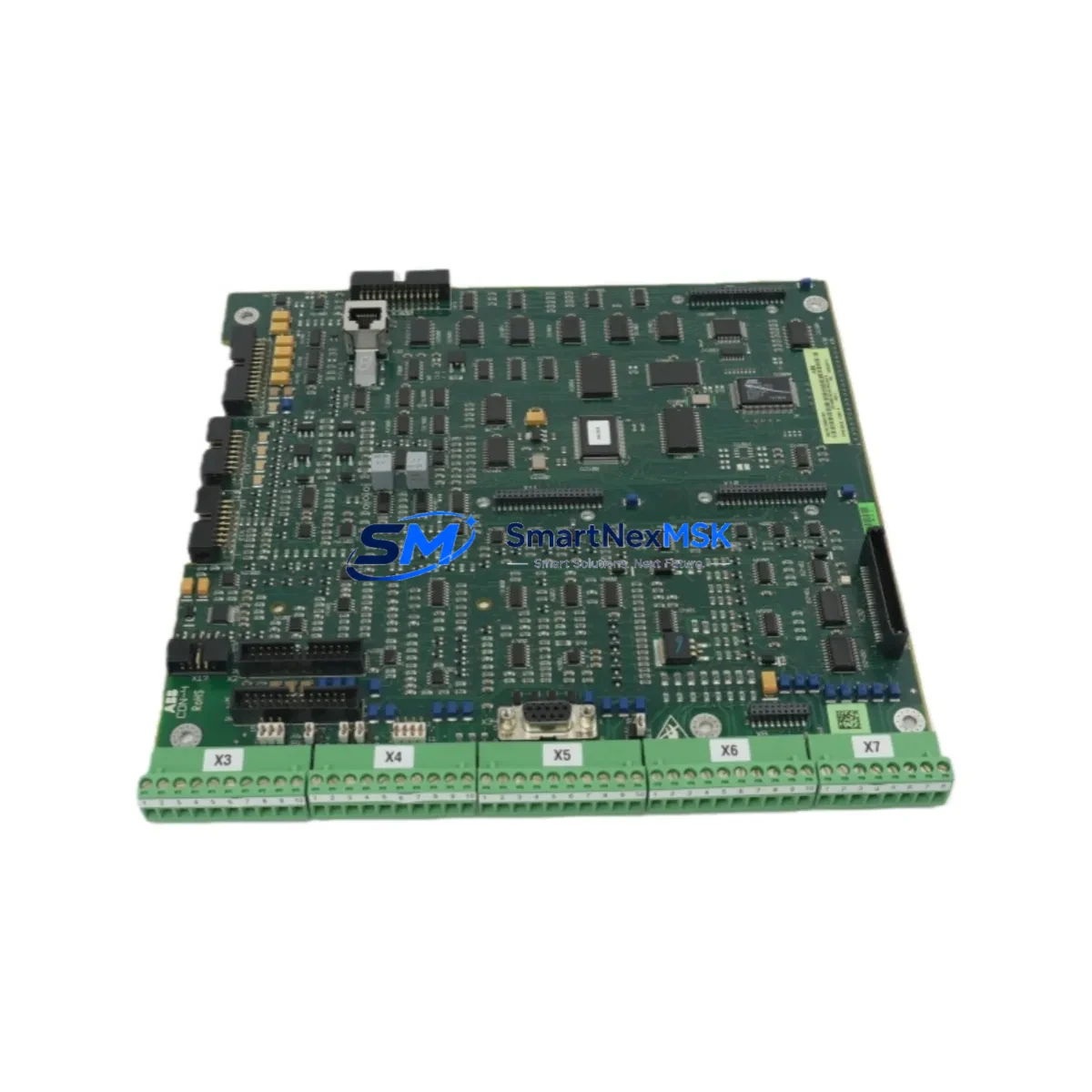
ABB SDCS-CON-4 3ADT313900R1501 Maintenance-Ready Spare for DCS Series Automation
The ABB SDCS-CON-4 (part number 3ADT313900R1501) is the original control board at the heart of ABB’s DCS400 and DCS500 DC drive platforms. For maintenance engineers managing aging DC drive systems in steel mills, paper machines, crane drives, extruders, and heavy process lines, this board represents the most critical single-board spare in the control cabinet. A failed SDCS-CON-4 results in immediate drive shutdown and unplanned downtime — stocking a verified original replacement is the most effective insurance against extended production loss.
Sourced directly from ABB’s authorized supply chain and shipped with full functional test documentation, this spare is ready for immediate site installation. Each unit undergoes pre-shipment power-on verification and is covered by a 12-month warranty against manufacturing defects and functional failure.
Spare Maintenance Table
| Part Number | 3ADT313900R1501 |
| Model | SDCS-CON-4 |
| Brand | ABB |
| Compatible Series | DCS400, DCS500 |
| Function | DC Drive Control Board — speed/torque regulation, field excitation control, I/O interface |
| Supply Voltage | 24 VDC (from SDCS-POW-4 power supply board) |
| Communication Interface | Serial fieldbus (DDCS), optional PROFIBUS/DeviceNet via adapter |
| I/O | Analog and digital I/O via onboard connectors; expandable via SDCS-IOB-3 |
| Operating Temperature | 0°C to +55°C (ambient, with adequate cabinet ventilation) |
| Origin | Germany |
| Installation | Direct board swap; parameter restore via DriveWindow or CDP panel |
| Maintenance Recommendation | Inspect every 12–24 months; replace capacitors and check connector integrity at 5-year intervals |
| Warranty | 12 Months |
| Condition | Original New / Tested Surplus |
Maintenance Planning for Continuous Operation
When scheduling a planned replacement of the SDCS-CON-4, experienced maintenance engineers treat the event as a full DC drive health audit. The control board does not operate in isolation — it depends on a tightly integrated set of components that should be inspected or replaced concurrently to avoid repeat failures and secondary downtime.
Start with the SDCS-POW-4 power supply board, which provides the 24 VDC rail to the control board. A degraded POW-4 with aging electrolytic capacitors can cause intermittent resets that mimic a faulty CON-4 — always verify POW-4 output stability before condemning the control board. Next, inspect the SDCS-IOB-3 I/O expansion board if the drive uses extended analog or digital I/O; connector oxidation and cracked solder joints are common failure modes in high-vibration environments.
Check the SDCS-FEX-2 field excitation module, which works in tandem with the CON-4 to regulate motor field current. A weak or fluctuating field excitation signal is a leading indicator of impending torque instability. For drives using fieldbus communication, inspect the RDCO-02 or RDCO-04 DDCS communication adapter — firmware mismatches after a board swap are a common commissioning pitfall.
At the cabinet level, inspect all terminal blocks and control wiring connected to the CON-4’s X1–X5 connector rows. Loose terminations and insulation breakdown on signal cables are frequent root causes of nuisance faults. Replace any 24 VDC control fuses and verify the integrity of the EMC filter and surge suppression components on the control power rail. If the drive cabinet includes a CDP control panel or remote HMI, confirm that the panel communication cable is undamaged and that the panel firmware is compatible with the replacement board revision.
For sites running multiple DCS400 or DCS500 drives, it is best practice to maintain at least one SDCS-CON-4 per drive family in the on-site spare parts inventory, alongside a matched SDCS-POW-4 and a set of pre-configured parameter backup files. This approach reduces mean time to repair (MTTR) from days to hours.
Site Replacement Workflow
Step 1 — Parameter Backup: Before powering down, connect DriveWindow Light or a CDP panel and export the full parameter set. Save the backup file with the drive tag number and date. This is non-negotiable — parameter loss after a board swap is the most common cause of extended recommissioning time.
Step 2 — Safe Isolation: Follow LOTO (Lockout/Tagout) procedures. Isolate the main AC supply, field supply, and 24 VDC control power. Discharge the DC bus and verify zero voltage with a calibrated meter before opening the drive cabinet.
Step 3 — Board Removal: Photograph all connector positions on the existing SDCS-CON-4 before disconnecting. Label each connector if not already marked. Remove the board by releasing the DIN rail or panel mounting clips.
Step 4 — Inspection and Swap: Inspect the replacement SDCS-CON-4 for shipping damage. Verify the hardware revision matches or is compatible with the existing firmware. Install the new board and reconnect all cables in the documented order.
Step 5 — Parameter Restore and Commissioning: Restore the parameter backup via DriveWindow or CDP panel. Verify motor data, speed reference scaling, I/O assignments, and fieldbus node address. Perform a no-load test run before returning the drive to production.
Step 6 — Documentation: Update the maintenance log with the replacement date, new board serial number, and any parameter changes. Archive the old board for failure analysis if required.
This workflow is compatible with both DCS400 and DCS500 platform variants and supports seamless replacement of legacy SDCS-CON-2 and SDCS-CON-3 boards where hardware and firmware compatibility has been confirmed.
Spare Parts Support FAQ
Q1: Is the SDCS-CON-4 (3ADT313900R1501) compatible with both DCS400 and DCS500 drives?
Yes. The SDCS-CON-4 is the standard control board for both the DCS400 and DCS500 DC drive families. Always verify the hardware revision (R1501 in this case) against your drive’s documentation to confirm full compatibility before installation.
Q2: What pre-shipment testing is performed on this spare?
Each SDCS-CON-4 unit undergoes power-on functional verification, I/O continuity checks, and communication interface testing before dispatch. A test report is available upon request. Units are packed in anti-static ESD-safe packaging with foam protection to prevent transit damage.
Q3: How should this spare be stored in a long-term inventory program?
Store in a dry, temperature-controlled environment (10°C–40°C, <75% RH, non-condensing). Keep in original ESD packaging. Inspect annually for any signs of corrosion on connectors. For storage beyond 3 years, perform a bench power-on test before committing to site installation.
Q4: What does the 12-month warranty cover?
The 12-month warranty covers manufacturing defects and functional failure under normal operating conditions. It does not cover damage caused by incorrect installation, overvoltage events, or operation outside specified environmental limits. Warranty claims are supported with a full RMA process and technical review.
© 2026 SMARTNEXMSK. All rights reserved.
Original Source: https://smartnexmsk.com
Contact: [email protected] | +86 18259474341



