
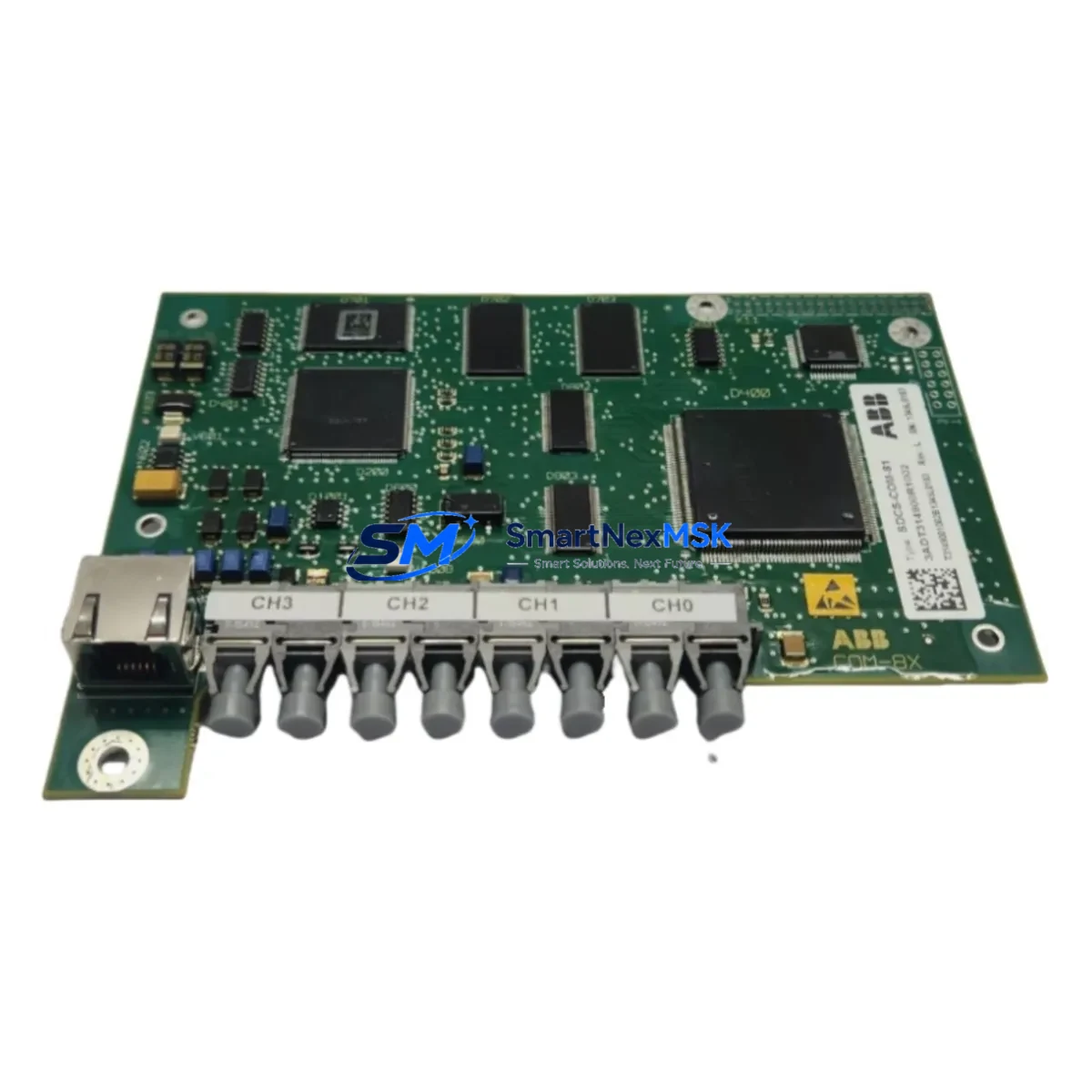
ABB SDCS-CON-81 Maintenance-Ready Spare for DCS-500 Automation
The ABB SDCS-CON-81 is a critical control interface module within the ABB DCS-500 series DC drive platform — one of the most widely deployed DC drive families in heavy industrial environments including steel mills, paper machines, extruders, winding lines, and marine propulsion systems. When this module fails or degrades, the entire drive axis goes offline, triggering unplanned downtime that can cost thousands of dollars per hour. Stocking a verified, original SDCS-CON-81 spare is the single most effective step a maintenance team can take to protect continuous operation on DCS-500-equipped lines.
This listing provides an original ABB SDCS-CON-81 sourced from authorized supply channels, individually tested prior to shipment, and backed by a 12-month warranty. Each unit is inspected for firmware integrity, connector condition, and board-level component health before dispatch. Whether you are executing a planned overhaul, responding to an emergency fault, or building out your critical-spare inventory, this module ships ready for immediate installation.
Spare Maintenance Table
| Parameter | Specification / Detail |
|---|---|
| Part Number / SKU | SDCS-CON-81 |
| Brand | ABB |
| Series | DCS-500 DC Drive Series |
| Module Function | Control Interface Board — speed/torque regulation, I/O interfacing, field excitation control |
| Compatible Drives | DCS-500, DCS-501, DCS-502, DCS-503, DCS-504 series |
| Supply Voltage | 24 VDC (internal logic supply via drive backplane) |
| Digital I/O | Multiple configurable DI/DO channels; compatible with SDCS-IOB-3 and SDCS-IOB-21 I/O expansion boards |
| Communication | Supports SDCS-COM-8 (PROFIBUS), SDCS-COM-81 (DeviceNet), and other fieldbus adapter modules |
| Firmware | Factory-loaded; verify revision compatibility with existing SDCS-CON-2 or SDCS-CON-4 if upgrading |
| Origin | Germany (ABB manufacturing) |
| Condition | Original / Genuine — tested before shipment |
| Operating Temperature | 0 °C to +55 °C (drive cabinet ambient) |
| Mounting | Direct plug-in to DCS-500 drive backplane; no tools required for board swap |
| Warranty | 12 Months from date of shipment |
| Lead Time | In-stock units ship within 1–3 business days |
Maintenance Planning for Continuous Operation
Experienced maintenance engineers know that the SDCS-CON-81 rarely fails in isolation. A control board fault is often preceded or accompanied by stress on adjacent components in the same drive cabinet. When replacing the SDCS-CON-81, a thorough site inspection should cover the following areas to prevent repeat faults and ensure the drive returns to stable operation:
Power Supply Integrity: Verify the 24 VDC auxiliary power supply feeding the control section. A degraded or noisy SMPS can cause intermittent resets and corrupt parameter memory on the control board. Check the SDCS-POW-4 power supply module for output ripple and voltage stability before commissioning the replacement SDCS-CON-81.
I/O Expansion Boards: The SDCS-IOB-3 and SDCS-IOB-21 I/O expansion boards share the same backplane bus as the SDCS-CON-81. Inspect terminal blocks, ribbon cable connectors, and screw-terminal torque on these boards. Loose field wiring on analog input channels is a common source of speed reference instability that is often misdiagnosed as a control board fault.
Fieldbus Communication Adapter: If the drive communicates via PROFIBUS-DP, DeviceNet, or Modbus, inspect the installed communication adapter — typically an SDCS-COM-8 or SDCS-COM-81. A faulty adapter can generate bus timeout faults that cascade into drive trips, masking the true root cause. Confirm the adapter firmware version is compatible with the replacement SDCS-CON-81 firmware revision.
Field Excitation Circuit: The SDCS-FEX-2 or SDCS-FEX-425 field excitation module works in close coordination with the control board to regulate DC motor field current. After replacing the SDCS-CON-81, verify field current feedback signals and re-tune field weakening parameters if the motor operates above base speed.
Armature Thyristor Bridge and Gate Drive Board: The SDCS-CON-81 generates firing pulses for the thyristor bridge. If the gate drive board (SDCS-GD-A or equivalent) has degraded optocouplers or gate resistors, the new control board will immediately be exposed to the same fault conditions that damaged the original. Inspect gate drive waveforms with an oscilloscope before full-load commissioning.
Signal Isolation and Protection: Check any signal isolators on analog tachometer or encoder feedback lines. A failed isolator can inject noise into the speed feedback channel, causing hunting or overcurrent trips. Similarly, inspect fuse holders and semiconductor fuses on the armature circuit — a partially blown fuse creates asymmetric thyristor firing that stresses the control board.
HMI and Operator Panel: If the drive uses an ABB CDP312R or similar operator panel connected via the DDCS fiber-optic link, verify the panel cable and connector integrity. A damaged fiber link can prevent parameter upload/download and complicate commissioning of the replacement module.
Terminal Blocks and Cabinet Wiring: Re-torque all control wiring terminal blocks in the cabinet. Vibration-induced loosening of signal commons and shield grounds is a leading cause of nuisance trips on aging DCS-500 installations. This step costs minutes and prevents hours of fault-chasing after the new board is installed.
Site Replacement Workflow
Step 1 — Fault Documentation: Before powering down, record all active fault codes from the CDP312R panel or via the fieldbus diagnostic interface. Photograph the existing SDCS-CON-81 parameter settings or upload them to a laptop using DriveWindow or DriveDebug software. This preserves the tuning baseline for the replacement board.
Step 2 — Safe Isolation: Follow your site LOTO (Lockout/Tagout) procedure. Isolate the main AC supply, verify absence of voltage on the armature bus, and discharge the DC link capacitors. The DCS-500 drive does not have an internal discharge resistor on all variants — confirm with a calibrated meter before touching internal components.
Step 3 — Board Removal and Inspection: Carefully unplug the SDCS-CON-81 from the backplane. Inspect the backplane connector for bent pins, corrosion, or carbon tracking. Clean with isopropyl alcohol if contamination is present. Do not force the replacement board if resistance is felt — inspect the connector alignment first.
Step 4 — Parameter Restore and Commissioning: Insert the replacement SDCS-CON-81 and restore parameters from the saved backup. If no backup exists, re-enter parameters from the drive’s commissioning record or nameplate data. Perform a no-load test at reduced speed before applying full load. Verify speed feedback, current limits, and fault response behavior match the original configuration.
Step 5 — Return to Service: Document the replacement in the equipment maintenance log, update the spare parts inventory, and order a replacement spare to restore your buffer stock. Downtime on DCS-500 lines is typically measured in production losses, not just labor — maintaining at least one verified SDCS-CON-81 in stock is standard practice for any facility running this drive platform.
Spare Parts Support FAQ
Q: Is this SDCS-CON-81 compatible with all DCS-500 drive variants?
A: The SDCS-CON-81 is designed for the DCS-500 series including DCS-501, DCS-502, DCS-503, and DCS-504 frame sizes. Compatibility depends on the firmware revision and hardware variant of your specific drive. Please provide your drive nameplate data or existing board revision when ordering to confirm a direct fit. Our technical team will verify compatibility before shipment.
Q: How is the module tested before shipment?
A: Each SDCS-CON-81 undergoes functional bench testing covering power-on self-test, I/O channel verification, communication port integrity, and visual inspection of all connectors and board components. Units that do not pass all test criteria are not shipped. A test report is available upon request.
Q: What does the 12-month warranty cover?
A: The 12-month warranty covers manufacturing defects and functional failures under normal operating conditions from the date of shipment. It does not cover damage caused by incorrect installation, overvoltage events, or operation outside the module’s rated environmental conditions. Warranty claims are processed with a replacement unit dispatched after fault confirmation.
Q: Can you supply SDCS-CON-81 units on an ongoing basis for long-term maintenance contracts?
A: Yes. We maintain stock of SDCS-CON-81 and related DCS-500 series spare parts to support long-term maintenance agreements and annual inspection programs. Contact our team to discuss volume pricing, reserved stock arrangements, and lead time commitments for your facility’s maintenance schedule.
© 2026 SMARTNEXMSK. All rights reserved.
Original Source: https://smartnexmsk.com
Contact: [email protected] | +86 18259474341



