
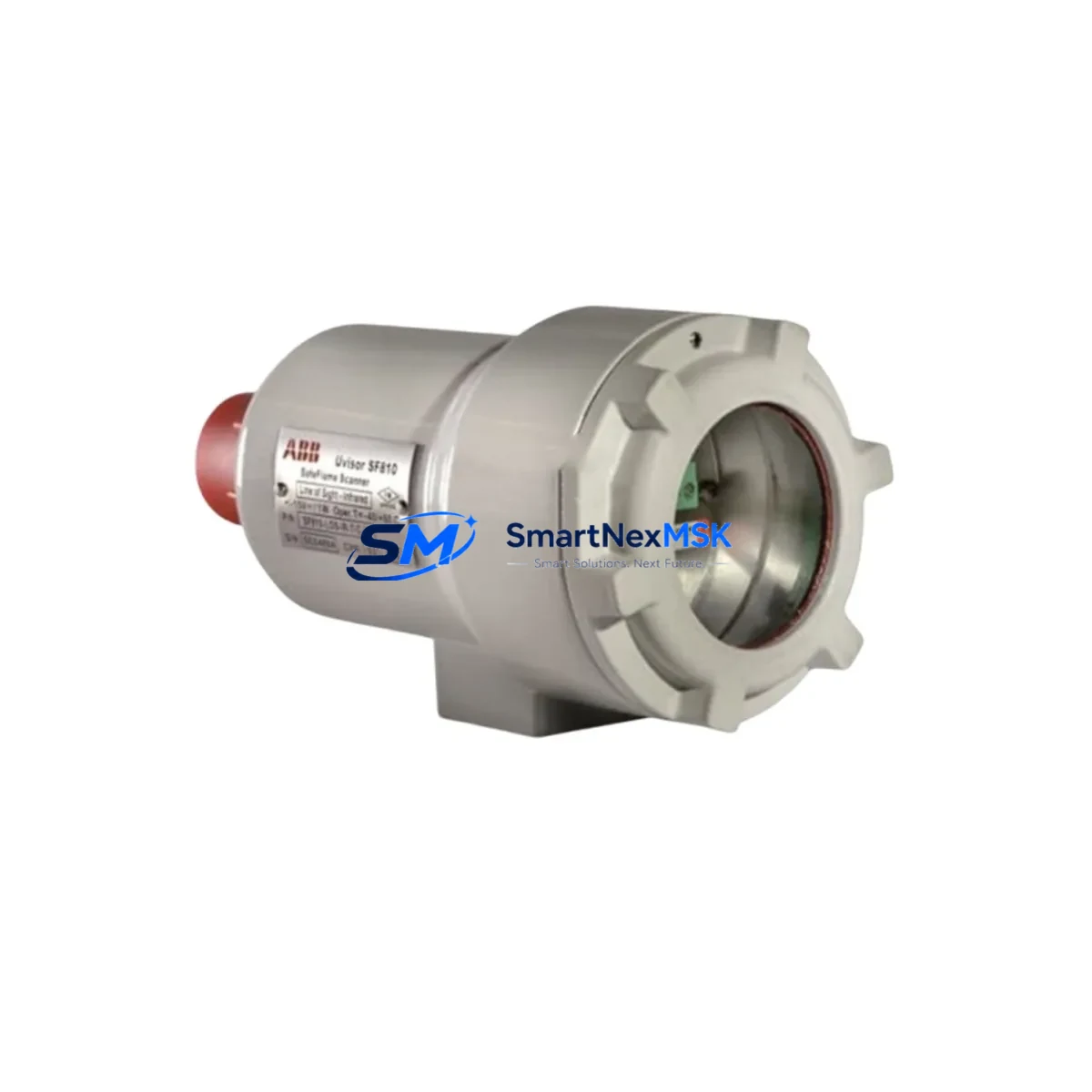
ABB SF810I-LOS-UV-T-L Spare for Symphony Plus Automation: Spare Replacement & Industrial Downtime Risk Control
The ABB SF810I-LOS-UV-T-L is a critical processor module within the ABB Symphony Plus DCS architecture, widely deployed across power generation, oil & gas, chemical processing, and water treatment facilities. When this module fails or reaches end-of-service life, the impact on process continuity can be immediate and severe. Maintaining a verified, tested spare of the SF810I-LOS-UV-T-L in your site inventory is one of the most effective strategies for minimizing unplanned downtime and protecting long-term system availability.
At SMARTNEXMSK, we supply original ABB SF810I-LOS-UV-T-L units sourced from authorized channels, each subject to pre-shipment functional verification. Every unit ships with a 12-month warranty and full documentation support, ensuring your maintenance team can proceed with confidence during both planned turnarounds and emergency callouts.
Spare Maintenance Table
| Parameter | Details |
|---|---|
| SKU / Part Number | SF810I-LOS-UV-T-L |
| Brand | ABB |
| Series | Symphony Plus (S+) |
| Module Type | DCS Processor / Controller Module |
| Compatible System | ABB Symphony Plus DCS, Harmony Series |
| Communication Interface | Optical fiber (LOS), UV-rated, redundancy-capable |
| Operating Voltage | 24 VDC (nominal, via backplane) |
| Operating Temperature | 0°C to 60°C |
| Mounting | DIN rail / Symphony Plus backplane rack |
| Origin | Germany |
| Condition | Original, new or refurbished-to-spec |
| Pre-shipment Test | Yes — functional verification before dispatch |
| Warranty | 12 Months |
| Typical Application | Power plant DCS, refinery control loop, water treatment SCADA |
| Maintenance Recommendation | Inspect fiber connectors, backplane contacts, and firmware version at each planned outage |
Maintenance Planning for Continuous Operation
Replacing the SF810I-LOS-UV-T-L is rarely an isolated task. Experienced maintenance engineers understand that a processor module failure often signals stress across adjacent components in the same control cabinet or communication loop. Before returning the system to service after an SF810I-LOS-UV-T-L swap, a thorough inspection of the surrounding infrastructure is strongly recommended.
Start with the Symphony Plus backplane itself — worn or oxidized backplane connectors are a common root cause of intermittent processor faults and should be cleaned or replaced if contact resistance is elevated. The SF810I power supply module feeding the rack should be load-tested; an aging PSU delivering marginal voltage can cause the replacement processor to exhibit the same fault symptoms as the original failed unit.
Fiber optic connections are central to the SF810I-LOS-UV-T-L’s communication architecture. Inspect all optical fiber patch cables at both the module port and the optical distribution frame — contamination or micro-bending losses are frequently overlooked during emergency replacements. If the system uses redundant processor pairs, verify that the redundancy synchronization link between the primary and standby SF810I modules is intact and error-free after the swap.
On the I/O side, review the Symphony Plus I/O modules connected downstream — particularly any AI810, AO810, DI810, or DO810 series I/O cards that share the same controller segment. A processor fault can sometimes mask underlying I/O card errors that only surface once the new processor begins polling. Signal integrity on 4–20 mA analog loops should be verified at the field terminal blocks, and any signal isolators or barriers in the loop should be checked for drift.
For sites running legacy Harmony or Infi90 systems migrated to Symphony Plus, also inspect the communication gateway modules that bridge older fieldbus segments. These gateways are often overlooked in spare parts planning but are equally critical to loop availability. Similarly, terminal blocks and marshalling panels in the same cabinet should be inspected for loose terminations, which can introduce noise into the newly restored control loop.
Finally, if the control cabinet houses an operator interface panel or local HMI, confirm that the HMI re-establishes communication with the replacement SF810I-LOS-UV-T-L without requiring a full configuration reload — this step is often missed during night-shift emergency replacements and can delay loop handback to operations.
Site Replacement Workflow
Step 1 — Pre-replacement verification: Confirm the replacement SF810I-LOS-UV-T-L firmware version matches the system’s current baseline. Mismatched firmware between redundant processor pairs is a leading cause of post-replacement instability. Download the current configuration backup before removing the faulty module.
Step 2 — Safe isolation: Follow your site’s LOTO procedure. For hot-standby redundant systems, initiate a controlled switchover to the standby processor before removing the primary. Verify the standby has assumed control cleanly before proceeding.
Step 3 — Module removal and inspection: Remove the faulty SF810I-LOS-UV-T-L and inspect the backplane slot for debris, corrosion, or bent pins. Clean the slot before inserting the replacement unit.
Step 4 — Replacement insertion and fiber reconnection: Seat the new module firmly, reconnect all fiber optic cables with clean, dust-capped connectors, and restore power. Allow the module to complete its self-test sequence before attempting to load configuration.
Step 5 — Configuration restore and loop verification: Restore the configuration from backup, verify all I/O points are scanning correctly, and confirm process values match field instrumentation readings. Document the replacement in your CMMS with the new module’s serial number and warranty start date.
This structured approach reduces mean time to repair (MTTR), prevents repeat failures caused by overlooked root causes, and ensures the replacement SF810I-LOS-UV-T-L delivers its full service life in your Symphony Plus system.
Spare Parts Support FAQ
Q1: Is the SF810I-LOS-UV-T-L you supply an original ABB unit, and how is it tested before shipment?
Yes. Every SF810I-LOS-UV-T-L we supply is an original ABB component. Prior to dispatch, each unit undergoes functional verification including power-on self-test, communication interface check, and visual inspection for physical damage. A test report is available upon request, and all units are covered by a 12-month warranty from the date of shipment.
Q2: How should I manage SF810I-LOS-UV-T-L inventory for a multi-unit Symphony Plus installation?
For installations with three or more Symphony Plus controller racks, we recommend maintaining at least one SF810I-LOS-UV-T-L spare on-site at all times. For critical continuous-process applications (power generation, refinery, chemical), a two-unit buffer is advisable. We offer long-term supply agreements and reserved stock programs to ensure availability even as this module approaches end-of-production status.
Q3: Can the SF810I-LOS-UV-T-L replace older Harmony or Infi90 processor modules directly?
Direct hardware interchangeability depends on your specific system configuration and firmware baseline. In most Symphony Plus migration projects, the SF810I-LOS-UV-T-L is used as a like-for-like replacement within the Symphony Plus architecture rather than as a cross-generation substitute. Our technical team can review your system’s BOM and advise on compatibility before you commit to a purchase.
Q4: What is your lead time, and do you offer emergency shipment for unplanned outages?
Standard lead time for in-stock SF810I-LOS-UV-T-L units is 1–3 business days for international shipment. For emergency outage situations, we offer expedited dispatch with same-day or next-day shipping options depending on your location. Contact our team directly to confirm current stock status and arrange priority fulfillment.
© 2026 SMARTNEXMSK. All rights reserved.
Original Source: https://smartnexmsk.com
Contact: [email protected] | +86 18259474341



