
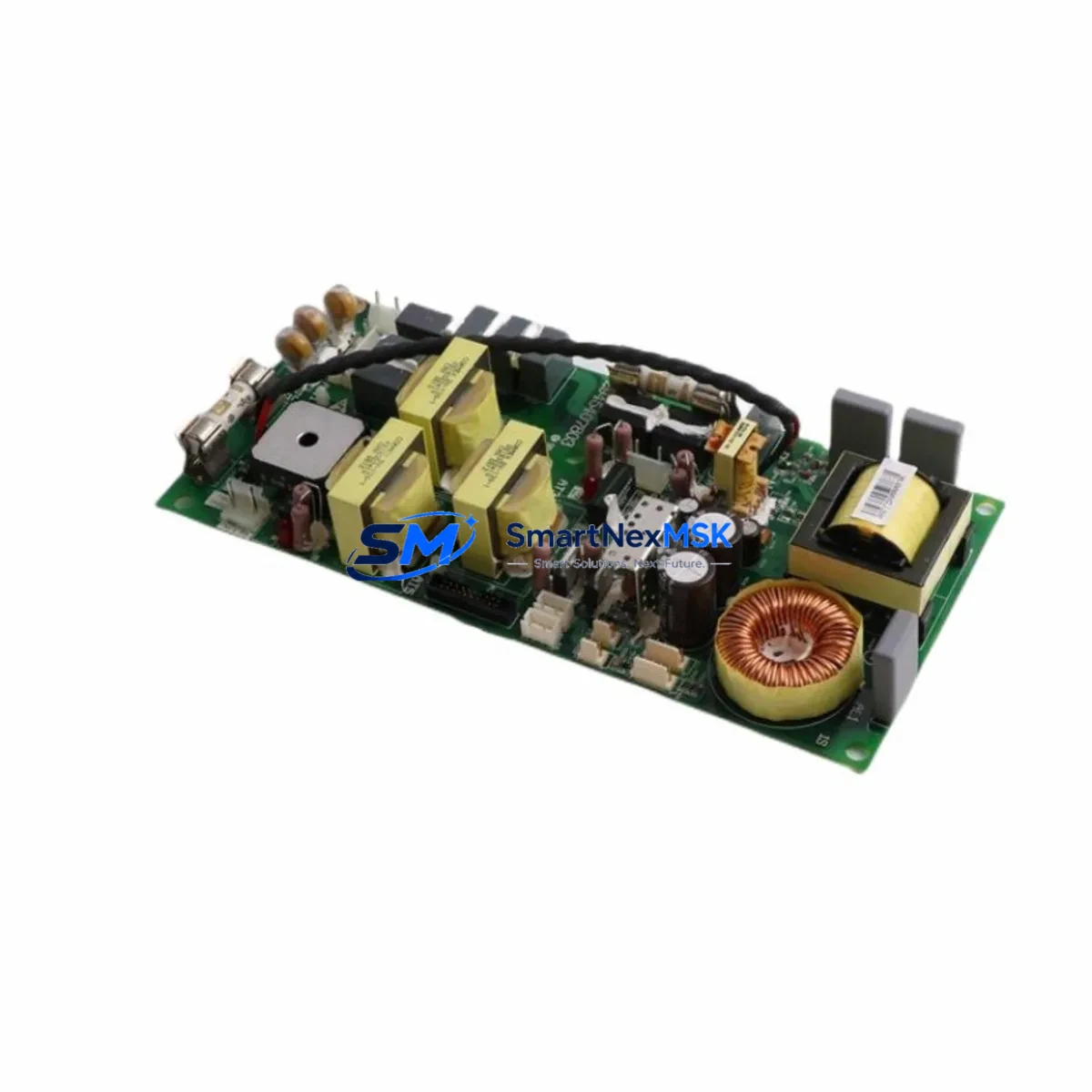
ABB SK-U1-PS1-H1 Maintenance-Ready Spare for ACS Automation
The ABB SK-U1-PS1-H1 is an original power supply board engineered for ACS series variable frequency drives in the U1 frame configuration. For maintenance engineers managing continuous production lines, control rooms, or automated process systems, this board represents a critical spare that directly governs drive availability. An unplanned failure of the internal power supply rail in an ACS drive can halt an entire production cell within seconds. Stocking a verified SK-U1-PS1-H1 spare eliminates the most common cause of extended drive downtime — waiting for a replacement board to arrive while the line stands idle.
This unit ships fully tested, with each board verified against ABB’s original electrical specifications before dispatch. The 12-month warranty covers both component integrity and functional performance under normal industrial operating conditions. Whether you are managing a single ACS800 installation or a fleet of ACS880 drives across multiple production zones, the SK-U1-PS1-H1 is a direct, plug-compatible replacement that requires no firmware modification or parameter re-entry at the drive level.
Spare Maintenance Table
| Parameter | Specification / Detail |
|---|---|
| Part Number | SK-U1-PS1-H1 |
| Brand | ABB |
| Compatible Series | ACS U1 Frame (ACS800, ACS880, ACS580 U1 variants) |
| Component Type | Internal Power Supply Board |
| Origin | Germany (OEM) |
| Input Voltage Range | Per ACS U1 frame drive specification (24 VDC auxiliary / internal bus) |
| Mounting | Direct board-level replacement, U1 frame chassis |
| Operating Temperature | -10°C to +55°C (standard ACS drive ambient range) |
| Application Environment | Industrial automation, process control, HVAC, pump/fan drives |
| Pre-shipment Testing | Full functional test performed on each unit |
| Warranty | 12 Months from date of shipment |
| Condition | Original / New OEM |
| Maintenance Recommendation | Inspect every 12–24 months; replace proactively at first sign of auxiliary power instability |
Maintenance Planning for Continuous Operation
When replacing the SK-U1-PS1-H1 power supply board in an ACS U1 frame drive, a disciplined maintenance engineer will treat the event as a full drive health audit rather than a single-component swap. The internal power supply board interfaces directly with the drive’s control board, gate driver board, and I/O extension modules. Any degradation in the supply rail can cause erratic behavior across all connected subsystems before the board fails outright.
During a planned replacement, inspect the ACS control board (RMIO or RDCU) for capacitor bulge or corrosion on the connector pins — a failing power supply often stresses the control board over time. Check the gate driver board (RINT or RDCU gate layer) for heat discoloration, which may indicate the power supply was operating outside its rated envelope. Verify the 24 VDC auxiliary power supply feeding the drive cabinet — an unstable external supply is a common root cause of repeated internal board failures.
Review all I/O terminal blocks and signal wiring at the drive’s X1 and X2 connectors. Loose terminals cause intermittent faults that are often misdiagnosed as power supply failures. If the drive communicates over PROFIBUS, PROFINET, or Modbus RTU via an RDNA, RPBA, or RMBA adapter module, inspect the communication module’s power pins and confirm the fieldbus cable shield is properly grounded. For drives using RETA-01 or RETA-02 Ethernet adapters, verify the adapter’s power draw is within the auxiliary supply budget after the board replacement.
Check the ACS panel-mounted keypad (ACS-CP-C or ACS-CP-D) and its cable for continuity — a shorted keypad cable can load the auxiliary supply and accelerate board wear. Inspect input fuses and the main contactor in the drive cabinet; a contactor with worn contacts creates voltage spikes that degrade power supply components over time. If the installation includes du/dt output filters or sine filters, verify their capacitor banks are intact, as filter degradation increases reflected voltage stress on the drive’s internal boards.
For older ACS installations approaching 10+ years of service, consider scheduling replacement of the DC bus capacitor bank alongside the SK-U1-PS1-H1 swap. Aged DC capacitors increase ripple current, which directly shortens power supply board life. Maintaining a cabinet-level spare kit — including the SK-U1-PS1-H1, a spare control board, a set of input fuses, and a spare communication module — reduces mean time to repair (MTTR) from days to under two hours for most ACS U1 frame failures.
Site Replacement Workflow
Step 1 — Isolation: De-energize the drive following lockout/tagout (LOTO) procedures. Confirm DC bus voltage has discharged below 50 VDC using a calibrated multimeter before opening the drive enclosure. ACS U1 frame drives retain DC bus charge for up to 5 minutes after power removal.
Step 2 — Documentation: Photograph all wiring connections, parameter backup (upload drive parameters to ACS keypad or DriveStudio/Drive Composer PC tool), and record the existing board revision marking on the SK-U1-PS1-H1 being removed.
Step 3 — Board Removal: Disconnect the board’s ribbon cable and power connectors in sequence. Note the connector keying — incorrect reinsertion is the most common installation error on ACS power supply boards.
Step 4 — Inspection: Before installing the replacement SK-U1-PS1-H1, inspect the chassis mounting points and connector receptacles on the drive frame for corrosion or mechanical damage. Clean with dry compressed air if contamination is present.
Step 5 — Installation and Verification: Seat the new board, reconnect all cables, and restore power. Confirm the drive’s auxiliary supply LED indicators are stable. Restore parameters from backup and run a no-load test cycle before reconnecting the motor load. Log the replacement date and new board serial number in the site maintenance record.
This workflow applies equally when upgrading from an older H0 revision to the H1 revision of the SK-U1-PS1-H1, which offers improved thermal management and extended MTBF compared to earlier production runs.
Spare Parts Support FAQ
Q1: Is the SK-U1-PS1-H1 compatible with all ACS U1 frame drive variants?
The SK-U1-PS1-H1 is designed for ACS series drives in the U1 frame configuration. Compatibility should be confirmed against the drive’s type code and hardware revision. Contact our technical team with your drive’s full type designation for a definitive compatibility check before ordering.
Q2: What is included in the 12-month warranty?
The warranty covers manufacturing defects and functional failure under normal industrial operating conditions for 12 months from the shipment date. Each unit undergoes pre-shipment functional testing. Warranty claims require the original order reference and a description of the failure mode.
Q3: How quickly can the SK-U1-PS1-H1 be dispatched for emergency downtime recovery?
In-stock units are dispatched within 1 business day. Express international shipping options are available for critical downtime situations. Contact [email protected] or call +86 18259474341 to confirm stock availability and arrange priority dispatch.
Q4: Should I stock multiple SK-U1-PS1-H1 boards if I operate several ACS U1 frame drives?
For facilities operating three or more ACS U1 frame drives, maintaining at least one SK-U1-PS1-H1 on-site is strongly recommended. For critical process lines where drive failure causes significant production loss, a 1:5 spare ratio (one board per five drives) is a common industry practice. Long-term supply agreements are available for volume procurement.
© 2026 SMARTNEXMSK. All rights reserved.
Original Source: https://smartnexmsk.com
Contact: [email protected] | +86 18259474341



