
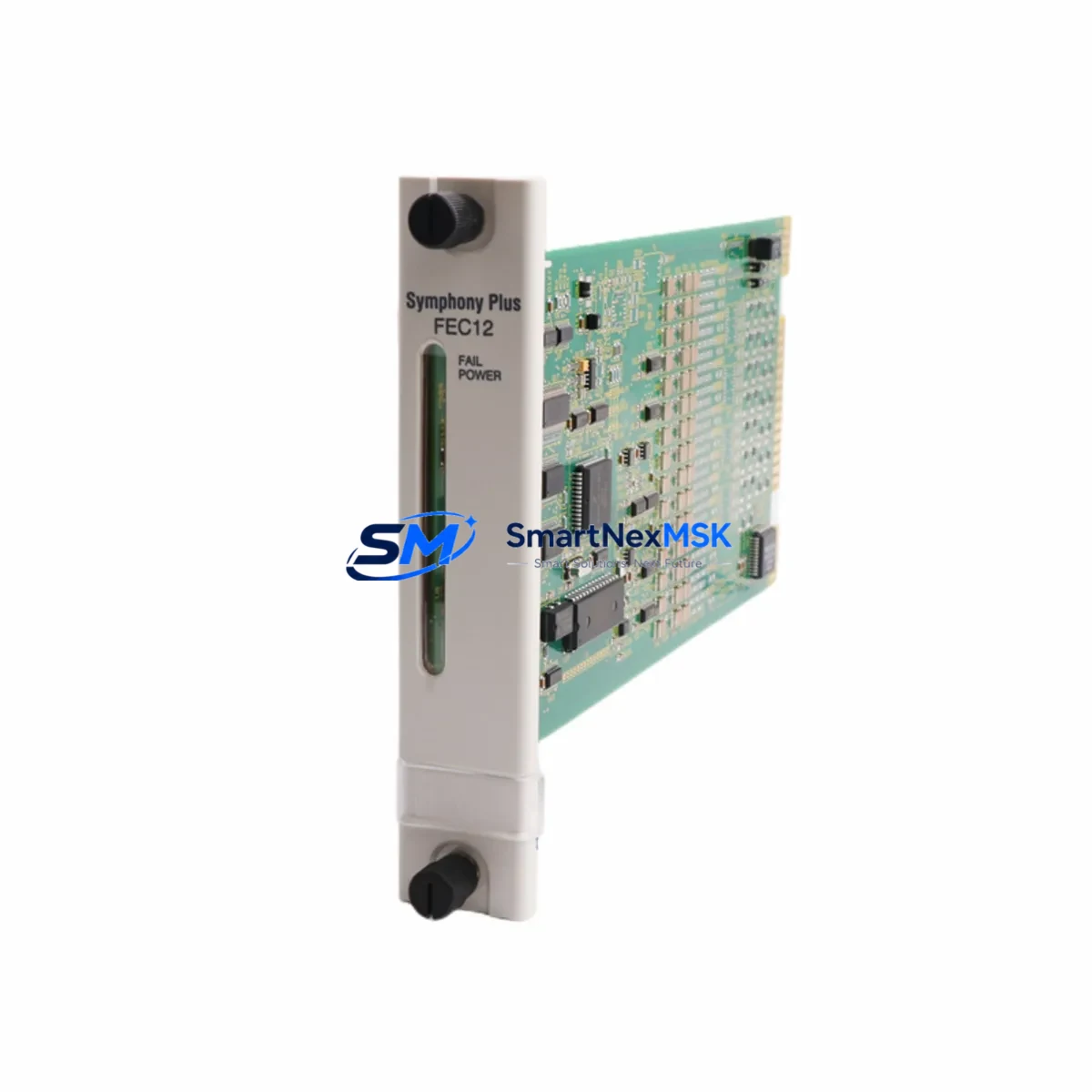
ABB SPFEC12 Maintenance-Ready Spare for AC800F Automation
The ABB SPFEC12 is an 8-channel analog input module engineered for the AC800F distributed control system — one of ABB’s most widely deployed DCS platforms in process automation, oil & gas, chemical, and power generation facilities. When this module fails or degrades, the consequences extend beyond a single I/O channel: the entire process loop dependent on that signal is compromised, triggering alarms, forcing manual overrides, and — in worst-case scenarios — initiating an unplanned shutdown. Stocking a verified SPFEC12 spare is not optional for any facility running AC800F-based control architecture; it is a fundamental element of a sound maintenance strategy.
Every SPFEC12 unit supplied by SMARTNEXMSK is sourced from authorized distribution channels, inspected against ABB’s original hardware specifications, and function-tested prior to shipment. Each unit ships with a 12-month warranty covering manufacturing defects and operational failures under normal service conditions. Our global logistics network supports urgent dispatch to minimize your mean time to repair (MTTR).
Spare Maintenance Table
| Parameter | Specification |
|---|---|
| Part Number / SKU | SPFEC12 |
| Manufacturer | ABB |
| Compatible System | AC800F DCS (Freelance Controller Platform) |
| Module Type | 8-Channel Analog Input Module |
| Signal Type | 4–20 mA / 0–10 V (configurable per channel) |
| Resolution | 12-bit A/D conversion |
| Isolation | Channel-to-channel and channel-to-bus galvanic isolation |
| Power Supply | Supplied via AC800F backplane bus |
| Operating Temperature | 0 °C to +60 °C |
| Mounting | DIN-rail / AC800F module rack (hot-swap capable) |
| Country of Origin | Germany |
| Certifications | CE, UL (per ABB product documentation) |
| Warranty | 12 Months — covers manufacturing defects and operational failure under normal use |
| Pre-shipment Test | Function-tested and verified against ABB factory parameters |
| Delivery | Express global shipping available; lead time confirmed at order |
Maintenance Planning for Continuous Operation
Replacing the SPFEC12 in an AC800F cabinet is rarely an isolated task. Experienced maintenance engineers know that an analog input module failure is often a symptom of broader stress in the control loop — and that a thorough inspection of adjacent components during the same maintenance window dramatically reduces the risk of repeat failures and secondary downtime events.
When servicing the SPFEC12, the following components in the same control cabinet or electrical circuit should be inspected or replaced as part of a complete maintenance cycle:
- AC800F Power Supply Module (e.g., SPFEC11 or equivalent PSU) — Verify output voltage stability. A degraded power supply is a leading cause of premature analog module failure. Check ripple and load regulation under full I/O load.
- Backplane / Rack Assembly — Inspect the AC800F module rack for bent connector pins, oxidation on the bus connectors, and mechanical damage. A faulty backplane can corrupt data from an otherwise healthy SPFEC12.
- Signal Isolators and Barriers — For field instruments wired to the SPFEC12 inputs, check Zener barriers or galvanic isolators (e.g., MTL or P+F signal conditioners) for drift or failure. These protect the module from field-side surges.
- Field Wiring and Terminal Blocks — Inspect screw-type or spring-clamp terminal blocks for loose connections, corrosion, or insulation breakdown. High-resistance joints introduce measurement error on 4–20 mA loops.
- Fuses and Circuit Protection — Verify that loop-powered channel fuses (typically 100 mA fast-blow) are intact. A blown fuse on one channel can mask a wiring fault that will damage the replacement module.
- Communication Module (e.g., SPFEC13 or AC800F CPU module) — Confirm that the controller CPU and communication modules are operating without fault codes. A communication module in degraded state may misreport analog values even after the SPFEC12 is replaced.
- I/O Expansion Modules — If the cabinet includes digital I/O modules (e.g., SPFEC14 digital output modules), verify their status during the same inspection. Shared power rail issues affect all modules simultaneously.
- HMI / SCADA Interface — After module replacement, confirm that the AC800F engineering station (e.g., Freelance Engineering Tool) correctly recognizes the new module and that all tag assignments and scaling parameters are restored from the project backup.
- Grounding and Shielding — Verify cabinet ground bus continuity and cable shield termination. Poor grounding is a primary source of noise on analog input channels, particularly in high-EMI industrial environments.
A structured inspection of these components — documented in your CMMS — transforms a reactive replacement into a proactive maintenance event, extending the operational life of the entire AC800F system.
Site Replacement Workflow
The SPFEC12 is designed for in-service replacement within the AC800F rack, minimizing the interruption to process control. Follow this workflow to ensure a safe, compatible, and fully verified swap:
- Backup Configuration: Before any hardware change, export the current AC800F project from the Freelance Engineering Tool. Confirm that all I/O channel configurations, scaling parameters, and alarm limits for the SPFEC12 are saved and version-controlled.
- Isolate the Loop: Place affected process loops in manual mode at the DCS. Notify operations personnel. For safety-critical loops, follow your site’s Management of Change (MOC) procedure.
- Remove the Faulty Module: The SPFEC12 supports hot-swap on compatible AC800F racks. Grasp the module handle, release the locking lever, and slide the module out. Avoid touching the backplane connector pins.
- Install the Replacement: Align the new SPFEC12 with the rack guide rails and slide firmly until the backplane connector seats fully. Engage the locking lever. The AC800F controller will automatically detect the new module.
- Verify Recognition: In the Freelance Engineering Tool, confirm the module is recognized with the correct hardware revision. Download the configuration if required. Check that all 8 channels report expected values from field instruments.
- Return to Auto: Restore process loops to automatic control. Monitor for 15–30 minutes to confirm stable analog readings and no alarm conditions.
- Document: Record the replacement in your CMMS with the old module’s serial number, failure mode, and the new module’s serial number and warranty expiry date.
This workflow applies equally to planned preventive replacements and emergency corrective maintenance. Keeping a pre-configured spare SPFEC12 on the shelf — already verified against your system’s hardware revision — reduces emergency replacement time to under 30 minutes.
Spare Parts Support FAQ
Q1: What is the shelf life of a stored SPFEC12 spare, and how should it be stored?
The SPFEC12, like all ABB AC800F modules, has an indefinite shelf life when stored correctly: in its original anti-static packaging, at 15–25 °C, with relative humidity below 75% non-condensing. We recommend a periodic inspection cycle (every 12–24 months) for long-term spares, including a power-on functional test if your facility has a test bench. Units supplied by SMARTNEXMSK include a 12-month warranty from the date of shipment, regardless of when the unit is placed into service.
Q2: How do I confirm compatibility between a replacement SPFEC12 and my existing AC800F system?
Compatibility depends on the hardware revision of your AC800F rack and the firmware version of your controller CPU. Provide us with your existing module’s label information (hardware revision code, firmware version if visible) and your AC800F system version when ordering. Our technical team will cross-reference against ABB’s compatibility matrix and confirm before shipment. All units are pre-tested to verify correct initialization on the AC800F backplane.
Q3: Can the SPFEC12 replace older or discontinued ABB analog input modules in the same rack?
In many AC800F installations, the SPFEC12 is a direct form-fit-function replacement for earlier-generation analog input modules in the same product family. However, channel count, signal type support, and firmware compatibility must be verified for your specific system version. Contact our technical support team with your existing module part number and system version — we will confirm interchangeability before you commit to the replacement.
Q4: What does the 12-month warranty cover, and what is the claims process?
The 12-month warranty covers manufacturing defects and operational failures under normal operating conditions as defined in ABB’s product documentation. It does not cover damage caused by incorrect installation, overvoltage events, or use outside specified environmental limits. To initiate a warranty claim, contact [email protected] with your order number, the module’s serial number, and a description of the failure. We will arrange return logistics and either repair or replace the unit within an agreed lead time.
© 2026 SMARTNEXMSK. All rights reserved.
Original Source: https://smartnexmsk.com
Contact: [email protected] | +86 18259474341



