
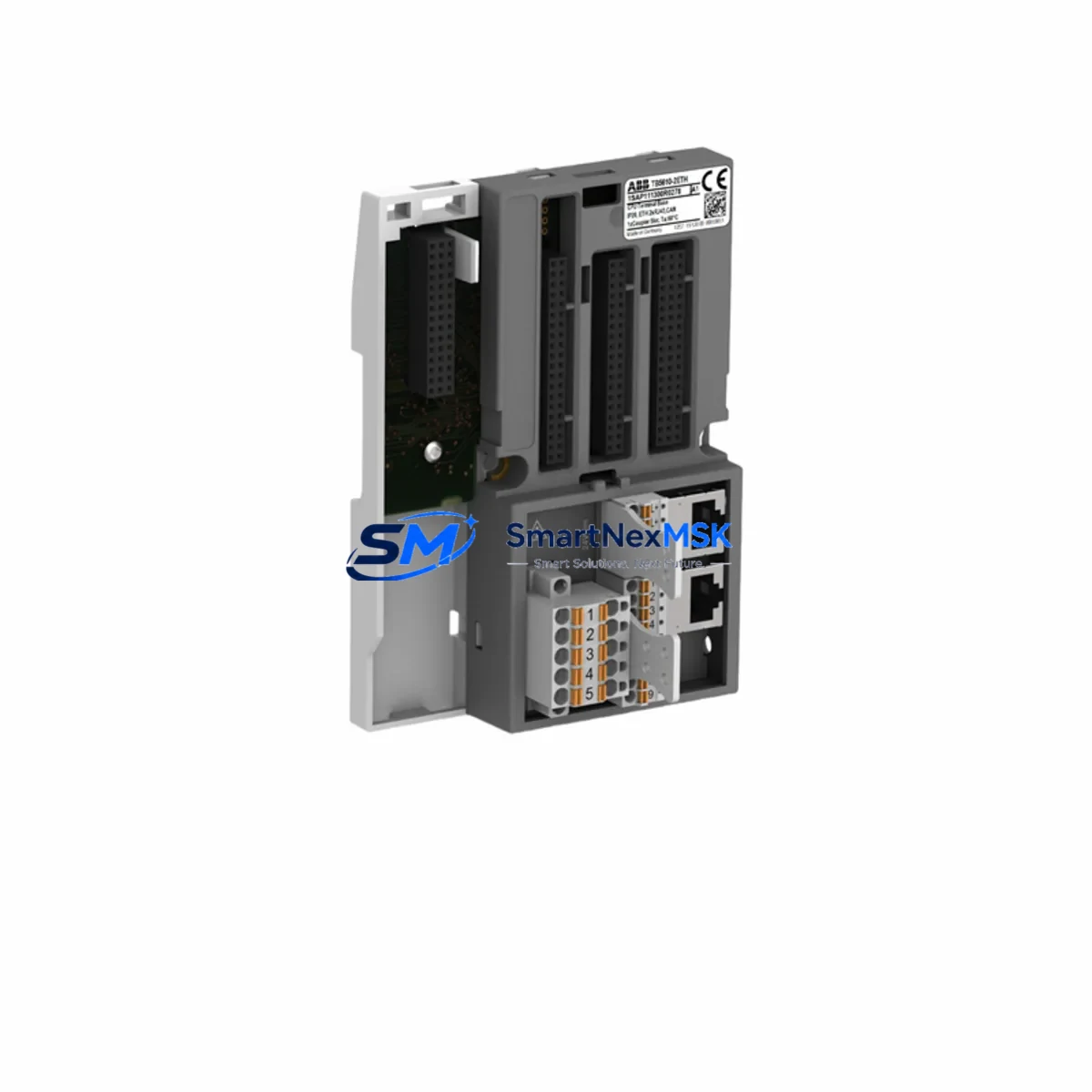
ABB TB5610-2ETH Retrofit-Ready Ethernet Module for AC500 Control Systems
The ABB TB5610-2ETH is a dual-port Ethernet communication module engineered for the ABB AC500 PLC platform, purpose-built to support legacy system modernization, discontinued spare part replacement, and seamless control cabinet upgrades. Whether you are migrating from an aging AC500 V1 architecture or expanding an existing AC500 V2/V3 installation, the TB5610-2ETH delivers the communication backbone required to maintain production continuity while transitioning to modern industrial Ethernet protocols.
This module supports Modbus TCP, EtherNet/IP, and standard PROFINET IO communication, making it a critical component in protocol migration projects where legacy serial or proprietary fieldbus links must be replaced with open Ethernet-based architectures. Engineers replacing older TB5600 or TB5605 communication modules will find the TB5610-2ETH a direct functional upgrade, with backward-compatible rack mounting on standard AC500 backplanes including the TB5005 and TB5010 series.
For control system integrators managing multi-cabinet installations, the TB5610-2ETH integrates directly with the PM5xx CPU modules (PM554, PM564, PM573, PM583, PM591, PM592) via the internal AC500 communication bus, eliminating the need for external gateway hardware. This reduces panel footprint, simplifies wiring, and shortens commissioning time — all critical factors when minimizing planned downtime during a retrofit window.
All units are sourced from verified supply channels, pre-tested prior to shipment, and covered by a 12-month warranty. Stock is maintained for immediate dispatch to support urgent breakdown recovery and scheduled maintenance shutdowns.
Upgrade Compatibility Table
| Parameter | TB5610-2ETH Specification |
|---|---|
| Compatible CPU Series | ABB AC500 V2 / V3 (PM554 – PM592) |
| Backplane Interface | AC500 internal bus (TB5005 / TB5010 backplane) |
| Ethernet Ports | 2 × RJ45, 10/100 Mbps |
| Supported Protocols | Modbus TCP, EtherNet/IP, PROFINET IO, FTP, HTTP |
| Replaces / Upgrades From | TB5600, TB5605 (legacy Ethernet modules) |
| Installation Type | Snap-on backplane slot, no tools required |
| Power Supply Requirement | Powered via backplane (no external 24 VDC required) |
| Programming Environment | ABB Automation Builder / PS501 Control Builder Plus |
| Firmware Compatibility | AC500 FW V2.4.0 and above |
| Commissioning Tool | Automation Builder network scan / DHCP assignment |
| Warranty | 12 Months — covers hardware defects and DOA replacement |
| Origin | Germany (ABB Stotz-Kontakt / ABB AG) |
Retrofit Planning for Existing Automation Systems
Successful integration of the TB5610-2ETH into an existing control system requires a structured pre-retrofit assessment. Before removing the legacy communication module, engineers should document the current IP address assignments, subnet configuration, and PROFINET device names stored in the outgoing module. These parameters must be replicated in the TB5610-2ETH using ABB Automation Builder to avoid address conflicts on the plant network.
On the hardware side, verify that the host AC500 backplane (TB5005 or TB5010) has an available communication slot. In dense cabinet configurations where the backplane is fully populated with DI/DO expansion modules such as the DC532 digital input module or DA501 analog output module, slot reallocation may be necessary. Confirm that the PM5xx CPU module firmware is updated to V2.4.0 or later before inserting the TB5610-2ETH, as earlier firmware versions do not enumerate dual-port Ethernet modules correctly.
For installations migrating from serial Modbus RTU to Modbus TCP, the TB5610-2ETH eliminates the need for a standalone RS485-to-Ethernet converter or a third-party protocol gateway. The module’s onboard Modbus TCP server maps directly to the AC500 data memory, allowing SCADA systems and CP600 HMI panels to poll process variables without changes to the PLC program logic — a significant advantage when preserving validated control sequences in regulated industries.
Where the existing installation uses an AC500 eCo (PM554-T) or compact CPU, confirm that the target backplane supports the TB5610-2ETH slot type. In some compact configurations, a TB5005 expansion backplane must be added to accommodate the communication module alongside existing I/O. Wiring to field devices remains unchanged; only the network-side termination at the managed Ethernet switch requires reconfiguration to assign the new module’s MAC address to the correct VLAN.
For projects involving PROFINET IO controller migration, the TB5610-2ETH supports up to 16 IO devices per controller instance. Existing PROFINET device configurations exported from the legacy system’s GSD/GSDML files can be imported directly into Automation Builder, reducing re-engineering time. Confirm that all IO device firmware versions are compatible with the PROFINET stack version supported by the TB5610-2ETH before going live.
Downtime Control During System Migration
Minimizing unplanned downtime is the primary constraint in any live-system retrofit. For TB5610-2ETH installations, the recommended approach is a hot-swap preparation sequence: pre-configure the replacement module offline using Automation Builder’s hardware configuration export, assign the target IP address and PROFINET device name before physical installation, and validate the configuration against a test rack if available.
During the physical swap, the AC500 CPU should be placed in STOP mode rather than powered down where process safety permits. This preserves the current program image in CPU RAM and allows the system to resume execution immediately after the new module is recognized on the backplane bus — typically within 15–30 seconds of module insertion. Output modules such as the DC532 and relay output modules will hold their last state during the STOP interval if the CPU’s output behavior is configured accordingly.
For SCADA-connected systems, coordinate with the control room to suppress alarms during the swap window. The TB5610-2ETH’s dual-port architecture supports media redundancy (MRP) ring topologies, which can be leveraged post-retrofit to eliminate single points of failure in the plant Ethernet network — a long-term reliability improvement that justifies the retrofit investment beyond simple spare part replacement.
After module insertion, use Automation Builder’s online diagnostic view to confirm that the TB5610-2ETH is enumerated correctly, that both Ethernet ports show link status, and that all configured PROFINET IO devices have returned to DATA_EXCHANGE state. Log the commissioning results and update the as-built documentation before returning the system to AUTO mode.
Retrofit Support FAQ
Q1: Is the TB5610-2ETH a direct drop-in replacement for the TB5605?
The TB5610-2ETH is functionally compatible with the TB5605 slot position on AC500 V2/V3 backplanes. However, the TB5610-2ETH adds a second Ethernet port and expanded protocol support (EtherNet/IP, PROFINET IO) not present on the TB5605. A firmware update to the host CPU (V2.4.0+) is required, and the hardware configuration in Automation Builder must be updated to reflect the new module type before downloading to the CPU.
Q2: Can the existing PLC program be retained without modification?
In most cases, yes. The TB5610-2ETH maps to the same AC500 communication function blocks used by predecessor modules. Modbus TCP and standard Ethernet communication function blocks (ETH_MODBUS_TCP_CLIENT, ETH_MODBUS_TCP_SERVER) remain compatible. PROFINET IO device assignments may require re-mapping in the hardware configuration, but the PLC application logic itself does not need to be rewritten.
Q3: What pre-shipment testing is performed on each unit?
Each TB5610-2ETH unit undergoes power-on functional verification, dual-port Ethernet link testing, and firmware version confirmation prior to dispatch. Units are shipped with original ABB packaging where available. A 12-month warranty covers hardware defects from the date of invoice. DOA (dead-on-arrival) units are replaced on a priority basis with expedited shipping at no additional cost.
Q4: What wiring or terminal changes are required during installation?
The TB5610-2ETH connects to the plant network via standard RJ45 patch cables — no special terminal adapters or custom wiring are required. The module draws power entirely from the AC500 backplane bus; no external 24 VDC supply connection is needed. If the existing installation used a serial RS485 link that is being retired as part of this upgrade, the RS485 terminal wiring on the field side should be properly terminated or removed to avoid signal interference on shared cable trays.
© 2026 SMARTNEXMSK. All rights reserved.
Original Source: https://smartnexmsk.com
Contact: [email protected] | +86 18259474341



