
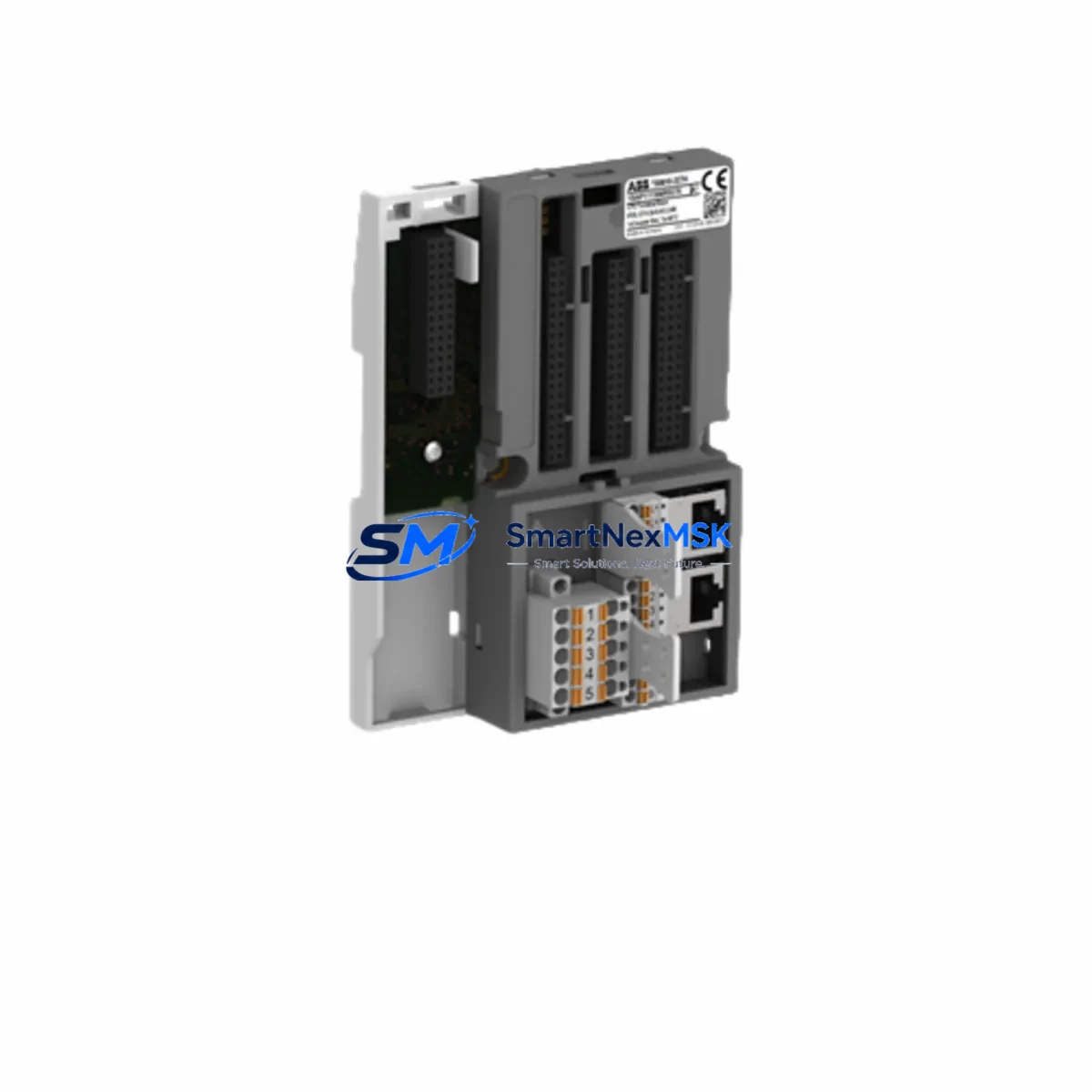
ABB TB5610-2ETH Spare for AC500 Automation: Spare Replacement & Industrial Downtime Risk Control
The ABB TB5610-2ETH (Part No. 1SAP111300R0278) is a dual-port Ethernet communication module designed for the ABB AC500 PLC platform. As a critical network interface component within AC500 control cabinets, this module enables PROFINET, Modbus TCP, and EtherNet/IP communication between the PLC CPU and plant-level SCADA, DCS, or HMI systems. When this module fails or degrades, the entire automation network segment can go offline — making a verified, ready-to-ship spare an essential element of any industrial maintenance strategy.
At SMARTNEXMSK, every TB5610-2ETH unit is sourced as an original ABB component, individually tested for communication integrity and port functionality prior to shipment, and backed by a 12-month warranty. Our inventory is maintained specifically to support maintenance engineers and procurement teams who require fast, reliable spare parts fulfillment — with no lead-time uncertainty.
Spare Maintenance Table
| Parameter | Specification |
|---|---|
| Part Number | TB5610-2ETH / 1SAP111300R0278 |
| Brand | ABB |
| Series | AC500 |
| Module Type | Dual-Port Ethernet Communication Module |
| Supported Protocols | PROFINET IO, Modbus TCP, EtherNet/IP |
| Ethernet Ports | 2 × RJ45 (10/100 Mbit/s) |
| Compatible CPUs | AC500 PM5xx series (PM554, PM564, PM573, PM583, PM591, PM592) |
| Mounting | Direct plug-in to AC500 CPU left expansion slot |
| Supply Voltage | Powered via CPU backplane (no external supply required) |
| Operating Temperature | -25°C to +60°C |
| Protection Rating | IP20 |
| Origin | Germany |
| Condition | Original, New / Tested Surplus |
| Warranty | 12 Months |
| Pre-shipment Test | Communication port continuity, firmware version verification |
| Compatibility Confirmation | Verified against AC500 V2 and V3 hardware generations |
| Typical Application | Factory automation, process control, water treatment, energy management |
Maintenance Planning for Continuous Operation
When a TB5610-2ETH fails in service, the root cause is rarely the module alone. Experienced maintenance engineers know that Ethernet communication faults in AC500 systems are often triggered or compounded by adjacent components. A thorough fault-isolation and replacement workflow should include inspection of the following:
Begin with the AC500 CPU module (e.g., PM564-T or PM592-ETH) — confirm that the CPU’s internal communication bus is healthy and that firmware is current, as an outdated CPU firmware can cause false communication faults on the TB5610-2ETH. Next, inspect the TB5610-2ETH’s RJ45 patch cables and switch ports: degraded Cat5e/Cat6 cables or a failing managed switch port are common culprits in intermittent Ethernet dropouts that are misdiagnosed as module failure.
Check the AC500 power supply module (e.g., CP502 or CP504) for output voltage stability — undervoltage on the backplane can cause communication modules to reset unexpectedly. If the control cabinet includes digital or analog I/O modules (such as DC532 or DA501), verify that their status LEDs show no fault conditions, as I/O bus errors can propagate to the communication layer.
For systems using PROFINET IO, review the GSD file configuration in the engineering tool (Automation Builder) and confirm that the TB5610-2ETH’s IP address and device name are correctly assigned — mismatches after a module swap are a leading cause of post-replacement communication failures. If the plant network includes signal isolators or surge protection devices on Ethernet lines, inspect these for degradation, particularly in environments with frequent lightning events or heavy motor drives nearby.
In cabinets where the AC500 communicates with HMI panels (such as ABB CP600 series or third-party Weintek/Siemens TP panels via Modbus TCP), confirm that the HMI’s communication parameters match the new module’s IP settings. Also review terminal blocks and DIN rail grounding — poor cabinet grounding is a systemic cause of Ethernet communication instability that a module replacement alone will not resolve.
For sites running legacy AC500 V1 hardware, consider whether the TB5610-2ETH replacement is an opportunity to audit the entire communication architecture: aging coaxial or RS485 serial communication modules (e.g., TK501 or TK502) in the same cabinet may be approaching end-of-life and should be added to the next planned maintenance cycle. Keeping one spare TB5610-2ETH — alongside a spare CPU module and power supply — in your on-site spare parts kit is the most effective strategy for minimizing unplanned downtime in AC500-based systems.
Site Replacement Workflow
Step 1 — Pre-replacement preparation: Download and save the current AC500 project from Automation Builder. Record the TB5610-2ETH’s IP address, subnet mask, gateway, and PROFINET device name. Power down the PLC cabinet following your site LOTO procedure.
Step 2 — Module removal: Disconnect both RJ45 Ethernet cables and label them (Port 1 / Port 2). Release the module locking tab and slide the TB5610-2ETH out of the CPU’s left expansion slot. Inspect the connector pins for corrosion or mechanical damage.
Step 3 — New module installation: Insert the replacement TB5610-2ETH firmly into the expansion slot until the locking tab clicks. Reconnect the labeled Ethernet cables to the correct ports. Power up the cabinet.
Step 4 — Configuration restore: Using Automation Builder, download the saved project to the CPU. Verify that the TB5610-2ETH’s IP address and PROFINET device name are correctly assigned. If the module was previously configured via the CPU’s onboard web server, re-enter the network parameters.
Step 5 — Communication verification: Confirm that all PROFINET IO devices, Modbus TCP clients, and HMI connections are re-established. Check the CPU’s diagnostic buffer for any residual communication errors. Run a 15-minute observation period before returning the system to production.
This workflow is compatible with both AC500 V2 and V3 hardware generations and supports direct replacement of older TB5610-ETH (single-port) units where dual-port functionality is acceptable in the existing network topology.
Spare Parts Support FAQ
Q1: Is the TB5610-2ETH (1SAP111300R0278) compatible with all AC500 CPU generations?
The TB5610-2ETH is compatible with AC500 V2 and V3 CPU modules (PM5xx series). For AC500 V1 CPUs (PM5xx-T with older backplane connectors), please confirm the hardware generation before ordering. Our technical team can assist with compatibility verification based on your CPU part number.
Q2: What pre-shipment testing is performed on each unit?
Every TB5610-2ETH is tested for physical connector integrity, port-to-port communication continuity, and firmware version verification before shipment. Units are packaged in anti-static ESD bags with protective end caps on RJ45 ports to prevent transit damage.
Q3: How quickly can a replacement unit be shipped, and what is the warranty coverage?
In-stock units are dispatched within 1–2 business days. All units carry a 12-month warranty covering manufacturing defects and communication failures under normal operating conditions. Expedited shipping options are available for emergency downtime situations.
Q4: Can this module replace the older single-port TB5610-ETH variant?
Yes. The TB5610-2ETH is a functional upgrade to the single-port TB5610-ETH. The dual-port design supports ring topology and media redundancy (MRP) configurations. If your existing network uses only one Ethernet connection, the second port can remain unused without affecting operation. No firmware changes to the CPU are required for this substitution.
© 2026 SMARTNEXMSK. All rights reserved.
Original Source: https://smartnexmsk.com
Contact: [email protected] | +86 18259474341



