
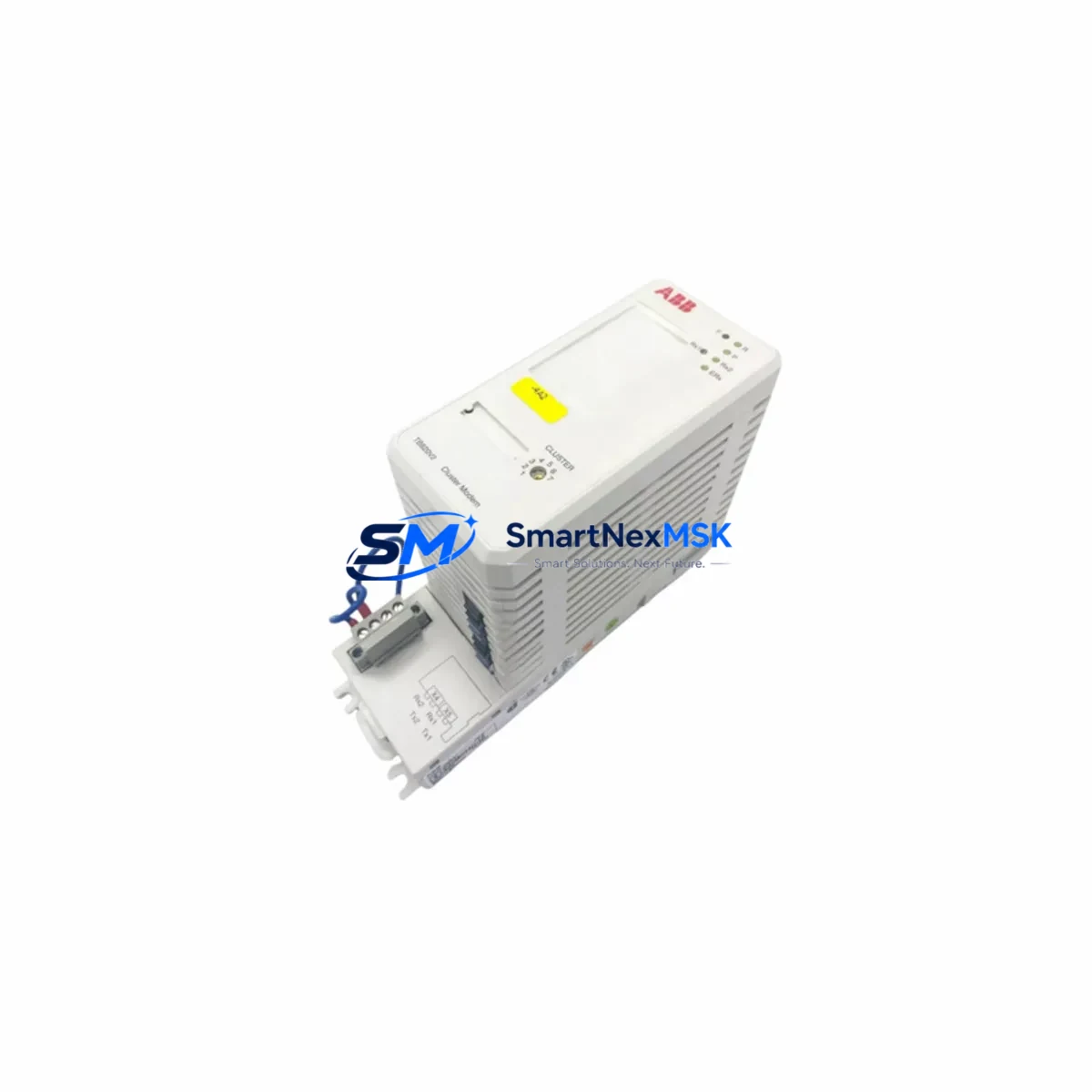
ABB TB820V2 3BSE013208R1 Retrofit-Ready Modulebus Modem for S800 I/O Control Systems
The ABB TB820V2 (3BSE013208R1) is a Modulebus Cluster Modem designed for the ABB S800 I/O series, widely deployed in process automation, power generation, and continuous manufacturing environments. As legacy S800 I/O installations age and original TB820 units reach end-of-life, the TB820V2 serves as the primary retrofit-ready replacement, offering full backward compatibility with existing S800 I/O field station architectures while supporting migration toward modern AC800M and AC800F controller platforms.
This unit enables the Modulebus communication link between the S800 I/O field station and the controller, managing data exchange across the cluster. When replacing a failed or discontinued TB820 in an operating plant, engineers must verify the Modulebus address configuration, confirm the cluster modem’s position on the CI830 or CI840 communication interface, and ensure the replacement unit’s firmware revision is compatible with the installed AC800M controller version. Mismatched firmware between the TB820V2 and the CI840A Ethernet adapter can cause cluster initialization failures that are difficult to diagnose without access to the original project documentation.
For sites running older S800 I/O racks with the original TB820 (3BSE013208R1 predecessor), the TB820V2 is a direct mechanical and electrical replacement. The module slots into the same S800 I/O baseplate position, uses the same 24 VDC power rail supplied by the SB821 or SB822 power supply module, and requires no changes to the existing field wiring or terminal block assignments. However, engineers should confirm that the TB820V2’s Modulebus termination switch setting matches the original unit — incorrect termination on a multi-cluster station is a common source of communication instability after replacement.
Upgrade Compatibility Table
| Parameter | TB820 (Legacy) | TB820V2 3BSE013208R1 |
|---|---|---|
| Modulebus Protocol | Modulebus (optical) | Modulebus (optical) — fully compatible |
| Power Supply Requirement | 24 VDC via SB821/SB822 | 24 VDC via SB821/SB822 — no change required |
| Backplane Interface | S800 I/O baseplate | S800 I/O baseplate — direct drop-in fit |
| Controller Compatibility | AC800M, AC800F | AC800M, AC800F — verify firmware revision |
| Communication Interface | CI830 / CI840 | CI830 / CI840A — confirm cluster address |
| Modulebus Termination | Switch-selectable | Switch-selectable — match original setting |
| Installation Type | DIN rail / S800 rack | DIN rail / S800 rack — no mechanical change |
| Replacement Recommendation | End-of-life / discontinued | Direct replacement — recommended upgrade path |
| Commissioning Requirement | Address + termination config | Address + termination config — same procedure |
| Warranty | — | 12-Month Warranty included |
Retrofit Planning for Existing Automation Systems
A successful TB820V2 retrofit begins well before the module arrives on site. The first step is a full audit of the existing S800 I/O cluster layout: document the number of I/O modules per cluster, the Modulebus address assigned to each TB820, and the optical fiber routing between the field station and the CI840A or CI830 communication interface mounted in the controller cabinet. This documentation becomes the baseline for post-replacement verification.
Power capacity is a critical pre-check. The SB821 or SB822 power supply module feeding the S800 I/O baseplate must have sufficient headroom to support the TB820V2 alongside all installed I/O modules — AI810 analog input modules, DI810 digital input modules, DO810 digital output modules, and any AO810 analog output modules in the cluster. Overloaded power supplies are a frequent root cause of intermittent communication faults that appear after a module swap and are incorrectly attributed to the replacement unit.
Terminal block wiring on the S800 I/O baseplate does not need to be disturbed during a TB820V2 swap, which significantly reduces retrofit risk. Field signal wiring connected to the TB811, TB820, or adjacent I/O module terminal units remains in place. The replacement procedure involves powering down the affected cluster, extracting the failed TB820, inserting the TB820V2, setting the Modulebus address and termination switches to match the original configuration, and restoring power. The AC800M controller running Control Builder M will automatically re-establish communication with the cluster once the Modulebus link is confirmed.
For sites migrating from older communication architectures using the CI830 PROFIBUS interface to the CI840A Industrial Ethernet interface, the TB820V2 supports both topologies without hardware modification. This makes it a viable component in phased migration projects where the communication backbone is being upgraded while the S800 I/O field hardware is retained. In these scenarios, the TB820V2 cluster modem continues to serve the field station while the controller-side communication interface is replaced, preserving the existing I/O investment and avoiding a full field rewire.
Programming compatibility is maintained across the replacement. Control Builder M project files referencing the S800 I/O cluster do not require modification when the TB820V2 replaces a TB820, provided the Modulebus address is preserved. HMI screens built in ABB’s 800xA System or linked to an AC800M via OPC DA/UA connections will continue to display field data without reconfiguration, as the I/O signal mapping is defined at the controller level, not at the cluster modem level.
Downtime Control During System Migration
Minimizing unplanned downtime during a TB820V2 replacement requires a structured hot-swap protocol. Where process conditions allow, the affected S800 I/O cluster should be placed in a safe hold state before power is removed — this means confirming that all output modules (DO810, AO810) are in their defined safe-state positions and that the process control loop has been transferred to manual mode at the DCS operator station.
The physical swap of the TB820V2 is typically completed in under five minutes. The critical time investment is in pre-swap preparation and post-swap verification. After restoring power, the engineer should confirm Modulebus link status via the LED indicators on the TB820V2 and verify cluster communication in Control Builder M’s online diagnostic view. If the CI840A reports a cluster fault after the swap, the first checks are Modulebus address conflict and termination switch mismatch — both are resolved without additional hardware.
For sites where continuous operation is mandatory, a parallel commissioning approach is recommended: install and configure the TB820V2 in a test rack alongside the live system, verify communication with the AC800M controller using a spare CI830 or CI840A port, and confirm all I/O signals are correctly mapped before scheduling the live cutover. This approach reduces the live cutover window to the time required for a single cable transfer and power cycle, typically under 15 minutes including post-swap verification.
All units supplied by SMARTNEXMSK are function-tested prior to shipment, with Modulebus communication verified against a reference S800 I/O configuration. Test records are available upon request. Each TB820V2 3BSE013208R1 is covered by a 12-month warranty from the date of delivery, covering communication failures, hardware defects, and firmware-related compatibility issues identified during commissioning.
Retrofit Support FAQ
Q: Is the TB820V2 3BSE013208R1 a direct replacement for the original TB820 without any configuration changes?
A: Yes, in most cases. The TB820V2 is mechanically and electrically compatible with the original TB820 and installs into the same S800 I/O baseplate position. The only required configuration steps are setting the Modulebus address switch and the termination switch to match the values on the unit being replaced. No changes to Control Builder M project files, HMI screens, or field wiring are required.
Q: What commissioning steps are required after installing the TB820V2 in a live S800 I/O system?
A: After installation, restore power to the cluster and observe the TB820V2 status LEDs — a steady green RUN LED and a flashing MBUS LED indicate normal Modulebus communication. Verify cluster status in Control Builder M’s online diagnostic view and confirm that all I/O modules in the cluster are reporting correctly. If the CI840A or CI830 reports a cluster fault, check the Modulebus address for conflicts with other clusters on the same station and verify the termination switch position.
Q: Can the TB820V2 be used in a system being migrated from CI830 PROFIBUS to CI840A Ethernet communication?
A: Yes. The TB820V2 is compatible with both CI830 and CI840A communication interfaces and does not require modification when the controller-side communication interface is changed. This makes it suitable for phased migration projects where the S800 I/O field hardware is retained while the communication backbone is upgraded to Industrial Ethernet.
Q: What does the 12-month warranty cover, and what pre-shipment testing is performed?
A: Each TB820V2 3BSE013208R1 supplied by SMARTNEXMSK is function-tested prior to shipment, with Modulebus communication verified against a reference S800 I/O configuration. The 12-month warranty covers hardware defects, communication failures, and firmware-related compatibility issues identified during commissioning. Test records are available upon request. Contact [email protected] for warranty claims or technical support.
© 2026 SMARTNEXMSK. All rights reserved.
Original Source: https://smartnexmsk.com
Contact: [email protected] | +86 18259474341



