
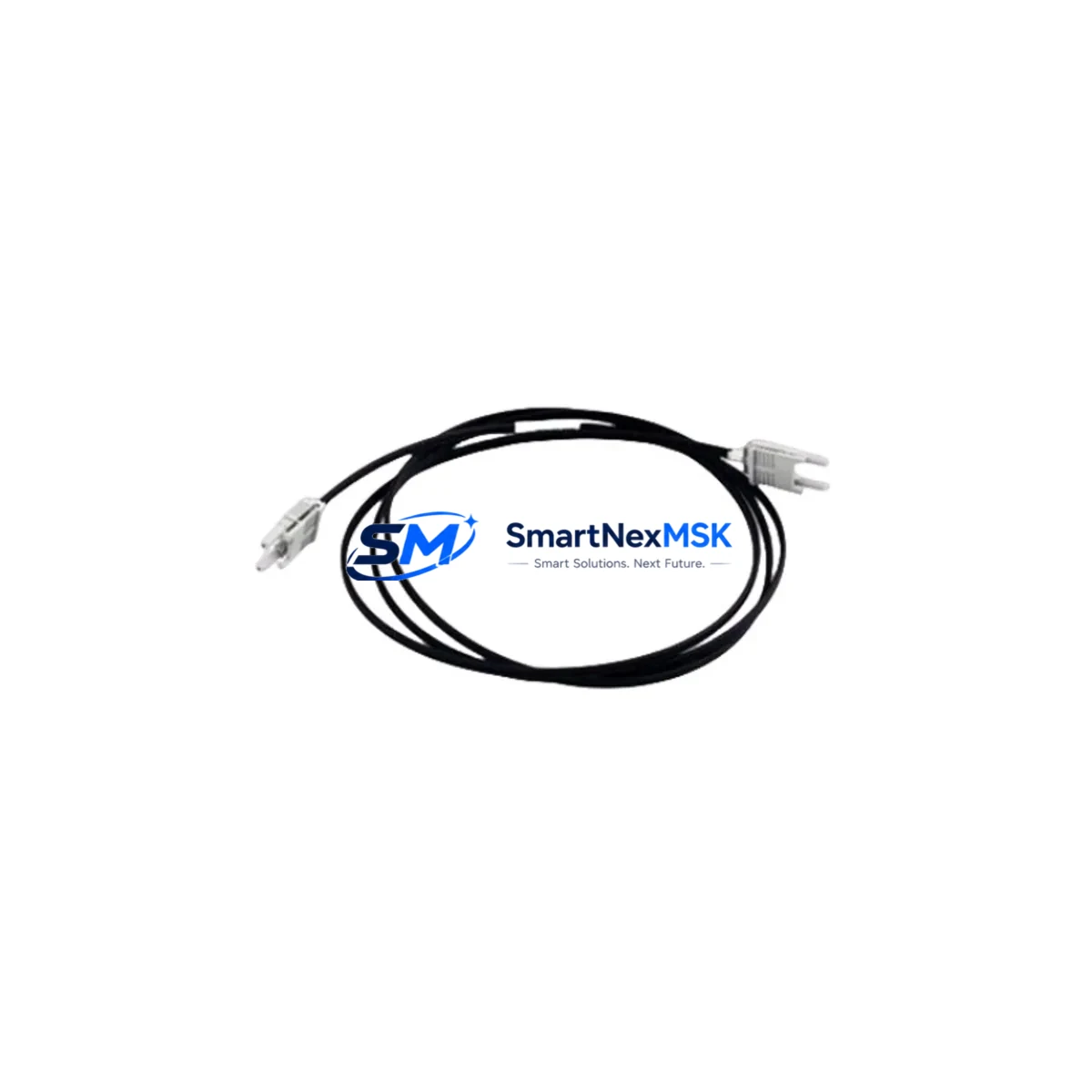
ABB TK811V015 Maintenance-Ready Spare for AC500 Automation
The ABB TK811V015 is a 15-metre Plastic Optical Fiber (POF) cable engineered for high-reliability data transmission in ABB’s AC500 PLC platform, PROFIBUS DP networks, and INSUM motor management systems. As a maintenance-ready original spare, it is a critical link in the optical ring topology that connects drives, motor starters, and intelligent field devices to the central control system. When this cable degrades — due to bending fatigue, connector contamination, or physical damage — the entire communication segment can fail, triggering unplanned downtime in process lines, pump stations, compressor halls, and motor control centres.
Sourced directly from authorised ABB distribution channels, every TK811V015 unit shipped by SMARTNEXMSK is inspected for connector integrity, optical clarity, and jacket condition before dispatch. Each unit carries a 12-month warranty and is accompanied by a test report confirming optical continuity. This ensures maintenance engineers can install with confidence and procurement teams can close purchase orders against a documented quality baseline.
Spare Maintenance Table
| Parameter | Specification |
|---|---|
| SKU / Part Number | TK811V015 |
| Brand | ABB |
| Series | AC500 / PROFIBUS / INSUM |
| Cable Type | Plastic Optical Fiber (POF) |
| Cable Length | 15 m |
| Connector Type | FSMA / Snap-in (ABB proprietary optical) |
| Transmission Medium | 980 µm PMMA plastic optical fiber |
| Operating Wavelength | 660 nm (visible red) |
| Minimum Bend Radius | 25 mm (static); 50 mm (dynamic) |
| Operating Temperature | -20 °C to +70 °C |
| IP Rating (connectors) | IP20 (in-cabinet use) |
| Compatible Systems | AC500 PLC, PROFIBUS DP optical ring, INSUM MMS |
| Compatible Modules | CI590-CS31-HA, CI592-CS31, TU515, TU516, ACS800 drives |
| Origin | Germany |
| Warranty | 12 Months — tested before shipment |
| Delivery | Express global shipping; stock available |
Maintenance Planning for Continuous Operation
Replacing the TK811V015 is rarely an isolated task. In a typical AC500-based motor control centre, the optical fiber ring interconnects multiple nodes — and a single degraded cable can cause intermittent communication faults that are difficult to trace without a systematic inspection approach. Maintenance engineers should treat a TK811V015 replacement as the trigger for a broader cabinet audit.
Begin by verifying the AC500 CPU module (such as the PM573 or PM591) is logging no additional communication errors beyond the affected segment. Check the CI590-CS31-HA communication interface module for LED fault indicators — a flashing red optical port LED confirms the break is isolated to the fiber path rather than the module itself. If the CI590 shows persistent faults after cable replacement, the module’s optical transceiver may require attention.
Inspect all TU515 and TU516 terminal units in the ring for secure seating and clean optical ports. Dust ingress on POF connectors is a leading cause of signal attenuation; use the supplied cleaning tool or a lint-free swab with isopropyl alcohol before inserting the new TK811V015. In INSUM motor management installations, also verify the INSUM Gateway and each MNS iS motor starter optical port for contamination.
For drives integrated into the PROFIBUS optical ring — particularly ACS800 or ACS580 series — confirm that the drive’s RDCO-02 or RDCO-03 optical communication module is seated correctly and that its fiber ports are undamaged. A degraded drive optical port can cause recurring cable failures even after a new TK811V015 is installed.
Review the 24 VDC power supply feeding the AC500 rack. Voltage sags below 20.4 V can cause spurious communication resets that mimic fiber faults. Use a calibrated multimeter to confirm rail voltage under load. If the power supply is a legacy unit, consider scheduling replacement with an equivalent CP-E 24/10.0 or CP-S 24/5.0 unit during the next planned outage.
Finally, update the site’s spare parts inventory to maintain at least two TK811V015 cables per optical ring segment. Given the cable’s role as a single point of failure in the communication topology, a zero-stock situation during an emergency shutdown is an unacceptable operational risk. Pair this with a stock of TK811V009 (9 m variant) and TK811V003 (3 m variant) to cover all inter-cabinet and intra-cabinet routing distances in your installation.
Site Replacement Workflow
Step 1 — Isolate and document. Before disconnecting the TK811V015, photograph the existing cable routing, connector orientation, and any cable tie positions. Note the node addresses on both ends of the segment in the PROFIBUS configuration tool (e.g., ABB Automation Builder or Step 7 HW Config).
Step 2 — Safe state. Place the affected PLC segment in a safe operational state. For INSUM systems, inhibit motor start commands from the SCADA or DCS before breaking the optical ring. Confirm with the control room that the segment is in manual or local mode.
Step 3 — Clean and inspect ports. Clean both optical ports (on the CI590 or TU516 and on the drive or motor starter) with a POF cleaning tool. Inspect for cracked ferrules or discoloured port windows — replace the module if physical damage is found.
Step 4 — Install TK811V015. Route the new cable following the original path, maintaining the 25 mm minimum static bend radius. Snap connectors firmly until the locking tab clicks. Do not exceed the cable’s rated pull force during routing.
Step 5 — Restore and verify. Re-energise the segment and monitor the CI590 optical port LED — solid green confirms a valid optical link. In Automation Builder, verify all node addresses are online and that no communication errors are logged. Run a short I/O diagnostic cycle to confirm all field devices are responding correctly.
Step 6 — Update maintenance records. Log the replacement date, cable serial number, and technician ID in the site CMMS. Schedule the next optical ring inspection at 12 months or at the next planned shutdown, whichever comes first.
Spare Parts Support FAQ
Q1: Is the TK811V015 a direct replacement for older ABB POF cables used in legacy PROFIBUS installations?
Yes. The TK811V015 is backward-compatible with all ABB optical PROFIBUS ring installations that use the standard FSMA-style POF connector. It replaces worn or damaged cables in AC500, S500, and INSUM systems without requiring firmware or configuration changes, provided the replacement cable length is equal to or shorter than the original routing distance.
Q2: How do you verify optical continuity before installation?
Each TK811V015 shipped by SMARTNEXMSK is tested for optical continuity using a 660 nm light source and power meter. A test certificate is included with the shipment. On-site, you can perform a quick visual check by connecting a 660 nm LED source to one end — visible red light at the far connector confirms an unbroken fiber path.
Q3: What is the recommended spare stock level for a plant with multiple AC500 optical rings?
Industry best practice for critical communication cables is a minimum of two units per ring segment, stored in a clean, dry cabinet away from direct sunlight and heat sources. For plants with more than three optical rings, maintain a buffer of five TK811V015 units alongside at least one TK811V009 and one TK811V003 to cover emergency re-routing scenarios.
Q4: What does the 12-month warranty cover?
The 12-month warranty covers manufacturing defects, connector integrity failures, and optical fiber breaks under normal operating conditions. It does not cover damage caused by exceeding the minimum bend radius, chemical exposure, or improper installation. SMARTNEXMSK provides direct RMA support — contact [email protected] with the order number and fault description to initiate a warranty claim.
© 2026 SMARTNEXMSK. All rights reserved.
Original Source: https://smartnexmsk.com
Contact: [email protected] | +86 18259474341



