
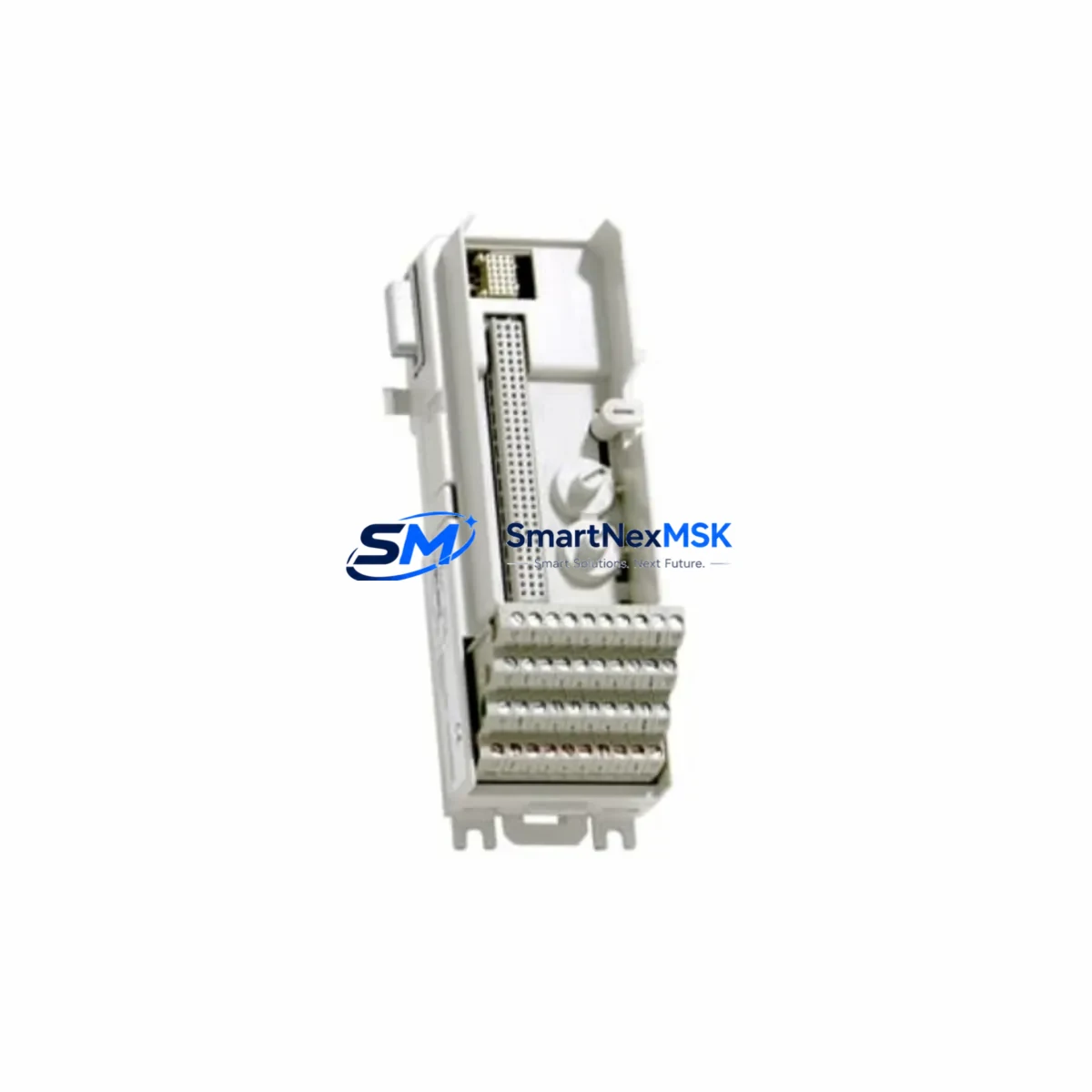
ABB TU818 Maintenance-Ready Spare for S800 Automation
The ABB TU818 is a compact module termination unit designed for the S800 I/O series — one of ABB’s most widely deployed distributed I/O platforms in process automation, power generation, and continuous manufacturing environments. When a TU818 fails or reaches end-of-service life, the impact is immediate: the associated I/O module loses its field wiring interface, triggering signal loss alarms, forcing the DCS into fallback mode, and halting production until the termination unit is replaced. Sourcing a verified original TU818 spare is the fastest path to restoring full system integrity.
This listing supplies an original ABB TU818 termination unit, tested prior to dispatch, packaged for safe transit, and backed by a 12-month warranty. It is suitable for direct replacement in existing S800 I/O racks without modification to field wiring or DCS configuration, provided the replacement unit matches the installed variant. Maintenance engineers and procurement teams can order with confidence knowing the unit has been verified against ABB’s original specifications.
Spare Maintenance Table
| Parameter | Specification / Detail |
|---|---|
| Part Number / SKU | TU818 |
| Product Type | Module Termination Unit |
| Compatible Series | ABB S800 I/O |
| Compatible Modules | AI810, AO810, DI810, DO810, DI811, DO811 and related S800 I/O modules |
| Mounting | DIN rail or panel mount via S800 I/O rack |
| Field Wiring Interface | Screw-type terminals for direct field cable connection |
| Installation Type | Hot-swap capable (system-dependent; verify with site SOP) |
| Origin | Sweden (ABB original manufacture) |
| Weight | 260 g |
| Application Environment | Industrial control cabinets, DCS marshalling panels, process automation racks |
| Maintenance Recommendation | Inspect terminal tightness and connector seating every 12 months; replace on signal integrity degradation |
| Warranty | 12 months from date of dispatch |
| Pre-shipment Testing | Functional verification performed before dispatch |
| Lead Time | In-stock units dispatched within 1–3 business days |
Maintenance Planning for Continuous Operation
A TU818 replacement should never be treated as an isolated swap. In practice, the termination unit sits at the intersection of field wiring, I/O module communication, and DCS signal integrity — meaning a fault in this component often masks or triggers secondary issues in adjacent hardware. Experienced maintenance engineers use a TU818 replacement event as an opportunity to audit the surrounding control cabinet.
Begin by inspecting the associated S800 I/O module — typically an AI810 analog input module or DI810 digital input module — for signs of corrosion on the module connector pins or abnormal LED status. If the I/O module has been running continuously for more than five years, consider scheduling a parallel replacement to avoid a repeat outage. Check the CI854 or CI858 communication interface module that links the S800 rack to the AC800M controller: a degraded PROFIBUS or MMS link can cause intermittent signal loss that is incorrectly attributed to the termination unit.
On the power side, verify the SD821 or SD822 power supply module output voltage under load. Voltage sag at the rack level is a common cause of premature termination unit failure and I/O module resets. Inspect the TB820 or TB825 ModuleBus modem if the rack uses optical or electrical ModuleBus communication — connector oxidation at this level can cause entire rack segments to drop offline. Review the fuse condition on the field wiring side: blown or weakened fuses on 24 VDC field supply circuits are frequently discovered during TU818 changeouts.
For sites running ABB Freelance or AC800F controllers with S800 I/O, also check the FieldBus communication cable routing and termination resistors. Loose or improperly terminated PROFIBUS DP cables cause bus errors that are often misdiagnosed as I/O module or termination unit faults. If the control cabinet includes an OP516 or CP600 series HMI panel, confirm that the HMI communication link to the controller remains stable after the TU818 swap — a brief power interruption during replacement can cause HMI session drops that require manual reconnection.
Finally, inspect the terminal blocks and cable ferrules on the field wiring side of the TU818. Over time, vibration and thermal cycling loosen screw terminals, increasing contact resistance and introducing signal noise on analog channels. Retorque all terminals to the manufacturer’s specified torque value and document the work in the site maintenance log. This systematic approach — covering the I/O module, communication interface, power supply, fuses, bus cabling, and HMI — transforms a reactive spare part replacement into a proactive maintenance event that extends system uptime.
Site Replacement Workflow
Step 1 — Preparation: Confirm the installed TU818 variant matches the replacement unit. Photograph the existing field wiring layout before disconnection. Gather the site wiring diagram and DCS I/O assignment list for the affected rack position.
Step 2 — Isolation: Follow site lock-out/tag-out (LOTO) procedures. If the system supports hot-swap at this rack position (verify with the AC800M or DCS configuration), coordinate with the control room operator before proceeding. If hot-swap is not supported, schedule the replacement during a planned maintenance window to minimize production impact.
Step 3 — Removal: Disconnect field wiring terminals in sequence, labelling each wire if labels are absent or illegible. Remove the I/O module from the TU818 before extracting the termination unit from the rack. Inspect the rack slot for debris or corrosion.
Step 4 — Installation: Seat the replacement TU818 firmly into the rack slot. Reconnect field wiring in reverse order, verifying terminal tightness. Reinstall the I/O module and confirm the module connector is fully engaged.
Step 5 — Verification: Power up the rack position and observe I/O module LED status. Confirm signal values in the DCS match expected field conditions. Document the replacement in the site maintenance management system (CMMS) with the new unit’s serial number and warranty start date.
This workflow applies equally to legacy S800 installations running on older AC800M firmware versions and to modernized systems. The TU818’s backward compatibility with the S800 I/O family means it can replace worn units in systems that have been in continuous service for 10–15 years without requiring firmware updates or DCS reconfiguration.
Spare Parts Support FAQ
Q1: Is this TU818 an original ABB unit or a compatible aftermarket replacement?
This is an original ABB TU818 termination unit sourced through established industrial supply channels. It is not an aftermarket or third-party compatible unit. Original parts ensure full compatibility with ABB S800 I/O modules and maintain the integrity of your DCS validation records.
Q2: How do I verify compatibility with my installed S800 I/O rack before ordering?
Check the part number printed on the installed termination unit and cross-reference with your site’s I/O module type. The TU818 is compatible with the standard S800 I/O module footprint. If you are unsure of the installed variant, provide your rack configuration or DCS I/O list and our technical team will confirm compatibility before dispatch.
Q3: What pre-shipment testing is performed on each unit?
Each TU818 is functionally tested prior to dispatch to verify connector integrity and terminal condition. Units that do not pass inspection are not shipped. A test record is available on request for sites with incoming inspection requirements.
Q4: What does the 12-month warranty cover, and how is a warranty claim handled?
The 12-month warranty covers manufacturing defects and functional failure under normal operating conditions. It does not cover damage caused by incorrect installation, overvoltage, or physical impact. To initiate a warranty claim, contact our sales team with the order reference and a description of the fault. Replacement units are dispatched after fault verification, minimizing your site downtime.
© 2026 SMARTNEXMSK. All rights reserved.
Original Source: https://smartnexmsk.com
Contact: [email protected] | +86 18259474341



