
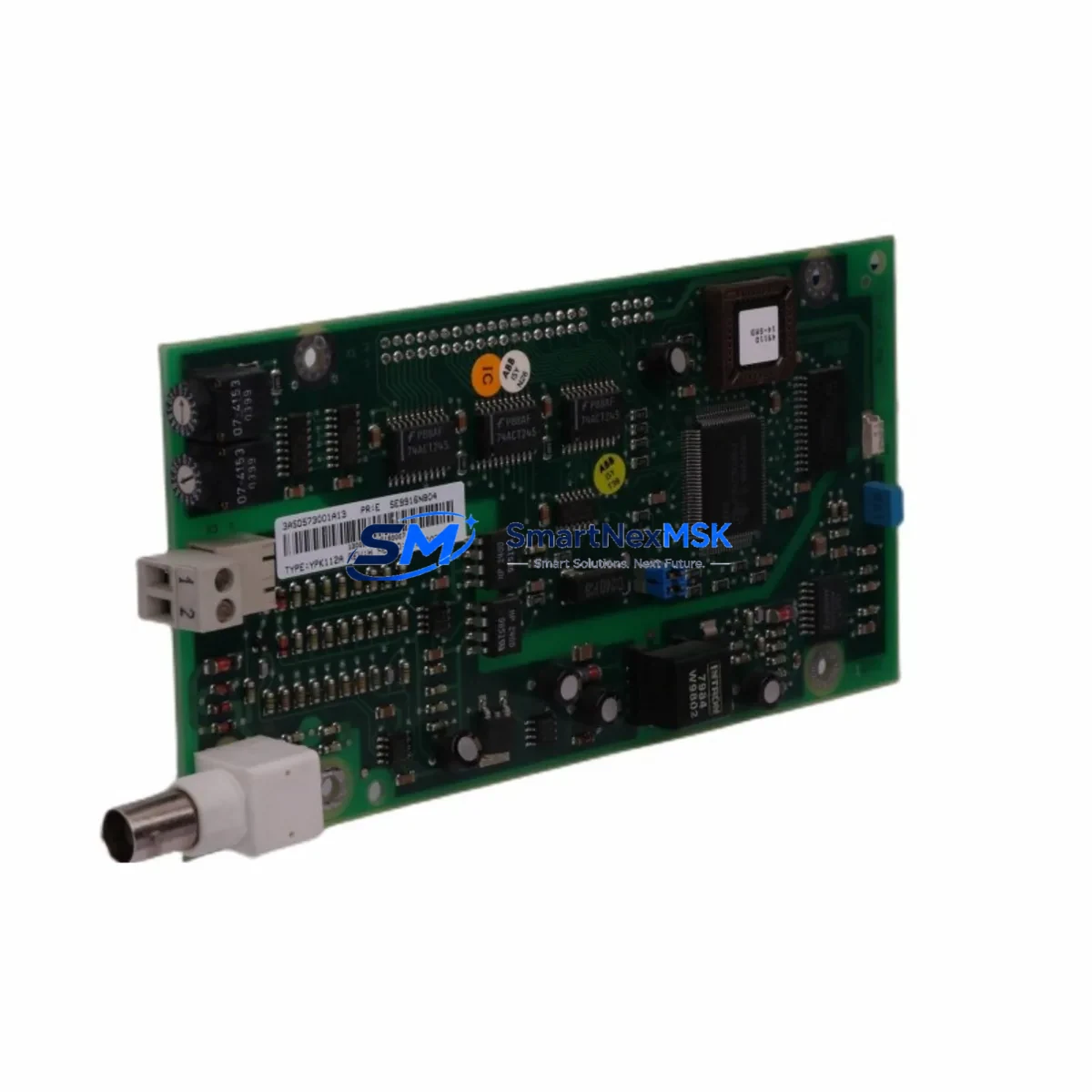
ABB YPK112A 3ASD573001A13 Spare for AC500 Automation: Spare Replacement & Industrial Downtime Risk Control
The ABB YPK112A (part number 3ASD573001A13) is a communication module engineered for the ABB AC500 PLC platform — one of the most widely deployed programmable logic controller families in industrial automation, process control, and critical infrastructure worldwide. When this module fails or reaches end-of-life, the consequences extend far beyond a single I/O point: the entire communication backbone of the control cabinet may be compromised, halting production lines, triggering safety shutdowns, or disabling remote SCADA visibility.
Sourced as an original ABB spare, the YPK112A 3ASD573001A13 is held in ready stock to support maintenance engineers and procurement teams who cannot afford extended lead times. Every unit is function-tested prior to shipment and backed by a 12-month warranty, ensuring that your replacement cycle is both reliable and fully auditable.
Spare Maintenance Table
| Parameter | Specification / Detail |
|---|---|
| Part Number | YPK112A / 3ASD573001A13 |
| Brand | ABB |
| Series | AC500 |
| Module Type | PLC Communication Module |
| Compatible Platform | ABB AC500 PLC family (PM554, PM564, PM572, PM581, PM591 CPU modules) |
| Communication Interface | CS31 serial fieldbus bus |
| Supply Voltage | 24 V DC (via backplane / CPU rack) |
| Operating Temperature | -25 °C to +60 °C |
| Protection Rating | IP20 (panel-mount, control cabinet installation) |
| Origin | Germany (ABB manufacturing) |
| Condition | Original new or refurbished-to-spec |
| Pre-Shipment Test | Function-tested before dispatch |
| Warranty | 12 months from date of shipment |
| Typical Application | Process automation, machine control, utilities, water treatment, power distribution |
| Maintenance Recommendation | Inspect communication LEDs, verify CS31 bus termination, check firmware revision compatibility before installation |
Maintenance Planning for Continuous Operation
Replacing the YPK112A 3ASD573001A13 in an AC500 control cabinet is rarely an isolated task. Experienced maintenance engineers treat a communication module failure as a trigger for a broader cabinet inspection. Before returning the system to service, the following components in the same electrical circuit and control architecture should be verified.
Start with the AC500 CPU module — such as the PM554-T, PM564-R, or PM581-T — and confirm firmware version compatibility with the replacement YPK112A, then check for any stored fault logs that may indicate upstream causes. Inspect the TB521-ETH or TB523 terminal base on which the module seats; damaged contacts or cracked housings are a common secondary failure point that goes undetected during a rushed swap.
The 24 V DC power supply module feeding the rack — such as a CP-E 24/5.0 or CP-E 24/10.0 — should be load-tested, as a sagging supply rail is a frequent root cause of intermittent communication faults. Check the DC bus fuse and any miniature circuit breakers (MCBs) protecting the control voltage circuit. Alongside the power path, inspect the CS31 bus cable and termination resistors: an improperly terminated fieldbus is the single most common cause of repeated YPK112A failures in legacy AC500 installations.
If the AC500 system interfaces with remote I/O, verify the DC522 or DC532 digital I/O modules on the same bus segment — a shorted I/O channel can generate bus errors that appear as communication module faults. For analog signal chains, check the AX522 analog I/O module and any associated signal isolators or signal conditioners in the loop; these are often overlooked during corrective maintenance but degrade gradually in high-vibration or high-humidity environments.
Where the AC500 system connects to an HMI panel — such as an ABB CP600 series or a third-party Weintek or Siemens TP panel — verify the communication cable integrity and HMI project compatibility after the module replacement. Finally, review the relay output modules (e.g., DO531) and terminal blocks (Phoenix Contact or Weidmüller series) in the same cabinet: loose terminals and worn relay contacts are a leading cause of nuisance faults incorrectly attributed to the communication module.
Maintaining a minimum stock of one spare YPK112A 3ASD573001A13 per AC500 installation — alongside a spare CPU module and power supply — is the industry-standard approach to achieving sub-4-hour MTTR (Mean Time to Repair) targets in critical process environments.
Site Replacement Workflow
Step 1 — Isolation & Documentation: Before removing the YPK112A, capture the current module LED status, record the slot position in the rack, and export the AC500 project backup from Automation Builder or PS501 Control Builder. This ensures configuration can be restored without re-engineering if the replacement module requires parameter re-entry.
Step 2 — Power-Down Sequence: De-energize the control cabinet following your site LOTO (Lockout/Tagout) procedure. Disconnect the CS31 bus cable from the module before removing it from the terminal base to avoid bus transients that could affect other nodes on the segment.
Step 3 — Module Swap: Seat the replacement YPK112A 3ASD573001A13 firmly onto the terminal base. Verify the module address DIP switches or rotary switches match the original configuration — mismatched node addresses are the most common commissioning error during emergency replacements.
Step 4 — Power-Up & Verification: Restore power and observe the module’s RUN and ERR LEDs. A solid RUN LED with no ERR indication confirms successful bus initialization. From the AC500 CPU, verify that all remote I/O nodes on the CS31 segment are reporting correctly in the diagnostic buffer.
Step 5 — Functional Test: Execute a controlled I/O test cycle — activate each digital output, verify analog input readings, and confirm SCADA/HMI data refresh. Document the replacement in the site maintenance log with the new module serial number and warranty start date.
This workflow minimizes downtime to under 60 minutes for a prepared maintenance team and ensures full system compatibility is confirmed before returning the line to production.
Spare Parts Support FAQ
Q1: Is the YPK112A 3ASD573001A13 compatible with all AC500 CPU generations?
The YPK112A is designed for the ABB AC500 platform and is compatible with PM5xx series CPU modules that support the CS31 communication bus. Compatibility with specific firmware versions should be verified against the ABB AC500 system manual or confirmed with our technical team before ordering. We recommend providing your CPU part number and firmware version when placing an order to ensure a matched replacement.
Q2: What pre-shipment testing is performed on each unit?
Every YPK112A 3ASD573001A13 unit undergoes functional verification prior to dispatch, including power-on self-test, communication interface check, and visual inspection for physical damage. A test report is available upon request. Units are shipped in anti-static packaging with protective end caps to prevent transit damage.
Q3: What does the 12-month warranty cover, and how is a warranty claim handled?
The 12-month warranty covers manufacturing defects and functional failures under normal operating conditions. It does not cover damage caused by incorrect installation, overvoltage, or environmental conditions outside the module’s rated specifications. To initiate a warranty claim, contact [email protected] with the order number, module serial number, and a description of the fault. Replacement or repair is typically processed within 5–10 business days.
Q4: Can you supply multiple units for a planned maintenance stock program?
Yes. We support bulk procurement for planned maintenance inventories and long-term spare parts programs. Volume pricing is available for orders of 3 or more units. For critical infrastructure sites requiring guaranteed stock reservation, contact us to discuss a consignment or scheduled delivery arrangement. Long-term supply continuity for legacy AC500 components is a core part of our service offering.
© 2026 SMARTNEXMSK. All rights reserved.
Original Source: https://smartnexmsk.com
Contact: [email protected] | +86 18259474341



