
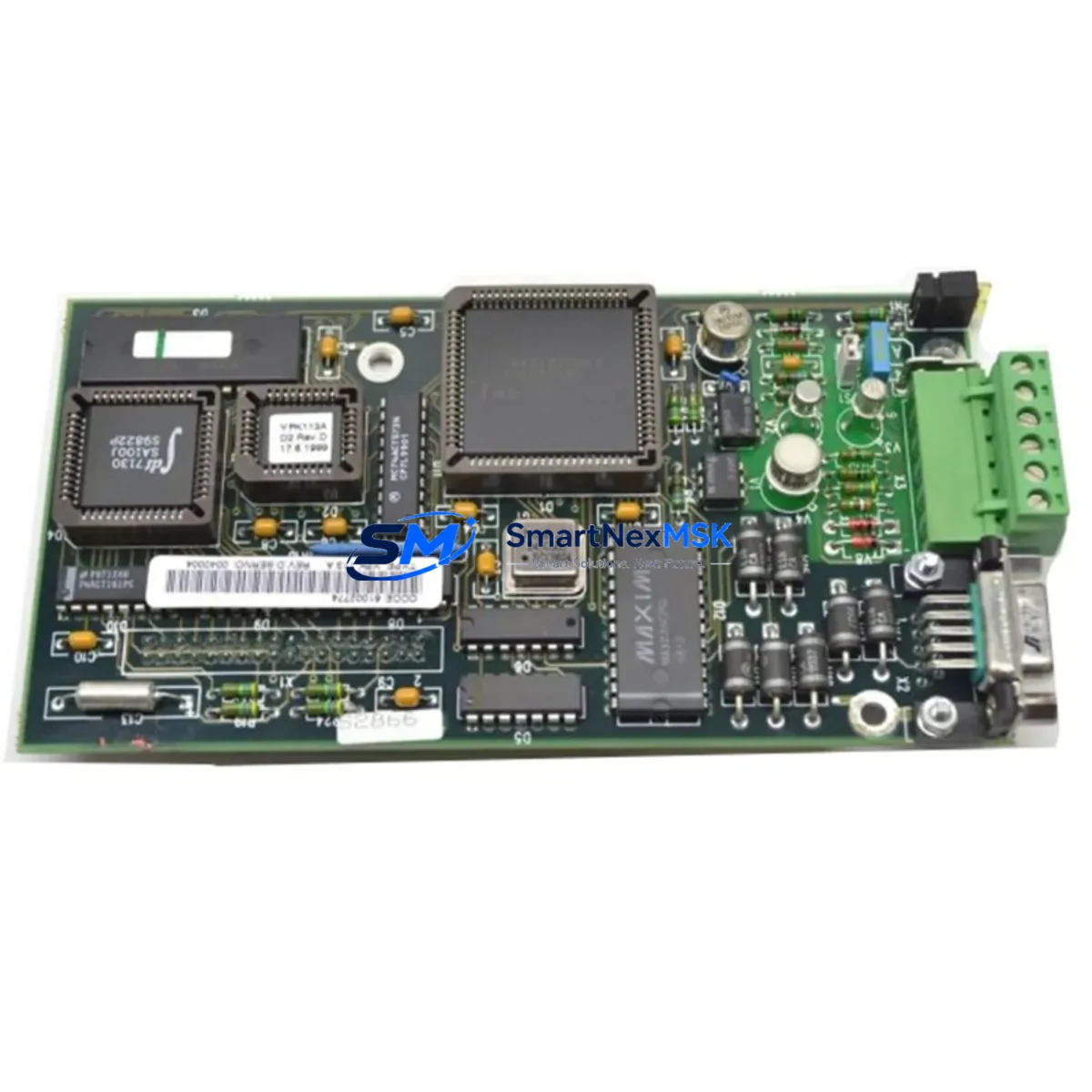
ABB YPK113A Maintenance-Ready Spare for AC500 Automation
The ABB YPK113A is an original serial UART communication module engineered for deployment within the ABB AC500 PLC platform and Freelance DCS control systems. In industrial environments where communication integrity is mission-critical, the YPK113A serves as a direct replacement spare that enables maintenance teams to restore serial data exchange between controllers, field devices, and supervisory systems with minimal downtime. Whether you are managing a scheduled overhaul, responding to an unplanned communication fault, or building a proactive spare parts inventory for aging AC500 installations, the YPK113A is a verified, OEM-grade component that eliminates compatibility risk and accelerates return-to-service timelines.
Sourced directly from authorized supply chains, each YPK113A unit undergoes functional verification and electrical testing prior to shipment. With a 12-month warranty covering manufacturing defects and operational failures under normal industrial conditions, procurement engineers can confidently include this module in long-term maintenance contracts and capital spare budgets.
Spare Maintenance Table
| Parameter | Specification / Detail |
|---|---|
| Part Number / SKU | YPK113A |
| Manufacturer | ABB |
| Compatible Platform | ABB AC500 PLC Series; Freelance DCS |
| Module Function | Serial UART Communication Interface |
| Communication Standard | RS-232 / RS-485 / UART (series-dependent) |
| Mounting | AC500 CPU/expansion backplane slot |
| Operating Temperature | -25°C to +70°C (standard industrial range) |
| Supply Voltage | Backplane-powered via AC500 bus |
| Origin | Germany (OEM) |
| Condition | Original New / Tested Surplus |
| Pre-shipment Test | Functional electrical verification performed |
| Warranty | 12 Months — covers manufacturing defects and operational failure under normal use |
| Lead Time | In Stock — ships within 1–3 business days |
| Packaging | Anti-static ESD bag, foam-protected carton |
| Application Environment | Industrial control cabinets, DCS marshalling rooms, PLC panels |
| Maintenance Recommendation | Inspect connector pins and backplane contacts during each planned shutdown; replace if communication errors or CRC faults are logged |
Maintenance Planning for Continuous Operation
When a YPK113A communication fault is identified during routine control cabinet inspection or triggered by a PLC diagnostic alarm, experienced maintenance engineers know that the serial communication path rarely fails in isolation. A systematic inspection of the surrounding electrical environment is essential to prevent repeat failures and ensure stable long-term operation after the module is replaced.
Begin by verifying the AC500 CPU module — such as the PM573-ETH or PM591 — for firmware version compatibility and active diagnostic flags. A degraded CPU can generate false communication errors that mask the true fault source. Next, inspect the TB521-ETH or equivalent terminal base for backplane connector wear, as intermittent contact resistance at the bus interface is a common root cause of serial communication instability.
The 24 VDC power supply feeding the AC500 rack — typically an ABB CP-E 24/5.0 or equivalent DIN-rail PSU — should be load-tested and output ripple measured. Voltage sag under full I/O load can corrupt serial data frames and produce symptoms identical to a failed YPK113A. Simultaneously, review the DC532 or DC522 digital I/O modules in the same rack for shared power rail anomalies.
For installations using Modbus RTU or PROFIBUS over the serial port, inspect the CM572-DP PROFIBUS master module or any third-party serial-to-Ethernet gateway connected downstream. Termination resistors, cable shielding continuity, and ground loop isolation should all be verified before the new YPK113A is commissioned. Signal isolators — such as DIN-rail mounted RS-485 repeaters or galvanic isolators — should be tested for insertion loss and replaced if aged beyond five years of service.
In Freelance DCS environments, the YPK113A may interface with AC800F controllers or legacy Advant OCS nodes. In these cases, also inspect the CI858 or CI857 fieldbus communication interfaces and confirm that the DCS engineering station has the correct hardware configuration loaded. Fuse holders and miniature circuit breakers protecting the communication circuit should be checked for contact oxidation, and terminal blocks along the signal path should be re-torqued to manufacturer specifications.
Maintaining a minimum of one YPK113A as a cold standby spare — alongside a spare CPU module and a matched power supply — is strongly recommended for any facility operating AC500-based control systems in continuous process or critical infrastructure applications.
Site Replacement Workflow
Step 1 — Pre-replacement verification: Download the current PLC program and hardware configuration from the AC500 CPU using ABB Automation Builder or PS501 Control Builder. Confirm the YPK113A slot address, baud rate, parity, and stop-bit settings from the project configuration before powering down the rack.
Step 2 — Safe isolation: Follow your site LOTO (Lockout/Tagout) procedure. De-energize the control cabinet and discharge any residual bus voltage. Remove the faulty YPK113A by releasing the module latch and sliding it clear of the backplane connector. Inspect the backplane socket for bent pins or debris.
Step 3 — Module installation: Insert the replacement YPK113A into the correct slot, ensuring full engagement with the backplane connector. Secure the latch. Re-energize the rack and observe the module status LED — a solid green indicates successful initialization. If the LED flashes or shows red, re-seat the module and verify slot assignment in the hardware configuration.
Step 4 — Configuration restore and commissioning: Using Automation Builder, perform a hardware scan to confirm the new module is recognized. Restore communication parameters (baud rate, protocol, node address) and download the configuration. Initiate a test communication cycle with the connected field device or SCADA system and verify data integrity over a minimum 15-minute observation window.
Step 5 — Documentation: Record the replacement in the site maintenance log, including the old module serial number, replacement date, technician name, and post-replacement test results. Update the spare parts inventory to trigger reorder of a replacement cold standby unit.
This workflow is compatible with direct replacement of legacy ABB serial communication modules used in older AC500 V2 and V3 hardware generations, enabling system life extension without requiring a full controller upgrade.
Spare Parts Support FAQ
Q1: Is the YPK113A compatible with all AC500 CPU generations?
The YPK113A is designed for the ABB AC500 platform and is compatible with standard AC500 V2 and V3 CPU modules including the PM573, PM591, and PM595 families. Compatibility with specific firmware versions should be confirmed against the ABB hardware compatibility matrix or by contacting our technical support team prior to installation in safety-critical applications.
Q2: What does the 12-month warranty cover?
The 12-month warranty covers manufacturing defects and operational failures occurring under normal industrial operating conditions within the specified temperature, voltage, and environmental ratings. It does not cover damage resulting from incorrect installation, overvoltage events, physical impact, or use outside the module’s rated parameters. Warranty claims are processed with return shipment and replacement dispatch within 5 business days of fault confirmation.
Q3: How is the YPK113A tested before shipment?
Each unit undergoes a pre-shipment functional verification that includes power-on initialization testing, communication port continuity checks, and visual inspection for connector and PCB integrity. Units that do not pass all test criteria are quarantined and not dispatched. A test report is available upon request for critical infrastructure procurement.
Q4: Can you support long-term or blanket purchase orders for ongoing AC500 maintenance programs?
Yes. We support scheduled delivery agreements, consignment stock arrangements, and multi-unit procurement for facilities managing large AC500 or Freelance DCS installed bases. Contact our sales team to discuss volume pricing, reserved inventory allocation, and customized lead-time commitments aligned with your planned maintenance calendar.
© 2026 SMARTNEXMSK. All rights reserved.
Original Source: https://smartnexmsk.com
Contact: [email protected] | +86 18259474341



