
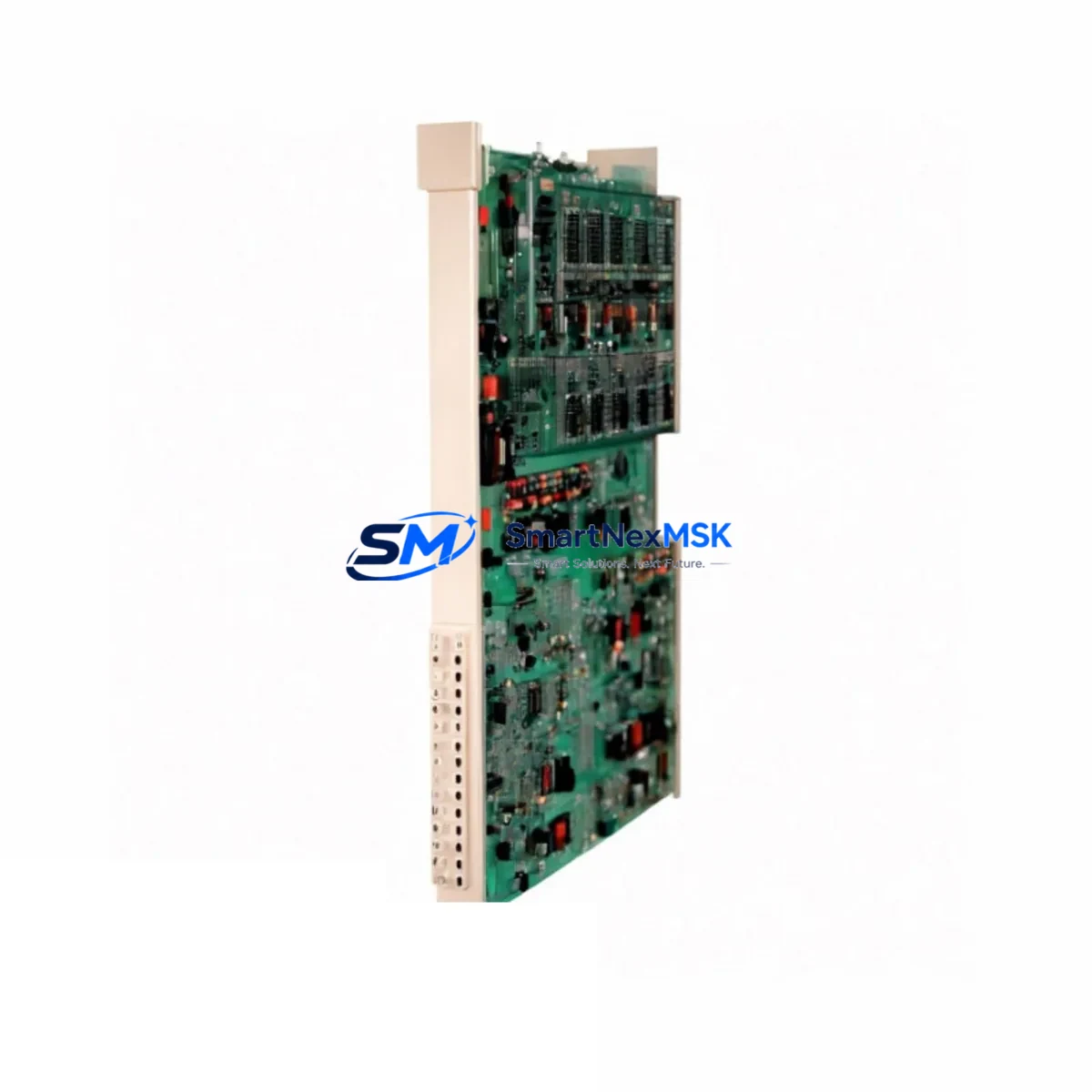
ABB YPQ101E YT204001-FS Spare for IRC5 Automation: Spare Replacement & Industrial Downtime Risk Control
The ABB YPQ101E (assembly reference YT204001-FS) is a core control module used within the ABB IRC5 robotic controller cabinet. In industrial environments where robot uptime is directly tied to production throughput, maintaining a verified spare of this module is a fundamental element of any proactive maintenance strategy. Whether you are managing a single-robot welding cell or a multi-axis assembly line, the YPQ101E serves as a critical node in the IRC5 control architecture — handling internal communication, signal routing, and system coordination between the main computer unit and peripheral I/O infrastructure.
This listing provides a maintenance-ready, original ABB YPQ101E YT204001-FS spare module, sourced from authorized supply channels, individually tested prior to shipment, and backed by a 12-month warranty. It is intended for maintenance engineers, automation technicians, and spare parts procurement teams who require a reliable, drop-in replacement with confirmed IRC5 compatibility.
Spare Maintenance Table
| Parameter | Specification / Detail |
|---|---|
| Part Number | YPQ101E |
| Assembly Reference | YT204001-FS |
| Brand | ABB |
| Compatible System | ABB IRC5 Robotic Controller (Single & Dual Cabinet) |
| Compatible Robot Series | IRB 1600, IRB 2600, IRB 4600, IRB 6640, IRB 6700 (IRC5 platform) |
| Module Function | Internal control communication and signal coordination |
| Origin | Germany (OEM) |
| Condition | Original, New / Refurbished-to-OEM-spec |
| Pre-shipment Test | Yes — functional verification performed before dispatch |
| Installation Type | Direct board-level replacement within IRC5 controller cabinet |
| Operating Environment | Industrial control cabinet, IP54 enclosure recommended |
| Firmware Compatibility | Compatible with RobotWare 5.x and 6.x |
| Warranty | 12 Months from date of shipment |
| Lead Time | In-stock: ships within 1–3 business days |
| Maintenance Recommendation | Inspect every 12 months or after fault event; replace if communication errors persist |
Maintenance Planning for Continuous Operation
When a YPQ101E fault is identified — whether through an IRC5 system error log, a communication timeout alarm, or a physical inspection during scheduled downtime — the replacement process should be treated as part of a broader cabinet health review rather than an isolated swap. Experienced maintenance engineers understand that a failed control module rarely fails in isolation; adjacent components in the same electrical circuit or communication bus are often under stress or showing early degradation signs.
Before or during the YPQ101E replacement, the following components should be inspected and, where necessary, replaced as part of the same maintenance window:
- DSQC 661 / DSQC 662 Power Supply Unit — Verify output voltage stability. An unstable 24 VDC rail is a common root cause of control module failures in IRC5 cabinets. A degraded power supply can damage a newly installed YPQ101E within weeks if not addressed.
- DSQC 652 Digital I/O Board — Check for I/O communication errors and verify that all 24 VDC digital input/output channels are responding correctly. Faulty I/O boards can generate false fault signals that mask the true source of a system error.
- DSQC 608 Axis Computer — If the YPQ101E fault coincides with axis motion errors or drive communication faults, the axis computer should be inspected for firmware integrity and connector condition.
- Teach Pendant Cable and FlexPendant (DSQC 679) — Inspect the teach pendant cable for insulation damage, connector wear, and continuity. A damaged pendant cable can introduce communication noise that triggers false module faults.
- DSQC 633 / DSQC 643 Communication Module — If the robot is integrated into a PROFIBUS, DeviceNet, or EtherNet/IP network, verify that the fieldbus communication module is functioning correctly and that network termination resistors are in place.
- Terminal Blocks and Internal Wiring Harness — Inspect all terminal connections within the IRC5 cabinet for corrosion, loose crimps, and thermal discoloration. Loose terminals are a leading cause of intermittent faults that are difficult to diagnose remotely.
- Cabinet Cooling Fan and Filter — Overheating is a primary cause of premature control module failure. Verify that the cabinet cooling fan is operational and that the air filter is clean. Replace the filter if it has not been serviced within the last 6 months.
- Fuse Block and Circuit Protection — Check all fuses within the IRC5 power distribution section. A blown fuse on the 24 VDC logic supply circuit can cause the YPQ101E to appear faulty when the root cause is upstream.
- Battery Backup Unit (DSQC 604) — Confirm that the memory backup battery is within its service life. A depleted battery can cause parameter loss after a power cycle, which may be misdiagnosed as a control module failure.
Procurement engineers should consider stocking the YPQ101E YT204001-FS alongside the DSQC 661 power supply and DSQC 652 I/O board as a minimum IRC5 emergency spare kit. This three-component set covers the most common causes of unplanned IRC5 downtime and allows on-site technicians to restore robot operation without waiting for international shipping lead times.
Site Replacement Workflow
Replacing the ABB YPQ101E YT204001-FS in the field is a structured process that, when followed correctly, minimizes downtime and eliminates the risk of secondary damage to the IRC5 controller. The following workflow is recommended for maintenance engineers performing an on-site swap:
- Fault Confirmation: Before ordering or installing a replacement, confirm the fault using the IRC5 event log and ABB RobotStudio diagnostics. Verify that the YPQ101E is the root cause and not a symptom of a power supply or wiring issue.
- System Shutdown and Lockout: Power down the IRC5 controller using the main disconnect switch. Apply lockout/tagout (LOTO) procedures in accordance with site safety protocols. Allow the cabinet to discharge for a minimum of 5 minutes before opening.
- Module Removal: Photograph the existing wiring and connector positions before disconnecting anything. Remove the YPQ101E by releasing the board retention clips and carefully disconnecting all ribbon cables and connectors. Avoid bending connector pins.
- Compatibility Verification: Confirm that the replacement YPQ101E YT204001-FS matches the hardware revision of the removed module. Check the label on the board for revision codes. If the revision differs, consult ABB documentation or contact your supplier to confirm cross-compatibility.
- Installation: Install the new module by reversing the removal steps. Ensure all connectors are fully seated and retention clips are engaged. Do not force connectors — misaligned connectors are a common cause of post-installation faults.
- Power-Up and System Test: Restore power and observe the IRC5 startup sequence. Check the event log for any new fault codes. Run a full I/O check and a slow-speed motion test before returning the robot to production.
- Documentation: Record the replacement in the maintenance log, including the date, fault code, module serial number, and technician name. Update the spare parts inventory to reflect the consumed stock.
This workflow applies equally to planned maintenance replacements and emergency fault recovery scenarios. For older IRC5 systems running RobotWare 5.x, it is advisable to back up the robot configuration to a USB drive before any hardware change, as some legacy systems may require a parameter reload after a control module replacement.
Spare Parts Support FAQ
Q1: What is the service life of the ABB YPQ101E YT204001-FS, and when should I plan a proactive replacement?
The YPQ101E does not have a fixed calendar-based replacement interval under normal operating conditions. However, in high-cycle environments (more than 6,000 operating hours per year) or in cabinets with known thermal management issues, proactive replacement every 5–7 years is a reasonable strategy. If the IRC5 event log shows recurring communication errors (error codes 20xxx or 38xxx series) that clear temporarily after a power cycle, this is a strong indicator that the module is approaching end of service life and a spare should be staged on-site.
Q2: How do I verify that a replacement YPQ101E is compatible with my specific IRC5 cabinet configuration?
Compatibility is determined by the IRC5 cabinet generation (standard single cabinet or dual cabinet), the installed RobotWare version, and the hardware revision of the existing YPQ101E. The safest verification method is to match the part number (YPQ101E) and assembly reference (YT204001-FS) exactly to the label on the module being replaced. If you are unsure about revision compatibility, provide your cabinet serial number and RobotWare version to your supplier before ordering. All modules supplied through this listing are pre-tested and confirmed compatible with standard IRC5 configurations.
Q3: What does the 12-month warranty cover, and what is the claims process?
The 12-month warranty covers manufacturing defects and functional failures under normal operating conditions. It does not cover damage caused by incorrect installation, overvoltage events, physical impact, or use outside the specified operating environment. To initiate a warranty claim, contact [email protected] with the order reference, a description of the fault, and the IRC5 event log if available. Replacement or repair will be arranged within 5 business days of claim confirmation. Warranty period begins from the date of shipment.
Q4: Can I order the YPQ101E YT204001-FS as part of a broader IRC5 spare parts kit for long-term inventory planning?
Yes. For customers managing multiple IRC5 robots or planning a long-term maintenance contract, bulk spare parts kits can be arranged. A recommended minimum IRC5 spare kit includes the YPQ101E YT204001-FS, a DSQC 661 power supply, a DSQC 652 I/O board, and a DSQC 604 battery backup unit. Custom kits based on your specific robot models and installed RobotWare versions can be quoted on request. Contact [email protected] or call +86 18259474341 to discuss your inventory requirements.
© 2026 SMARTNEXMSK. All rights reserved.
Original Source: https://smartnexmsk.com
Contact: [email protected] | +86 18259474341



