
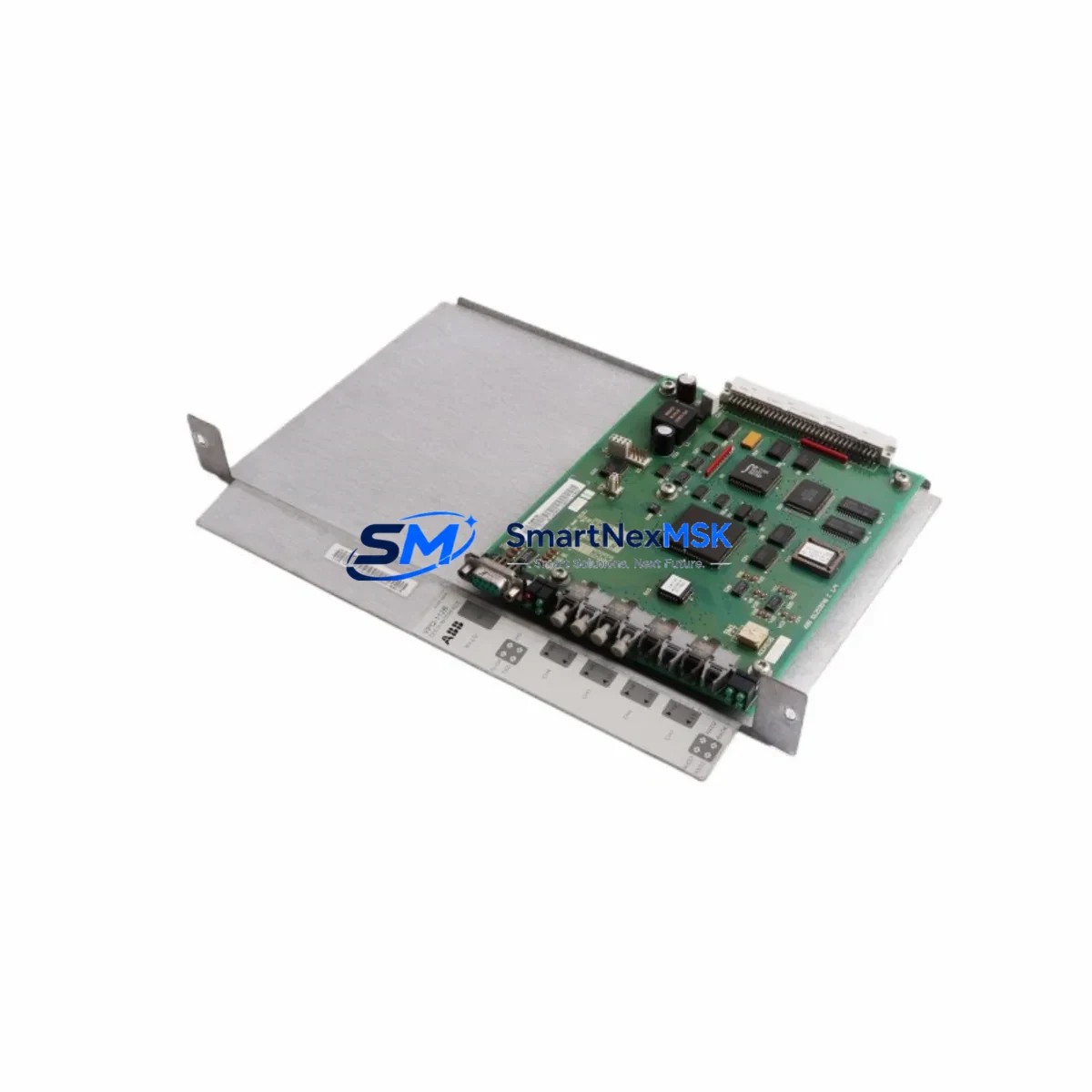
ABB YPQ112 61253432 Retrofit-Ready DCS Interface Adapter for Advant MOD 300 Control Systems
The ABB YPQ112 (61253432) is a DCS interface adapter engineered for the Advant MOD 300 distributed control platform. As legacy MOD 300 installations approach end-of-support milestones, the YPQ112 remains a critical retrofit component for engineers tasked with sustaining plant operations, upgrading communication infrastructure, or migrating to modern control architectures without full system replacement. This module provides a reliable, drop-in compatible solution for facilities that need to extend the operational life of their existing control cabinets while maintaining process continuity.
Sourced from verified industrial supply channels, each YPQ112 61253432 unit is inspected and function-tested prior to shipment. SMARTNEXMSK maintains ready stock to support urgent replacement scenarios, planned turnarounds, and phased migration projects. All units are backed by a 12-month warranty covering manufacturing defects and functional performance.
Upgrade Compatibility Table
| Parameter | Details |
|---|---|
| SKU / Part Number | YPQ112 / 61253432 |
| Brand | ABB |
| Compatible Platform | Advant MOD 300 DCS |
| Module Function | DCS Interface Adapter |
| Backplane Interface | MOD 300 standard rack bus |
| Communication Protocol | Advant fieldbus / MasterBus 300 |
| Installation Type | Rack-mount, direct slot replacement |
| Power Supply Requirement | 24 VDC via backplane (verify rack PSU capacity before installation) |
| Replacement Compatibility | Direct replacement for failed or obsolete YPQ112 units in MOD 300 racks |
| Commissioning Note | Module address must be confirmed against existing rack configuration; no firmware flashing required for like-for-like swap |
| Warranty | 12 Months — covers manufacturing defects and functional performance |
Retrofit Planning for Existing Automation Systems
Replacing the YPQ112 61253432 in an active MOD 300 installation requires careful pre-work to avoid unplanned downtime. Before pulling the module, engineers should document the existing rack slot assignment, verify the backplane bus address using the MOD 300 engineering workstation, and confirm that the rack’s power supply module — typically an ABB PM150 or PM511 series — has sufficient headroom to support the replacement unit without voltage sag.
Terminal wiring on the YPQ112 follows the standard MOD 300 I/O convention. If the existing field wiring harness shows signs of insulation fatigue or connector corrosion, this is the ideal time to replace terminal blocks and re-label conductors before re-energizing. Verify continuity on all signal pairs before reinserting the module.
In systems where the YPQ112 serves as a bridge between the MOD 300 controller — such as an ABB AC 450 or AC 410 processor module — and downstream I/O subsystems, the replacement sequence must account for the communication link to the MasterBus 300 network. If the plant also runs ABB CI522A or CI532V communication interface modules in adjacent racks, confirm that the MasterBus node address table does not conflict with the replacement unit’s configured address.
For facilities undertaking a broader migration from MOD 300 to the ABB System 800xA platform, the YPQ112 often remains in service during the transition period while new S800 I/O modules — such as the AI810 analog input or DI810 digital input — are commissioned in parallel. This hybrid architecture allows engineers to validate new I/O channels against live process values before cutting over, significantly reducing commissioning risk.
HMI screens tied to MOD 300 tag databases should be audited before the cutover. If the plant uses ABB Operate IT or a legacy MOD 300 operator station, confirm that the tag addresses mapped to the YPQ112’s I/O channels are correctly reflected in the HMI configuration. Any tag renaming or address remapping introduced during the retrofit must be propagated to the HMI before the new module goes live.
Programming compatibility is straightforward for like-for-like YPQ112 replacements — the existing application program stored in the AC 450 or AC 410 controller does not require modification. However, if the retrofit involves a slot change or rack reorganization, the module’s hardware address must be updated in the MOD 300 configuration database and downloaded to the controller before restart.
Where the retrofit scope includes upgrading the fieldbus segment, engineers should also review the ABB DSQC 503 or equivalent gateway modules used to bridge MOD 300 to PROFIBUS or Modbus RTU networks. Ensuring protocol gateway firmware is current before the YPQ112 swap reduces the risk of communication faults appearing post-restart and being misattributed to the new module.
Downtime Control During System Migration
Minimizing downtime during a YPQ112 replacement begins with a structured pre-outage checklist. Before the maintenance window opens, the control system should be placed in manual mode at the DCS operator station, and all interlock bypasses should be documented and approved through the plant’s management of change process. A full backup of the MOD 300 controller program — including the hardware configuration file — should be saved to a secure engineering workstation and verified readable before the module is removed.
The physical swap of the YPQ112 61253432 is typically completed in under 30 minutes for a trained technician performing a like-for-like replacement. The critical time investment is in pre-work and post-restart verification. After reinserting the new module and restoring rack power, the technician should confirm that the module’s status LEDs indicate normal operation before releasing the controller from manual mode.
Post-restart, a structured loop check should verify that all I/O channels previously served by the YPQ112 are reading correctly at the DCS operator station. Any channel showing a fault or unexpected value should be investigated at the terminal block level before the unit is returned to automatic control. This disciplined approach protects the original program logic and ensures that field control continuity is maintained from the moment the system returns to service.
For plants where a cold restart is not acceptable, a hot-standby strategy using a pre-configured spare YPQ112 — with the module address pre-set on the bench — can reduce in-field configuration time to near zero, further compressing the maintenance window.
Retrofit Support FAQ
Q: Is the YPQ112 61253432 a direct drop-in replacement for my existing MOD 300 interface adapter?
A: Yes, for like-for-like replacements within the same rack slot and bus address, the YPQ112 61253432 is a direct substitute. No program changes are required in the AC 450 or AC 410 controller. Confirm the slot address and backplane bus configuration before installation.
Q: What pre-shipment testing is performed on each unit?
A: Every YPQ112 61253432 unit supplied by SMARTNEXMSK undergoes functional inspection and continuity testing prior to dispatch. Units are shipped with protective packaging to prevent ESD damage and physical shock during transit. A 12-month warranty is included with every unit.
Q: How do I verify wiring compatibility before installing the replacement module?
A: Reference the original MOD 300 hardware configuration documentation for the YPQ112’s terminal assignment. Compare the existing field wiring against the replacement module’s terminal layout. If the original documentation is unavailable, SMARTNEXMSK’s technical team can assist with wiring reference data based on the SKU and series.
Q: What if my MOD 300 system shows a communication fault after installing the replacement YPQ112?
A: First, verify the module address matches the original configuration in the MOD 300 hardware database. Check MasterBus 300 node address conflicts with adjacent CI522A or CI532V modules. Confirm the rack PSU is supplying stable 24 VDC. If the fault persists, contact SMARTNEXMSK’s after-sales support — all units are covered by a 12-month warranty and our team can provide remote commissioning guidance.
© 2026 SMARTNEXMSK. All rights reserved.
Original Source: https://smartnexmsk.com
Contact: [email protected] | +86 18259474341



