
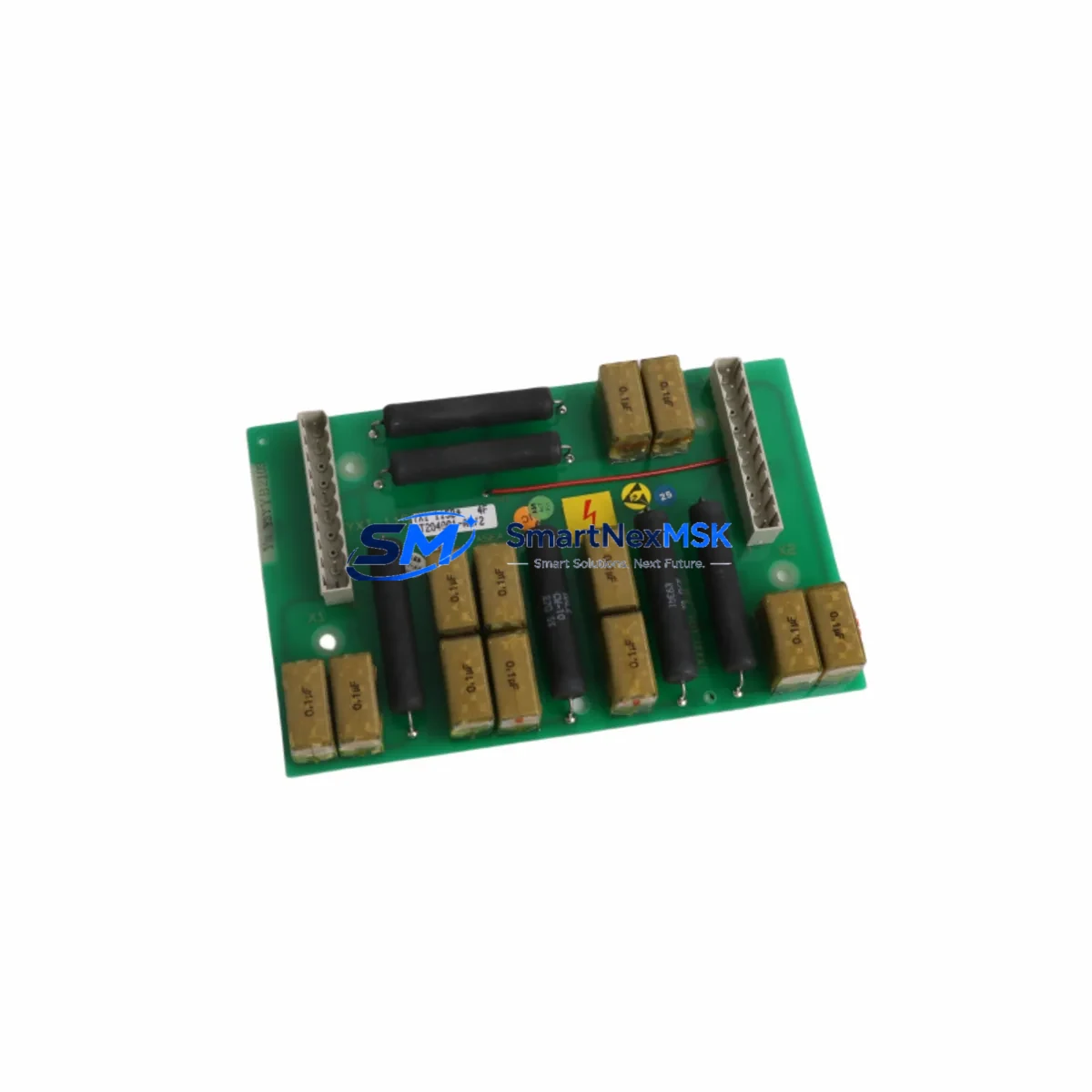
ABB YXI115B Retrofit-Ready Drive Control Board for ACS Control Systems
The ABB YXI115B is a retrofit-ready drive control board engineered for seamless integration into ABB ACS series variable frequency drive platforms. As legacy ACS400, ACS550, and ACS800 installations reach end-of-service milestones, the YXI115B provides a verified, drop-in-compatible upgrade path that preserves existing cabinet wiring, minimizes reprogramming effort, and restores full drive functionality without requiring a complete drive replacement. Whether you are managing a planned modernization project or responding to an unplanned control board failure, the YXI115B is stocked and ready for immediate dispatch with a 12-month warranty.
Upgrade Compatibility Table
| Parameter | Details |
|---|---|
| SKU | YXI115B |
| Brand | ABB |
| Compatible Series | ACS400, ACS550, ACS800 Drive Platforms |
| Board Function | Drive Control Board (Main Control PCB) |
| Mounting Interface | Standard ACS-series backplane connector; no mechanical modification required |
| Communication Compatibility | PROFIBUS-DP, Modbus RTU, DeviceNet (via existing fieldbus adapter slots) |
| I/O Interface | Compatible with existing RDIO, RAIO, and RTAC I/O extension modules |
| Power Supply Requirement | Internal SMPS from drive DC bus; verify bus voltage within rated range before installation |
| Parameter Restore | Parameters can be restored via DriveWindow Light or ACS control panel backup |
| Replacement Recommendation | Direct replacement for failed or degraded YXI115B boards; verify firmware version compatibility |
| Commissioning Note | Re-run motor identification (ID Run) after board swap to confirm drive-motor tuning |
| Warranty | 12 Months from date of shipment |
Retrofit Planning for Existing Automation Systems
Successful retrofit of the YXI115B into an operating production line requires a structured pre-installation review. Begin by auditing the existing ACS drive cabinet: confirm that the DC bus capacitors are within service life, that the IGBT gate driver board shows no thermal damage, and that the control power supply rail is stable. The YXI115B interfaces directly with the drive’s internal backplane, so no rewiring of the main power terminals is required — a significant advantage when working in tight control cabinets where terminal access is restricted.
For sites running distributed I/O architectures, verify that any installed RDIO-01 digital I/O extension modules or RAIO-01 analog I/O modules are seated correctly and that their ribbon cable connections to the control board header are undamaged. If the existing installation uses an RPBA-01 PROFIBUS adapter or an RCAN-01 CANopen adapter, these fieldbus modules will continue to operate without reconfiguration after the YXI115B is installed, provided the node address DIP switches are documented before removal of the old board.
Sites migrating from older ACS400 platforms to ACS550 or ACS800 architectures should also account for differences in the RMIO control board generation. In multi-drive installations sharing a common DC bus, the NBRA-6x brake chopper unit and associated braking resistor wiring should be inspected and load-tested before the new control board is commissioned. For panel builders integrating the YXI115B into a new MCC (Motor Control Center) section, confirm that the ACS control panel (CDP312R) or equivalent keypad is compatible with the firmware version shipped on the replacement board.
Where the original installation includes an NETA-21 remote monitoring adapter for Ethernet-based diagnostics, re-establish the TCP/IP connection and verify that drive parameter polling resumes correctly after board replacement. In systems using DriveWindow Light software over a USB-to-serial programming cable, perform a full parameter upload immediately after commissioning to create a verified backup of the restored configuration.
Downtime Control During System Migration
Minimizing production downtime during a control board replacement begins with preparation, not execution. Before the maintenance window opens, use DriveWindow Light or the ACS control panel’s parameter backup function to export the complete parameter set from the existing drive. Store this backup on a dedicated commissioning laptop and verify the file integrity before the old board is removed. This single step eliminates the most common source of extended downtime: the need to manually re-enter hundreds of drive parameters from a paper printout.
During the swap, follow a structured lockout/tagout (LOTO) procedure and allow the DC bus to fully discharge — typically 5 minutes after main power isolation — before touching any internal components. The YXI115B can be installed and secured within 15–20 minutes by a qualified drive technician. Once power is restored, restore the parameter backup, verify the motor nameplate data entries (rated voltage, current, frequency, speed, power), and execute the motor ID Run in stationary mode if a no-load test is possible, or in rotating mode if the process permits a brief unloaded start.
For continuous-process industries where even a brief stop is costly, consider pre-staging a fully configured spare drive with the YXI115B already installed and parameters pre-loaded. This hot-swap approach reduces the active changeover window to the time required for mechanical disconnection and reconnection of the motor and control cables — often under 30 minutes for a standard ACS cabinet installation. After changeover, monitor the drive’s fault log and current waveform for the first 24 hours of operation to confirm stable performance before closing the maintenance record.
Retrofit Support FAQ
Q1: Is the YXI115B a direct replacement for the original ABB board, or does it require firmware updates?
The YXI115B is designed as a direct functional replacement. In most ACS series applications, the board ships with compatible firmware pre-installed. However, we recommend verifying the firmware version against your drive’s existing software revision using DriveWindow Light before commissioning. If a firmware update is required, ABB’s standard update procedure via the programming port applies.
Q2: Can I reuse the existing terminal wiring and fieldbus connections after installing the YXI115B?
Yes. The YXI115B maintains the same control terminal layout and fieldbus adapter slot positions as the original ACS series control board. Existing wiring to the digital input terminals, analog input/output terminals, relay output terminals, and fieldbus adapter modules (PROFIBUS, Modbus, DeviceNet) can be reconnected without modification. Document all terminal assignments before removal as a precaution.
Q3: What commissioning steps are mandatory after installing the YXI115B?
After installation and parameter restore, the following steps are mandatory: (1) verify motor nameplate data in the drive parameters; (2) run the motor identification (ID Run) routine to re-establish drive-motor tuning; (3) test all digital and analog I/O signals from the PLC or DCS; (4) confirm fieldbus communication is active and the drive responds correctly to remote start/stop and speed reference commands; (5) check the fault log for any new entries after the first powered run.
Q4: What does the 12-month warranty cover, and how is it claimed?
The 12-month warranty covers manufacturing defects and functional failures under normal operating conditions from the date of shipment. Each YXI115B unit undergoes pre-shipment functional testing before dispatch. To initiate a warranty claim, contact our technical support team with the order reference, installation date, and a description of the fault symptom. We will arrange return authorization and provide a replacement or repair within the agreed service timeline.
© 2026 SMARTNEXMSK. All rights reserved.
Original Source: https://smartnexmsk.com
Contact: [email protected] | +86 18259474341



