
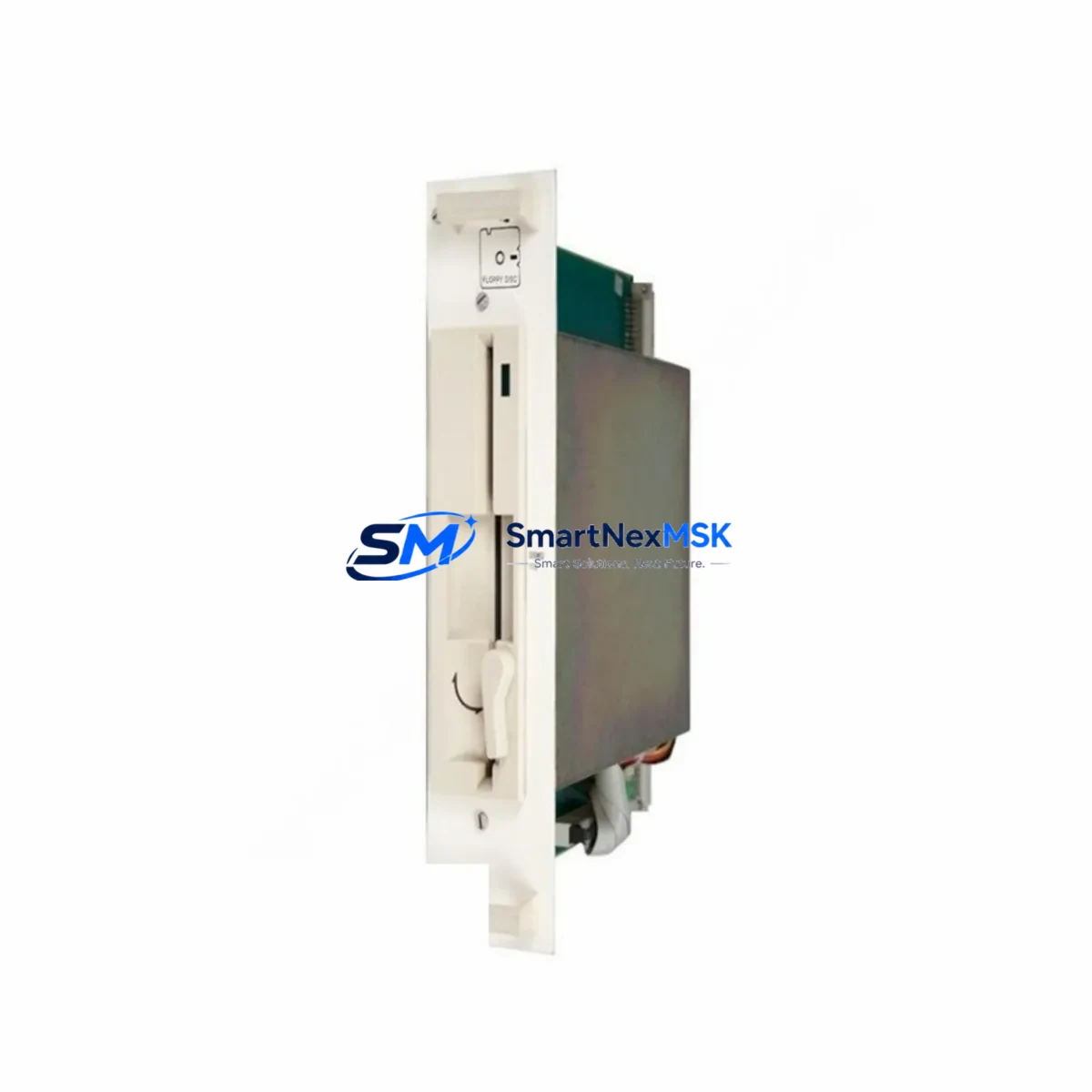
ABB YXU168G YT204001-JF Retrofit-Ready Drive Control Board for YT204001 Series Control Systems
The ABB YXU168G YT204001-JF is a retrofit-ready drive control board engineered for seamless compatibility with ABB YT204001 Series variable frequency drive (VFD) platforms. As legacy ABB drive systems approach end-of-life and original spare parts become increasingly difficult to source, the YXU168G YT204001-JF provides a verified drop-in replacement solution that preserves existing wiring configurations, terminal layouts, and backplane interface standards — enabling plant engineers and maintenance teams to restore full drive functionality with minimal downtime and without requiring a full drive cabinet overhaul.
This board is specifically designed to address the growing demand for obsolete part substitution in industrial environments where ABB ACS series drives — including ACS400, ACS550, and ACS800 platform variants — remain in active service. The YXU168G YT204001-JF maintains backward compatibility with the original YT204001 control architecture, supporting the same I/O signal mapping, communication protocol stack, and parameter memory structure that field technicians are already familiar with.
Upgrade Compatibility Table
| Parameter | Details |
|---|---|
| Compatible Series | ABB YT204001 Series VFD Control Platforms |
| Replaces OEM Part | YXU168G YT204001-JF (Original ABB) |
| Backplane Interface | Standard YT204001 backplane connector — direct fit, no adapter required |
| Terminal Wiring | Identical terminal block layout; existing field wiring reusable without modification |
| Communication Protocol | Compatible with PROFIBUS-DP, Modbus RTU, and ABB DDCS fieldbus links |
| I/O Compatibility | Analog and digital I/O signal mapping preserved; no re-parameterization of I/O addresses required |
| Parameter Backup | Supports parameter upload/download via ABB DriveWindow or compatible programming tools |
| Installation Requirement | Power-off installation; ESD precautions required; torque specifications per ABB service manual |
| Retrofit Recommendation | Recommended for 1:1 board swap in YT204001 Series drives; verify firmware revision before commissioning |
| Commissioning Focus | Motor ID run, speed reference calibration, fault history reset, and HMI screen re-linking |
| Warranty | 12-Month Warranty — covers manufacturing defects and functional failure under normal operating conditions |
Retrofit Planning for Existing Automation Systems
Successful retrofit of the ABB YXU168G YT204001-JF into an existing control cabinet begins with a thorough pre-replacement audit. Before removing the failed board, maintenance engineers should document the current parameter set using ABB DriveWindow Light or a compatible PC tool connected via the drive’s RS-232 or USB service port. This parameter backup is critical — it preserves motor nameplate data, PID tuning values, speed reference scaling, and fault response configurations that would otherwise require full recommissioning from scratch.
The power supply section of the drive cabinet must be verified before installation. The YT204001 Series control board operates from the drive’s internal SMPS (switched-mode power supply), and any instability in the 24 VDC auxiliary rail — often supplied by an ABB PSR or PST series soft starter power module in multi-drive panels — can cause intermittent board faults post-replacement. Measure the auxiliary supply voltage at the board connector before powering up the new YXU168G YT204001-JF.
Terminal wiring on the YT204001 Series uses a standard screw-clamp terminal block arrangement. The YXU168G YT204001-JF preserves this layout exactly, meaning existing field cables for analog speed reference (0–10 V or 4–20 mA), digital run/stop commands, relay output contacts, and thermistor inputs can be reconnected to the same terminal positions without rewiring. Engineers should photograph the existing wiring before removal and cross-reference against the ABB YT204001 wiring diagram to confirm signal polarity and shielding continuity.
For systems integrated with a PROFIBUS-DP network, the drive’s node address stored in the original board must be re-entered on the replacement YXU168G YT204001-JF. The PROFIBUS adapter — typically an ABB RPBA-01 PROFIBUS adapter module mounted on the drive’s option slot — retains its own configuration independently of the control board, so the fieldbus GSD file and PLC I/O mapping in the Siemens S7 or Allen-Bradley ControlLogix controller do not require modification. However, the drive’s PROFIBUS station address parameter must be confirmed and set correctly before the network master re-establishes communication.
In multi-axis or multi-drive installations using an ABB ACS800 drive system with a common DC bus architecture, the YXU168G YT204001-JF replacement must be coordinated with the system’s master drive or inverter unit. The DDCS fiber-optic communication link between the master control board and follower inverter modules — using ABB RDCO-03 or RDCO-04 DDCS communication option boards — must be verified for signal integrity after board replacement. A loopback test on the DDCS ring is recommended before returning the system to automatic mode.
HMI screen re-linking is another critical step often overlooked during board swap operations. If the drive is monitored via an ABB CP600 series HMI panel or a third-party SCADA system using Modbus TCP/IP over an FENA-21 Ethernet adapter, the drive’s Modbus unit ID and IP address parameters must be restored from the parameter backup file. Failure to do so will result in communication timeouts on the HMI and loss of drive status visibility at the operator workstation.
I/O expansion modules connected to the YT204001 Series drive — such as ABB RAIO-01 analog I/O extension modules or RDIO-01 digital I/O extension modules — are addressed via the drive’s internal I/O bus. After installing the YXU168G YT204001-JF, the drive’s I/O extension module detection routine should be triggered during the first power-up sequence to re-register all connected expansion modules and restore their channel assignments.
Downtime Control During System Migration
Minimizing production downtime during a YXU168G YT204001-JF board replacement requires advance preparation and a structured swap procedure. The target replacement window for a single-board swap in a YT204001 Series drive is 2–4 hours, assuming the replacement board is pre-tested, the parameter backup file is available, and all required tools and documentation are on-site before the maintenance window begins.
Begin by performing a full parameter upload from the operational drive — or from a known-good backup file if the drive has already failed — and store the file on a laptop with ABB DriveWindow installed. Prepare the replacement YXU168G YT204001-JF board in an ESD-safe environment, verify the firmware version label, and confirm it matches the revision required for your specific YT204001 Series drive variant. If a firmware update is required, this should be completed on the bench before installation to avoid extending the on-site maintenance window.
During the physical swap, isolate the drive from the main power supply and verify zero voltage at the DC bus capacitors using a calibrated multimeter before touching any internal components. Remove the original board, install the YXU168G YT204001-JF, and reconnect all terminal wiring and option module connectors in reverse order of removal. After power-up, download the saved parameter file, perform a motor identification run if required by the application, and verify all I/O signals, communication links, and HMI displays before releasing the drive back to automatic control.
For critical production lines where even a 2-hour outage is unacceptable, a hot-standby strategy using a pre-configured spare YXU168G YT204001-JF board — with parameters pre-loaded and firmware pre-verified — reduces the actual swap time to under 60 minutes. This approach is strongly recommended for drives controlling compressors, pumps, or conveyor systems in continuous-process industries.
Retrofit Support FAQ
Q1: Is the YXU168G YT204001-JF a direct 1:1 replacement for the original ABB board?
Yes. The YXU168G YT204001-JF is designed as a direct functional replacement for the original ABB YT204001-JF control board. The backplane connector, terminal block layout, and I/O signal mapping are identical to the OEM specification, allowing installation without mechanical modification or wiring changes. Firmware version compatibility should be verified against your specific drive serial number before installation.
Q2: Can I reuse my existing parameter settings after installing the replacement board?
Yes, provided you have a valid parameter backup file from the original drive. Use ABB DriveWindow or DriveWindow Light to upload parameters from the failed board (if it still powers up) or restore from a previously saved backup. After downloading parameters to the YXU168G YT204001-JF, perform a motor ID run and verify all speed reference, torque limit, and protection settings before returning the drive to service.
Q3: What commissioning steps are required after the board swap?
After installing the YXU168G YT204001-JF and restoring parameters, the following commissioning steps are required: (1) verify auxiliary power supply voltage at the board connector; (2) confirm PROFIBUS or Modbus node address settings; (3) re-register I/O extension modules; (4) re-link HMI communication parameters; (5) perform a no-load test run to verify speed reference response; and (6) perform a loaded test run under supervision before returning to automatic mode. All steps should be documented in the site maintenance log.
Q4: What does the 12-month warranty cover, and what is the shipping and testing policy?
The 12-month warranty covers manufacturing defects and functional failure under normal operating conditions from the date of shipment. Each YXU168G YT204001-JF board undergoes pre-shipment functional testing to verify power-up behavior, I/O signal integrity, and communication port operation before dispatch. In the event of a warranty claim, contact [email protected] with the order reference and fault description. Replacement or repair will be arranged within the warranty period at no additional cost.
© 2026 SMARTNEXMSK. All rights reserved.
Original Source: https://smartnexmsk.com
Contact: [email protected] | +86 18259474341



