
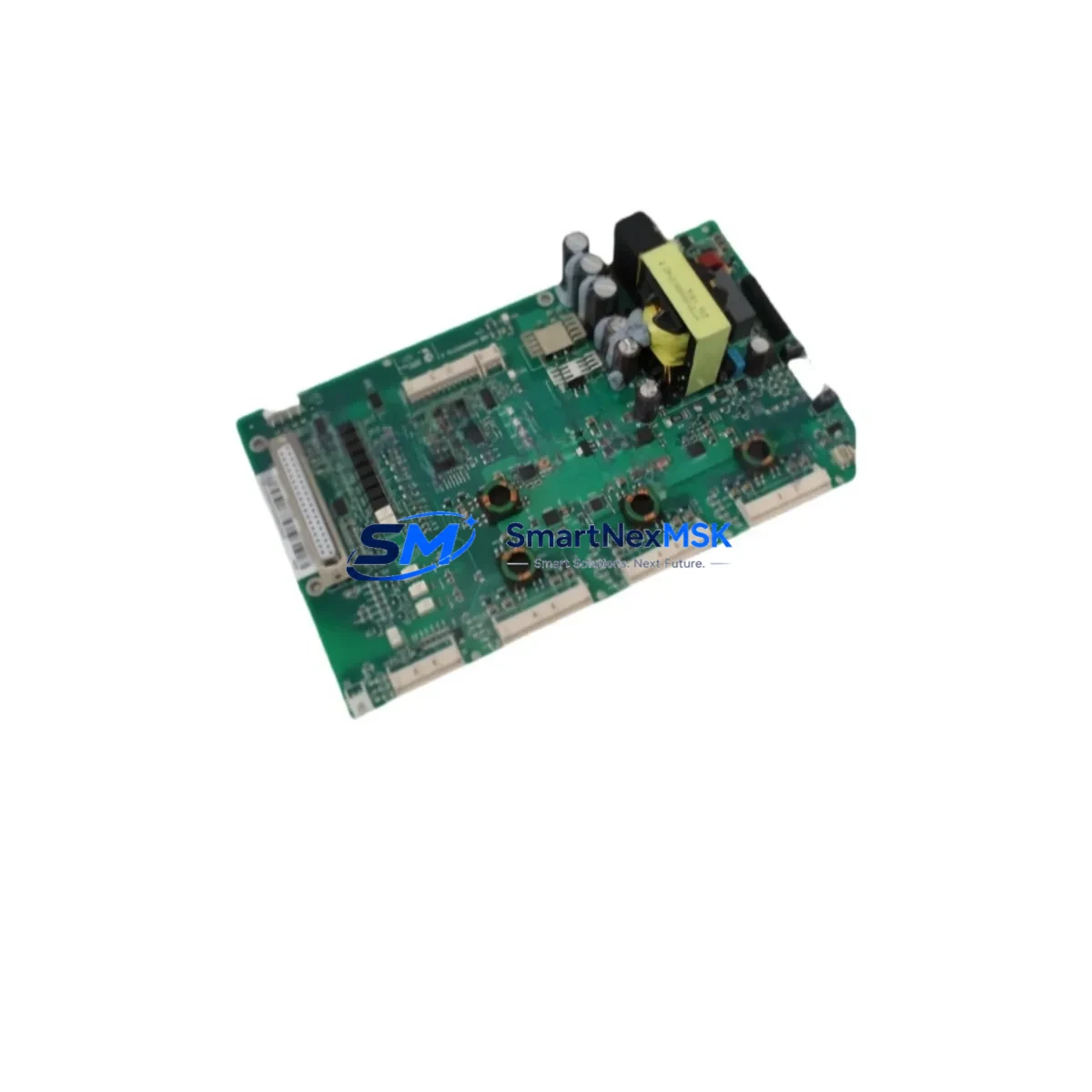
ABB ZINT-571 3AXD50000037997P Retrofit-Ready Interface Board for ACS880 Control Systems
The ABB ZINT-571 (part number 3AXD50000037997P) is a fieldbus interface board designed for integration into the ACS880 series industrial drives. As legacy automation systems reach end-of-life and OEM support windows close, the ZINT-571 has become a critical component in retrofit projects where engineers must maintain drive communication capability without replacing the entire drive cabinet. This board enables seamless migration from older fieldbus architectures to modern industrial protocols, making it an essential part of any ACS880 upgrade or control system modernization program.
Whether you are replacing a failed unit in an active production line, upgrading a legacy ACS800 or ACS600 installation to the ACS880 platform, or expanding I/O and communication capacity in an existing control cabinet, the ZINT-571 provides a verified, drop-in compatible solution. Our stock is sourced from authorized supply channels, individually inspected before shipment, and covered by a 12-month warranty from the date of delivery.
Upgrade Compatibility Table
| Parameter | Details |
|---|---|
| Compatible Drive Series | ABB ACS880 (all frame sizes with SLOT option) |
| Part Number | 3AXD50000037997P / ZINT-571 |
| Interface Slot | ACS880 option slot (SLOT 1 / SLOT 2 / SLOT 3 depending on frame) |
| Communication Protocol | Fieldbus adapter interface (PROFIBUS, EtherNet/IP, PROFINET via paired FPBA/FENA/FPNO adapter) |
| Mounting | Direct slot insertion — no additional hardware required |
| Wiring Compatibility | Compatible with existing ACS880 control terminal wiring; no rewiring required for same-slot replacement |
| Firmware Requirement | ACS880 primary control unit firmware version must support ZINT-571 slot assignment; verify via Drive Composer or Panel |
| Replacement Recommendation | Direct replacement for failed or end-of-life ZINT-571 units; also used in new ACS880 retrofit builds replacing ACS800 + RDCO/RINT boards |
| Commissioning Tool | ABB Drive Composer Pro or Drive Composer Entry; FENA-21 or FPBA-01 adapter may be required depending on protocol |
| Warranty | 12 months from shipment date, covering manufacturing defects and functional failure under normal operating conditions |
Retrofit Planning for Existing Automation Systems
Retrofitting an ACS880 drive into an existing automation system requires careful planning across multiple hardware and software layers. The ZINT-571 interface board is typically installed during the commissioning phase of a drive replacement project, but it also appears frequently in emergency repair scenarios where a failed interface board has caused a communication fault and halted production.
Before installing the ZINT-571, engineers should verify the power supply capacity of the ACS880 control unit. The option slot draws power from the drive’s internal 24 VDC supply, and if multiple option boards — such as an FDIO-01 digital I/O extension module or an FAIO-01 analog I/O module — are already installed, the total current draw must be checked against the drive’s specification. Overloading the internal supply is a common cause of intermittent communication faults in multi-board configurations.
Terminal wiring for the fieldbus connection depends on the paired adapter. If the system uses PROFIBUS DP, the FPBA-01 adapter connects to the ZINT-571 and provides the DB9 PROFIBUS connector. For EtherNet/IP or PROFINET installations, the FENA-21 or FPNO-21 adapter is used instead. In either case, the ZINT-571 acts as the mechanical and electrical bridge between the ACS880 option slot and the fieldbus adapter, so its condition directly affects communication reliability.
Backplane and rack considerations are less relevant for ACS880 drives than for traditional PLC rack systems, but engineers migrating from older ABB ACS800 installations should note that the RDCO-02 or RDCO-04 communication boards used in ACS800 drives are not directly compatible with ACS880 slots. The ZINT-571 is the ACS880-native equivalent and requires the ACS880 option slot form factor. If the project involves replacing an ACS800 drive entirely, the control program stored in the ACS800’s RMIO board will need to be re-engineered using Drive Composer or Automation Builder, as the parameter sets and function block libraries differ between platforms.
For projects involving HMI integration, engineers should verify that the HMI screen objects referencing drive status words, speed references, and fault codes are updated to reflect ACS880 parameter addresses. ABB Panel Builder or third-party SCADA systems connected via OPC-UA or Modbus TCP may require tag remapping if the drive platform changes. The ACS880’s built-in Modbus RTU port on the SREA-01 Ethernet adapter can simplify this transition in some installations.
I/O expansion during retrofit is commonly handled by adding FDIO-01 modules or by connecting the ACS880 to an existing remote I/O network via the fieldbus adapter. Engineers should document all existing I/O assignments before beginning the retrofit to avoid address conflicts during commissioning. The ACS880’s parameter group 15 (I/O extension modules) and group 50 (fieldbus adapter settings) are the primary configuration areas for these assignments.
Programming cable access during commissioning is typically via the ACS880’s front panel USB port or via the FENA-21 Ethernet adapter using Drive Composer Pro over a direct PC connection. Having the correct version of Drive Composer installed before arriving on site significantly reduces commissioning time and minimizes the risk of extended downtime.
Downtime Control During System Migration
Minimizing downtime during a drive retrofit is a primary concern for any production facility. The ZINT-571 replacement procedure is designed to be completed within a single planned maintenance window, typically under two hours for an experienced engineer, provided that all preparatory steps have been completed in advance.
The recommended approach is to perform a full parameter backup of the existing ACS880 drive using Drive Composer before any hardware changes are made. This backup preserves the motor control parameters, I/O assignments, fieldbus configuration, and application macros. If the ZINT-571 is being replaced due to a communication fault rather than a drive replacement, the parameter set can be restored to the new board after installation, eliminating the need to re-enter configuration data manually.
For sites where continuous process control is critical, a parallel commissioning strategy is recommended: install and configure the replacement drive or interface board on a bench setup using the backed-up parameter file, verify communication with the PLC or DCS using a loop test, and then perform the physical swap during a scheduled stop. This approach keeps the actual production interruption to the minimum time required for the physical installation and final field verification — typically 20 to 40 minutes for a slot board replacement.
After installation, the fieldbus communication link should be verified by checking the drive’s diagnostic parameters for communication status, confirming that the PLC or DCS is receiving valid process data, and running a short no-load test cycle before returning the drive to automatic control. Any fault codes related to the option slot or fieldbus adapter should be cleared and the drive’s event log reviewed to confirm clean operation before handover.
Retrofit Support FAQ
Q: Is the ZINT-571 (3AXD50000037997P) a direct drop-in replacement for a failed unit in an existing ACS880 drive?
A: Yes. The ZINT-571 installs directly into the ACS880 option slot without modification. After installation, the fieldbus adapter (FPBA-01, FENA-21, or FPNO-21) reconnects to the new board and the drive’s fieldbus parameters are restored from backup. No rewiring of the control terminals is required for a same-slot replacement.
Q: What commissioning steps are required after installing the ZINT-571?
A: After physical installation, power up the drive and verify that the option slot is recognized in parameter group 15. Confirm the fieldbus adapter type is correctly identified, check communication status in the drive’s diagnostic parameters, and perform a loop test with the connected PLC or DCS to verify data exchange. Clear any residual fault codes and review the event log before returning to production.
Q: Can the ZINT-571 be used to migrate an ACS800 installation to the ACS880 platform?
A: The ZINT-571 is an ACS880-native component and is not compatible with ACS800 drives. However, it is a key part of an ACS880 retrofit build that replaces an ACS800 system. The migration requires replacing the drive hardware, re-engineering the control program, remapping I/O assignments, and updating HMI and SCADA tag references. The ZINT-571 provides the fieldbus communication capability in the new ACS880 installation.
Q: What does the 12-month warranty cover?
A: The 12-month warranty covers manufacturing defects and functional failure under normal operating conditions from the date of shipment. Each unit is tested before dispatch. Warranty claims are handled directly — contact our team with the order reference and a description of the fault, and we will arrange a replacement or repair as appropriate.
© 2026 SMARTNEXMSK. All rights reserved.
Original Source: https://smartnexmsk.com
Contact: [email protected] | +86 18259474341



