
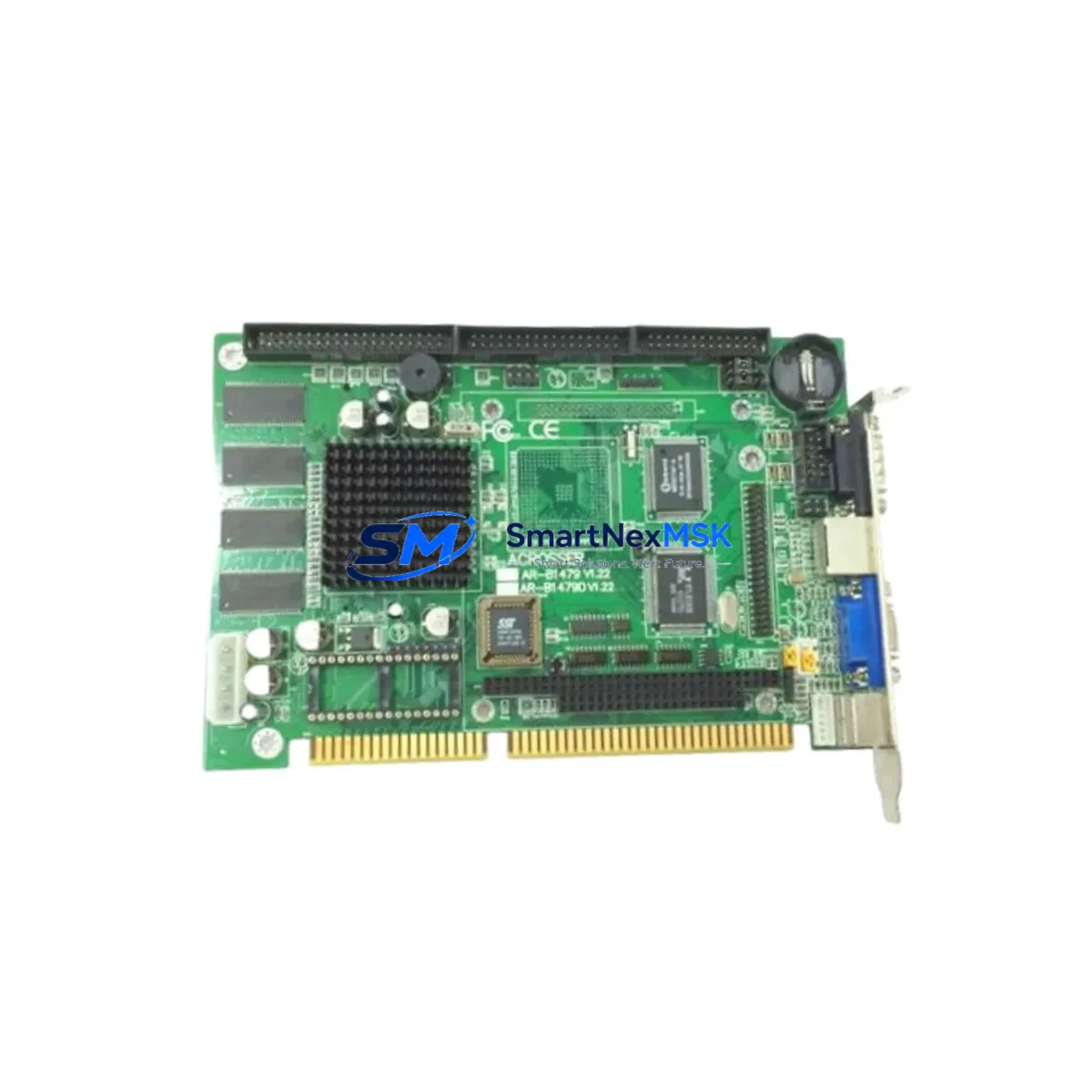
ACROSSER AR-B1479-V1.22 Maintenance-Ready Spare for AR-B1479 Automation
The ACROSSER AR-B1479-V1.22 is an original ISA Single Board Computer (SBC) designed for embedded industrial control applications. In aging automation systems, this board serves as the computational core of machine controllers, CNC interfaces, and legacy PLC-adjacent control cabinets. When this board fails or degrades, the entire production line can halt — making a verified, tested spare unit the most critical item in any maintenance engineer’s inventory strategy.
At SMARTNEXMSK, every AR-B1479-V1.22 unit is sourced from authorized channels, inspected before dispatch, and shipped with a 12-month warranty. Whether you are executing a planned replacement during scheduled downtime or responding to an unplanned fault, this spare is ready for immediate installation.
For maintenance engineers managing legacy embedded systems, the AR-B1479-V1.22 represents a stable, long-term supply option for systems that cannot be easily migrated to modern platforms. Our stock supports both emergency procurement and strategic buffer inventory programs.
Spare Maintenance Table
| Parameter | Specification |
|---|---|
| SKU / Part Number | AR-B1479-V1.22 |
| Brand | ACROSSER Technology |
| Series | AR-B1479 |
| Product Type | ISA Single Board Computer (SBC) |
| Bus Interface | ISA (Industry Standard Architecture) |
| Form Factor | Half-size ISA SBC |
| Processor Compatibility | x86 embedded CPU (series-dependent) |
| Operating Environment | Industrial: 0°C to 60°C, humidity ≤90% non-condensing |
| Origin | Taiwan |
| Compatibility | AR-B1479 series ISA backplane systems |
| Installation | Direct ISA slot insertion; verify IRQ and DMA settings before power-on |
| Maintenance Recommendation | Inspect CMOS battery, ISA edge connector, and onboard jumper settings at each replacement |
| Warranty | 12 Months — covers manufacturing defects and functional failure under normal operating conditions |
| Shipping | ESD-safe packaging; tested before dispatch |
Maintenance Planning for Continuous Operation
Replacing the AR-B1479-V1.22 is rarely an isolated task. In a typical ISA-bus control cabinet, this SBC interfaces with multiple subsystems that should be inspected simultaneously to prevent cascading failures and reduce repeat downtime events.
Begin with the ISA passive backplane — inspect all slot connectors for oxidation, bent pins, or thermal stress marks. A degraded backplane can cause intermittent faults that mimic SBC failure. Next, verify the industrial power supply unit (PSU) providing +5V and +12V rails; voltage sag or ripple is a leading cause of SBC instability and premature failure.
Check all I/O expansion cards seated in adjacent ISA slots — serial communication cards (RS-232/RS-485), digital I/O cards, and analog input modules should be reseated and tested. If the system uses a PC/104 stack or a daughterboard expansion module, inspect the stack connectors for continuity.
For systems with relay output modules or solid-state relay (SSR) banks controlled by this SBC, verify coil voltage and contact resistance. Relay contacts degrade independently of the SBC and are a common source of field faults after a board replacement.
If the AR-B1479-V1.22 handles serial communications to a PLC, DCS, or SCADA system, test the RS-232 or RS-485 signal integrity after replacement. Inspect signal isolators and surge protection modules on communication lines — these components absorb transient damage that would otherwise reach the SBC.
Review the terminal blocks and field wiring connected to I/O cards. Loose terminals and corroded conductors are frequently overlooked during SBC replacements and can cause immediate re-faults. Also inspect any fuse holders and circuit breakers in the control cabinet — a blown fuse on a 24VDC field power rail may have been the root cause of the original SBC failure.
If the system includes an HMI panel or operator terminal communicating with this SBC via serial or parallel interface, verify the communication parameters (baud rate, parity, stop bits) match the replacement board’s BIOS and jumper configuration. Finally, confirm the CMOS battery on the AR-B1479-V1.22 is fresh — a dead battery will cause BIOS settings to reset on every power cycle, leading to boot failures that are difficult to diagnose in the field.
Site Replacement Workflow
Step 1 — Pre-replacement documentation: Photograph the existing board’s jumper settings, ISA slot position, and all connected cables before removal. Record BIOS settings if the system is still partially functional.
Step 2 — Power isolation: De-energize the control cabinet following LOTO (Lockout/Tagout) procedures. Discharge any capacitive loads on the backplane power rails before handling the SBC.
Step 3 — Board removal and inspection: Remove the AR-B1479-V1.22 carefully from the ISA slot. Inspect the slot connector on the backplane for damage. Clean with isopropyl alcohol if contamination is present.
Step 4 — Replacement board configuration: Configure the new AR-B1479-V1.22 jumpers to match the documented settings of the original unit. Verify BIOS version compatibility with the operating system and application software.
Step 5 — Installation and power-on test: Seat the board firmly in the ISA slot. Apply power and monitor POST output. Confirm all I/O cards are recognized and communication links are established before returning the system to production.
Step 6 — System validation: Run a full I/O check and communication test. Log the replacement in the maintenance record with the new board’s serial number and installation date. Register the 12-month warranty with SMARTNEXMSK.
This workflow minimizes total downtime and ensures the replacement is traceable for future maintenance cycles. For legacy systems where the AR-B1479 series is no longer in active production, maintaining a buffer stock of 1–2 spare units is strongly recommended to protect against extended lead times.
Spare Parts Support FAQ
Q1: Is the AR-B1479-V1.22 a new original unit or a refurbished part?
All units supplied by SMARTNEXMSK are original spare parts sourced from authorized distribution channels. Each unit undergoes functional inspection and ESD-safe packaging before shipment. Refurbished or repaired units are clearly identified as such — if not stated, the unit is original.
Q2: How do I verify compatibility with my existing AR-B1479 series backplane?
The AR-B1479-V1.22 is designed for ISA-bus backplanes within the AR-B1479 series. Confirm your backplane’s ISA slot count, power rail specifications (+5V/+12V), and physical form factor before installation. If you have the original system documentation or a part number from the existing board, contact our technical team at [email protected] for a compatibility confirmation before ordering.
Q3: What does the 12-month warranty cover, and how is it claimed?
The 12-month warranty covers manufacturing defects and functional failure under normal industrial operating conditions. It does not cover physical damage from improper installation, overvoltage events, or environmental contamination. To claim warranty service, contact SMARTNEXMSK with the order number, installation date, and a description of the fault. We will arrange return shipping and provide a replacement or repair within the agreed service window.
Q4: Can SMARTNEXMSK support long-term or recurring procurement of the AR-B1479-V1.22?
Yes. We specialize in long-term spare parts supply for legacy industrial automation systems. For customers managing fleets of AR-B1479-based machines, we offer buffer stock programs, priority allocation, and advance procurement planning. Contact us at [email protected] or +86 18259474341 to discuss your annual spare parts requirements.
© 2026 SMARTNEXMSK. All rights reserved.
Original Source: https://smartnexmsk.com
Contact: [email protected] | +86 18259474341