
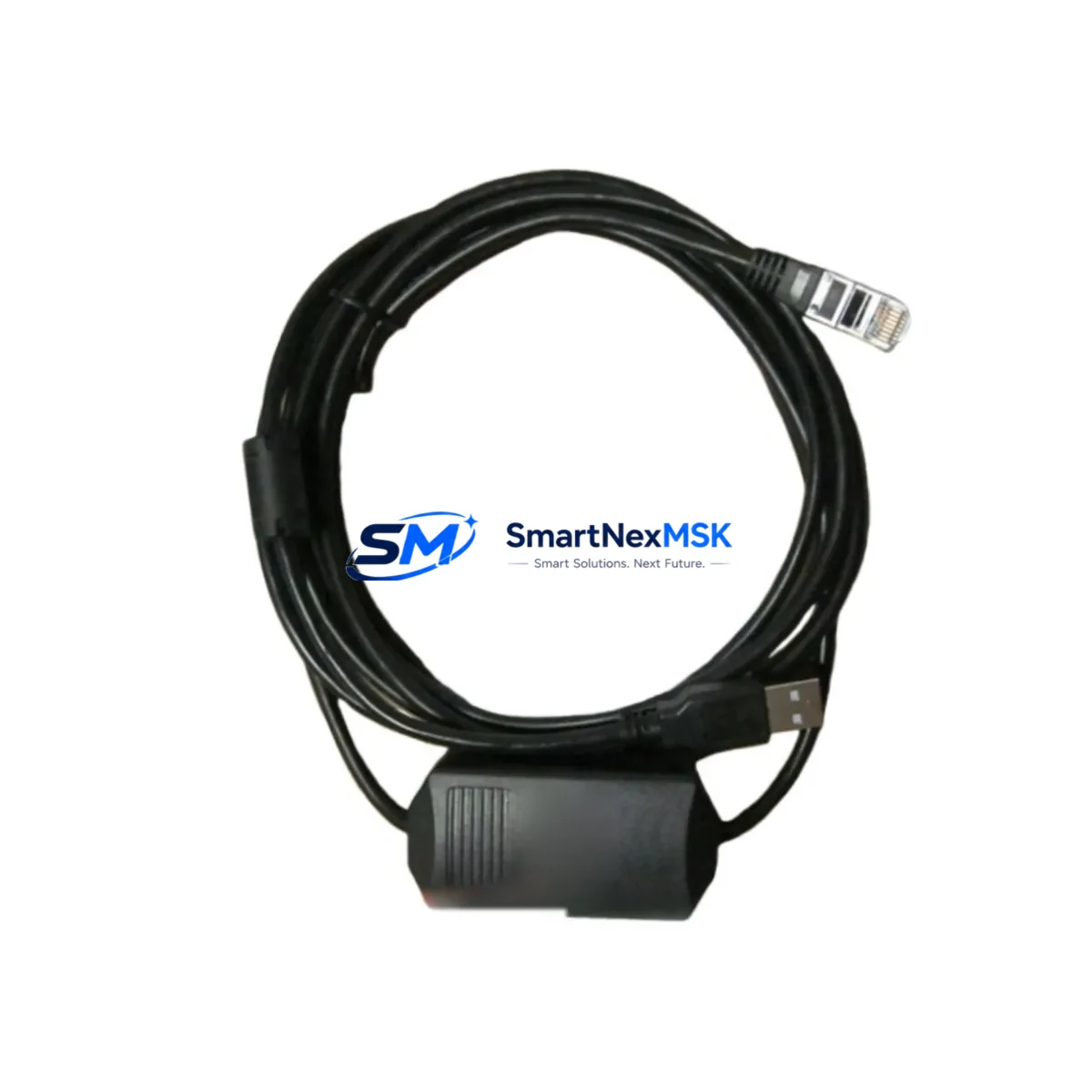
AIENSN CT-USB-CABLE(SP1406) Retrofit-Ready USB Programming Cable for SP Series Control Systems
The AIENSN CT-USB-CABLE(SP1406) is a retrofit-ready USB programming cable engineered for seamless integration with AIENSN SP Series programmable logic controllers. As legacy RS-232 serial interfaces become increasingly difficult to support on modern engineering workstations, this USB programming cable provides a direct, driver-supported upgrade path that eliminates the need for serial port adapters, COM port emulators, or third-party conversion hardware. Whether you are commissioning a new SP Series panel, recovering a failed control system, or migrating an aging production line to a modernized control architecture, the CT-USB-CABLE(SP1406) delivers reliable, low-latency communication between your programming device and the PLC CPU.
Industrial automation engineers working on SP Series retrofit projects frequently encounter the challenge of maintaining program upload and download capability when the original RS-232 programming port is no longer accessible via standard laptop hardware. The CT-USB-CABLE(SP1406) resolves this by providing a plug-and-play USB interface that is recognized by AIENSN’s programming software environment, allowing direct access to the SP Series CPU for program editing, online monitoring, forced I/O operations, and firmware verification — all without modifying the existing ladder logic or hardware configuration.
Upgrade Compatibility Table
| Parameter | Details |
|---|---|
| Compatible PLC Series | AIENSN SP Series (SP1406 and compatible variants) |
| Interface Type | USB Type-A (PC side) to proprietary SP Series programming port |
| Communication Protocol | USB-to-serial emulation; compatible with AIENSN programming software |
| Replaces | Legacy RS-232 serial programming cables for SP Series CPUs |
| Installation Requirement | Driver installation required on Windows OS; no additional hardware needed |
| Retrofit Recommendation | Direct drop-in replacement for original SP Series programming cable |
| Commissioning Notes | Verify COM port assignment in Device Manager; set baud rate to match SP CPU default |
| Warranty | 12-Month Warranty — hardware defects covered from date of shipment |
Retrofit Planning for Existing Automation Systems
A successful SP Series retrofit begins well before the cable is connected. Engineers should first audit the existing control cabinet to document the installed SP Series CPU module, the associated I/O expansion modules, and the power supply unit feeding the backplane. In many legacy installations, the SP Series rack may include a mix of digital input modules, digital output modules, and analog I/O cards that were configured years ago and whose address assignments are embedded in the original ladder program. Before using the CT-USB-CABLE(SP1406) to upload the program from the CPU, confirm that the programming software version on your workstation matches the firmware generation of the installed SP Series CPU — mismatched software versions can cause read errors or incomplete program transfers.
During the retrofit planning phase, pay close attention to the power supply capacity of the existing control cabinet. If the modernization plan includes adding new communication modules — such as an Ethernet communication card or a PROFIBUS DP adapter to bridge the SP Series controller into a broader DCS network — the additional current draw must be accounted for in the backplane power budget. Similarly, if the project involves replacing an older SP Series expansion rack with a higher-density I/O chassis, the terminal wiring assignments must be re-mapped and verified against the updated program logic before the system is returned to service.
For projects that involve migrating from a purely serial communication architecture to an Ethernet-based supervisory network, the CT-USB-CABLE(SP1406) plays a critical role in the transition period. It allows the engineer to maintain direct CPU access for program modifications and diagnostic monitoring while the new Ethernet communication module is being configured and tested. This parallel access capability is especially valuable in continuous-process environments where the control system cannot be taken fully offline during the migration window. Once the Ethernet link is verified and the HMI screens have been updated to reflect the new communication path, the USB programming cable remains available as a backup diagnostic tool for future maintenance visits.
Technicians should also verify that the existing HMI — whether a dedicated operator panel connected to the SP Series CPU via RS-485 or a PC-based SCADA system communicating over a serial link — continues to function correctly after any program changes are downloaded through the CT-USB-CABLE(SP1406). In some SP Series installations, the HMI communication parameters are stored in the CPU’s system registers, and a full program download can overwrite these settings if the backup file was captured from a different hardware revision. Always compare the communication register values before and after the download to confirm that the HMI link remains intact.
Downtime Control During System Migration
Minimizing unplanned downtime is the primary operational constraint in any SP Series retrofit project. The CT-USB-CABLE(SP1406) supports this objective by enabling rapid program backup before any hardware changes are made. As a first step, connect the cable to the SP Series CPU and perform a full program upload to create a verified backup of the current ladder logic, including all data registers, timer presets, counter values, and communication parameters. Store this backup on at least two separate media — a local workstation and a removable drive — before proceeding with any physical modifications to the control cabinet.
When the retrofit involves replacing a failed or end-of-life SP Series CPU with a new unit, the CT-USB-CABLE(SP1406) allows the replacement module to be pre-loaded with the verified program backup in a bench environment before it is installed in the production cabinet. This pre-staging approach dramatically reduces the time the production line is offline, since the new CPU arrives at the cabinet already programmed and ready for I/O verification. After installation, reconnect the CT-USB-CABLE(SP1406) to perform an online comparison between the downloaded program and the backup file to confirm data integrity before the system is returned to automatic operation.
For sites where the SP Series controller manages safety-critical outputs — such as motor starters, solenoid valves, or emergency stop circuits — the retrofit team should coordinate with the site safety officer to establish a controlled isolation procedure before the programming cable is connected. Ensure that all field devices are in a safe state and that the CPU is in STOP mode before initiating any program download. After the download is complete and the program has been verified, perform a controlled startup sequence, monitoring each output channel individually before returning the system to full automatic mode. This disciplined approach protects both the equipment and the personnel working in the vicinity of the control system.
Retrofit Support FAQ
Q1: Is the CT-USB-CABLE(SP1406) a direct replacement for the original AIENSN SP Series RS-232 programming cable?
Yes. The CT-USB-CABLE(SP1406) is designed as a direct functional replacement for the legacy RS-232 serial programming cable used with AIENSN SP Series PLCs. It provides the same programming port connectivity through a USB interface, eliminating the need for a physical RS-232 serial port on the engineering workstation. Driver installation is required, and the COM port assignment should be verified in the operating system’s device manager before connecting to the CPU.
Q2: What commissioning steps are required after connecting the CT-USB-CABLE(SP1406) to an SP Series CPU?
After installing the USB driver and connecting the cable, open the AIENSN programming software and select the correct COM port assigned to the cable. Set the communication baud rate to match the SP Series CPU’s default programming port setting. Initiate a connection test from within the software to confirm that the CPU responds before attempting any program upload or download. If the connection fails, verify the cable seating at the CPU programming port and confirm that the CPU is powered and in a communicable state.
Q3: Can the CT-USB-CABLE(SP1406) be used to recover a program from an SP Series CPU that is in fault or error state?
In most cases, yes. The SP Series CPU’s programming port remains accessible even when the CPU is in a fault or error state, provided the CPU is still powered. Connect the CT-USB-CABLE(SP1406), establish communication through the programming software, and navigate to the diagnostic or error log section to identify the fault code before attempting a program upload. This capability is particularly valuable for emergency recovery situations where the original program backup is unavailable and the program must be retrieved directly from the installed CPU.
Q4: What warranty coverage applies to the CT-USB-CABLE(SP1406), and what does it include?
The CT-USB-CABLE(SP1406) is covered by a 12-month warranty from the date of shipment. The warranty covers hardware defects in materials and workmanship, including connector failures, cable integrity issues, and USB interface faults. Each unit undergoes functional testing prior to shipment to verify communication performance. Warranty claims should be submitted with proof of purchase and a description of the observed fault. Replacement units are dispatched promptly to minimize impact on ongoing retrofit or maintenance operations.
© 2026 SMARTNEXMSK. All rights reserved.
Original Source: https://smartnexmsk.com
Contact: [email protected] | +86 18259474341