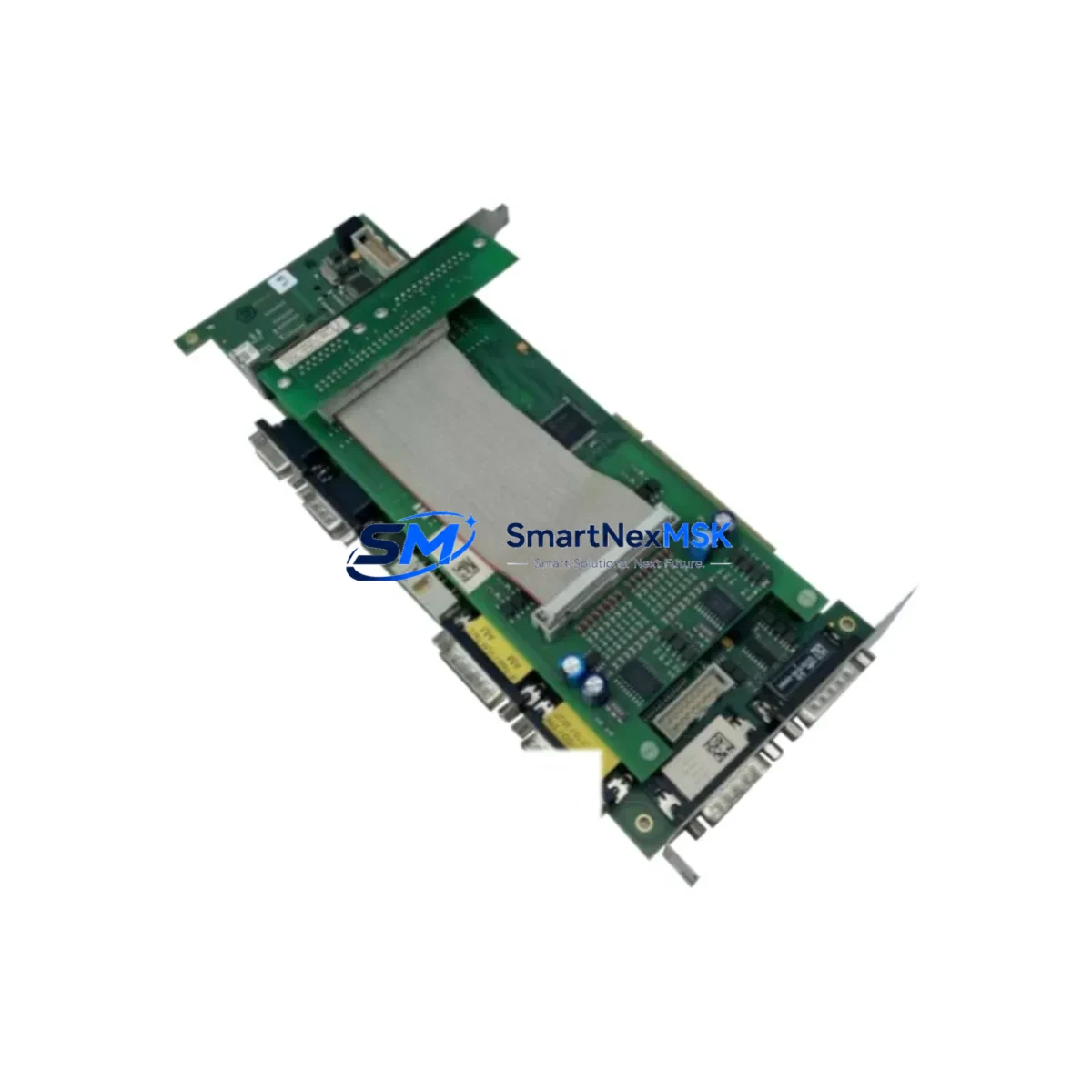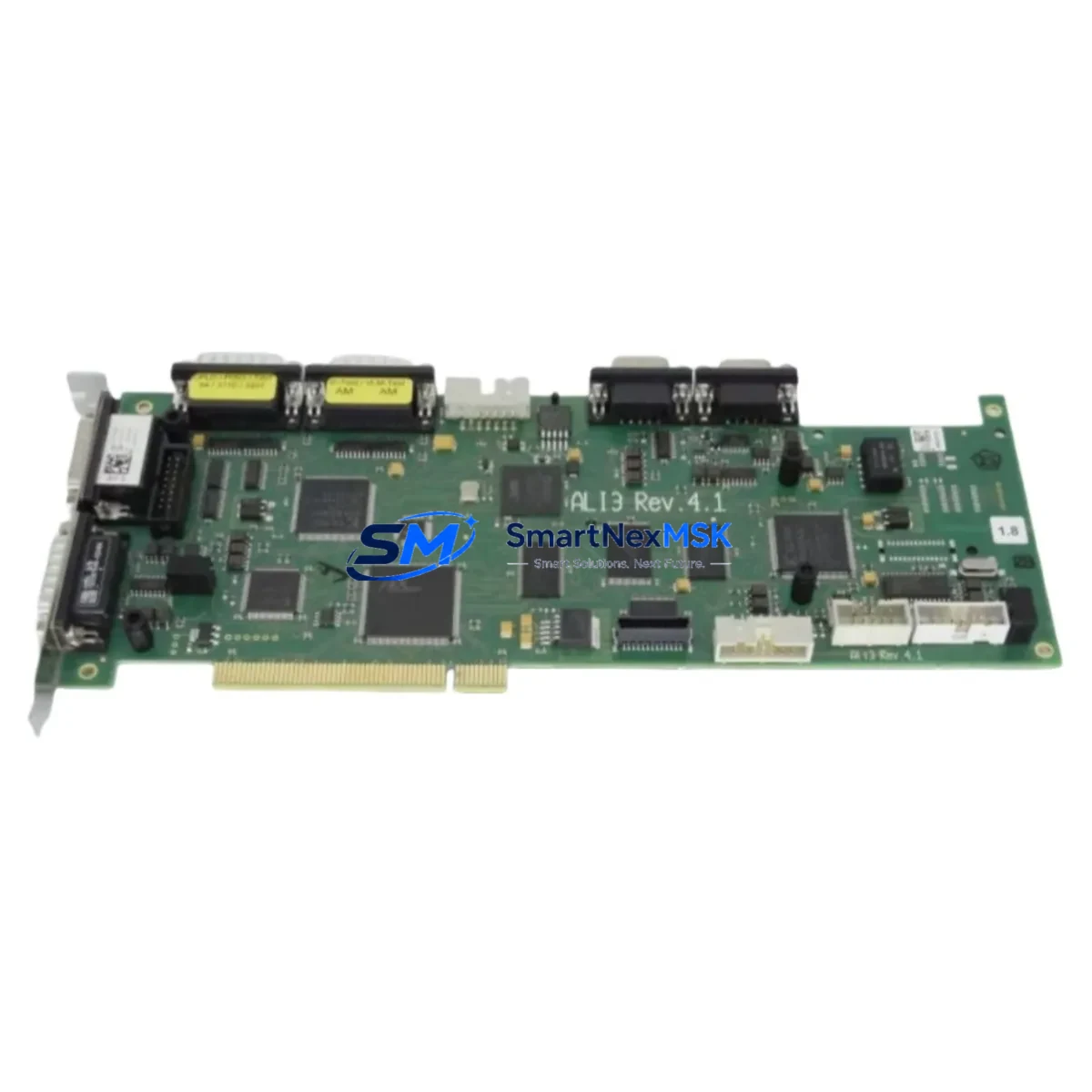
ALI3 V4 120301182 Maintenance-Ready Spare for V4 Automation
The ALI3 V4 120301182 is an original-grade PLC control module engineered for the V4 series automation platform. For maintenance engineers managing aging control systems, unplanned downtime caused by a failed PLC module is one of the most costly disruptions on the plant floor. Stocking a verified replacement unit of the V4 120301182 is a proven strategy to compress mean time to repair (MTTR) and restore production continuity within hours rather than days.
This module is sourced directly from authorized supply channels, undergoes pre-shipment functional testing, and ships with a 12-month warranty. Whether you are executing a planned overhaul, responding to an emergency fault, or building out your critical spare parts inventory, the ALI3 V4 120301182 delivers the compatibility assurance and supply reliability that industrial procurement teams require.
From a maintenance engineering perspective, the V4 120301182 fits directly into existing V4 series control cabinets without firmware reconfiguration in most standard deployments. Procurement engineers benefit from a single-source supply arrangement that eliminates lead-time uncertainty and supports long-term asset lifecycle planning for legacy V4 installations.
Spare Maintenance Table
| Part Number | V4 120301182 |
| Brand | ALI3 |
| Series | V4 |
| Product Type | PLC Control Module |
| Origin | China (CN) |
| Supply Voltage | 24 VDC (nominal, V4 series standard) |
| I/O Compatibility | V4 series digital/analog I/O backplane |
| Communication Interface | V4 series internal bus; supports standard fieldbus protocols per V4 platform |
| Mounting | DIN rail / V4 series backplane slot |
| Operating Temperature | 0°C to +55°C (standard industrial range) |
| Protection Rating | IP20 (control cabinet installation) |
| Weight | 300 g (approx.) |
| Compatibility | ALI3 V4 series control systems; direct replacement for V4 120301182 |
| Pre-Shipment Testing | Functional verification performed before dispatch |
| Warranty | 12 Months |
| Maintenance Recommendation | Inspect module seating, connector integrity, and status LEDs during scheduled cabinet inspections. Replace immediately upon fault indication or communication loss. |
Maintenance Planning for Continuous Operation
When a V4 120301182 PLC control module is flagged for replacement during a scheduled inspection or emergency fault response, experienced maintenance engineers know that the module itself is rarely the only component that warrants attention. A thorough cabinet inspection at the time of replacement significantly reduces the risk of repeat failures and secondary faults.
Begin by verifying the 24 VDC power supply module feeding the V4 backplane — voltage sag or ripple is a common root cause of PLC module degradation. Check the V4 series backplane connector pins and bus termination for oxidation or mechanical damage before seating the replacement module. Inspect all I/O terminal blocks and field wiring connections for loose terminations, which can generate spurious signals that stress the module’s input circuits.
If the V4 system includes analog input/output modules on the same rack, verify their calibration and signal integrity — a failed PLC module can sometimes mask underlying signal drift in adjacent I/O cards. Review the status of any communication modules (Profibus, Modbus, or Ethernet-based) installed in the V4 chassis, as bus errors frequently accompany CPU or control module faults.
For systems with relay output modules in the same control cabinet, inspect coil drive circuits and contact wear, particularly if the V4 120301182 was managing high-cycle output sequences. Check signal isolators on critical analog loops — these are often overlooked during module swaps but are essential for protecting the new module from field-side transients.
Examine the HMI communication link to the V4 controller after replacement; a module swap can occasionally reset communication parameters or trigger HMI alarm states that require acknowledgment before normal operation resumes. Finally, verify that fuse holders and miniature circuit breakers protecting the module’s power feed are in good condition and correctly rated — an undersized or degraded protective device can cause premature failure of the replacement unit.
Building a structured spare parts kit around the V4 120301182 — including a backup power supply module, a spare I/O expansion card, and a set of pre-terminated connector assemblies — is a best practice for any facility running V4 series automation as a critical production asset.
Site Replacement Workflow
Step 1 — Isolation: Follow your site’s lockout/tagout (LOTO) procedure. De-energize the V4 control cabinet and confirm zero-energy state before opening the enclosure.
Step 2 — Documentation: Photograph the existing module position, wiring layout, and any visible fault codes on the HMI or module status LEDs. Record the firmware version if accessible via the programming terminal.
Step 3 — Module Removal: Release the backplane locking mechanism, disconnect field wiring connectors in sequence, and extract the V4 120301182 from its slot. Inspect the vacated slot for debris, corrosion, or damaged bus contacts.
Step 4 — Replacement Installation: Seat the new ALI3 V4 120301182 firmly into the backplane slot. Reconnect field wiring connectors in reverse removal order. Verify connector locking engagement.
Step 5 — Power-Up and Verification: Re-energize the cabinet in stages. Confirm module status LEDs indicate normal operation. Reload the application program from backup if required. Verify all I/O points and communication links are active before returning the system to production.
Step 6 — Documentation Close-Out: Update the maintenance log with the replacement date, new module serial number, and any observations noted during the procedure. Flag the removed module for failure analysis if root cause investigation is required.
This workflow is designed to minimize total downtime from fault detection to production restart, typically achievable within one to two hours for a prepared maintenance team holding a verified spare unit on-site.
Spare Parts Support FAQ
Q1: Is the ALI3 V4 120301182 a direct drop-in replacement for the original module?
Yes. The V4 120301182 is supplied as an original-specification spare and is designed for direct slot-compatible replacement within ALI3 V4 series control systems. No hardware modification is required in standard V4 configurations. Firmware compatibility should be confirmed against your site’s installed V4 platform version prior to installation.
Q2: What pre-shipment testing is performed on each unit?
Every V4 120301182 unit undergoes functional verification testing before dispatch. This includes power-on self-test validation and communication interface checks. A test report is available upon request for quality-critical procurement requirements.
Q3: How should the V4 120301182 be stored as a long-term spare?
Store in original anti-static packaging in a dry, temperature-controlled environment (recommended: 10°C to 40°C, relative humidity below 75% non-condensing). Avoid storage near strong electromagnetic fields or corrosive atmospheres. Inspect packaging integrity annually and rotate stock on a first-in, first-out basis.
Q4: What is covered under the 12-month warranty?
The 12-month warranty covers manufacturing defects and functional failures under normal operating conditions consistent with ALI3 V4 series specifications. Warranty claims require the original purchase documentation and a description of the fault condition. Units damaged by incorrect installation, overvoltage, or environmental exposure outside rated parameters are not covered. Contact our technical support team to initiate a warranty assessment.
© 2026 SMARTNEXMSK. All rights reserved.
Original Source: https://smartnexmsk.com
Contact: [email protected] | +86 18259474341