
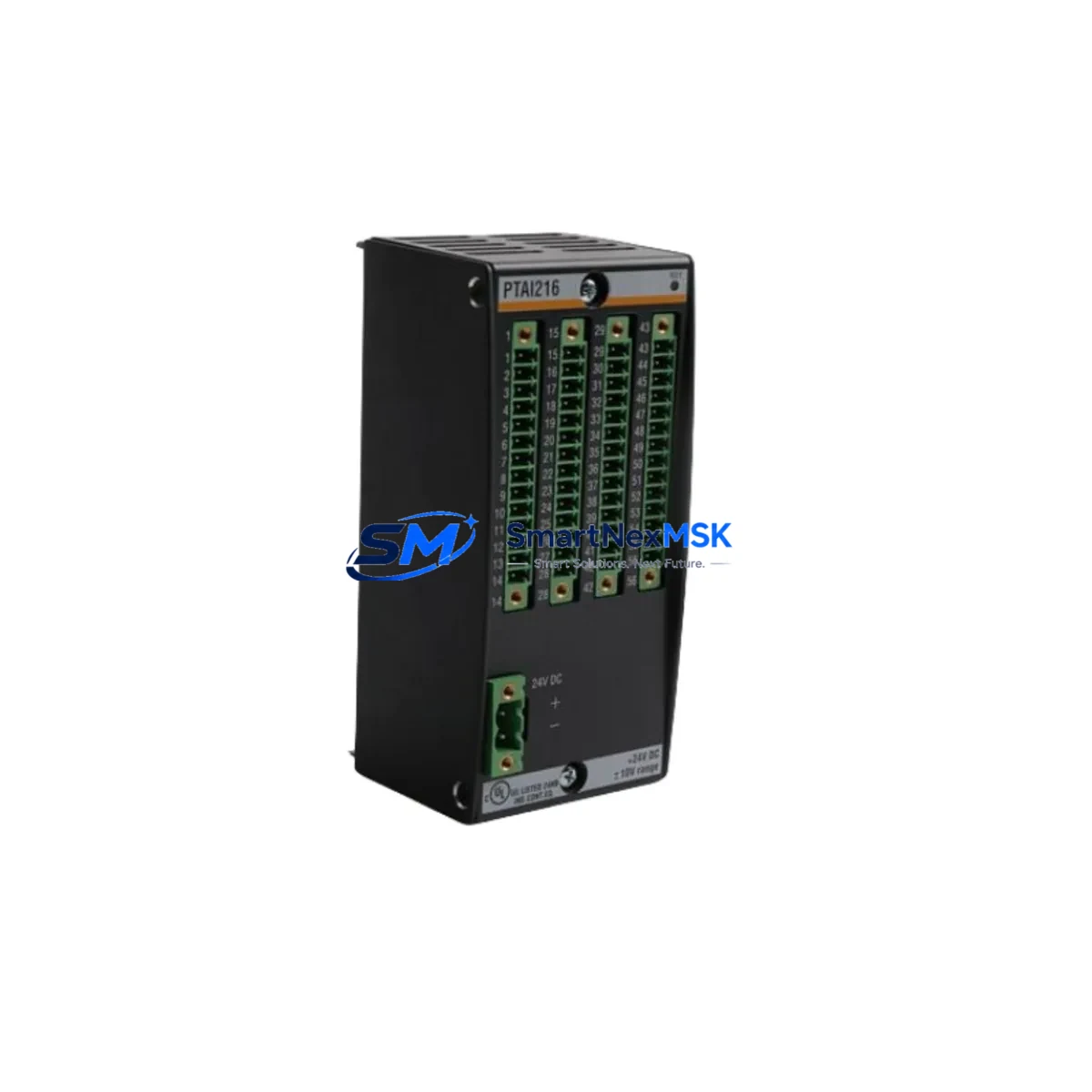
BACHMANN PTAI216 Maintenance-Ready Spare for MPC Automation
The BACHMANN PTAI216 is a 16-channel temperature input module engineered for the BACHMANN MPC (Modular Process Controller) platform — one of the most widely deployed real-time automation controllers in power generation, renewable energy, and heavy industrial applications. When a PTAI216 fails or degrades in service, the consequences extend far beyond a single I/O card: the entire temperature monitoring loop for a turbine, compressor, or process reactor may go blind, triggering unplanned shutdowns and costly downtime. Stocking a verified original PTAI216 spare is the single most effective insurance policy a maintenance team can hold.
This listing supplies an original BACHMANN PTAI216 module — not a clone, not a refurbished pull — sourced through established industrial distribution channels, tested prior to dispatch, and backed by a 12-month warranty. Each unit ships with full electrostatic discharge (ESD) protection packaging and is accompanied by a pre-shipment inspection record.
Spare Maintenance Table
| Parameter | Specification / Detail |
|---|---|
| Part Number / SKU | PTAI216 |
| Manufacturer | BACHMANN Electronic GmbH |
| Series / Platform | MPC (Modular Process Controller) |
| Module Type | 16-Channel Temperature Input Module |
| Sensor Compatibility | Thermocouple (TC) and RTD (Pt100/Pt1000) — configurable per channel |
| Resolution | 16-bit analog-to-digital conversion |
| Isolation | Channel-to-channel and channel-to-bus galvanic isolation |
| Backplane Interface | BACHMANN MPC backplane bus (proprietary high-speed) |
| Operating Temperature | 0 °C to +55 °C (storage: −25 °C to +70 °C) |
| Humidity | 5–95 % RH, non-condensing |
| Protection Class | IP20 (panel-mount, control cabinet installation) |
| Country of Origin | Germany |
| Weight | 260 g |
| Compatibility | BACHMANN MPC controller racks; drop-in replacement for existing PTAI216 installations |
| Maintenance Recommendation | Inspect terminal block connections and sensor wiring annually; verify channel calibration after replacement |
| Warranty | 12 Months — covers manufacturing defects and functional failure under normal operating conditions |
Maintenance Planning for Continuous Operation
A PTAI216 replacement should never be treated as an isolated swap. In a BACHMANN MPC control cabinet, the temperature input module sits at the intersection of sensor wiring, backplane power distribution, and controller logic — meaning a failure event is an opportunity to audit the entire thermal monitoring chain before returning the system to service.
Begin with the MPC CPU module (such as the MC206 or MC210): confirm firmware version compatibility with the replacement PTAI216 and verify that the module address assignment in the rack has not shifted. Next, inspect the MPC power supply module (e.g., PS205 or PS210) — an aging or undersized power supply is a common root cause of intermittent I/O module faults and should be load-tested before the cabinet is closed.
Check the backplane bus termination and rack connector pins for oxidation or mechanical damage; a corroded backplane contact can cause the replacement module to report spurious errors within weeks of installation. If the cabinet includes a BACHMANN DI216 or DO216 digital I/O module on the same rack, verify that its status LEDs are normal — shared backplane faults can manifest across multiple modules simultaneously.
On the field wiring side, inspect all thermocouple extension cables and RTD lead wires connected to the PTAI216 terminal block. Cold-junction compensation errors and ground loops are the leading causes of temperature measurement drift in aging installations. Replace any terminal block with signs of heat discoloration or loose clamping. If the system uses signal isolators or signal conditioners between field sensors and the PTAI216 input terminals, test each isolator for output accuracy — a failing isolator will produce the same symptom as a failed input channel.
For cabinets that also house BACHMANN communication modules (such as the CM202 PROFIBUS or CM203 Ethernet module), confirm that the network topology is intact and that the controller is still visible to the SCADA or DCS host after the module swap. Finally, if the installation includes a BACHMANN AO202 or AO206 analog output module driving control valves or actuators based on temperature feedback, verify the output signals are within expected range after the PTAI216 is back online — a misconfigured channel scaling can cause runaway control loops.
Maintaining a minimum of one PTAI216 spare per MPC rack in your site inventory is strongly recommended for any facility operating critical rotating equipment, heat exchangers, or process reactors where temperature excursions carry safety or regulatory consequences.
Site Replacement Workflow
Step 1 — Pre-replacement verification: Confirm the failed module’s slot address in the MPC rack using the BACHMANN SolutionCenter engineering software. Document all channel assignments, sensor types, and engineering unit scalings before powering down the rack segment.
Step 2 — Safe isolation: Follow your site’s lockout/tagout (LOTO) procedure. The PTAI216 supports hot-swap on some MPC rack configurations, but this must be confirmed against your specific firmware version and rack type before attempting live removal. When in doubt, perform a controlled rack power-down.
Step 3 — Physical swap: Remove the failed PTAI216 by releasing the front-panel locking lever and sliding the module out of the backplane. Insert the replacement unit and confirm the locking lever engages fully. Reconnect the field wiring terminal block — verify wire labeling matches the original channel map.
Step 4 — Configuration restore: Using SolutionCenter, download the existing project configuration to the replacement module. Verify that all 16 channels report valid readings within expected engineering unit ranges. Compare live readings against a known-good reference (e.g., a calibrated handheld thermometer at the sensor location) for at least two channels.
Step 5 — Return to service: Log the replacement in your site maintenance management system (CMMS) with the module serial number, installation date, and post-swap calibration results. Update your spare parts inventory to trigger reorder of a replacement PTAI216 spare.
This workflow is compatible with legacy MPC installations running older BACHMANN firmware and with current-generation MPC racks, making the PTAI216 a long-term viable replacement that extends system life without requiring controller upgrades.
Spare Parts Support FAQ
Q1: Is this PTAI216 an original BACHMANN module or a third-party compatible?
This is an original BACHMANN Electronic GmbH PTAI216 module. It is not a clone, aftermarket reproduction, or refurbished pull. Each unit is sourced through verified industrial supply channels and undergoes pre-shipment functional testing before dispatch.
Q2: What is the warranty coverage and how is it claimed?
All PTAI216 units supplied through this listing carry a 12-month warranty covering manufacturing defects and functional failure under normal operating conditions. To initiate a warranty claim, contact us with your order reference, a description of the fault symptom, and your site’s installation date. We will arrange return logistics and replacement dispatch within 5 business days of receiving the defective unit.
Q3: Can this module replace an older PTAI216 from an early-generation MPC rack?
Yes. The PTAI216 has maintained hardware and firmware backward compatibility across BACHMANN MPC generations. It is a drop-in replacement for earlier PTAI216 units. If your rack is running a very early firmware version, we recommend confirming the minimum supported firmware revision with your BACHMANN system integrator before installation — this is a configuration check, not a hardware incompatibility.
Q4: What is your typical lead time and do you hold stock?
We maintain stock of the PTAI216 for immediate dispatch. Standard international shipping lead time is 3–7 business days depending on destination. Express options are available for emergency breakdown situations. Contact us directly at [email protected] or +86 18259474341 to confirm current stock availability and arrange priority shipment.
© 2026 SMARTNEXMSK. All rights reserved.
Original Source: https://smartnexmsk.com
Contact: [email protected] | +86 18259474341