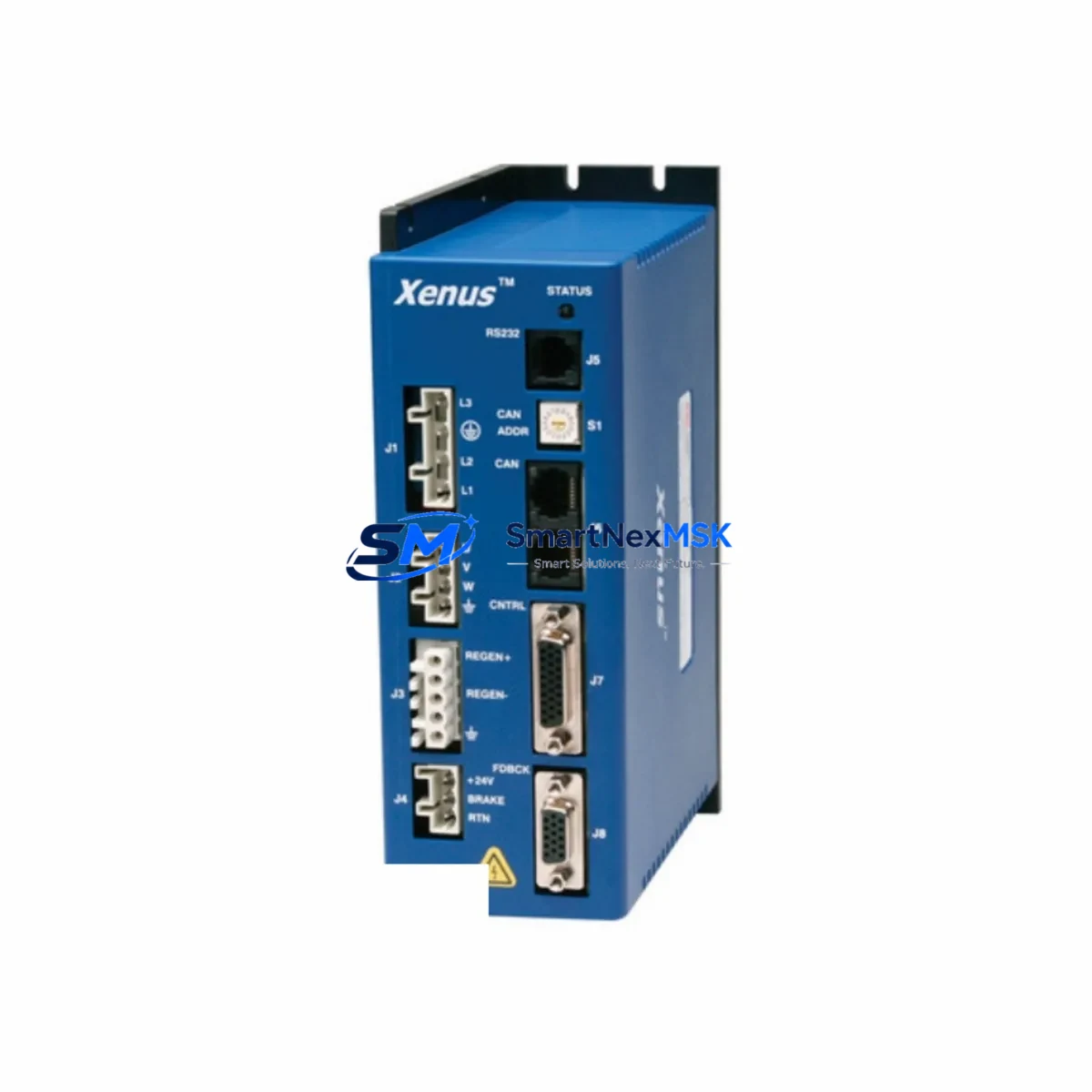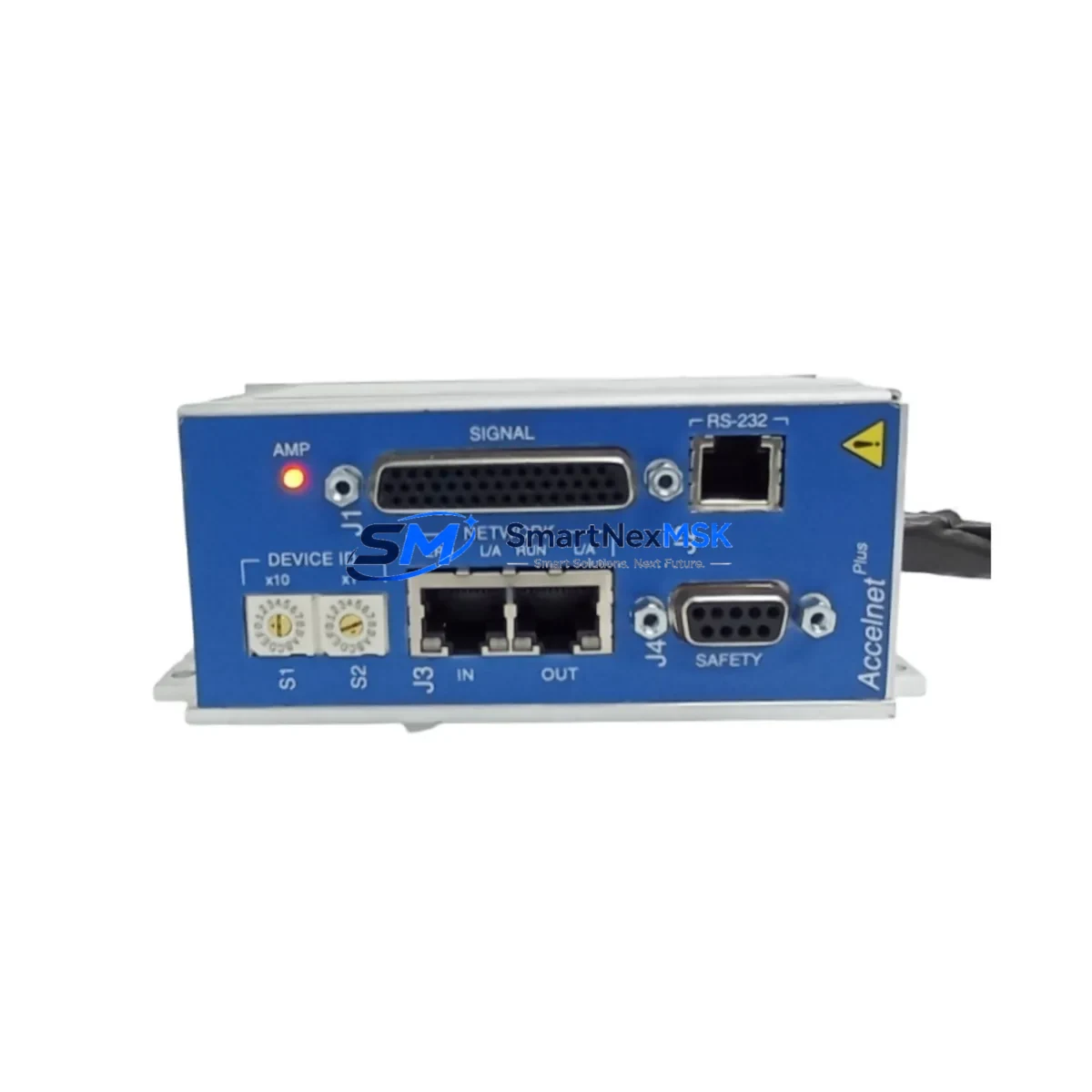
Copley Controls ARM98AC-N25 Spare for Accelnet Automation
When a servo drive failure halts your production line, every minute of downtime translates directly into lost output and escalating recovery costs. The Copley Controls ARM98AC-N25 — part of the proven Accelnet Panel series — is a single-axis, panel-mount servo drive rated at 25A continuous output current, designed for demanding industrial motion control environments. Stocking a verified original spare of the ARM98AC-N25 is one of the most effective strategies a maintenance or procurement engineer can implement to protect against unplanned downtime in servo-driven automation systems.
The ARM98AC-N25 is widely deployed in CNC machining centers, robotic assembly cells, semiconductor handling equipment, packaging lines, and precision positioning stages. Its compact panel-mount form factor integrates cleanly into standard control cabinets alongside Copley Controls power supplies, feedback interface modules, and motion controllers. When this drive reaches end-of-life or sustains fault damage, a pre-qualified replacement unit — tested, verified, and ready to ship — eliminates the lead-time risk that often extends emergency downtime from hours into days or weeks.
At SMARTNEXMSK, every ARM98AC-N25 unit is inspected, function-tested, and shipped with a 12-month warranty, giving maintenance teams and procurement engineers the confidence to integrate it directly into their critical spare parts inventory.
Spare Maintenance Table
| Parameter | Specification |
|---|---|
| Part Number / SKU | ARM98AC-N25 | 1080-01385 | 800-1843 | 907.00.67 |
| Brand | Copley Controls |
| Series | Accelnet Panel |
| Drive Type | Single-Axis Panel-Mount Servo Drive |
| Continuous Output Current | 25A |
| Drive Topology | PWM Amplifier, Sinusoidal Commutation |
| Feedback Compatibility | Encoder (incremental), Hall sensors, Resolver (with interface) |
| Communication Interface | CANopen / RS-232 (CME2 configuration) |
| Input Voltage Range | AC or DC bus (model-dependent; verify with nameplate) |
| Mounting | Panel Mount |
| Weight | 2.6 kg |
| Country of Origin | United States |
| Compatibility | Copley Controls Accelnet Panel series; replaces ARM98AC-N25 and equivalent legacy variants |
| Application Environment | Industrial automation, CNC, robotics, semiconductor, packaging |
| Maintenance Recommendation | Inspect DC bus capacitors, feedback wiring, and enable/fault signal lines during replacement |
| Warranty | 12 Months — covers manufacturing defects and functional failure under normal operating conditions |
| Condition | Original Spare — inspected and function-tested prior to shipment |
Maintenance Planning for Continuous Operation
Replacing the ARM98AC-N25 in a live production environment is rarely an isolated task. Experienced maintenance engineers know that a servo drive fault is often a symptom of broader electrical stress in the control cabinet. Before commissioning the replacement unit, a thorough inspection of the surrounding components is essential to prevent repeat failures and ensure system stability.
Start with the DC bus power supply or AC input filter feeding the drive. Voltage ripple, undersized bus capacitance, or a failing line filter can stress the new drive immediately after installation. Check the 24VDC logic supply — many Accelnet Panel drives rely on a separate logic rail, and a marginal supply voltage can cause erratic enable/fault behavior that is easily misdiagnosed as a drive fault.
Inspect the motor feedback cable and encoder connector. Damaged shielding, intermittent contacts, or a failing incremental encoder will cause the replacement ARM98AC-N25 to fault on position error or commutation loss within minutes of startup. Similarly, verify the Hall effect sensor wiring if the motor uses Hall-assisted commutation — a single miswired Hall line will prevent the drive from initializing correctly.
Review the I/O wiring at the drive’s digital input terminals: enable signal, fault reset, and hardware limit inputs. Corroded terminals or loose ferrules on the DIN rail terminal blocks adjacent to the drive are a common source of intermittent faults that survive a drive swap. If the cabinet uses signal isolators between the PLC output cards and the drive enable inputs, verify that the isolator output voltage and current are within the drive’s input specification.
For systems using CANopen communication, confirm that the node address and baud rate settings on the replacement drive match the original configuration before enabling the axis. If the machine controller is a Copley Controls motion controller or a third-party EtherCAT or CANopen master, re-run the axis commissioning sequence using CME2 software to validate current loop tuning, velocity loop gains, and position error limits. Drives that have been in storage may require a firmware version check to ensure compatibility with the host controller.
Do not overlook the motor power contactor or solid-state relay in the enable circuit. A contactor with worn contacts can introduce resistance that causes the drive to detect an overcurrent condition under load. Likewise, inspect any regenerative braking resistor or dynamic braking module connected to the DC bus — a failed braking resistor will cause bus overvoltage faults during deceleration, which can damage the replacement drive if not corrected before commissioning.
Finally, if the system includes a safety relay module or STO (Safe Torque Off) circuit, verify that the STO input wiring to the ARM98AC-N25 is intact and that the safety relay is functioning correctly. An open STO circuit will prevent the drive from enabling, and this is frequently overlooked during emergency replacements performed under time pressure.
Site Replacement Workflow
Step 1 — Isolate and de-energize: Disconnect AC mains and DC bus power. Discharge bus capacitors per Copley Controls safety guidelines before touching any drive terminals. Confirm zero voltage with a calibrated meter.
Step 2 — Document existing configuration: If the original drive is still partially functional, connect via RS-232 and use CME2 to export the axis configuration file (.ccx). This preserves all tuning parameters, I/O assignments, and communication settings for direct import into the replacement unit.
Step 3 — Remove the failed unit: Label and photograph all wiring before disconnection. Remove motor power, feedback, I/O, communication, and logic supply connectors. Unbolt the drive from the panel.
Step 4 — Install the ARM98AC-N25 replacement: Mount the new unit, reconnect all wiring per the original labels and photographs. Verify connector seating and terminal torque values.
Step 5 — Restore configuration: Power the logic supply only. Connect via RS-232 and import the saved .ccx configuration file using CME2. Verify node address, baud rate, and I/O polarity settings.
Step 6 — Commission and test: Enable the drive in current mode first to verify motor commutation. Progress to velocity and position mode testing. Confirm fault-free operation across the full motion profile before returning the machine to production.
This structured workflow minimizes re-work risk and ensures the replacement ARM98AC-N25 is fully validated before the machine resumes production — reducing total downtime compared to an unstructured emergency swap.
Spare Parts Support FAQ
Q1: Is this ARM98AC-N25 an original Copley Controls unit or a third-party compatible?
This is an original Copley Controls ARM98AC-N25 spare part. Each unit is sourced from verified supply channels, inspected for physical integrity, and function-tested before shipment. We do not supply counterfeit, rebranded, or third-party compatible substitutes for this model.
Q2: What does the 12-month warranty cover, and how is a warranty claim handled?
The 12-month warranty covers manufacturing defects and functional failure under normal operating conditions from the date of shipment. If the unit fails within the warranty period due to a covered defect, contact [email protected] with your order number and a description of the fault. We will arrange return shipping and provide a replacement or full refund based on inspection results.
Q3: How do I confirm compatibility before ordering if my existing drive has a different revision suffix?
The ARM98AC-N25 has been produced across multiple hardware revisions. In most cases, later revisions are backward-compatible with earlier ones in the same Accelnet Panel family. To confirm compatibility for your specific machine, send us the full nameplate data (part number, serial number, and firmware version if available) via [email protected]. Our technical team will verify compatibility before shipment.
Q4: What is the recommended inventory strategy for this spare part?
For production lines with a single ARM98AC-N25-controlled axis, we recommend maintaining a minimum of one verified spare on-site. For multi-axis systems or high-utilization equipment where downtime cost exceeds USD 5,000 per hour, a two-unit buffer is advisable. Given the long lead times associated with legacy servo drive procurement, pre-positioning stock at the site level — rather than relying on just-in-time ordering — is the most effective strategy for protecting uptime.
© 2026 SMARTNEXMSK. All rights reserved.
Original Source: https://smartnexmsk.com
Contact: [email protected] | +86 18259474341