
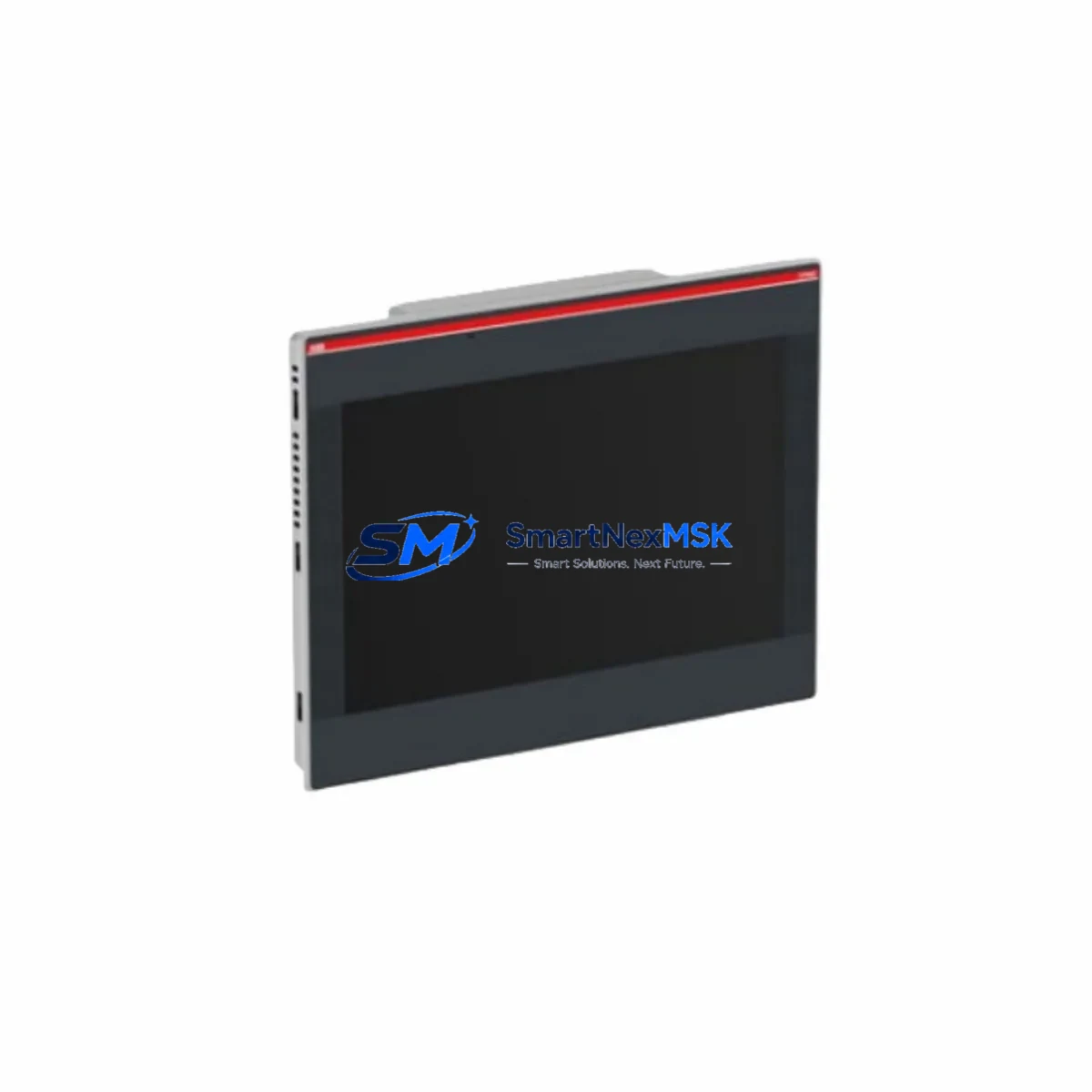
ABB CP665-WEB 1SAP565200R0001 Maintenance-Ready Spare for CP600 Automation
The ABB CP665-WEB (part number 1SAP565200R0001) is a web-enabled 6.5-inch TFT operator panel from ABB’s CP600 HMI series, widely deployed across industrial automation, process control, machine monitoring, and building management applications. As a maintenance-ready original spare, every unit is sourced, inspected, and functionally tested before shipment to ensure immediate drop-in compatibility with existing CP600 HMI installations. Whether you are executing a planned shutdown, responding to an unplanned panel fault, or building a strategic spare parts inventory for a long-running automation system, the CP665-WEB delivers the reliability, compatibility, and documentation that maintenance engineers and procurement teams require.
Unplanned HMI failures in industrial environments can cascade rapidly — a failed operator panel can halt an entire production line, delay batch processes, or compromise safety interlock visibility. Stocking a verified CP665-WEB spare eliminates the lead-time risk associated with OEM procurement channels and ensures your team can restore full operator visibility within hours rather than days. Every unit shipped from our inventory undergoes functional verification covering display output, communication interface integrity, and 24 V DC power input performance, and is backed by a 12-month warranty covering manufacturing defects and operational failures under normal industrial use conditions.
Spare Maintenance Table
| Parameter | Specification |
|---|---|
| Part Number | 1SAP565200R0001 |
| Model | CP665-WEB |
| Series | ABB CP600 |
| Display Size | 6.5-inch TFT Color LCD |
| Resolution | 640 × 480 (VGA) |
| Communication Interfaces | Ethernet (RJ45), USB Host, USB Device, RS-232/485 |
| Web Server | Integrated (remote monitoring via browser) |
| Operating Voltage | 24 V DC (±20%) |
| Power Consumption | ≤ 15 W typical |
| Operating Temperature | 0 °C to +50 °C |
| Storage Temperature | −20 °C to +70 °C |
| Protection Rating | IP65 (front panel) |
| Mounting | Panel cut-out, rear-mount clips |
| Memory | 128 MB Flash / 128 MB RAM (typical) |
| Compatible PLC / DCS | ABB AC500, AC500-S, AC500-eCo; third-party via OPC-UA / Modbus TCP/RTU |
| Programming Software | Panel Builder 600 (PB600) |
| Origin | Germany |
| Condition | Original spare — new or refurbished-to-specification |
| Pre-shipment Test | Functional verification: display, comms, power input |
| Warranty | 12 Months from delivery date |
| Delivery | Worldwide; express options available for downtime recovery |
Maintenance Planning for Continuous Operation
When a CP665-WEB panel is flagged for replacement during a control cabinet inspection or fault diagnosis, experienced maintenance engineers know that the HMI is rarely the only component requiring attention. A systematic spare parts review around this unit should encompass the following associated components within the same electrical circuit, control cabinet, and automation system.
The 24 V DC power supply module feeding the CP665-WEB should be load-tested and its output ripple verified — a degraded PSU is a common root cause of intermittent HMI reboots and display anomalies. If the installation uses an ABB CP604 or CP607 panel in a parallel operator station configuration, those units should be inspected simultaneously to confirm firmware version alignment and communication consistency across the operator network.
The Ethernet switch or managed switch connecting the CP665-WEB to the plant network or SCADA system should be checked for port errors, duplex mismatches, and cable integrity — particularly in high-vibration or high-humidity environments. Where the panel communicates with an ABB AC500 PLC CPU module (such as the PM573-ETH or PM591-ETH), verify that the PLC firmware version and the Panel Builder 600 project file are version-compatible before commissioning the replacement panel.
Inspect the 24 V DC wiring harness and terminal blocks at the rear of the control cabinet. Loose or corroded terminals are a frequent cause of intermittent power faults that are misdiagnosed as HMI hardware failures. Terminal strips in the same cabinet row should be torque-checked per manufacturer specification. If the CP665-WEB is part of a larger automation cell that includes ABB I/O modules — such as the DC532 digital input module or DA501 analog output module — confirm that the I/O configuration in the replacement HMI project file matches the physical wiring before going live.
Any signal isolators or loop-powered transmitters connected to analog input channels should be verified for correct 4–20 mA output before the new panel is commissioned. For installations where the CP665-WEB interfaces with frequency inverters or soft starters via Modbus RTU over RS-485, inspect the RS-485 termination resistors and cable shielding — a missing or incorrectly placed termination resistor can cause communication errors that appear as HMI faults but originate in the fieldbus wiring. Additionally, check any surge protection devices (SPDs) on the communication lines and 24 V DC power input — these are consumable protective components that should be replaced on a scheduled basis regardless of visible damage. Finally, review the UPS or battery backup module supporting the control cabinet; an aging UPS that cannot sustain the HMI through a momentary power dip is a hidden reliability risk that becomes apparent only during grid disturbances.
Site Replacement Workflow
Step 1 — Pre-replacement documentation: Before powering down, capture screenshots or photographs of all active HMI screens, alarm states, and communication status indicators. Export the current Panel Builder 600 project file from the CP665-WEB via USB or Ethernet if the panel is still partially functional. This backup is critical for restoring the exact operator interface configuration on the replacement unit and eliminates the risk of losing customized screen layouts, alarm setpoints, or recipe data.
Step 2 — Safe isolation: Follow your site’s lockout/tagout (LOTO) procedure. Isolate the 24 V DC supply to the HMI panel. Disconnect the Ethernet cable, USB peripherals, and RS-232/485 communication cables, labeling each connector for reinstallation reference. Confirm zero-energy state before proceeding.
Step 3 — Physical removal and inspection: Release the rear-mount panel clips and remove the CP665-WEB from the cabinet cutout. Inspect the cutout gasket for damage — replace if compressed or cracked to maintain IP65 front-panel sealing on the replacement unit. Check the cabinet interior for signs of moisture ingress, dust accumulation, or thermal discoloration that may indicate underlying issues requiring remediation before the new panel is installed.
Step 4 — Replacement unit preparation: Load the backed-up project file onto the new CP665-WEB via USB prior to installation. Verify the firmware version matches the project file requirements. Configure the IP address, subnet mask, gateway, and RS-485 communication parameters to match the original unit’s settings. Confirm web server access credentials if remote monitoring is in use.
Step 5 — Installation and commissioning: Insert the replacement panel into the cutout, secure the mounting clips, and reconnect all cables in reverse order of removal. Restore 24 V DC power and verify that all communication links — Ethernet, RS-485, and USB — are established. Confirm that all HMI screens, alarm pages, trend displays, and recipe functions are operating correctly before releasing the system to operations.
Step 6 — Post-replacement verification and inventory update: Run a 30-minute supervised observation period to confirm stable operation under normal process load. Log the replacement in your CMMS with the part number (1SAP565200R0001), serial number, replacement date, and technician details. Update your spare parts inventory to trigger reorder of a replacement CP665-WEB unit, maintaining your minimum stock level for this critical HMI component.
Spare Parts Support FAQ
Q1: What does the 12-month warranty cover for this CP665-WEB spare?
Every CP665-WEB unit shipped carries a 12-month functional warranty from the date of delivery, covering manufacturing defects and operational failures under normal industrial operating conditions. Units are tested before shipment to verify display function, communication interface integrity, and 24 V DC power input performance. Warranty claims are processed via our technical support team with a target response time of 24 business hours. Physical damage caused by incorrect installation, overvoltage, or environmental conditions outside the rated specification is excluded.
Q2: How do I verify compatibility with my existing CP600 installation before ordering?
Compatibility is confirmed by matching the part number (1SAP565200R0001) and verifying that your installed Panel Builder 600 project file is compatible with the CP665-WEB firmware version. If your installation uses a customized firmware build, a non-standard communication protocol configuration, or interfaces with a third-party PLC via OPC-UA or Modbus, please share your project file version and PLC type with our sales team prior to ordering. We can advise on any firmware alignment steps required before commissioning.
Q3: Can the CP665-WEB replace older CP600 series panels such as the CP630 or CP635?
The CP665-WEB is a higher-specification model within the CP600 family and is not a direct mechanical drop-in for smaller-format panels such as the CP630 (5.7-inch) or CP635. It can serve as a functional upgrade replacement where the cabinet cutout can be modified or a new cutout prepared. For direct form-factor replacements, confirm the panel cutout dimensions and mounting depth before ordering. Our technical team can provide cutout drawings and mounting specifications on request.
Q4: What is your lead time and how are units prepared for shipment?
In-stock units are dispatched within 1–2 business days of order confirmation. Express courier options (DHL, FedEx, UPS) are available for urgent downtime recovery situations. Each unit is packed in anti-static protective packaging with a pre-shipment test report and inspection certificate. For large-volume or blanket purchase orders supporting long-term spare parts programs, please contact our sales team for dedicated inventory reservation and priority dispatch arrangements.
© 2026 SMARTNEXMSK. All rights reserved.
Original Source: https://smartnexmsk.com
Contact: [email protected] | +86 18259474341



