
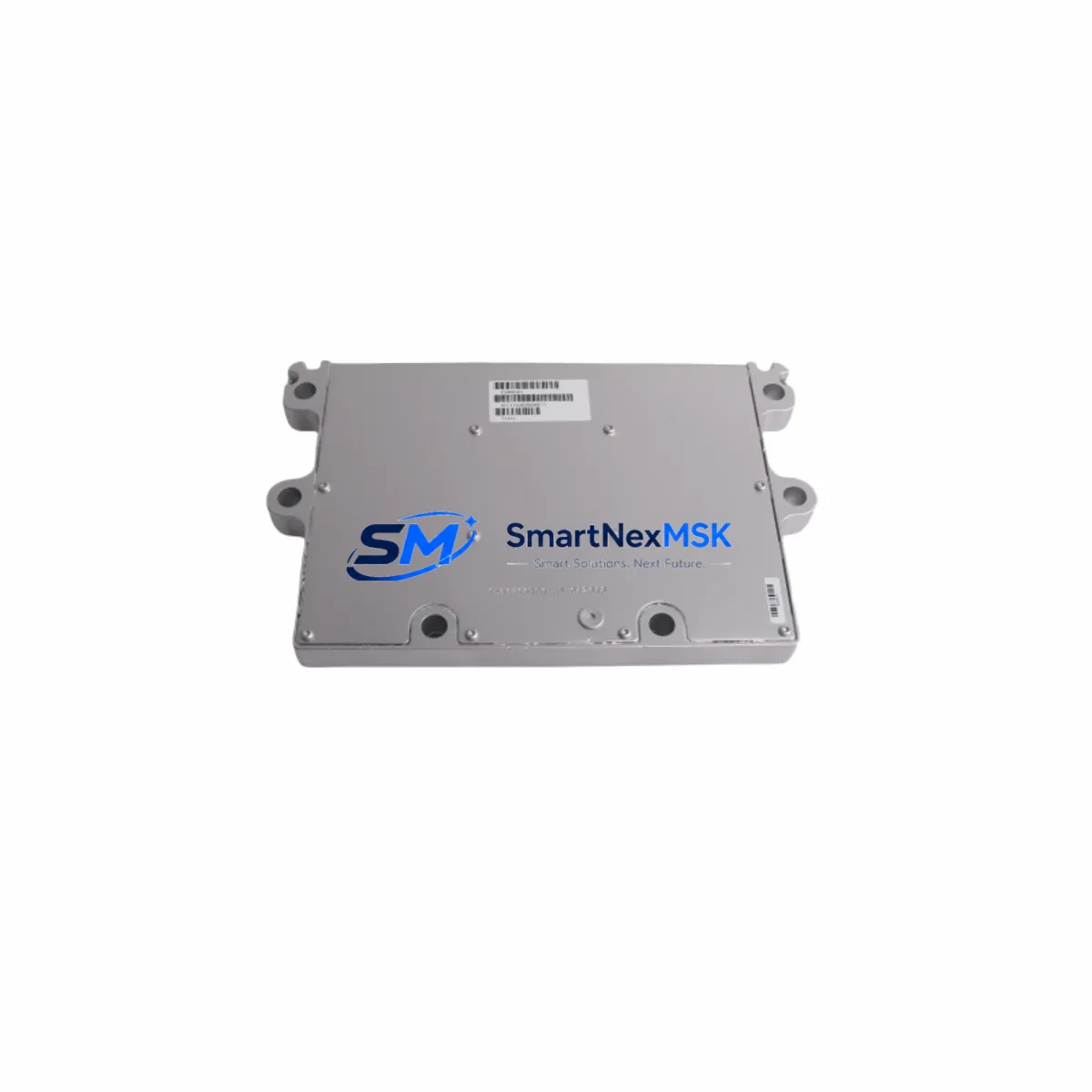
Cummins 3408501 Retrofit-Ready ECM for ISX/ISM Control Systems: Compatible Modernization & Smooth Legacy Upgrade
The Cummins 3408501 is a retrofit-ready Electronic Control Module (ECM) engineered for seamless integration into ISX and ISM series engine control architectures. As OEM production of legacy ECM variants winds down and field units accumulate operating hours, procurement teams and maintenance engineers increasingly face the challenge of sourcing verified replacement modules that preserve existing calibration data, wiring harness compatibility, and J1939/J1587 datalink integrity. The 3408501 addresses this challenge directly — offering a drop-in upgrade path that minimizes downtime, protects original program logic, and restores full engine management capability without requiring a complete control system overhaul.
Whether you are replacing a failed unit on an ISX15 heavy-haul platform, upgrading an aging ISM11 in a stationary generator set, or restoring a fleet vehicle after an ECM fault code cascade, the 3408501 provides the hardware foundation for a controlled, verifiable migration. This module is compatible with Cummins INSITE calibration software, supports both inline and remote programming interfaces, and retains the original connector pinout of the ISX/ISM ECM family — eliminating the need for harness modification in most retrofit scenarios.
Upgrade Compatibility Table
| Parameter | Details |
|---|---|
| Replacement Target | Cummins ISX, ISX15, ISM, ISM11 legacy ECM variants |
| Connector Interface | OEM-matched multi-pin ECM connector; no harness modification required in standard retrofit |
| Communication Protocol | SAE J1939 (primary), SAE J1587 (legacy datalink support) |
| Programming Compatibility | Cummins INSITE 8.x+; supports inline 6, inline 7 adapters |
| Calibration Transfer | Original ECM calibration file must be read and flashed to replacement unit via INSITE |
| Installation Requirement | Mounting bracket compatible with ISX/ISM ECM housing; torque spec per OEM service manual |
| Power Supply | 12V / 24V DC system compatible; verify battery voltage and ground integrity before installation |
| Retrofit Recommendation | Inspect wiring harness for chafing, corrosion, and pin damage before module swap |
| Commissioning Check | Clear all fault codes post-installation; perform INSITE parameter verification and road/load test |
| Warranty | 12-Month Warranty — covers manufacturing defects under normal operating conditions |
Retrofit Planning for Existing Automation Systems
A successful ECM retrofit on an ISX or ISM platform requires more than a module swap. Engineers must approach the project as a structured migration, accounting for every interface point between the 3408501 and the surrounding control ecosystem. Begin by auditing the existing wiring harness — the Cummins OEM engine harness for ISX/ISM applications uses a defined pinout that must be verified against the replacement module’s connector map. Pay particular attention to the ECM power supply circuit: confirm that the battery voltage is stable (typically 12V or 24V depending on the application), that the ground straps are clean and torqued, and that the ignition relay circuit is functioning correctly before energizing the new module.
The Cummins Inline 6 or Inline 7 data link adapter is required to establish a programming connection between the 3408501 and a laptop running Cummins INSITE. Before removing the failed ECM, technicians should attempt to read and save the existing calibration file — including engine parameters, fault code history, and customer data — using INSITE’s backup function. This calibration file will be flashed to the 3408501 after installation, preserving the engine’s tuning profile and avoiding the need for a full recalibration from scratch.
In applications where the ISX or ISM engine is integrated into a larger machine control architecture — such as a Cummins CM871 or CM2250 control module platform — the ECM communicates with downstream systems over the J1939 datalink. Verify that the vehicle or machine’s J1939 backbone termination resistors (typically 120Ω at each end of the CAN bus) are intact, and that no other nodes on the network are generating address conflicts. If the application includes an aftertreatment system, confirm that the Cummins Aftertreatment Control Module (ACM) and the Diesel Particulate Filter (DPF) sensor harness are undamaged and properly connected before performing the first INSITE communication session.
For generator set and stationary power applications, the 3408501 may interface with a Cummins PowerCommand control panel or a third-party genset controller via J1939 or analog I/O. In these cases, confirm that the genset controller’s ECM address and baud rate settings match the replacement module’s default configuration. If the original ECM was programmed with custom governor droop, frequency, and voltage regulation parameters, these must be re-entered or restored from the saved calibration file after the module swap.
Where the retrofit involves a fleet vehicle equipped with a Cummins ISX15 with XPI fuel system, pay special attention to the fuel system calibration data stored in the ECM. The XPI high-pressure common rail system relies on injector trim codes — unique to each injector — that must be programmed into the replacement ECM. These codes are typically found on a label affixed to each injector body and must be entered individually via INSITE after the module is installed and communicating. Failure to enter correct trim codes will result in rough running, fault codes, and potential injector damage.
Downtime Control During System Migration
Minimizing unplanned downtime during an ECM replacement is a primary concern for fleet operators, plant maintenance teams, and OEM service centers. The 3408501 is supplied pre-tested and bench-verified, reducing the risk of receiving a non-functional unit and eliminating one variable from the field commissioning process. To further compress the replacement window, prepare the following before the vehicle or machine enters the service bay:
- Backup the existing ECM calibration file via Cummins INSITE (if the original module is still partially functional).
- Document all active and inactive fault codes for post-installation comparison.
- Gather injector trim codes (for XPI fuel system applications).
- Confirm availability of the correct torque specifications and connector sealing plugs from the OEM service manual.
- Verify that the Inline 6 or Inline 7 adapter and INSITE license are current and functional.
With these preparations complete, a trained technician can typically complete the physical module swap in under two hours. The programming and verification phase — including calibration flash, fault code clear, parameter check, and functional test — adds an additional one to three hours depending on application complexity. For critical production or transport assets, consider scheduling the replacement during a planned maintenance window and having a pre-programmed spare module available to further reduce exposure.
After installation, perform a full INSITE parameter report and compare it against the pre-replacement baseline. Confirm that engine protection limits, idle parameters, road speed governor settings, and PTO configurations are correctly restored. Conduct a loaded test cycle appropriate to the application — road test for on-highway vehicles, load bank test for generator sets — before returning the asset to service. All units supplied by SMARTNEXMSK are covered by a 12-month warranty against manufacturing defects, providing additional assurance during the post-installation period.
Retrofit Support FAQ
Q1: Is the Cummins 3408501 a direct drop-in replacement for my existing ISX or ISM ECM?
In the majority of ISX and ISM applications, the 3408501 uses the same connector pinout and mounting configuration as the original ECM, making it a direct physical replacement. However, the replacement module must be programmed with the correct calibration file for your specific engine serial number and application. We recommend confirming compatibility using your engine dataplate information and Cummins INSITE before installation.
Q2: What programming equipment and software do I need to commission the 3408501?
You will need a Cummins Inline 6 or Inline 7 data link adapter and a licensed copy of Cummins INSITE (version 8.x or later recommended). The adapter connects the module’s diagnostic port to a laptop, allowing you to flash the calibration file, enter injector trim codes (if applicable), clear fault codes, and verify all engine parameters after installation.
Q3: Can I transfer my original engine calibration to the replacement 3408501?
Yes. If the original ECM is still partially functional, use INSITE to read and save the calibration file before removal. This file can then be flashed to the 3408501 after installation, preserving your engine’s tuning profile, customer parameters, and protection limits. If the original ECM has completely failed and the calibration cannot be recovered, Cummins can provide a base calibration file using your engine serial number — contact your regional Cummins distributor for this service.
Q4: What does the 12-month warranty cover, and how is it handled?
All Cummins 3408501 units supplied by SMARTNEXMSK are covered by a 12-month warranty from the date of shipment, covering manufacturing defects under normal operating conditions. Warranty claims require documentation of the fault, including fault codes, INSITE screenshots, and installation records. Units that have been physically damaged, improperly installed, or subjected to voltage spikes outside the specified operating range are not covered. Contact [email protected] to initiate a warranty claim or request pre-shipment technical support.
© 2026 SMARTNEXMSK. All rights reserved.
Original Source: https://smartnexmsk.com
Contact: [email protected] | +86 18259474341