
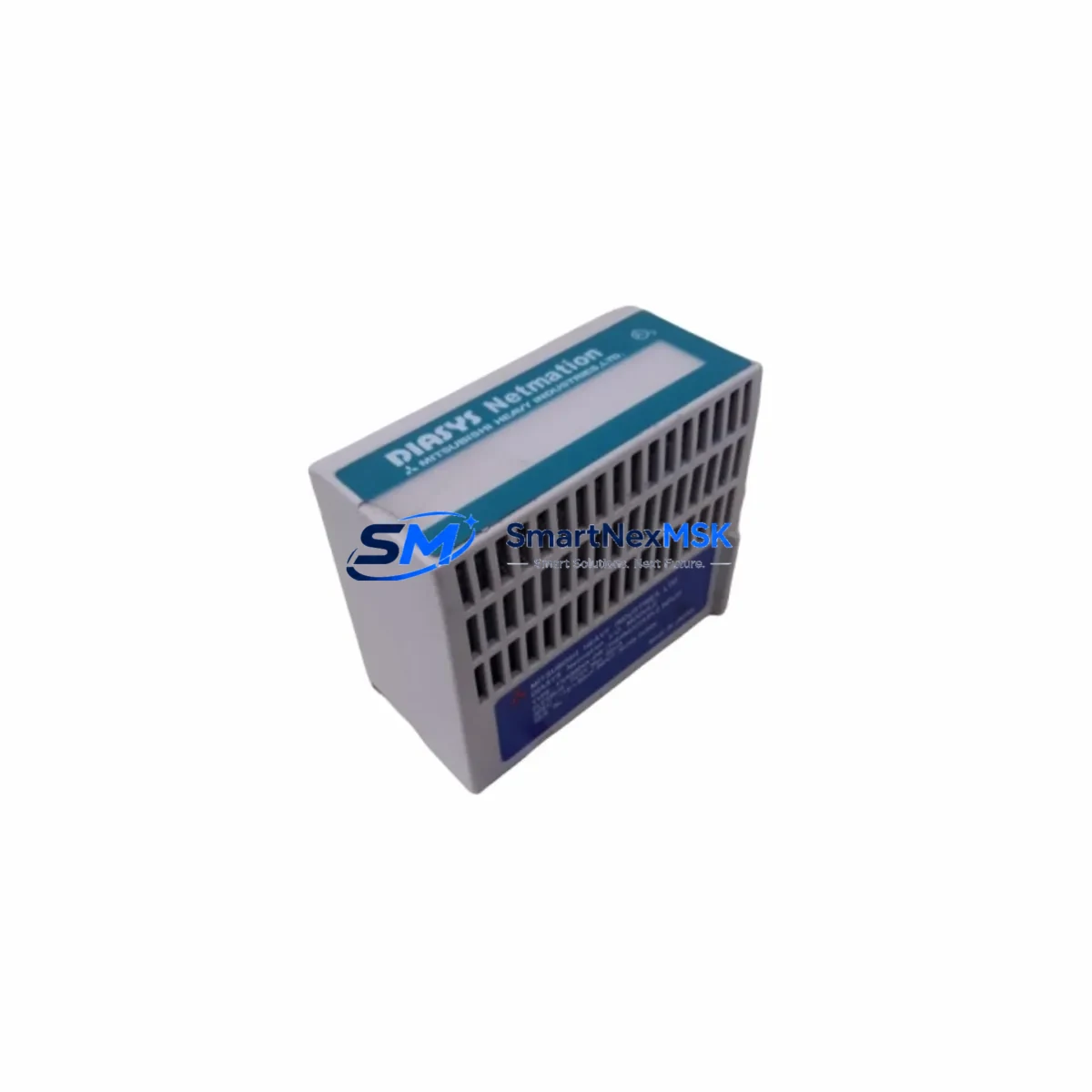
DIASYS FXAIM04A-DW Retrofit-Ready Thermocouple Input Module for Netmation DCS Control Systems
The DIASYS FXAIM04A-DW is a thermocouple input module engineered for the Netmation DCS distributed control platform. Designed to serve as a direct retrofit replacement for aging or discontinued analog input assemblies within Netmation control cabinets, this module supports seamless integration into existing backplane architectures without requiring structural modifications to the control rack or rewiring of field termination assemblies. For facilities managing legacy process control infrastructure — including power generation, petrochemical refining, and continuous manufacturing — the FXAIM04A-DW provides a validated upgrade path that preserves original program logic, HMI screen configurations, and communication link integrity.
When planning a retrofit using the FXAIM04A-DW, engineers must verify several critical parameters before installation. Power supply capacity at the rack level should be confirmed against the module’s rated consumption; the Netmation system typically distributes 24 VDC across the backplane, and adding or replacing input modules may affect the load balance on the DIASYS PS-series power supply unit installed in the same cabinet. Terminal block wiring must be reviewed against the original I/O assignment sheets — the FXAIM04A-DW uses a standard screw-terminal interface compatible with the existing field wiring harness, but thermocouple type selection (J, K, T, E, R, S, B) must be confirmed in the module configuration registers before commissioning.
Backplane slot addressing is a key step in the replacement workflow. The FXAIM04A-DW must be assigned the same module address as the unit it replaces within the Netmation controller’s I/O map. This is typically configured via DIP switches on the module face or through the Netmation Engineering Tool software. Failure to match the original address will cause the DIASYS FCS (Field Control Station) to flag an I/O configuration mismatch, triggering a fault alarm and potentially suspending scan execution on the affected control loop. Confirm the address setting before powering the rack.
Program compatibility should be validated in a staging environment where possible. The FXAIM04A-DW is designed to maintain full compatibility with control logic developed in the Netmation function block programming environment. Existing PID loops, cascade control schemes, and interlock logic referencing the replaced module’s tag addresses will continue to execute without modification. However, if the original module used a non-standard scaling factor or cold junction compensation offset, these parameters must be re-entered in the replacement module’s configuration table using the engineering workstation.
HMI screen updates are generally not required when performing a like-for-like module swap, as the FXAIM04A-DW presents the same data structure to the Netmation HIS (Human Interface Station). Operators will continue to see process variable trends, alarm thresholds, and loop status indicators without interruption. Communication links between the FCS and HIS, typically running over the Vnet/IP or legacy Vnet control bus, remain unaffected by the module replacement.
Upgrade Compatibility Table
| Parameter | Detail |
|---|---|
| Module SKU | FXAIM04A-DW |
| Brand / Series | DIASYS / Netmation DCS |
| Module Type | Thermocouple Analog Input |
| Input Channels | 4-channel thermocouple input (J, K, T, E, R, S, B types) |
| Backplane Interface | Netmation standard backplane slot — direct plug-in replacement |
| Communication Compatibility | Vnet/IP, Vnet (legacy) — no protocol migration required |
| Power Supply Requirement | 24 VDC via backplane; verify rack PSU load capacity before installation |
| Terminal Wiring | Screw-terminal field wiring interface; compatible with existing harness |
| Address Configuration | DIP switch or software-assigned slot address — must match original module |
| Program Compatibility | Full compatibility with Netmation function block control logic |
| HMI Impact | No HIS screen modification required for like-for-like replacement |
| Replacement Recommendation | Direct drop-in for discontinued FXAIM04A-DW units; verify thermocouple type config |
| Commissioning Focus | Module address, TC type selection, cold junction compensation, loop verification |
| Warranty | 12-Month Warranty — covers hardware defects and functional failures |
| Origin | Japan |
Retrofit Planning for Existing Automation Systems
A successful Netmation DCS retrofit begins with a thorough audit of the existing control cabinet. Before removing the legacy thermocouple input module, document the current slot position, wiring labels, and any module-specific configuration parameters stored in the engineering database. The FXAIM04A-DW is designed to occupy the same physical slot as its predecessor, but the surrounding modules — including the DIASYS FXCOM-series communication module, FXAOM-series analog output module, and FXDIM-series digital input module — must remain powered and operational during the swap to avoid cascading I/O faults across the control station.
For systems where the Netmation FCS is managing multiple I/O racks via a DIASYS ER-series remote I/O unit, the replacement module must be installed in the correct rack and slot to maintain the I/O address mapping defined in the controller configuration. Remote rack communication is handled through the Vnet/IP network interface; ensure the DIASYS NIC (Network Interface Card) in the FCS cabinet is functioning correctly before initiating the swap. If the facility is also upgrading from legacy Vnet to Vnet/IP as part of a broader modernization project, the FXAIM04A-DW supports both protocols, simplifying the transition.
In control cabinets where space is limited, the FXAIM04A-DW’s compact form factor allows it to be installed alongside DIASYS FXPOW-series power supply modules and FXCPU-series controller cards without requiring additional rack expansion. For facilities that need to extend I/O capacity as part of the retrofit, the FXAIM04A-DW can be paired with additional FXAIM-series input modules or FXAOM-series output modules in the same rack, provided the backplane power budget is sufficient. A DIASYS programming cable (typically USB or RS-232 to Vnet adapter) is required for initial module configuration and address assignment using the Netmation Engineering Tool.
Downtime Control During System Migration
Minimizing unplanned downtime is the primary operational concern during any DCS module replacement. For the FXAIM04A-DW retrofit, the recommended approach is to pre-configure the replacement module offline — setting the slot address, thermocouple type, and scaling parameters — before the scheduled maintenance window begins. This reduces the in-cabinet installation time to a physical swap and verification sequence, typically achievable within a single shift.
To protect original program logic during the replacement, export a full backup of the Netmation FCS configuration using the Engineering Tool before any hardware changes are made. This backup captures all function block assignments, tag definitions, alarm setpoints, and I/O mappings. If the replacement module requires a firmware update to match the system’s current software revision, this should be performed offline using the engineering workstation before installation.
Field control continuity can be maintained during the swap by placing the affected control loops in manual mode at the HIS operator station. This prevents the FCS from issuing automatic control outputs to field devices while the I/O module is offline. Once the FXAIM04A-DW is installed and the slot address is confirmed, restore the module to service, verify the process variable readings against a calibrated reference instrument, and return the loops to automatic control. Document the commissioning results — including cold junction compensation values, channel-by-channel PV verification, and alarm response testing — in the plant maintenance record.
Retrofit Support FAQ
Q1: Is the FXAIM04A-DW a direct replacement for the original Netmation thermocouple input module?
Yes. The FXAIM04A-DW is designed as a direct drop-in replacement for the original DIASYS Netmation thermocouple input assembly. It uses the same backplane connector, occupies the same rack slot, and communicates using the same Vnet/IP or Vnet protocol. No structural modifications to the control cabinet or rewiring of field termination assemblies are required. Thermocouple type and slot address must be configured to match the original module settings before commissioning.
Q2: What commissioning steps are required after installing the FXAIM04A-DW?
After physical installation, confirm the module slot address matches the original I/O map using the Netmation Engineering Tool. Set the thermocouple type (J, K, T, E, R, S, or B) for each channel and verify the cold junction compensation offset. Power up the rack and confirm that the FCS recognizes the module without generating a configuration mismatch alarm. Verify each channel’s process variable reading against a calibrated reference, then return affected control loops from manual to automatic mode at the HIS station.
Q3: Can the FXAIM04A-DW be used in a system being upgraded from legacy Vnet to Vnet/IP?
Yes. The FXAIM04A-DW supports both Vnet and Vnet/IP communication protocols, making it compatible with Netmation systems at any stage of a protocol migration. This allows facilities to replace failed or end-of-life input modules without waiting for the full network upgrade to be completed, reducing the risk of unplanned downtime during the transition period.
Q4: What does the 12-month warranty cover, and how is it handled?
The FXAIM04A-DW is supplied with a 12-month warranty covering hardware defects and functional failures under normal operating conditions. Units that fail within the warranty period will be repaired or replaced. All modules are functionally tested prior to shipment to verify channel accuracy, backplane communication, and configuration register integrity. Warranty claims should be initiated through the sales contact listed below.
© 2026 SMARTNEXMSK. All rights reserved.
Original Source: https://smartnexmsk.com
Contact: [email protected] | +86 18259474341