
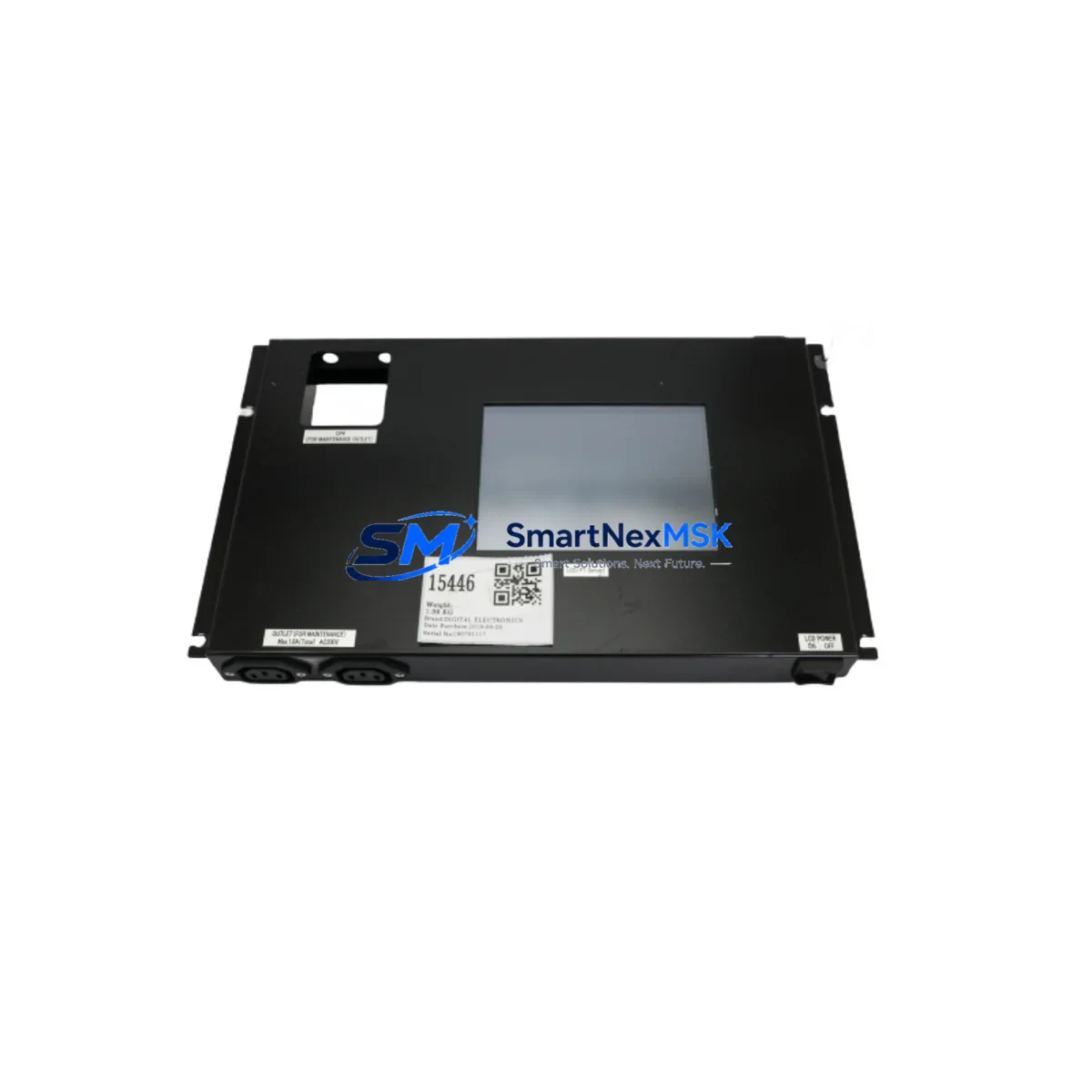
DIGITAL ELECTRONICS 31B0009-00 UF5310-2 Retrofit HMI Panel: Compatible Upgrade for Legacy Control Systems
The DIGITAL ELECTRONICS 31B0009-00 UF5310-2 (full part reference: E33.B48-691505 / MPU2352-N828-9.09 / 0021-06499) is a retrofit-ready HMI touch panel engineered for seamless integration into existing UF5310-series control architectures. As legacy DIGITAL ELECTRONICS panels reach end-of-life or become increasingly difficult to source, the UF5310-2 provides a verified drop-in upgrade path that preserves existing wiring harnesses, communication links, and operator screen layouts — minimizing engineering rework and unplanned downtime on the production floor.
This unit is purpose-built for industrial environments where continuity of control is non-negotiable. Whether you are replacing a failed panel in a running line, upgrading a control cabinet as part of a planned modernization, or sourcing a long-lead spare for a critical asset, the 31B0009-00 UF5310-2 delivers the dimensional compatibility, communication protocol support, and display performance required for mission-critical HMI applications.
Upgrade Compatibility Table
| Parameter | Details |
|---|---|
| Part Number | 31B0009-00 / UF5310-2 |
| Alternate References | E33.B48-691505, MPU2352-N828-9.09, 0021-06499 |
| Series Compatibility | DIGITAL ELECTRONICS UF5310 Series HMI |
| Display Interface | Touch panel; compatible with existing UF5310 screen layouts and tag databases |
| Communication Protocols | RS-232C, RS-422/485; compatible with Mitsubishi MELSEC, Omron SYSMAC, Siemens S7, Modbus RTU and other common PLC drivers supported by the UF5310 platform |
| Mounting & Cutout | Panel-mount; same cutout dimensions as UF5310 predecessor units — no cabinet modification required |
| Power Supply | 24 VDC; verify existing PSU capacity before installation (minimum 2 A recommended) |
| Backplane / Rack | Standalone panel-mount unit; no backplane required |
| Replacement Recommendation | Direct replacement for discontinued UF5310 and UF5310-1 variants |
| Commissioning Notes | Reload screen project file via USB or serial transfer; verify PLC driver version and tag mapping before go-live |
| Warranty | 12 Months — covers manufacturing defects and functional failure under normal operating conditions |
Retrofit Planning for Existing Automation Systems
Successful integration of the UF5310-2 into a legacy control system begins well before the panel arrives on-site. Engineers should start by auditing the existing control cabinet layout: confirm that the 24 VDC power supply — often a MEAN WELL SDR-120-24 or equivalent DIN-rail PSU — can sustain the additional current draw of the new HMI without tripping the upstream breaker or causing voltage sag on shared rails powering I/O modules.
Terminal wiring on the UF5310-2 follows the same RS-232C and RS-422/485 pinout convention as earlier UF5310 units, so existing shielded communication cables can typically be reused. However, it is good practice to inspect cable insulation and connector crimps — particularly on installations that have been in service for more than five years. If the control system communicates with a Mitsubishi Q-series CPU module (such as the Q06UDEHCPU) or an Omron CJ2M CPU unit, verify that the PLC driver version bundled with the UF5310-2 firmware matches the protocol variant in use. Mismatched driver versions are the most common cause of communication faults during HMI replacement.
For systems that include Mitsubishi QX40 or QY10 I/O modules mounted on a Q-series base unit, the HMI tag database must be reviewed to confirm that all device addresses — including internal relays (M), data registers (D), and timer contacts (T) — are correctly mapped to the new panel’s screen project. If the original screen project file (.UDF or .UDW format) is unavailable, it may be necessary to reconstruct tag assignments from the PLC ladder program or from archived SCADA/HMI documentation.
Where the control cabinet also houses a DIGITAL ELECTRONICS UF-ETHERNET unit or a third-party Moxa NPort serial device server for Ethernet-to-serial bridging, confirm that the IP address and port configuration of the communication gateway remains unchanged after the HMI swap. Ethernet-connected HMI installations are particularly sensitive to IP conflicts if the replacement unit ships with a factory-default address that overlaps with existing network nodes.
Installations that include Keyence SR-series barcode readers, Omron E5CC temperature controllers, or other serial peripherals daisy-chained on the RS-485 bus must verify that the UF5310-2 multi-drop address settings are correctly configured before energizing the bus. Incorrect termination resistance or duplicate node addresses will cause intermittent read errors that are difficult to diagnose under production pressure.
Finally, if the system uses a Mitsubishi GOT1000 or GOT2000 series HMI in parallel with the DIGITAL ELECTRONICS panel for redundant operator stations, ensure that both units are reading from the same PLC data source and that screen refresh rates are synchronized to avoid conflicting operator inputs during the commissioning window.
Downtime Control During System Migration
Minimizing production downtime during an HMI replacement requires a structured pre-outage preparation protocol. Before taking the line down, back up the existing screen project file from the UF5310 unit using the panel’s built-in USB port or the DIGITAL ELECTRONICS screen transfer utility running on a Windows engineering laptop. Store the backup on at least two independent media — a USB drive and a network share — to guard against file corruption during transfer.
Photograph or document the existing terminal wiring, including cable labels, shield grounding points, and ferrite core positions. This documentation is invaluable if a wiring error occurs during reinstallation and the original configuration needs to be reconstructed quickly. Label all connectors before disconnecting them from the old panel.
During the physical swap, the UF5310-2 can typically be installed in the existing panel cutout without modification. Secure the unit with the original mounting clamps, reconnect the 24 VDC power terminals, and reattach the RS-232C or RS-485 communication cable. Power up the HMI first without enabling PLC communication — confirm that the unit boots to the project selection screen before proceeding.
Transfer the backed-up screen project to the UF5310-2 via USB. Once the project loads, enable PLC communication and monitor the communication status indicator on the HMI status bar. A solid green link indicator confirms that the panel has established a valid connection to the PLC CPU. Perform a full I/O check — cycle each output from the HMI test screen and verify field device response — before returning the line to automatic mode. Total planned outage for a prepared team is typically 45 to 90 minutes for a single-panel replacement.
Retrofit Support FAQ
Q1: Is the 31B0009-00 UF5310-2 a direct replacement for the original UF5310 and UF5310-1?
Yes. The UF5310-2 shares the same panel cutout dimensions, power supply requirements, and communication port pinout as the UF5310 and UF5310-1. Existing screen project files created for earlier UF5310 variants are compatible and can be loaded directly onto the UF5310-2 without modification in most cases. Minor driver version differences may require a firmware check before transfer.
Q2: What communication protocols does the UF5310-2 support, and will it work with my existing PLC?
The UF5310-2 supports RS-232C and RS-422/485 serial communication with a wide range of PLC drivers, including Mitsubishi MELSEC FX and Q series, Omron SYSMAC C and CJ series, Siemens S7-200/300, and Modbus RTU devices. Confirm the specific driver version required for your PLC model against the DIGITAL ELECTRONICS driver compatibility list before ordering.
Q3: How is the unit tested before shipment, and what does the 12-month warranty cover?
Each unit undergoes a functional power-on test and communication port verification prior to dispatch. The 12-month warranty covers manufacturing defects and functional failure under normal operating conditions. It does not cover damage resulting from incorrect wiring, overvoltage, or physical impact. Warranty claims are processed with return authorization; replacement or repair is completed within 15 business days.
Q4: Can I reuse my existing wiring and communication cables when installing the UF5310-2?
In most cases, yes. The terminal layout and connector types on the UF5310-2 are consistent with earlier UF5310 units. Inspect existing cables for insulation damage and verify shield grounding continuity before reuse. For RS-485 multi-drop installations, re-terminate the bus with the correct 120-ohm termination resistor at both ends of the cable run to ensure signal integrity after the panel swap.
© 2026 SMARTNEXMSK. All rights reserved.
Original Source: https://smartnexmsk.com
Contact: [email protected] | +86 18259474341