EMERSON IC695CPE330-AFAT Maintenance-Ready Spare RX3i
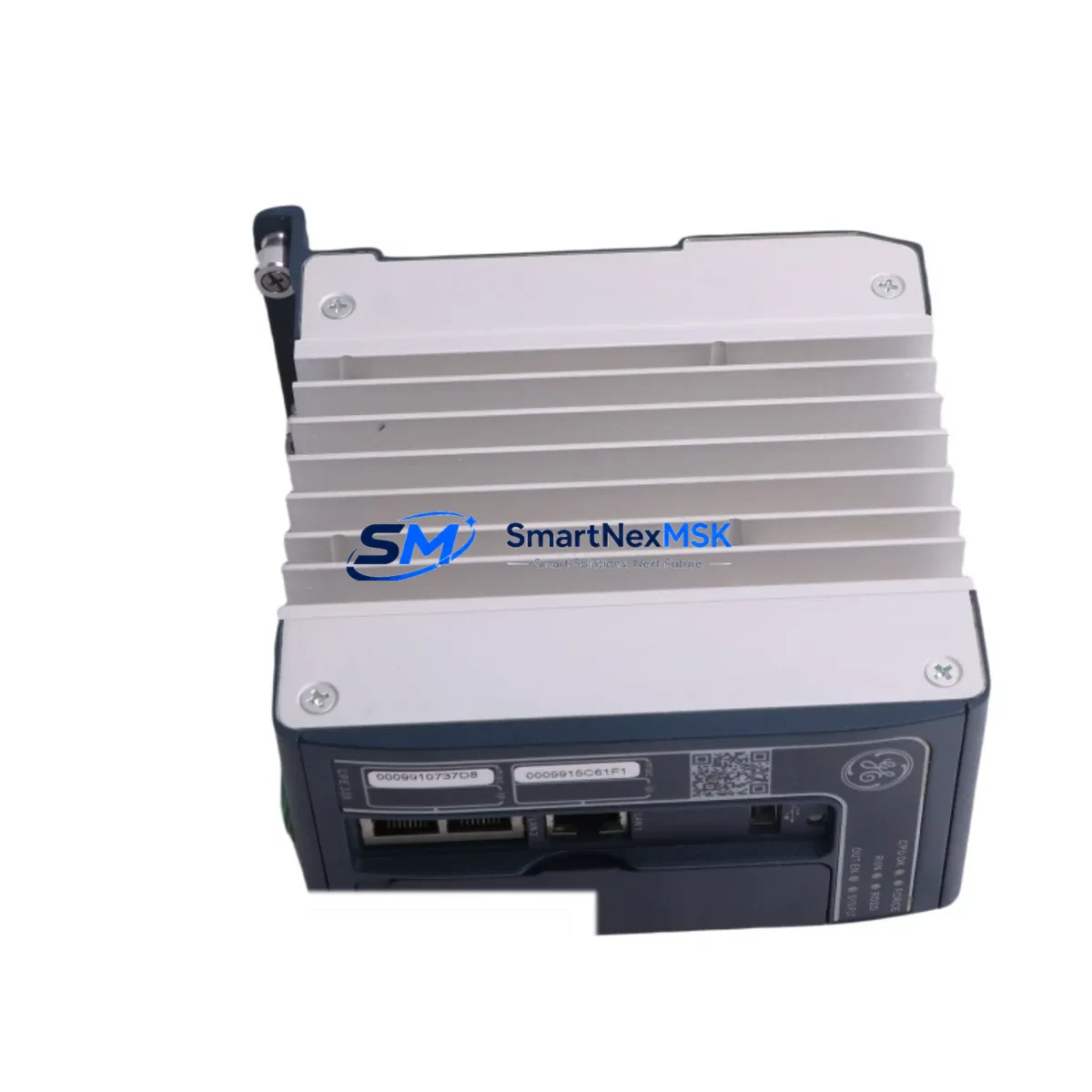
The EMERSON IC695CPE330-AFAT is a dual-core PACSystems RX3i CPU module engineered for continuous industrial automation environments where unplanned downtime carries significant operational and financial risk. As a maintenance-ready original spare, this unit is sourced, inspected, and tested prior to shipment — ensuring that when a CPU failure occurs on your production line, your replacement cycle is measured in hours, not days. Whether you are managing a scheduled overhaul, responding to an emergency fault, or building out a strategic spare parts inventory for aging RX3i control systems, the IC695CPE330-AFAT delivers the compatibility, reliability, and traceability that maintenance and procurement engineers demand.
The IC695CPE330-AFAT operates within the PACSystems RX3i backplane architecture, supporting high-speed Ethernet communications, embedded USB programming port, and dual-core processing for deterministic scan-cycle performance. Its firmware is field-upgradeable, and it retains full backward compatibility with legacy RX3i rack configurations — a critical factor when extending the service life of installed systems without committing to a full platform migration.
Spare Maintenance Table
| Parameter | Specification |
|---|---|
| Part Number | IC695CPE330-AFAT |
| Brand | EMERSON (GE Automation & Controls) |
| Series | PACSystems RX3i |
| Module Type | Dual-Core CPU Module |
| Processor | Dual-Core 1.1 GHz |
| Program Memory | 64 MB user program / 512 MB storage |
| Communications | Dual Ethernet (10/100 Mbps), USB, Serial |
| Backplane Compatibility | RX3i Universal Backplane (IC695CHS007, IC695CHS012, IC695CHS016) |
| Power Supply Compatibility | IC695PSA040, IC695PSD040, IC695PSA140 |
| Operating Temperature | 0°C to 60°C |
| Humidity | 5% to 95% non-condensing |
| Input Voltage | 3.3 VDC / 5 VDC (backplane supplied) |
| Firmware | Field-upgradeable via USB or Ethernet |
| Condition | Original, tested before shipment |
| Warranty | 12 Months |
| Origin | United States |
| Delivery | Global express shipping available |
Maintenance Planning for Continuous Operation
When a PACSystems RX3i CPU such as the IC695CPE330-AFAT is flagged for replacement during a planned maintenance window or emergency fault response, experienced maintenance engineers know that the CPU module is rarely the only component requiring attention. A thorough site inspection and replacement protocol should encompass the entire control cabinet ecosystem to prevent repeat failures and ensure system stability after restart.
Begin with the RX3i backplane (IC695CHS007 or IC695CHS016) — inspect for corrosion on the backplane connectors and verify that all module slots are properly seated. The RX3i power supply module (IC695PSA040 or IC695PSD040) should be load-tested; a degraded power supply is a common root cause of intermittent CPU faults and should be replaced proactively when the CPU is being swapped. Check the Ethernet communication module (IC695ETM001) for firmware version alignment with the new CPU, as mismatched firmware revisions can cause network instability after restart.
Inspect all I/O modules in the rack — analog input modules such as the IC695ALG600 and discrete output modules such as the IC695MDL754 should be verified for correct configuration and channel integrity. Loose terminal connections on IC694TBB032 terminal blocks are a frequent source of intermittent I/O faults that surface after a CPU replacement and can be misdiagnosed as a new CPU defect. Review the IC695CMM002 serial communications module if your system uses Modbus RTU or DNP3 protocols — confirm that communication parameters are preserved in the replacement CPU’s configuration backup.
For systems with IC695RMX128 redundancy memory exchange modules or hot-standby configurations, verify that the redundancy link is re-established and synchronized before returning the system to automatic mode. If the control cabinet includes signal isolators on 4–20 mA analog loops, inspect them for drift — a CPU replacement is an ideal opportunity to calibrate or replace aging isolators that may introduce measurement error. Finally, confirm that all 24 VDC field power fuses and surge protection devices on the I/O terminal strips are intact, as transient events that caused the original CPU fault may have also stressed downstream protection components.
Site Replacement Workflow
Replacing the IC695CPE330-AFAT in a live PACSystems RX3i installation follows a structured sequence designed to minimize downtime and eliminate configuration loss risk:
1. Backup & Documentation: Before powering down, use Proficy Machine Edition to perform a full program and configuration backup from the existing CPU via Ethernet or USB. Archive the backup with a timestamp and rack slot map. Photograph the existing wiring and module arrangement for reference.
2. Controlled Shutdown: Place the system in STOP mode and confirm all outputs are de-energized. Notify downstream process operators of the planned interruption. Power down the rack using the main disconnect — do not hot-swap the CPU module.
3. Module Removal & Inspection: Remove the IC695CPE330-AFAT from slot 0 of the backplane. Inspect the backplane connector pins for damage or contamination. Clean with appropriate contact cleaner if required.
4. Replacement Installation: Insert the new IC695CPE330-AFAT into slot 0, ensuring full seating against the backplane connector. Secure the module latch. Reconnect the Ethernet cables to the correct ports (LAN1/LAN2) and the USB programming cable if used.
5. Firmware & Configuration Restore: Power up the rack. Verify the CPU enters STOP/FAULT mode on first boot (expected for a blank module). Connect via Proficy Machine Edition and restore the archived program and hardware configuration. Update firmware if the replacement unit ships with an earlier revision.
6. Functional Verification: Place the CPU in RUN mode and monitor the first 10–15 scan cycles for fault codes. Verify all I/O modules report healthy status. Confirm Ethernet communications to SCADA, HMI panels, and remote I/O drops are re-established. Log the replacement in the site maintenance record.
This workflow is compatible with both simplex and redundant RX3i configurations and is designed to keep total replacement time under four hours for a prepared maintenance team.
Spare Parts Support FAQ
Q1: Is the IC695CPE330-AFAT a direct drop-in replacement for earlier RX3i CPU revisions?
Yes. The IC695CPE330-AFAT is backward compatible with all standard PACSystems RX3i backplanes and power supplies. Programs developed on earlier CPU revisions (e.g., IC695CPE330-ABAK or IC695CPE330-ACAG) can be restored to the AFAT revision without modification in most cases. Firmware updates may be required to align with your existing Proficy Machine Edition project version.
Q2: What pre-shipment testing is performed on this unit?
Each IC695CPE330-AFAT is powered on and subjected to functional verification prior to shipment, including boot sequence confirmation, Ethernet port activity check, and memory integrity test. Units that do not pass functional verification are not shipped. A test report is available upon request for critical infrastructure procurement.
Q3: How should I manage IC695CPE330-AFAT inventory for a multi-site operation?
For operations running three or more RX3i systems across multiple sites, industry best practice recommends maintaining at least one IC695CPE330-AFAT spare per facility, with a centralized buffer stock of two to three units for regional distribution. Given that this CPU model is associated with legacy and end-of-life system configurations, lead times from OEM channels can be unpredictable — maintaining on-hand stock eliminates procurement delay as a downtime variable.
Q4: What does the 12-month warranty cover?
The 12-month warranty covers manufacturing defects and functional failures under normal operating conditions. It does not cover damage resulting from incorrect installation, overvoltage events, or physical mishandling. In the event of a warranty claim, we provide advance replacement shipping to minimize site downtime, subject to fault verification. Contact our technical support team at [email protected] to initiate a warranty claim.
© 2026 SMARTNEXMSK. All rights reserved.
Original Source: https://smartnexmsk.com
Contact: [email protected] | +86 18259474341