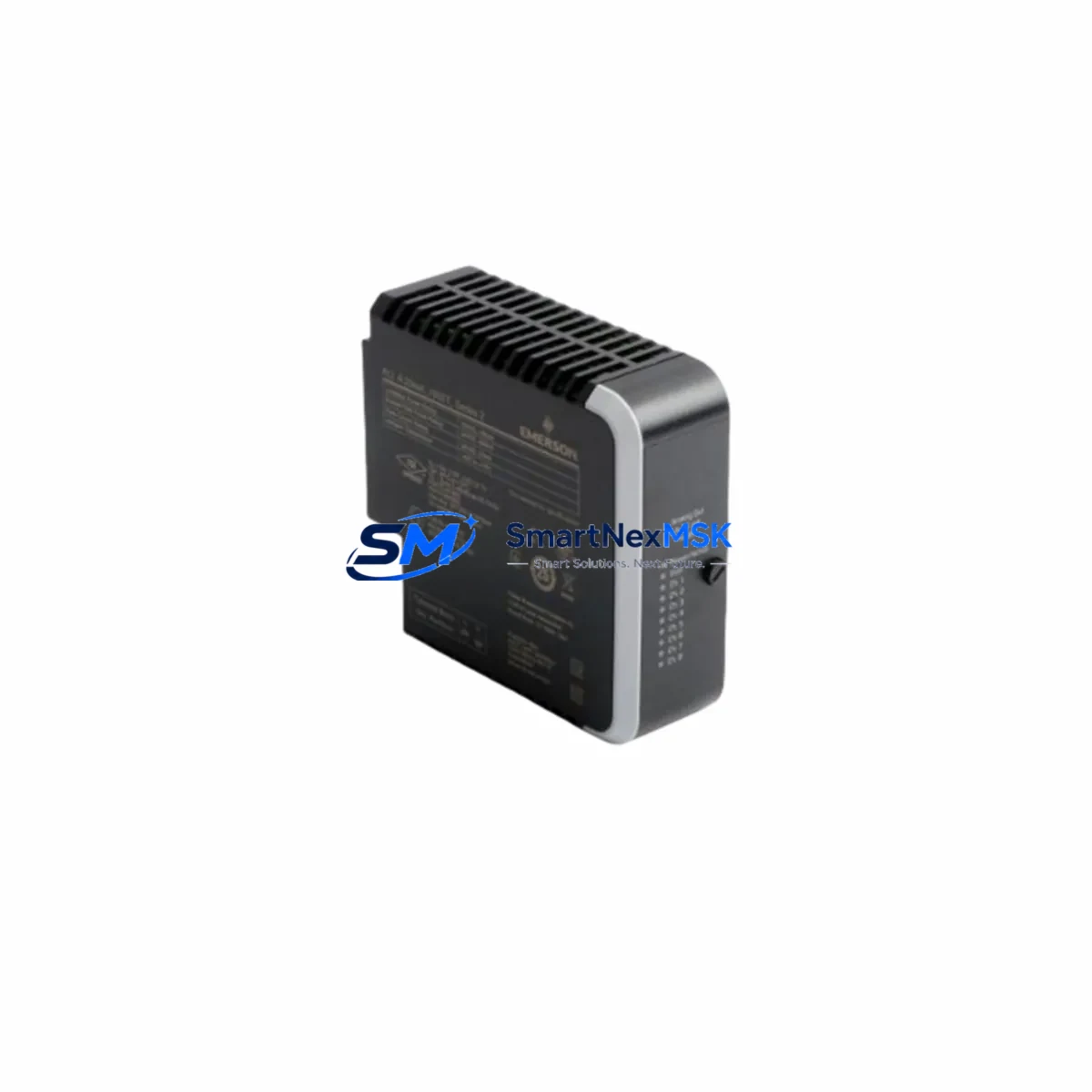
Emerson VE3008 KJ2005X1-MQ1 Retrofit-Ready DeviceNet Card: Compatible Modernization for DeltaV Control Systems
The Emerson VE3008 KJ2005X1-MQ1 (also catalogued as 12P6381X052) is a DeviceNet communication module engineered for the Emerson DeltaV Distributed Control System (DCS) platform. As legacy DeltaV installations age and original spare parts become increasingly scarce, this module serves as a proven retrofit-ready replacement for facilities managing process automation in oil & gas, chemical, power generation, and pharmaceutical environments. Whether you are replacing a failed card, upgrading a control cabinet, or migrating from an older DeltaV S-series node to a current-generation architecture, the VE3008 KJ2005X1-MQ1 delivers the wiring compatibility, protocol continuity, and field-verified performance your operation demands.
This module slots directly into the standard DeltaV M-series carrier and eight-wide controller enclosure, maintaining the same backplane interface and I/O addressing scheme as the original factory-installed card. Engineers performing a like-for-like swap can retain existing field wiring, terminal block assignments, and DeviceNet segment topology without re-engineering the network. The module supports the full DeviceNet protocol stack, enabling seamless communication with field devices such as valve positioners, motor starters, and smart transmitters already connected to the existing network segment.
Upgrade Compatibility Table
| Parameter | Detail |
|---|---|
| Replacement For | Emerson VE3008, KJ2005X1-MQ1, 12P6381X052 (all revisions) |
| Compatible Platform | Emerson DeltaV DCS — M-Series, S-Series (with carrier adapter) |
| Communication Protocol | DeviceNet (CAN-based, ISO 11898) |
| Backplane Interface | DeltaV standard 8-wide carrier backplane |
| Installation Requirement | DIN-rail or panel-mount carrier; no additional hardware required for M-series |
| Wiring Compatibility | Existing DeviceNet trunk and drop cables retained; no re-termination required |
| Module Address | Configurable via DeltaV Explorer; address preserved from original module configuration |
| Program Compatibility | Control Studio modules and function blocks fully compatible; no logic rewrite required |
| HMI Integration | DeltaV Operate graphics and faceplates remain unchanged post-swap |
| Commissioning Tool | DeltaV Diagnostics, DeviceNet Configurator, or RSNetWorx for DeviceNet |
| Warranty | 12-Month Warranty — covers manufacturing defects and functional failure |
| Shipping | Global express shipping; ESD-safe packaging; pre-shipment functional test included |
Retrofit Planning for Existing Automation Systems
A successful retrofit of the VE3008 KJ2005X1-MQ1 begins well before the module arrives on site. The first step is a thorough audit of the existing DeltaV node configuration. Engineers should document the current carrier slot assignment, confirm the power supply capacity of the DeltaV MD Plus Controller or MD Controller node, and verify that the combined load of all installed I/O modules — including any VE4001S12B1D analog input cards or VE4002S12B1D analog output cards sharing the same carrier — does not exceed the node power budget after the swap.
Terminal block wiring should be photographed and labelled before removal. The DeviceNet segment connected to this module typically includes a mix of field devices: smart valve positioners, variable-frequency drives, and distributed I/O adapters. Confirm that the DeviceNet trunk cable termination resistors (120 Ω at each end) are intact and that the network power supply — often a separate DeviceNet power tap or Allen-Bradley 1787-DNPS equivalent — is delivering stable 24 VDC within the segment’s current budget.
If the retrofit is part of a broader migration from an older DeltaV S-series architecture to the current M-series platform, additional planning is required. The DeltaV S-series carrier uses a different backplane pinout, so a carrier adapter or full carrier replacement may be necessary. In parallel, verify that the DeltaV workstation running DeltaV Explorer is at a software version that supports the replacement module’s firmware revision. Mismatched firmware between the controller — such as a KJ3001X1-BA1 MD Controller — and the communication card can cause node download failures or intermittent communication faults.
For sites integrating DeviceNet with a PROFIBUS PA or HART segment, confirm that the DeltaV CHARM I/O or VE3006 PROFIBUS DP card assignments are unaffected by the slot change. Module address reassignment in DeltaV Explorer must be completed before the node is downloaded, and the DeviceNet scanner table should be exported and backed up prior to any physical swap. A DeltaV programming cable or direct Ethernet connection to the controller is recommended for the download sequence to avoid communication timeouts over the plant network.
Downtime Control During System Migration
Minimizing unplanned downtime is the primary concern for any live-plant retrofit. The recommended approach for replacing the VE3008 KJ2005X1-MQ1 in a running DeltaV system is a planned maintenance window of no more than 30–60 minutes, achievable with proper pre-staging.
Before the maintenance window opens, complete the following offline: export the full DeltaV node configuration, back up the Control Studio database, and verify that the replacement module has passed pre-shipment functional testing (included with every unit shipped from our facility). Stage the module in an ESD-safe environment adjacent to the control cabinet.
During the window, place the affected DeviceNet segment in a safe state — typically by switching associated control loops to manual mode at the DeltaV Operate HMI. This preserves the last output values to field devices and prevents process upsets during the communication interruption. Remove the failed or legacy module, insert the replacement VE3008 KJ2005X1-MQ1 into the same carrier slot, and perform a partial node download targeting only the affected module. In most DeltaV M-series configurations, this download takes under five minutes and does not interrupt other modules on the same carrier.
After the download completes, verify DeviceNet segment health using DeltaV Diagnostics. Confirm that all field devices have re-established communication, check for any module fault indicators on the DeltaV Operate banner, and return control loops to automatic mode in a controlled sequence. Document the as-found and as-left configuration for the site’s change management records. The entire process — from module removal to loop restoration — is routinely completed within a single shift when the replacement module is pre-tested and on hand.
Retrofit Support FAQ
Q1: Is the VE3008 KJ2005X1-MQ1 a direct drop-in replacement for all revisions of the original Emerson VE3008?
A: Yes. The KJ2005X1-MQ1 designation covers all hardware revisions of the VE3008 DeviceNet card. The module is backplane-compatible with all DeltaV M-series carriers and retains the same DeviceNet port pinout, allowing existing field wiring and trunk cables to be reused without modification. Firmware is pre-loaded and compatible with DeltaV software versions 11.x through 14.x.
Q2: What commissioning steps are required after installing the replacement module?
A: After physical installation, perform a partial node download from DeltaV Explorer targeting the VE3008 slot. Verify the DeviceNet scanner table is intact and that all slave device EDS files are correctly mapped. Use DeltaV Diagnostics or RSNetWorx for DeviceNet to confirm segment health, check node addresses, and clear any latched communication faults. No re-wiring or re-termination is required if the existing trunk cable and termination resistors are in good condition.
Q3: Can this module be used to upgrade a system currently running an older, discontinued DeviceNet card from the DeltaV S-series?
A: Yes, with a carrier adapter. The VE3008 KJ2005X1-MQ1 is designed for the M-series backplane. If your existing installation uses an S-series carrier, a DeltaV S-to-M carrier adapter is required. The DeviceNet configuration, field wiring, and Control Studio logic remain fully reusable. Contact our technical team for carrier adapter sourcing and compatibility confirmation specific to your node revision.
Q4: What does the 12-month warranty cover, and is pre-shipment testing included?
A: Every VE3008 KJ2005X1-MQ1 unit undergoes a pre-shipment functional test verifying backplane communication, DeviceNet port integrity, and firmware operation before dispatch. The 12-month warranty covers all manufacturing defects and functional failures under normal operating conditions. Warranty claims are processed with priority turnaround, and a replacement unit can be dispatched before the failed module is returned in confirmed cases. Contact [email protected] for warranty registration and claim procedures.
© 2026 SMARTNEXMSK. All rights reserved.
Original Source: https://smartnexmsk.com
Contact: [email protected] | +86 18259474341