
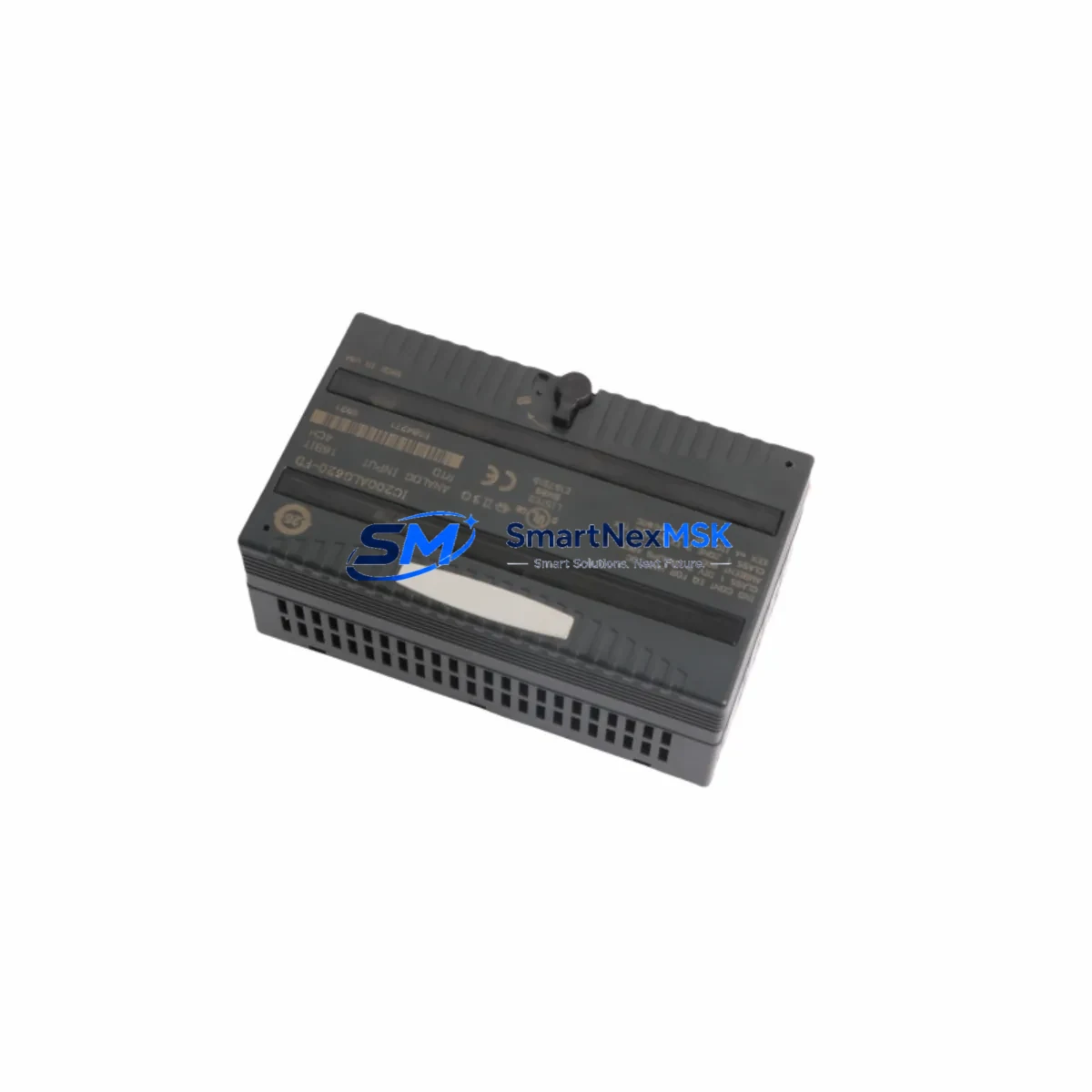
GE IC200ALG620 Retrofit-Ready RTD Analog Input for VersaMax I/O Control Systems
The GE IC200ALG620 is an 8-channel RTD analog input module engineered for the GE VersaMax I/O platform. Designed to deliver precision temperature measurement across industrial process environments, this module serves as a direct retrofit replacement for aging or discontinued analog input assemblies within existing VersaMax control architectures. Whether you are modernizing a legacy production line, recovering from an unplanned module failure, or executing a planned control cabinet upgrade, the IC200ALG620 provides a reliable, specification-matched solution that minimizes engineering rework and commissioning time.
This module supports RTD input types including PT100, PT1000, Ni120, and Cu10, making it compatible with the vast majority of temperature sensors already installed in legacy automation systems. Its 16-bit resolution and configurable input ranges allow engineers to retain existing sensor wiring and field termination assemblies without modification, significantly reducing retrofit labor costs and downtime exposure.
Upgrade Compatibility Table
| Parameter | IC200ALG620 Specification | Retrofit Notes |
|---|---|---|
| Input Channels | 8 x RTD (differential) | Direct channel-for-channel replacement for 8-ch legacy RTD modules |
| Supported RTD Types | PT100, PT1000, Ni120, Cu10 | Verify sensor type in existing field wiring documentation before swap |
| Resolution | 16-bit | Matches or exceeds legacy module resolution; no scaling changes required in most cases |
| Backplane Interface | VersaMax I/O backplane (IC200CHS series) | Compatible with IC200CHS002, IC200CHS005, IC200CHS014 carrier assemblies |
| Communication Protocol | Profibus-DP / SNP via NIU | Retain existing IC200PBI001 or IC200UDD104 network interface unit; no protocol migration needed |
| Power Consumption | Supplied via backplane (5 VDC) | Verify IC200PWR series power supply capacity before adding modules to existing rack |
| Module Address | Configured via GE Proficy Machine Edition | Confirm I/O address map in existing PLC program; update hardware configuration if slot position changes |
| Installation Form Factor | VersaMax I/O snap-in module | No tools required; aligns with existing DIN rail and carrier assembly |
| Replacement Recommendation | Direct drop-in for IC200ALG620 and compatible legacy RTD modules | Confirm firmware revision of NIU for full feature compatibility |
| Warranty | 12 Months | Covers manufacturing defects; includes pre-shipment functional test |
Retrofit Planning for Existing Automation Systems
Successful integration of the IC200ALG620 into an existing control system begins with a thorough audit of the current hardware configuration. Engineers should document the installed IC200CHS carrier assembly slot assignments, confirm the power budget of the IC200PWR002 or IC200PWR101 power supply module, and verify that the backplane bus is free of faults before removing the legacy module.
Terminal wiring for RTD inputs follows a 3-wire or 4-wire configuration depending on the sensor installation. The IC200ALG620 field terminal assembly accepts standard 0.5–1.5 mm² conductors. If the existing installation uses an IC200ACC001 terminal block adapter, it can typically be retained without rewiring, preserving field cable integrity and reducing the risk of wiring errors during the swap.
For systems communicating over Profibus-DP, the network interface unit — commonly an IC200PBI001 — handles all protocol translation between the VersaMax I/O drop and the upstream GE Series 90-30 or PACSystems RX3i controller. No changes to the Profibus node address or baud rate are required when replacing a module of the same type in the same slot. However, if the replacement module occupies a new slot position, the hardware configuration in GE Proficy Machine Edition must be updated and downloaded to the controller before the system is returned to service.
In systems where the VersaMax I/O drop is connected to a PACSystems RX3i via an IC695ETM001 Ethernet module or an IC695PBM300 Profibus master, engineers should verify that the I/O variable mapping in the controller program correctly references the new module’s reference address. HMI screens built on GE iFIX or Cimplicity that display RTD channel values should be validated against the updated I/O map to ensure tag bindings remain accurate after the retrofit.
Where the control system includes mixed analog I/O — for example, a combination of IC200ALG320 analog output modules and IC200ALG430 voltage/current input modules alongside the RTD inputs — the power supply loading calculation must account for all installed modules. The IC200PWR series power supplies have defined backplane current limits, and exceeding these limits can cause intermittent faults or module dropouts that are difficult to diagnose in the field.
For larger retrofit projects involving multiple VersaMax I/O drops, it is advisable to pre-configure and bench-test each IC200ALG620 module using a spare IC200CHS002 carrier and a laptop running Proficy Machine Edition before deploying to the production floor. This pre-shipment validation step, combined with our standard 12-month warranty and pre-delivery functional test, ensures that only verified, operational modules reach the installation site.
Downtime Control During System Migration
Minimizing production downtime during a module replacement requires careful pre-planning and a disciplined execution sequence. Before initiating the swap, place the affected VersaMax I/O drop in a safe state by coordinating with the process control team to confirm that all outputs driven by the RTD input data are in a safe hold condition. For systems using GE Proficy Machine Edition with online editing capability, the controller program can often be placed in a forced-output state for the affected channels, allowing the physical swap to proceed without triggering process alarms or safety interlocks.
The IC200ALG620 module is hot-swap capable within the VersaMax I/O architecture when the system is configured to support it, but this capability must be verified against the installed NIU firmware version and the controller’s I/O fault handling configuration. In systems where hot-swap is not enabled, a controlled power-down of the affected I/O drop — rather than the entire control panel — is the preferred approach to limit the scope of the outage.
After physical installation, the module requires a brief initialization period during which the NIU re-enumerates the backplane and the controller re-establishes communication with the new module. This process typically completes within 5–15 seconds. Engineers should monitor the controller’s I/O fault table and the NIU status LEDs to confirm successful module recognition before releasing the process back to automatic control.
Retaining a copy of the pre-retrofit hardware configuration file and the controller program backup — including all force tables and alarm setpoints — is essential for rapid recovery in the event of an unexpected issue during commissioning. These files should be stored on a dedicated engineering workstation and backed up to a network location before any field work begins.
Retrofit Support FAQ
Q: Is the IC200ALG620 a direct replacement for my existing VersaMax RTD input module?
A: Yes. The IC200ALG620 is designed as a direct slot-compatible replacement for the GE VersaMax I/O RTD analog input module family. It uses the same backplane connector, the same carrier assembly mounting, and the same Profibus/SNP communication path. In most cases, no changes to field wiring or the controller program are required when replacing a module in the same slot position.
Q: What wiring changes are needed during the retrofit?
A: In the majority of installations, no wiring changes are required. The IC200ALG620 accepts the same 3-wire and 4-wire RTD termination configurations as the legacy module. If the existing installation uses a removable terminal block or an IC200ACC001 adapter, it can be transferred directly to the replacement module. Always verify terminal assignments against the existing wiring diagram before powering up.
Q: How do I verify compatibility with my current controller and communication setup?
A: Confirm the installed NIU model (e.g., IC200PBI001 for Profibus-DP or IC200UDD104 for DeviceNet) and its firmware revision. Check the GE VersaMax I/O compatibility matrix for the IC200ALG620 against your NIU firmware version. In Proficy Machine Edition, open the hardware configuration and verify that the module type assigned to the target slot matches IC200ALG620. Download the updated configuration to the controller and perform a channel-by-channel verification using live RTD readings before returning the system to service.
Q: What does the 12-month warranty cover, and is pre-shipment testing included?
A: Every IC200ALG620 unit supplied by SMARTNEXMSK undergoes a pre-shipment functional test that verifies backplane communication, channel integrity, and RTD input accuracy across the supported input range. The 12-month warranty covers manufacturing defects and functional failures under normal operating conditions. Units are shipped with test documentation upon request. For warranty claims or technical support, contact [email protected] or call +86 18259474341.
© 2026 SMARTNEXMSK. All rights reserved.
Original Source: https://smartnexmsk.com
Contact: [email protected] | +86 18259474341