
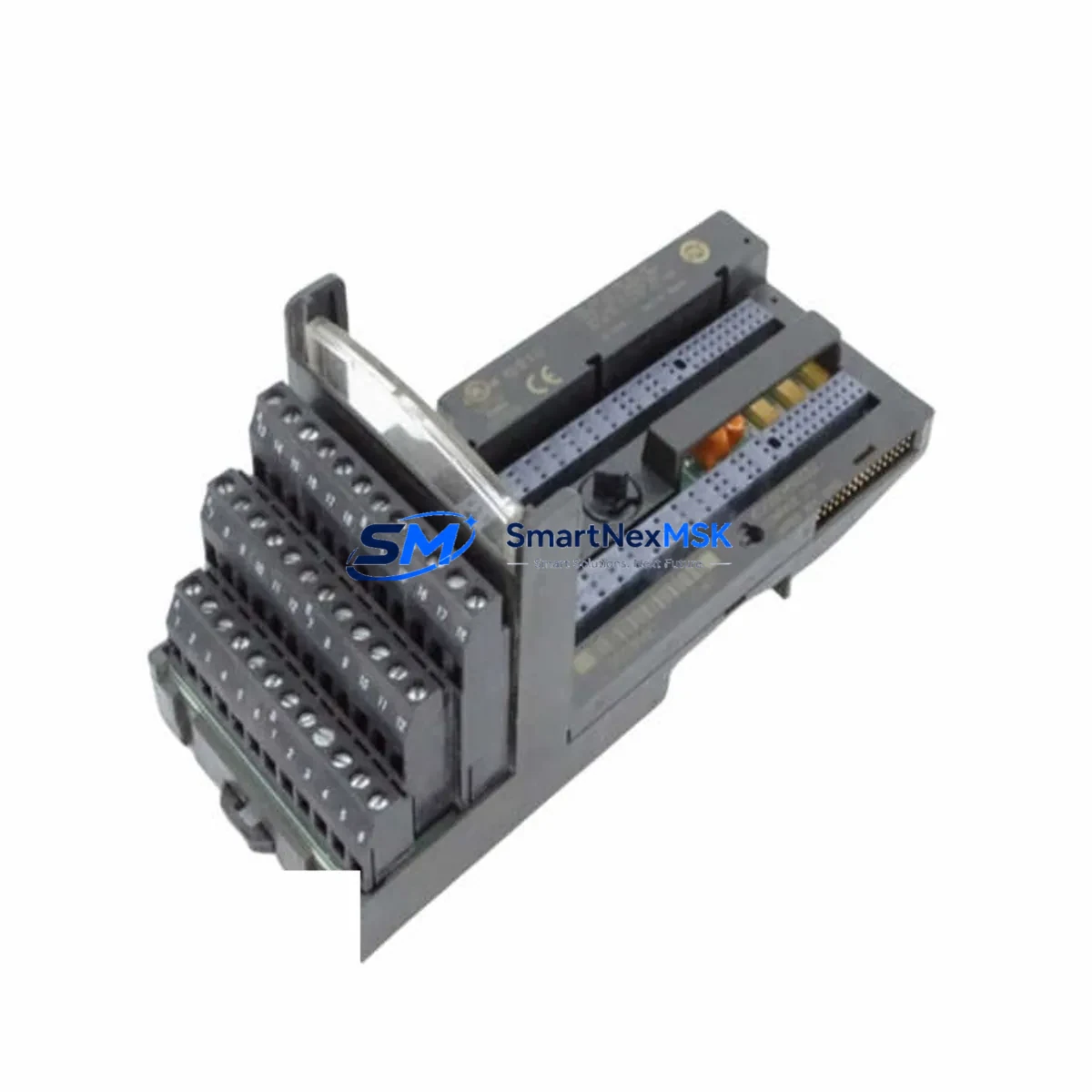
GE IC200CHS0022 Maintenance-Ready Spare for VersaMax Automation
The GE IC200CHS0022 is an original VersaMax I/O Carrier module designed for GE Fanuc (now Emerson Automation) VersaMax distributed I/O systems. As a critical backplane component, this carrier provides the mechanical and electrical interface between VersaMax I/O modules and the system bus, making it an essential spare for any maintenance engineer managing VersaMax-based control architectures. Unplanned downtime caused by a failed or damaged I/O carrier can halt an entire production line — stocking a verified IC200CHS0022 spare is a fundamental risk-mitigation strategy for facilities running VersaMax I/O stations.
Each IC200CHS0022 unit shipped by SMARTNEXMSK is sourced from original manufacturing channels, individually inspected, and functionally tested prior to dispatch. With a 12-month warranty and documented compatibility with the VersaMax I/O module family, this carrier supports rapid field replacement with minimal configuration overhead. Whether you are executing a planned shutdown, responding to an emergency fault, or building out a strategic spare parts inventory, the IC200CHS0022 delivers the reliability and traceability that industrial maintenance teams require.
Spare Maintenance Table
| Part Number | IC200CHS0022 |
| Brand / Manufacturer | GE Fanuc / Emerson Automation Solutions |
| Series | VersaMax Distributed I/O |
| Module Type | I/O Carrier / Backplane Carrier |
| Compatible Modules | VersaMax I/O modules (IC200MDL, IC200MDD series and compatible) |
| Mounting | DIN Rail / Panel Mount |
| Bus Interface | VersaMax I/O Bus (local expansion) |
| Operating Temperature | 0°C to 60°C (32°F to 140°F) |
| Storage Temperature | -40°C to 85°C |
| Relative Humidity | 5% to 95% non-condensing |
| Application Environment | Industrial automation, process control, discrete manufacturing, utilities |
| Condition | Original / New-surplus / Tested |
| Warranty | 12 Months — covers functional defects under normal operating conditions |
| Pre-shipment Testing | Yes — electrically verified before dispatch |
| Lead Time | In-stock: ships within 1–3 business days |
| Origin | United States (OEM) |
Maintenance Planning for Continuous Operation
When replacing the IC200CHS0022 I/O carrier in a VersaMax station, a disciplined maintenance engineer will treat the event as an opportunity for a broader control cabinet inspection. The carrier itself interfaces directly with VersaMax I/O modules such as the IC200MDL640 (16-point 24VDC discrete input) and IC200MDL740 (16-point discrete output), and any mechanical stress or bus contamination that damaged the carrier may have also affected adjacent modules. Inspect all seated I/O modules for bent connector pins, corrosion, or heat discoloration before reinstalling.
The VersaMax network interface module — typically an IC200PBI001 PROFIBUS adapter or an IC200BEM003 DeviceNet interface — should be checked for firmware version compatibility and communication integrity after any carrier swap. A carrier replacement that disturbs the bus can cause intermittent communication faults that are difficult to diagnose without a systematic approach. Verify node addressing and baud rate settings on the network interface module before returning the station to service.
Power supply integrity is equally critical. The VersaMax power supply module (such as the IC200PWR002 or IC200PWR101) feeds the carrier bus directly; a failing power supply can cause repeated carrier failures and should be tested under load during any planned maintenance window. Check output voltage ripple and confirm the power supply’s LED status indicators show no fault conditions.
For facilities managing aging VersaMax installations, it is advisable to maintain a minimum spare inventory that includes: at least one IC200CHS0022 carrier, one compatible power supply module, one network interface module, and a representative selection of the most-used I/O modules in the system. Terminal blocks and field wiring connectors — particularly the removable screw-terminal connectors used on VersaMax I/O modules — should also be inspected for loose terminations and oxidation during any carrier replacement procedure. Surge protection devices and fuse holders in the field wiring circuit are frequently overlooked but are common failure points in high-cycle industrial environments.
For systems integrated with a GE PACSystems RX3i or Series 90-30 PLC as the host controller, confirm that the VersaMax remote I/O scanner configuration in the PLC program still correctly maps to the physical I/O addresses after the carrier replacement. A mismatch between the configured and actual I/O layout will generate scanner faults and prevent normal operation. Keep a printed or PDF copy of the I/O map and module configuration as part of the maintenance documentation package for each VersaMax station.
Site Replacement Workflow
Step 1 — Isolation: Follow site lockout/tagout (LOTO) procedures. De-energize the VersaMax I/O station and confirm zero-energy state before removing any modules from the carrier.
Step 2 — Documentation: Photograph the existing module layout, wiring connections, and any visible labels before disassembly. Record the slot positions of all I/O modules installed on the IC200CHS0022.
Step 3 — Module Removal: Remove all I/O modules from the carrier in sequence, storing them in anti-static bags. Disconnect field wiring connectors and label each connector with its corresponding slot position.
Step 4 — Carrier Removal: Release the DIN rail locking tabs and remove the defective IC200CHS0022 from the rail. Inspect the rail and mounting surface for damage.
Step 5 — New Carrier Installation: Mount the replacement IC200CHS0022 on the DIN rail. Confirm secure seating and verify that the bus connectors are clean and undamaged.
Step 6 — Module Reinstallation: Reinstall I/O modules in their original slot positions. Reconnect field wiring connectors, verifying each connection against the documented wiring layout.
Step 7 — Power-Up and Verification: Re-energize the station and observe the power supply and module status LEDs. Confirm that the host PLC scanner reports no I/O faults and that all field signals are reading correctly in the control system.
Step 8 — Documentation Update: Record the replacement in the site maintenance log, including the date, technician name, old and new part serial numbers, and any observations made during the procedure.
This workflow minimizes downtime and ensures system compatibility is maintained throughout the replacement process. The IC200CHS0022’s direct form-fit-function compatibility with the VersaMax I/O module family means no software reconfiguration is required when replacing a like-for-like carrier.
Spare Parts Support FAQ
Q1: Is the IC200CHS0022 compatible with all VersaMax I/O modules?
The IC200CHS0022 is designed for the GE VersaMax distributed I/O platform and is compatible with the standard VersaMax I/O module family, including discrete input, discrete output, analog input, and analog output modules in the IC200MDL and IC200MDD series. Always verify the specific module slot count and bus configuration against your system documentation before ordering.
Q2: What does the 12-month warranty cover?
The 12-month warranty covers functional defects in the IC200CHS0022 under normal operating conditions. If the unit fails to perform its specified function within the warranty period due to a manufacturing or component defect, SMARTNEXMSK will provide a replacement or repair at no additional cost. The warranty does not cover damage resulting from incorrect installation, overvoltage events, or physical mishandling.
Q3: How is the IC200CHS0022 tested before shipment?
Each unit undergoes electrical continuity verification and functional bus interface testing prior to dispatch. Units that do not meet the original GE specification are rejected. A test report is available upon request for customers requiring documented quality evidence for their maintenance records.
Q4: Can I use the IC200CHS0022 to extend the service life of an older VersaMax system?
Yes. The IC200CHS0022 is a direct replacement for worn or damaged carriers in existing VersaMax installations. Because GE VersaMax hardware is no longer in active production, sourcing original spare carriers from a specialist supplier like SMARTNEXMSK is the most cost-effective strategy for extending the operational life of installed VersaMax systems without undertaking a full platform migration.
© 2026 SMARTNEXMSK. All rights reserved.
Original Source: https://smartnexmsk.com
Contact: [email protected] | +86 18259474341