
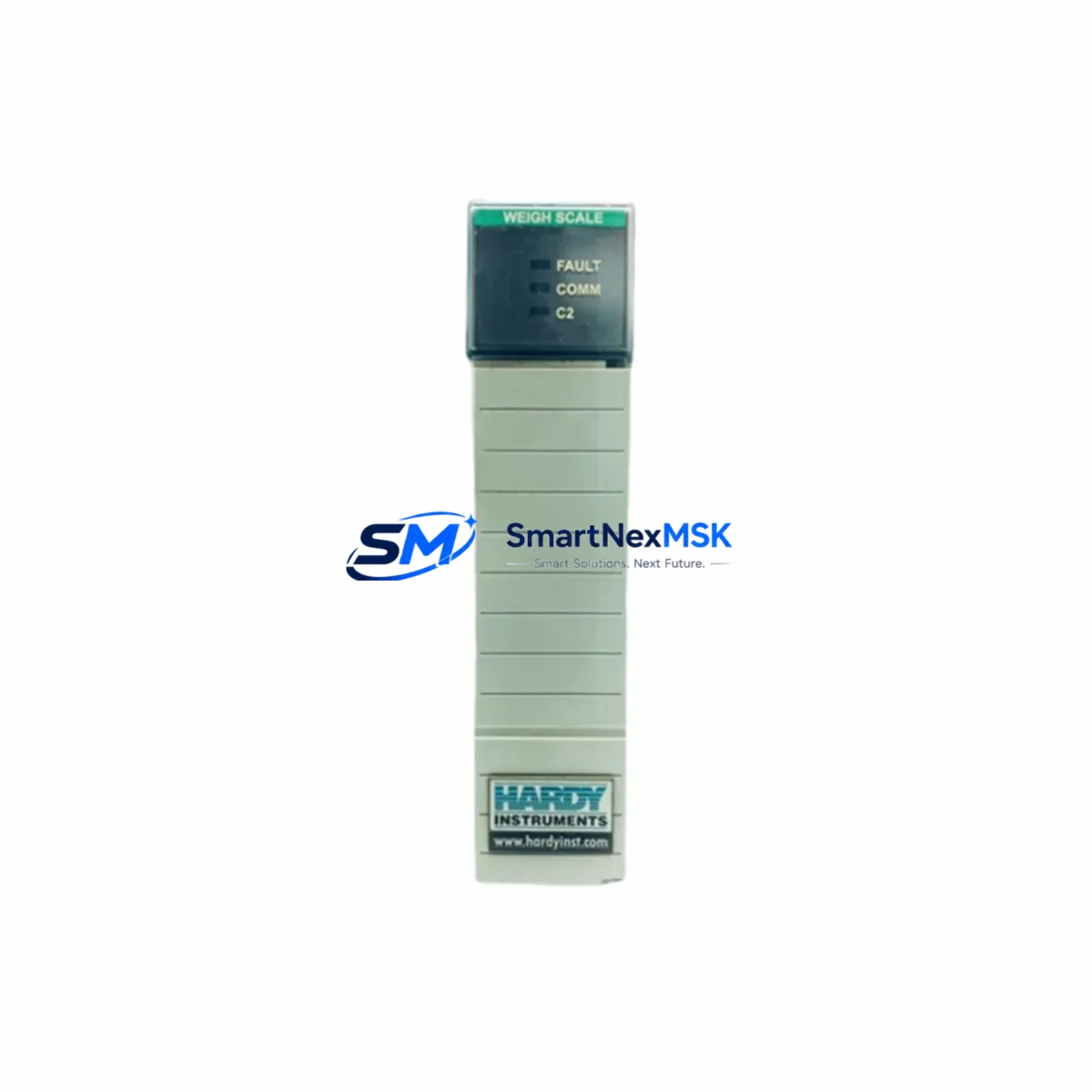
HARDY 1756-WS Retrofit-Ready Weigh Scale Module for ControlLogix Systems
The HARDY 1756-WS is a high-precision weigh scale module engineered for seamless integration into Allen-Bradley ControlLogix 1756 series backplanes. Designed with legacy system modernization in mind, this module serves as a direct retrofit replacement for aging or discontinued weigh scale solutions in process control environments — including food and beverage, chemical batching, pharmaceutical filling, and bulk material handling lines. Whether you are upgrading a 1990s-era weighing system or recovering from an end-of-life component failure, the 1756-WS provides a validated, drop-in upgrade path with minimal disruption to your existing control architecture.
Upgrade Compatibility Table
| Parameter | Details |
|---|---|
| Compatible Rack | Allen-Bradley 1756 ControlLogix Chassis (4, 7, 10, 13, 17-slot) |
| Backplane Interface | ControlLogix standard backplane — no adapter required |
| Communication Protocol | ControlNet, EtherNet/IP (via 1756-ENBT / 1756-EN2T bridge modules) |
| Replaces / Upgrades | Legacy HARDY HI 2151, HI 3300 series weigh controllers; discontinued 1756-series weigh cards |
| Installation Requirement | Standard 1756 module slot; no special mounting hardware needed |
| Power Draw | Supplied via 1756 backplane; verify 1756-PA72 or 1756-PB72 power supply capacity before installation |
| Commissioning Tool | RSLogix 5000 / Studio 5000 Logix Designer; HARDY InSite calibration software |
| Warranty | 12 months from date of shipment; covers manufacturing defects and functional failure |
Retrofit Planning for Existing Automation Systems
A successful 1756-WS retrofit begins well before the module arrives on site. Start by auditing your existing 1756 chassis configuration: confirm available slot positions, verify that your 1756-PA72 or 1756-PB72 power supply has sufficient current headroom to support the additional module load, and document all existing terminal wiring on the load cell junction box. The 1756-WS accepts standard 4-wire and 6-wire load cell inputs; if your legacy system used a proprietary connector pinout, a terminal adapter or rewire of the field cable may be required.
Next, review your Studio 5000 project file. The 1756-WS uses an Add-On Profile (AOP) that must be imported into your controller project before the module can be recognized on the backplane. If your existing program was written for an older HARDY HI 2151 standalone controller or a third-party weigh transmitter, the weight data tags, scaling parameters, and alarm setpoints will need to be remapped. Coordinate with your controls engineer to update the PLC tag database and verify that any HMI screens — whether running on a PanelView Plus 7, FactoryTalk View SE, or a legacy PanelView 550 — correctly reference the new tag paths before going live.
For systems that include a 1756-CNB ControlNet bridge or a 1756-EN2T EtherNet/IP module, confirm that the network node address for the 1756-WS does not conflict with existing devices on the same segment. If your plant network uses a 1756-DHRIO for DH+ or Remote I/O legacy connectivity, plan for a protocol migration step: the 1756-WS communicates natively over the ControlLogix backplane and does not require a separate communication module, but upstream SCADA or historian connections may need reconfiguration. In multi-chassis systems connected via a 1756-RM redundancy module, test the retrofit in a non-redundant chassis first before promoting changes to the primary/secondary pair.
Field wiring should be verified with a calibrated millivolt source before connecting live load cells. After physical installation, use HARDY InSite software to perform a C2 electronic calibration, eliminating the need for test weights in applications where physical calibration is impractical. Document the final calibration certificate and store it with the panel drawings for future reference.
Downtime Control During System Migration
Minimizing production downtime during a 1756-WS retrofit requires a structured changeover plan. Begin by exporting a full backup of your Studio 5000 project and saving the existing module configuration report from RSLogix 5000. If the line cannot be taken offline for an extended period, consider staging the new module in a spare chassis slot and completing the AOP import, tag mapping, and offline simulation before the scheduled maintenance window.
During the cutover, inhibit the existing weigh module in the I/O tree rather than deleting it, preserving the original tag structure while the new module is brought online. This approach allows you to roll back within minutes if an unexpected issue arises. Once the 1756-WS is communicating correctly and calibration is confirmed, remove the inhibit on the new module and delete the legacy module entry. Verify all interlock logic, batch totalization routines, and alarm thresholds before releasing the line to production. A pre-shipment functional test report is available upon request for every 1756-WS unit shipped from our inventory.
Retrofit Support FAQ
Q1: Is the 1756-WS a direct drop-in replacement for my existing weigh scale card?
A: The 1756-WS occupies a standard 1756 chassis slot and uses the same backplane power bus. However, the AOP and tag structure differ from third-party or legacy HARDY standalone controllers. A tag remapping step in Studio 5000 is required, but no physical chassis modification is needed.
Q2: What wiring changes are required at the load cell junction box?
A: The 1756-WS supports standard 4-wire and 6-wire load cell configurations using screw-terminal connections. If your existing wiring uses a proprietary connector, a short adapter harness or direct rewire to the 1756-WS terminal block is required. Refer to the HARDY 1756-WS installation manual for terminal assignments.
Q3: Can I verify compatibility before committing to the purchase?
A: Yes. Contact our technical team with your existing module part number, chassis model, Studio 5000 version, and load cell specification. We will confirm compatibility and, where applicable, provide a migration checklist specific to your system configuration.
Q4: What does the 12-month warranty cover?
A: Every 1756-WS unit ships with a 12-month warranty covering manufacturing defects and functional failure under normal operating conditions. Each unit undergoes pre-shipment functional testing. Warranty claims are processed within 5 business days, with advance replacement available for critical production environments.
© 2026 SMARTNEXMSK. All rights reserved.
Original Source: https://smartnexmsk.com
Contact: [email protected] | +86 18259474341