
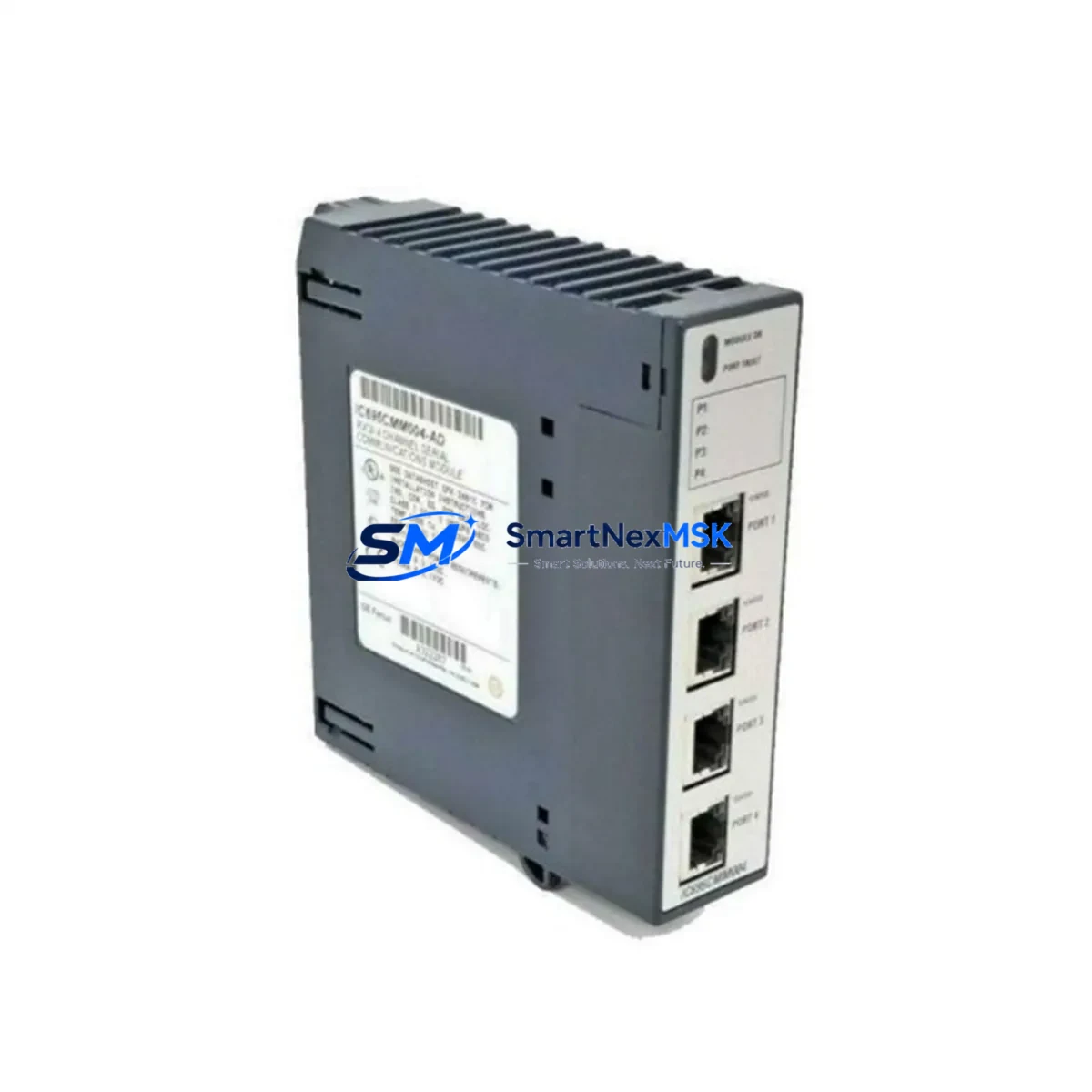
GE IC695CMM004 Maintenance-Ready Spare for RX3i Automation
The GE IC695CMM004 is a 4-port serial communications module designed for the PACSystems RX3i control platform. In industrial maintenance environments where unplanned downtime translates directly into production loss, having a verified, original-spec IC695CMM004 spare on hand is a foundational element of any responsible maintenance strategy. This module supports RS-232 and RS-485/422 serial protocols, enabling reliable communication between the RX3i CPU and field devices including drives, barometers, weighing systems, barcode readers, and legacy SCADA terminals. Whether you are executing a planned shutdown, responding to a fault alarm, or conducting a routine control cabinet inspection, the IC695CMM004 is a critical node in your serial communication architecture.
At SMARTNEXMSK, every IC695CMM004 unit is sourced from verified supply channels, inspected prior to dispatch, and shipped with full functional test documentation. We maintain long-term inventory of PACSystems RX3i spare parts to support both emergency replacement and scheduled maintenance programs. Our 12-month warranty covers all shipped units, giving maintenance engineers and procurement teams confidence in every order.
Spare Maintenance Table
| Parameter | Specification |
|---|---|
| Part Number / SKU | IC695CMM004 |
| Brand | GE Fanuc / Emerson Automation Solutions |
| Series | PACSystems RX3i |
| Module Type | 4-Port Serial Communications Module |
| Supported Protocols | RS-232, RS-485, RS-422, SNP, SRTP, Modbus RTU |
| Number of Serial Ports | 4 (independently configurable) |
| Backplane Compatibility | IC695CHS007, IC695CHS012, IC695CHS016 RX3i Universal Backplanes |
| Power Consumption | Supplied via RX3i backplane (no external power required) |
| Operating Temperature | 0°C to 60°C |
| Relative Humidity | 5% to 95% non-condensing |
| Mounting | RX3i universal backplane slot (any I/O slot) |
| Configuration Tool | Proficy Machine Edition (PME) |
| Origin | United States |
| Condition | Original / New Surplus |
| Warranty | 12 Months from date of shipment |
| Pre-shipment Testing | Functional test performed; documentation available on request |
| Typical Application | Serial device integration, legacy SCADA, drive communication, field instrument interfacing |
Maintenance Planning for Continuous Operation
When a maintenance engineer identifies a fault or degraded performance on the IC695CMM004, the replacement workflow rarely ends with the module itself. A thorough control cabinet inspection and fault isolation procedure should encompass the broader serial communication loop and the RX3i rack assembly. The following components are commonly reviewed in the same maintenance event:
The IC695PSA040 or IC695PSD040 power supply module should be checked for output voltage stability, as serial communication errors are frequently caused by marginal backplane power rather than a failed communications module. Alongside the power supply, the IC695CHS016 or IC695CHS012 backplane itself should be inspected for slot contact integrity and physical damage, particularly in high-vibration environments.
The IC695CPU310 or IC695CPU315 CPU module’s serial port configuration and SNP/SRTP settings should be verified in Proficy Machine Edition after the IC695CMM004 is replaced, ensuring that port assignments and baud rates are correctly mapped to the new module. If the system uses a IC695ETM001 Ethernet communications module in the same rack, its configuration should also be reviewed to confirm that no IP-to-serial gateway mappings are disrupted.
Field wiring connected to the IC695CMM004’s DB9 or terminal block ports should be inspected for insulation degradation, loose terminations, and correct shielding grounding — particularly for RS-485 multi-drop networks where impedance mismatches can cause intermittent communication faults across all connected devices. If the serial loop includes a signal isolator or RS-232/RS-485 converter, these passive components should be tested or replaced as part of the same maintenance window.
For systems that integrate weighing controllers, barcode scanners, or variable frequency drives via serial, the IC694MDL754 or similar discrete output modules in the same cabinet should be checked to confirm that device-ready signals are correctly received after the communications module is restored. In older RX3i installations, the IC695ALG608 analog input module and associated signal conditioning terminals are also worth inspecting during the same cabinet visit, as analog signal integrity issues can mask serial communication root causes during fault diagnosis.
Procurement engineers building a spare parts kit for PACSystems RX3i systems should consider stocking the IC695CMM004 alongside the IC695ETM001 Ethernet module and at least one CPU module as a minimum viable spare set for rapid system recovery. SMARTNEXMSK maintains long-term inventory of these components to support both emergency and scheduled procurement cycles.
Site Replacement Workflow
Step 1 — Fault Confirmation: Before removing the IC695CMM004, confirm the fault via the RX3i CPU diagnostic LEDs and Proficy Machine Edition fault table. Document the active fault codes and the affected serial port numbers.
Step 2 — Safe Isolation: Place the RX3i CPU in STOP mode. If the serial ports are connected to live field devices (drives, instruments), coordinate with the process team to safely suspend communication-dependent control loops before proceeding.
Step 3 — Module Removal: Power down the rack or use hot-swap procedures if supported by your system configuration. Remove the IC695CMM004 by releasing the module locking tabs and sliding it out of the backplane slot. Note the slot position for reinstallation.
Step 4 — Replacement Installation: Insert the new IC695CMM004 into the same backplane slot. Ensure the module is fully seated and the locking tabs are engaged. Reconnect all serial port cables, verifying correct port-to-device mapping against your as-built wiring documentation.
Step 5 — Configuration Verification: Power up the rack and open Proficy Machine Edition. Verify that the IC695CMM004 is recognized in the hardware configuration. Confirm port settings (baud rate, parity, stop bits, protocol) match the previous configuration. Download the configuration to the CPU if any changes were required.
Step 6 — Communication Test: Place the CPU in RUN mode and verify that all serial-connected devices resume communication. Check the fault table for any residual alarms. Conduct a loop test on each active serial port before returning the system to full production.
Step 7 — Documentation: Record the replacement in your maintenance log, including the date, replaced module serial number, new module serial number, and post-replacement test results. Update your spare parts inventory accordingly.
Spare Parts Support FAQ
Q1: Is the IC695CMM004 compatible with all PACSystems RX3i backplanes?
Yes. The IC695CMM004 is compatible with all standard RX3i universal backplanes, including the IC695CHS007 (7-slot), IC695CHS012 (12-slot), and IC695CHS016 (16-slot). It can be installed in any I/O slot and does not require a dedicated slot position. Compatibility with the specific CPU firmware version should be confirmed in the GE PACSystems RX3i Hardware Reference Manual prior to installation.
Q2: What pre-shipment testing does SMARTNEXMSK perform on the IC695CMM004?
Every IC695CMM004 unit undergoes functional testing prior to shipment, including backplane communication verification and serial port continuity checks. Test documentation is available on request. Units are packaged in anti-static materials and shipped with appropriate cushioning to prevent transit damage. The 12-month warranty covers all units from the date of shipment.
Q3: Can the IC695CMM004 replace older GE Series 90-30 serial modules?
The IC695CMM004 is a PACSystems RX3i platform module and is not a direct drop-in replacement for Series 90-30 (IC693) serial modules. However, in system upgrade projects where a Series 90-30 rack is being migrated to an RX3i platform, the IC695CMM004 provides equivalent serial communication functionality. SMARTNEXMSK can advise on migration compatibility based on your existing hardware configuration.
Q4: How should I manage long-term spare parts inventory for the IC695CMM004?
Given the extended service life of PACSystems RX3i installations — often 15 to 20 years — maintaining at least one IC695CMM004 spare per active RX3i rack is recommended. For multi-rack or multi-site operations, a centralized spare parts pool with defined replenishment triggers (e.g., reorder when stock falls below two units) is a practical strategy. SMARTNEXMSK supports long-term supply agreements and can reserve inventory for scheduled maintenance programs.
© 2026 SMARTNEXMSK. All rights reserved.
Original Source: https://smartnexmsk.com
Contact: [email protected] | +86 18259474341