
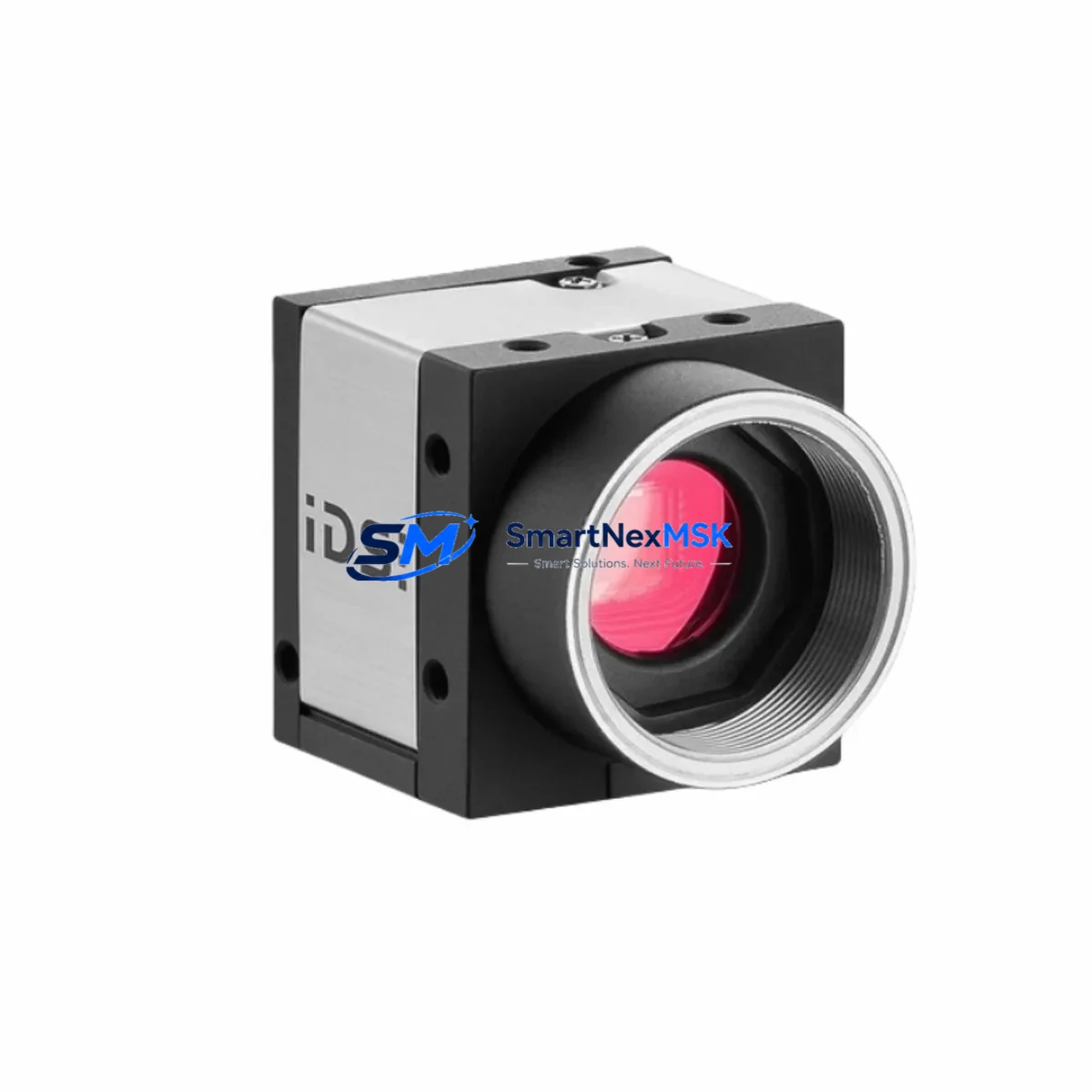
IDS UI-1540SE-M-HQ Maintenance-Ready Spare uEye SE: Spare Parts Replacement & Industrial Downtime Risk Control
The IDS UI-1540SE-M-HQ is a 1.3-megapixel USB 3.0 global shutter monochrome industrial camera from IDS Imaging Development Systems’ uEye SE series — a platform widely deployed in automated optical inspection (AOI), pick-and-place vision guidance, barcode reading, and precision measurement systems across manufacturing, semiconductor, and logistics automation environments. When this camera fails or degrades in a live production line, the impact is immediate: inspection throughput drops, false-reject rates spike, and unplanned downtime accumulates. Maintaining a verified original spare of the UI-1540SE-M-HQ in your site inventory is the most reliable strategy for rapid fault recovery and sustained line availability.
This listing supplies an original IDS UI-1540SE-M-HQ unit — not a substitute or compatible alternative — sourced, inspected, and dispatched with full functional verification and a 12-month warranty. Each unit undergoes pre-shipment imaging performance testing including trigger response, exposure linearity, and USB 3.0 enumeration checks, ensuring it is ready for immediate installation upon arrival at your facility.
Spare Maintenance Table
| Parameter | Specification / Value |
|---|---|
| Model / SKU | UI-1540SE-M-HQ |
| Brand | IDS Imaging Development Systems |
| Series | uEye SE |
| Sensor Type | Global Shutter CMOS, Monochrome |
| Resolution | 1.3 MP (1280 × 1024) |
| Interface | USB 3.0 (USB3 Vision compliant) |
| Origin | Germany (DE) |
| Product Type | Machine Vision Camera — Industrial Spare |
| Compatibility | Drop-in replacement for uEye SE series; compatible with IDS uEye SDK, IDS peak, and third-party USB3 Vision software |
| Installation | Standard C/CS-mount lens interface; USB 3.0 Type-A/B cable connection; no additional power supply required |
| Operating Environment | Industrial automation, AOI, pick-and-place, barcode reading, precision measurement |
| Maintenance Recommendation | Inspect lens mount, USB connector, and housing for contamination every 6 months; verify trigger latency annually |
| Warranty | 12 Months — covers manufacturing defects and functional failure under normal operating conditions |
| Pre-Shipment Testing | Imaging performance, trigger response, USB 3.0 enumeration, exposure linearity |
Maintenance Planning for Continuous Operation
A camera failure in a vision-guided automation cell rarely occurs in isolation. When replacing the UI-1540SE-M-HQ, maintenance engineers should treat the event as a trigger for a broader inspection of the surrounding electrical and mechanical subsystem. The camera draws power and data through a single USB 3.0 cable — inspect the cable assembly and USB host controller card for signal integrity issues, particularly if the camera exhibited intermittent disconnection before failure. USB 3.0 industrial cables with locking connectors, such as those rated for continuous flex or drag-chain routing, should be replaced on the same maintenance cycle as the camera itself.
The host PC or embedded vision controller running the IDS uEye SDK or IDS peak software stack should be checked for driver version compatibility after camera replacement. If the system uses a frame grabber or USB 3.0 PCIe expansion card, verify that the card’s firmware is current and that the IRQ allocation does not conflict with other peripherals. In multi-camera installations, the USB hub or managed switch connecting multiple uEye SE units should be inspected for port-level power delivery — insufficient bus power is a common cause of camera enumeration failure after hardware replacement.
For systems integrating the UI-1540SE-M-HQ into a PLC-controlled production line — for example, triggering image acquisition via a digital output from a Siemens S7-1200, S7-300, or equivalent controller — the trigger signal wiring and I/O module output specifications should be verified. Signal isolation between the PLC digital output and the camera’s trigger input is recommended in environments with significant electrical noise from servo drives, VFDs, or welding equipment. Optocoupler-based signal isolators or dedicated I/O relay modules can prevent false triggers and protect the camera’s input circuitry.
Lighting controllers and LED ring lights paired with the UI-1540SE-M-HQ should also be inspected during a camera replacement event. Strobe timing, intensity calibration, and power supply stability directly affect image quality and should be re-validated after any hardware change in the vision cell. Similarly, the lens — whether a fixed-focal C-mount or a telecentric optic — should be cleaned and its focus lock verified before returning the system to production. If the original failure was caused by vibration or mechanical shock, the lens mount and camera bracket should be inspected for looseness or fatigue cracking.
In control cabinet environments where the vision system interfaces with HMI panels, PROFINET or EtherNet/IP communication modules, and safety relay assemblies, a full cabinet inspection is advisable. Check terminal block connections, fuse ratings on the 24 VDC supply rail, and the condition of cable management components. Documenting the replacement event in your CMMS with the camera serial number, installation date, and test results creates a traceable maintenance record that supports future spare parts planning and warranty claims.
Site Replacement Workflow
Step 1 — Isolate and power down. Follow your site LOTO procedure. Disconnect the USB 3.0 cable from the camera and host controller. If the camera is mounted in a protective housing or enclosure, remove the housing cover and photograph the existing cable routing and lens orientation before disassembly.
Step 2 — Remove the failed unit. Unscrew the camera from its mounting bracket. Note the lens type, focal length, and any spacer rings used. Remove the lens carefully and store it in a clean, dust-free container. Inspect the C-mount thread on the failed camera for damage that may have contributed to the failure.
Step 3 — Prepare the replacement UI-1540SE-M-HQ. Verify the replacement unit’s serial number and confirm it matches the shipped documentation. Install the lens from the failed unit (or a verified replacement lens) onto the new camera body. Torque the lens lock ring to the manufacturer’s specification.
Step 4 — Install and connect. Mount the camera on the bracket, aligning it to the original optical axis using reference marks or a calibration target. Connect the USB 3.0 cable. If the system uses hardware trigger, reconnect the trigger signal cable and verify polarity.
Step 5 — Software initialization and validation. Power up the host system. Open IDS uEye Cockpit or IDS peak Cockpit and confirm the camera enumerates correctly. Load the saved camera parameter file (.ini or .cset) for this station. Capture a reference image and compare it against the golden reference stored in your vision system. Adjust exposure and gain if necessary.
Step 6 — Production validation and sign-off. Run a minimum of 50 test cycles with known-good and known-defective reference parts. Confirm pass/fail rates match historical baseline. Document the replacement in your maintenance log and update your spare parts inventory accordingly.
This workflow is designed to minimize downtime to under two hours for a prepared maintenance team with a verified spare on hand — compared to days or weeks waiting for a new unit to be sourced and shipped under emergency conditions.
Spare Parts Support FAQ
Q1: What is the expected service life of the UI-1540SE-M-HQ, and when should I plan for replacement?
IDS uEye SE cameras are designed for continuous industrial operation. In high-cycle applications with frequent hardware triggering, plan for inspection at 3–5 years of service. Degradation indicators include increased dark current noise, trigger latency drift, and USB enumeration instability. Maintaining one spare unit per production line is the recommended inventory strategy for facilities with zero-downtime requirements.
Q2: Is this unit compatible with my existing IDS uEye SDK installation and camera parameter files?
Yes. The UI-1540SE-M-HQ is fully compatible with IDS uEye SDK versions 4.x and later, as well as IDS peak. Camera parameter files (.ini, .cset) created for the same model are directly transferable to the replacement unit. Minor exposure or gain adjustments may be required due to sensor-to-sensor variation, which is normal and within specification.
Q3: How is the unit tested before shipment, and what does the 12-month warranty cover?
Each unit is tested for USB 3.0 enumeration, live image acquisition, hardware trigger response, and exposure linearity prior to dispatch. The 12-month warranty covers manufacturing defects and functional failure under normal operating conditions. It does not cover physical damage caused by incorrect installation, ESD, or operation outside the specified environmental range. Warranty claims are processed with return shipment and replacement dispatch within 5 business days.
Q4: Can I use this spare to replace an older UI-1540SE-M variant, and how do I confirm compatibility before installation?
The UI-1540SE-M-HQ is the high-quality (HQ) sensor variant of the UI-1540SE-M. If your existing installation uses the standard UI-1540SE-M, confirm your application’s image quality requirements before substituting the HQ variant — the HQ sensor offers improved sensitivity and lower noise, which is beneficial in most cases but may require re-validation of inspection thresholds. Contact our technical team at [email protected] with your current camera serial number and application details for a compatibility assessment before ordering.
© 2026 SMARTNEXMSK. All rights reserved.
Original Source: https://smartnexmsk.com
Contact: [email protected] | +86 18259474341