
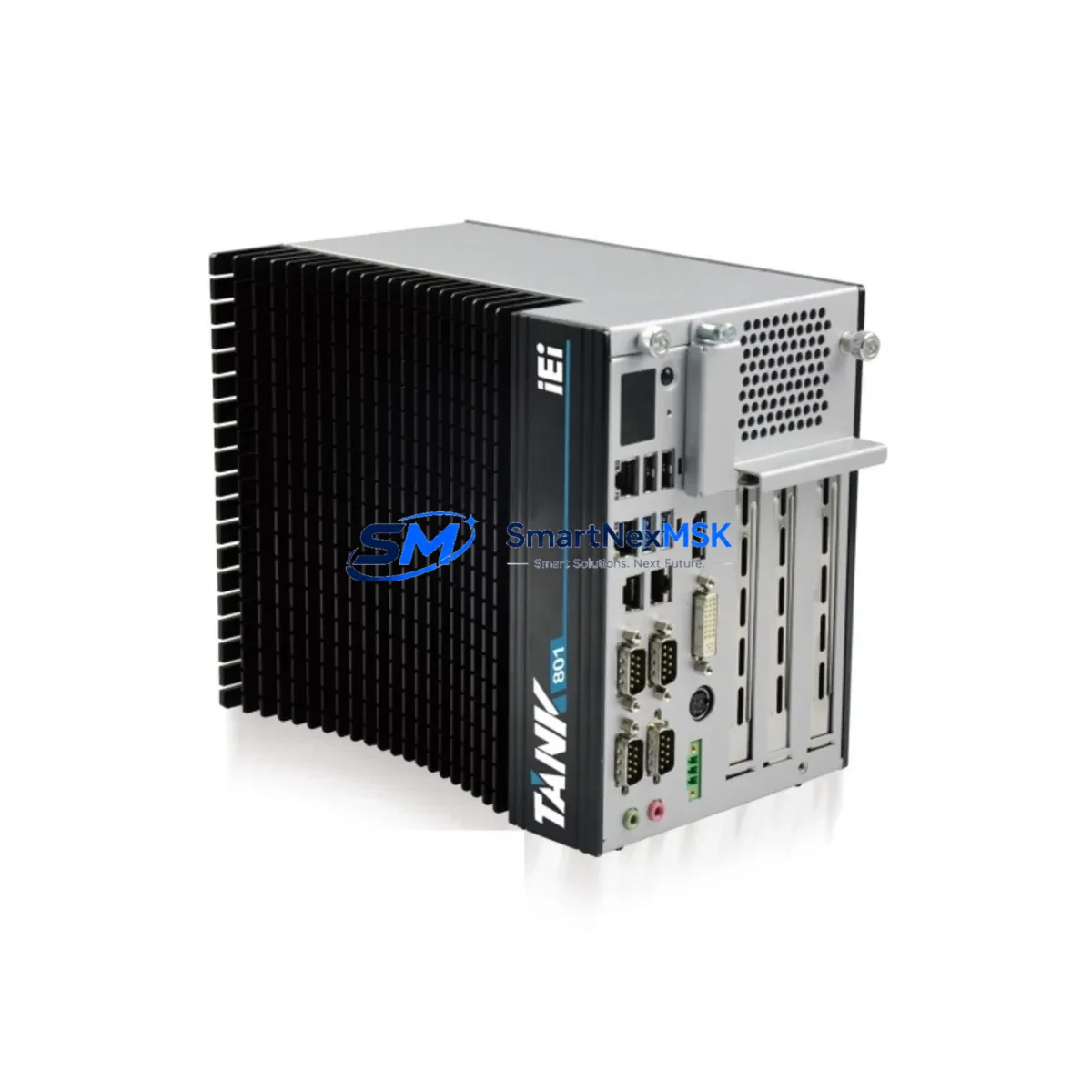
IEI TANK-801-BTI-J1/2G/3B-R11 Spare for TANK-800 Automation: Spare Replacement & Industrial Downtime Risk Control
The IEI TANK-801-BTI-J1/2G/3B-R11 is a fanless industrial embedded computer from IEI Integration Corp.’s TANK-800 series, designed for demanding automation environments where continuous operation and long-term reliability are non-negotiable. Built around the Intel Atom Bay Trail-I (J1900) processor with 2GB DDR3L RAM and 3 display outputs, this unit serves as the computing core in machine vision stations, SCADA edge nodes, motion control cabinets, and distributed I/O management systems. When this unit fails or reaches end-of-service life, rapid spare replacement is critical to restoring production uptime and preventing cascading process interruptions.
As an original-grade spare sourced directly from authorized supply channels, this TANK-801-BTI-J1/2G/3B-R11 unit is pre-tested, firmware-verified, and ready for immediate site deployment. Each unit ships with a 12-month warranty covering manufacturing defects and functional failures under normal industrial operating conditions.
Spare Maintenance Table
| Parameter | Specification |
|---|---|
| SKU / Part Number | TANK-801-BTI-J1/2G/3B-R11 |
| Brand | IEI Integration Corp. |
| Series | TANK-800 |
| Processor | Intel Atom J1900 (Bay Trail-I), Quad-Core, 2.0 GHz |
| Memory | 2GB DDR3L SO-DIMM (expandable) |
| Display Outputs | 3 independent display outputs (VGA / HDMI / DVI) |
| Storage Interface | mSATA, CFast, 2.5″ SATA HDD/SSD bay |
| I/O Interfaces | USB 3.0 / 2.0, RS-232/422/485, GbE LAN x2, GPIO |
| Operating Temperature | -20°C to 60°C (fanless, wide-temp) |
| Power Input | 9–36V DC wide-range input |
| Mounting | DIN-rail, wall-mount, VESA compatible |
| Certifications | CE, FCC, RoHS compliant |
| Origin | Taiwan (IEI Integration Corp.) |
| Compatibility | Direct replacement for TANK-801 series; compatible with TANK-800 platform ecosystem |
| Application Environment | Factory automation, SCADA edge, machine vision, motion control, panel PC integration |
| Maintenance Recommendation | Inspect every 12 months; replace thermal interface material every 3 years; verify storage media health quarterly |
| Warranty | 12 Months — covers manufacturing defects and functional failures under normal industrial use |
Maintenance Planning for Continuous Operation
When a TANK-801-BTI-J1/2G/3B-R11 unit is flagged for replacement during a scheduled inspection or emergency fault isolation, maintenance engineers should treat the event as a full control-node audit rather than a single-component swap. The TANK-800 platform typically operates as the computing hub in a multi-component control cabinet, and its failure often signals stress on adjacent components that share the same power rail, communication bus, or I/O backplane.
Begin by verifying the DC power supply module feeding the 9–36V input rail. A degraded power supply delivering voltage ripple or transient spikes is a leading cause of premature embedded PC failure. Simultaneously inspect the DIN-rail terminal blocks and field wiring connections for oxidation, loose crimps, or thermal discoloration — these are common fault points in high-vibration or high-humidity environments.
The TANK-801’s RS-232/422/485 serial ports are frequently connected to serial communication modules or protocol converters linking legacy PLCs, barcode readers, or weighing controllers. Inspect these interface cables and connectors for continuity and shielding integrity. If the unit interfaces with a Modbus RTU or PROFIBUS network, verify that the network termination resistors and bus isolators remain within specification.
For systems using the TANK-801 as a SCADA edge node, check the GbE LAN switch or managed Ethernet switch in the same cabinet for port errors, CRC faults, or link-speed mismatches. A failing switch port can cause intermittent communication loss that is often misdiagnosed as an embedded PC fault.
If the TANK-801 drives an HMI panel or industrial monitor via VGA or HDMI, inspect the display cable, connector locking mechanism, and the HMI’s own power supply. Display signal degradation is frequently caused by cable fatigue rather than the computing unit itself.
Storage media health is a critical maintenance item for this platform. The mSATA SSD or CFast card used as the OS drive should be evaluated for write endurance and bad block accumulation. Proactively replacing aging storage media during a planned maintenance window prevents unplanned OS corruption failures. Similarly, if the system uses an external USB-to-serial adapter or USB I/O module, verify driver compatibility with the replacement unit’s OS image before site deployment.
For control cabinets in high-ambient-temperature environments, inspect the cabinet cooling system — whether a heat exchanger, air conditioner, or filtered fan unit — to ensure the TANK-801’s fanless thermal design is not being stressed beyond its rated operating range. Thermal runaway is a silent killer of fanless embedded systems.
Finally, if the TANK-801 is part of a larger IEI TANK-800 series deployment, consider maintaining at least one cold-spare unit on-site. The TANK-801-BTI-J1/2G/3B-R11 shares its platform architecture with other TANK-800 variants, making cross-model spare pooling a viable inventory strategy for multi-line facilities.
Site Replacement Workflow
Step 1 — Pre-Replacement Verification: Confirm the replacement unit’s SKU (TANK-801-BTI-J1/2G/3B-R11) matches the installed unit’s label and BIOS system information. Verify firmware revision compatibility with the existing OS image and application software.
Step 2 — System State Backup: If the failed unit is partially operational, export the current BIOS settings, network configuration, and application data to an external storage device. For units with iManager or IPMI support, capture the hardware health log before power-down.
Step 3 — Safe Power-Down and Isolation: Follow site LOTO (Lockout/Tagout) procedures. Disconnect the DC power input, then systematically label and disconnect all I/O cables, serial lines, LAN cables, and display connectors. Photograph the wiring layout before removal.
Step 4 — Physical Replacement: Remove the failed unit from its DIN-rail or wall-mount bracket. Install the replacement TANK-801-BTI-J1/2G/3B-R11 in the same mounting position. Reconnect all cables in reverse order, verifying each connector is fully seated and locked.
Step 5 — Power-On and Functional Verification: Apply DC power and verify POST completion. Confirm OS boot, network connectivity, serial port communication, and display output. Run a 30-minute burn-in cycle under normal process load before returning the system to production.
Step 6 — Documentation Update: Record the replacement date, unit serial number, and any configuration changes in the site maintenance log. Update the spare parts inventory to trigger reorder of a replacement cold-spare unit.
Spare Parts Support FAQ
Q1: Is this TANK-801-BTI-J1/2G/3B-R11 unit a direct drop-in replacement for the original installed unit?
Yes. This unit is an original-specification spare sourced from IEI Integration Corp.’s authorized supply chain. It is electrically, mechanically, and firmware-compatible with the original TANK-801-BTI-J1/2G/3B-R11 installed in TANK-800 series deployments. No hardware modification is required for direct replacement. OS image and application software must be restored from your site backup.
Q2: What does the 12-month warranty cover, and how is a warranty claim initiated?
The 12-month warranty covers manufacturing defects, component failures, and functional faults arising under normal industrial operating conditions. It does not cover physical damage from improper installation, overvoltage events, or environmental exposure beyond rated specifications. To initiate a warranty claim, contact [email protected] with the unit serial number, purchase date, and a description of the fault. Replacement or repair will be arranged within the agreed service timeline.
Q3: How should this spare be stored if not immediately deployed?
Store the unit in its original anti-static packaging in a dry, temperature-controlled environment (5°C–40°C, <85% RH non-condensing). Avoid stacking heavy objects on the packaging. For long-term storage exceeding 12 months, power on the unit quarterly for a 30-minute functional check to prevent storage-induced component degradation. Label the unit with the storage date and intended deployment location.
Q4: Can compatibility be verified before the unit ships?
Yes. Each unit undergoes pre-shipment functional testing including power-on POST verification, I/O port continuity checks, and network interface validation. If your application requires specific BIOS version compatibility or OS pre-installation, contact [email protected] before ordering to confirm configuration alignment. Custom pre-configuration services are available upon request.
© 2026 SMARTNEXMSK. All rights reserved.
Original Source: https://smartnexmsk.com
Contact: [email protected] | +86 18259474341