
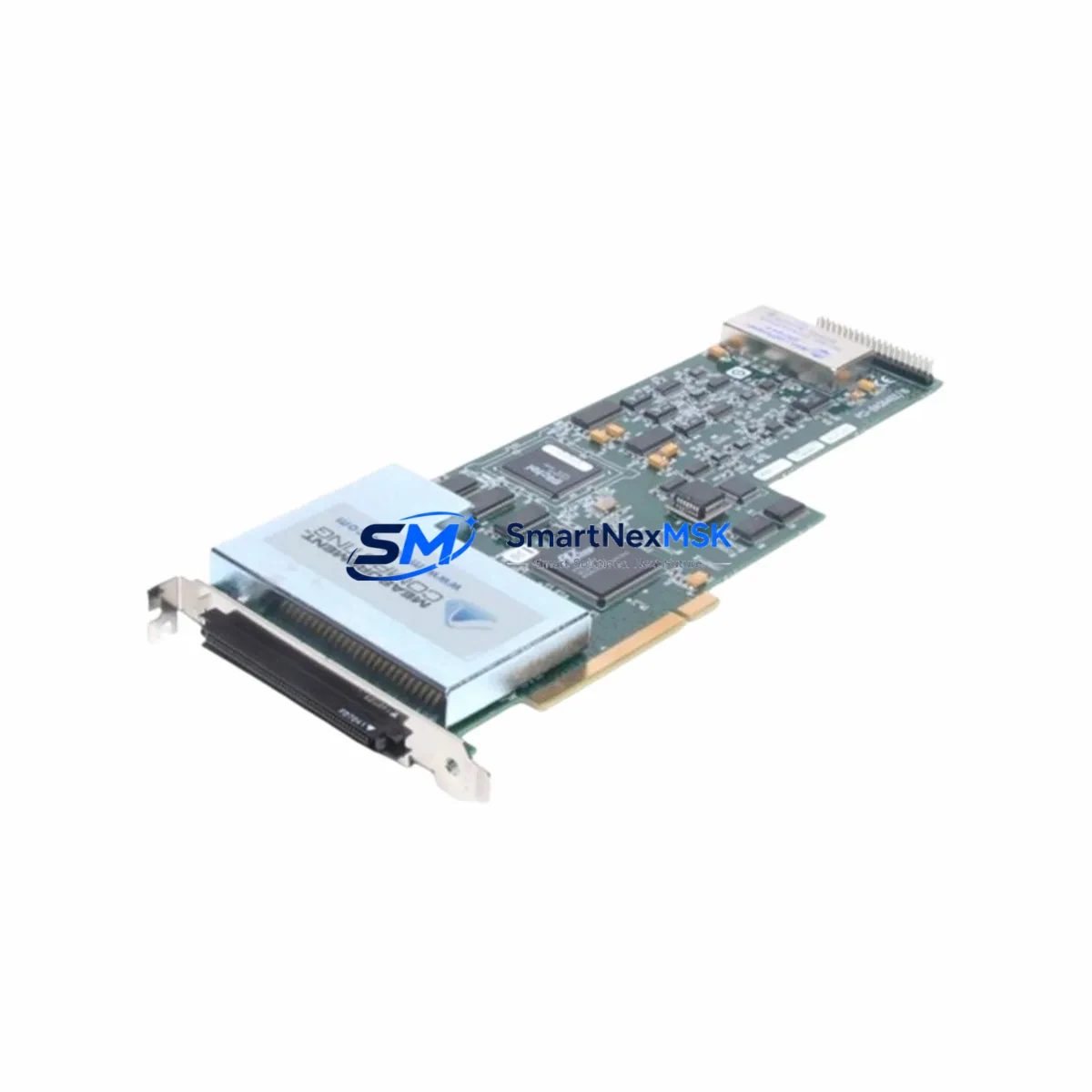
Measurement Computing PCI-DAS6402/16 Maintenance-Ready Spare for DAQ Automation
The Measurement Computing PCI-DAS6402/16 is a high-resolution 16-bit, 64-channel analog input data acquisition card designed for PCI bus integration in industrial PC-based control and monitoring systems. With a maximum sampling rate of 250 kS/s and support for single-ended or differential input configurations, the PCI-DAS6402/16 serves as the primary analog signal acquisition interface in process monitoring stations, laboratory automation rigs, vibration analysis systems, and multi-channel sensor logging platforms. For maintenance engineers responsible for sustaining legacy PC-based DAQ infrastructure, maintaining a verified original PCI-DAS6402/16 spare is a direct investment in uptime assurance and rapid fault recovery.
In industrial environments where the PCI-DAS6402/16 is embedded in a dedicated data acquisition PC — monitoring temperature arrays, pressure transducers, load cells, or vibration sensors — a card failure can halt data collection across all 64 channels simultaneously, triggering process blind spots that compromise quality control and regulatory compliance. Because PCI bus DAQ cards are no longer manufactured in volume, sourcing a tested original replacement on short notice is increasingly difficult. Stocking a pre-verified PCI-DAS6402/16 spare eliminates this lead-time risk and enables same-day card swap with minimal reconfiguration.
This unit is sourced as an original Measurement Computing component, inspected, and functionally tested prior to shipment. Each order is backed by a 12-month warranty covering manufacturing defects and functional failures under normal operating conditions.
Spare Maintenance Table
| Part Number | PCI-DAS6402/16 |
| Brand | Measurement Computing (MCC) |
| Card Type | Multifunction Data Acquisition Card (DAQ) |
| Bus Interface | PCI (32-bit, 5V) |
| Analog Input Channels | 64 single-ended / 32 differential |
| ADC Resolution | 16-bit |
| Max Sampling Rate | 250 kS/s |
| Input Voltage Range | ±10V, ±5V, ±2.5V, ±1.25V (software selectable) |
| Analog Output Channels | 2 × 16-bit DAC outputs |
| Digital I/O | 48 TTL-compatible digital I/O lines |
| Counter/Timer | 2 × 16-bit counters (82C54 compatible) |
| Operating Temperature | 0°C to +70°C |
| Origin | United States |
| Compatible OS / Software | Windows (InstaCal, Universal Library), Linux (comedi driver) |
| Pre-Shipment Testing | Functional analog input/output and digital I/O test performed prior to dispatch |
| Warranty | 12 Months — covers manufacturing defects and functional failure under normal use |
| Maintenance Recommendation | Inspect PCI slot contacts annually; verify driver version compatibility after OS updates; replace if persistent calibration drift or channel dropout is detected |
Maintenance Planning for Continuous Operation
When replacing the PCI-DAS6402/16 in a production DAQ workstation, a systematic inspection of the surrounding hardware and signal chain is essential to prevent repeat failures and confirm full system restoration. Begin with the DAQ PC’s power supply unit — an aging ATX PSU with degraded 5V or 3.3V rails is a leading cause of PCI card instability and ADC calibration drift. Verify rail voltages under load using a multimeter or PSU tester before inserting the replacement card.
Next, inspect the PCI slot itself for oxidation, bent contacts, or accumulated dust. In industrial PC enclosures, particularly rack-mount chassis used in process control rooms, PCI slot contamination is a common but overlooked failure contributor. If the system uses a passive PCI backplane — such as those found in IPC chassis from Advantech or Kontron — inspect the backplane for cracked solder joints or damaged slot connectors before reseating the new card.
The signal conditioning chain upstream of the PCI-DAS6402/16 deserves equal attention. Signal isolators — such as DIN-rail-mounted analog signal isolators for 4–20 mA or ±10V inputs — should be tested for output accuracy and isolation integrity. Faulty signal isolators can introduce offset errors or noise that appear as ADC calibration problems after a card replacement. Terminal blocks and screw-type field wiring connectors on the breakout board (such as the CIO-MINI37 or equivalent 68-pin SCSI breakout) should be inspected for loose terminations and corrosion.
If the PCI-DAS6402/16 is used alongside other MCC cards — for example, a PCI-DIO96 for high-density digital I/O, or a PCI-CTR05 for pulse counting and encoder feedback — verify that these companion cards remain properly seated and that their IRQ assignments do not conflict with the replacement DAQ card after reinstallation. IRQ conflicts in legacy PCI systems are a frequent source of post-replacement driver initialization failures.
For systems where the PCI-DAS6402/16 feeds data to a SCADA or HMI platform — such as Wonderware InTouch, LabVIEW, or a custom OPC DA server — confirm that the Universal Library (ULx) driver version installed on the host PC is compatible with the replacement card’s firmware revision. Driver-firmware mismatches can cause silent data errors that are difficult to diagnose without channel-by-channel verification. Maintaining a documented driver version and InstaCal configuration backup is a best practice that significantly reduces recommissioning time after a card swap.
For facilities operating multiple PCI-DAS6402/16 cards across several monitoring stations, a minimum stock of one spare card per five installed units is a practical inventory guideline. Pairing this with a spare 68-pin SCSI cable and a tested breakout terminal board ensures that a complete channel restoration can be achieved within a single maintenance shift.
Site Replacement Workflow
Step 1 — Pre-Replacement Documentation: Before powering down the DAQ workstation, record the current InstaCal board configuration — board number, base address, interrupt level, and DMA channel assignments. Export any custom calibration coefficients using the MCC calibration utility. Back up the Universal Library application configuration and any LabVIEW or custom DAQ application project files.
Step 2 — Safe Shutdown and Isolation: Shut down the DAQ application and the host PC following the site’s lockout/tagout procedure. Disconnect all field signal cables from the 68-pin SCSI connector or breakout board. Label each cable bundle before removal to ensure correct reconnection.
Step 3 — Card Removal: Remove the PC chassis cover and ground yourself with an ESD wrist strap. Release the PCI slot retention bracket screw, carefully extract the PCI-DAS6402/16, and place it in an ESD-safe bag. Inspect the vacated PCI slot for debris or damage.
Step 4 — Replacement Installation: Insert the new PCI-DAS6402/16 firmly into the PCI slot, secure the bracket screw, and reconnect all field signal cables in the documented order. Reinstall the chassis cover.
Step 5 — Driver Initialization and Calibration: Power on the PC and allow the OS to detect the new PCI card. Run InstaCal to assign the board number and verify the hardware configuration matches the pre-replacement record. Perform an auto-calibration using the MCC calibration utility and verify that all active channels read within expected accuracy specifications.
Step 6 — Functional Verification: Run the DAQ application and confirm that all 64 analog input channels are acquiring data within expected ranges. Verify analog output channels and digital I/O lines if used. Document the replacement date, new card serial number, and calibration results in the site maintenance log.
This workflow applies to all PCI-DAS6402/16 installations under Windows and Linux environments. For systems using the comedi driver on Linux, verify the driver module loads correctly and that channel mapping matches the pre-replacement configuration.
Spare Parts Support FAQ
Q1: Is the PCI-DAS6402/16 compatible with modern Windows operating systems?
The PCI-DAS6402/16 is supported under Windows 7, Windows 10, and Windows 11 via Measurement Computing’s Universal Library (ULx) driver package. Compatibility with specific OS versions depends on the installed driver release. We recommend verifying the driver version against the MCC compatibility matrix for your target OS before deployment. Our technical team can assist with driver compatibility confirmation based on your system configuration.
Q2: What pre-shipment testing is performed on each unit?
Each PCI-DAS6402/16 spare undergoes functional testing covering analog input acquisition across multiple channels, analog output verification, and digital I/O line testing prior to shipment. A calibration check is performed to confirm ADC accuracy within factory specifications. A test summary is available upon request.
Q3: How many PCI-DAS6402/16 spares should a multi-station facility stock?
For facilities with three or more PCI-DAS6402/16 installations, we recommend maintaining at least one spare card in stock at all times. Given that PCI bus DAQ cards are a legacy form factor with limited new production, replenishment lead times can be significant. A buffer stock of one card per monitoring cluster ensures same-shift replacement capability and prevents extended data collection outages during critical production periods.
Q4: What does the 12-month warranty cover?
The 12-month warranty covers manufacturing defects and functional failures under normal operating conditions, including ADC channel failures, DAC output faults, and digital I/O line failures attributable to the card itself. It does not cover damage caused by incorrect installation, ESD mishandling, overvoltage on input channels, or physical damage. Warranty claims are processed with return shipment and replacement or full refund at the buyer’s option.
© 2026 SMARTNEXMSK. All rights reserved.
Original Source: https://smartnexmsk.com
Contact: [email protected] | +86 18259474341