
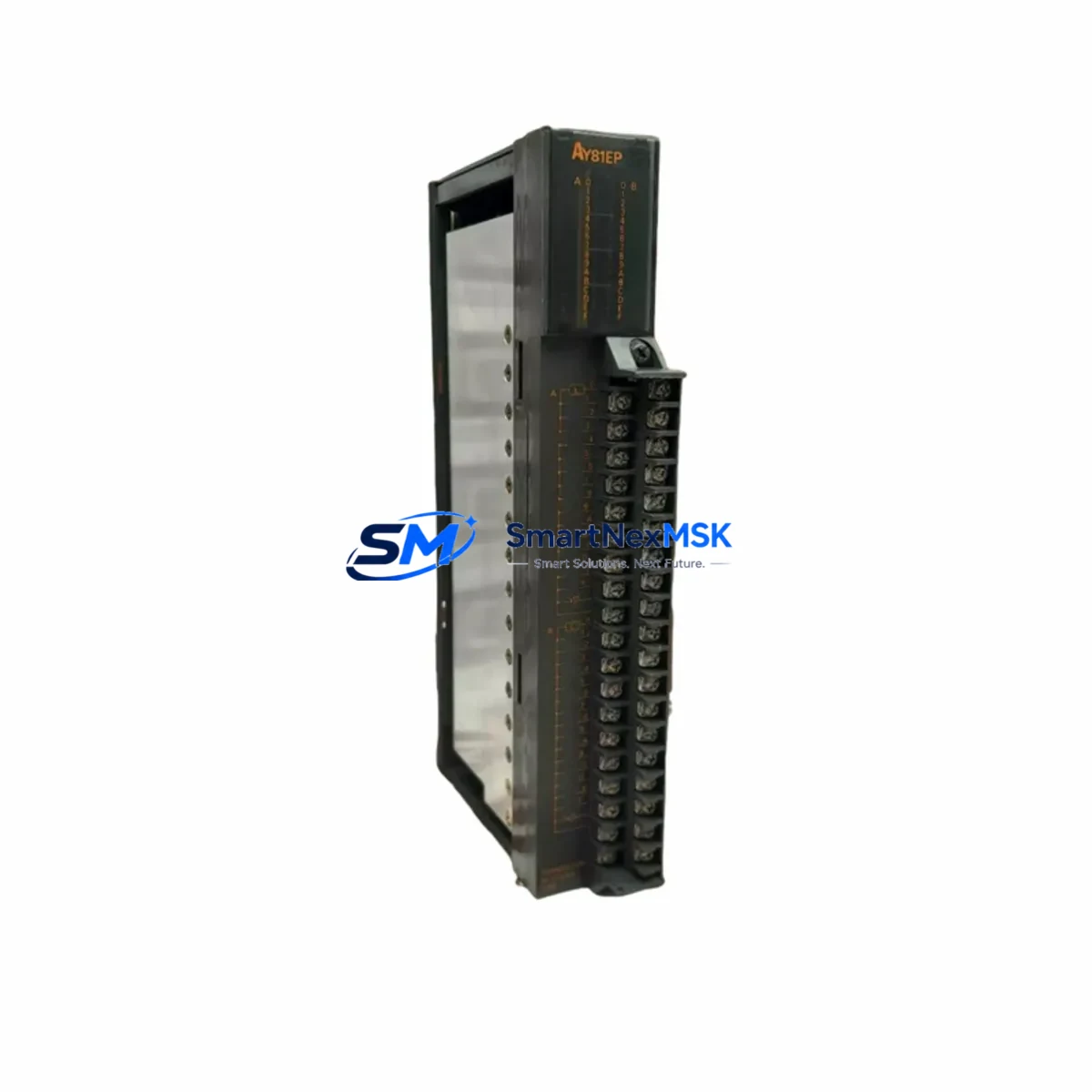
Mitsubishi AY81 Retrofit-Ready Output Module for MELSEC-A Control Systems
The Mitsubishi AY81 is a 16-point transistor output module originally designed for the MELSEC-A Series programmable logic controller platform. As legacy A-Series control systems approach end-of-life and original spare parts become increasingly scarce, the AY81 remains one of the most sought-after replacement components for engineers managing aging production lines, control cabinets, and distributed I/O architectures. Whether you are executing a like-for-like swap on a failed output card or planning a phased modernization of your automation infrastructure, the AY81 provides a verified, drop-in compatible solution that minimizes engineering rework and protects your existing program logic.
Our inventory of the AY81 is sourced from authorized distribution channels and subject to pre-shipment functional testing. Each unit is backed by a 12-month warranty covering manufacturing defects and operational failures under normal industrial conditions. Stock is maintained in Xiamen for rapid dispatch to customers across Asia, the Middle East, and Eastern Europe.
Upgrade Compatibility Table
| Parameter | AY81 Specification | Retrofit Notes |
|---|---|---|
| Output Points | 16 points (transistor, sink type) | Direct replacement for AY80, AY81E in same slot |
| Rated Load Voltage | 12–24 VDC | Verify field device supply voltage before swap |
| Max Load Current | 0.5 A per point, 4 A per common | Check actuator inrush current against common rating |
| Backplane Interface | MELSEC-A Series bus connector | Compatible with A1S, A2S, A3N, A2N main base units |
| Slot Addressing | Auto-assigned by CPU scan | Confirm I/O assignment in GX Developer or GX Works2 |
| Communication Protocol | A-Series internal bus | No protocol migration required for like-for-like swap |
| Installation | DIN rail / base unit slot mount | No mechanical modification required |
| Replacement Candidates | AY80, AY81E, AY81-UL | Verify suffix variant for UL-listed applications |
| Commissioning Tool | GX Developer / GX Works2 | Force output test recommended before live restart |
| Warranty | 12 Months | Covers manufacturing defects under normal operation |
Retrofit Planning for Existing Automation Systems
Replacing the AY81 in an operational MELSEC-A system requires a structured approach that accounts for the full control architecture, not just the output card itself. Begin by auditing the main base unit — whether an A1S, A2N, or A3N — to confirm available slot positions and total I/O point budget. The AY81 occupies one slot and consumes 5 VDC internal bus power from the base unit’s power supply module, typically an A1S61PN or A61P. Before ordering, verify that the existing power supply has sufficient remaining capacity to support the replacement module, particularly if other slots have been added or upgraded since the original system design.
Terminal wiring on the AY81 uses a 40-pin connector that mates directly with the field wiring terminal block. In most retrofit scenarios, the existing terminal block and field wiring can be retained without modification, provided the wire gauge and termination torque specifications are respected. Document the existing wiring layout using the original panel drawings before disconnecting any terminals. If panel drawings are unavailable, photograph the terminal block and record point-by-point assignments before removal.
For systems where the A-Series CPU — such as an A2USCPU or A3UCPU — communicates upstream via an AJ71QC24N serial communication module or an AJ71E71 Ethernet interface module, the output module replacement does not affect the communication link. However, if the retrofit is part of a broader migration toward a Q-Series or iQ-R platform, the communication module will need to be re-evaluated for protocol compatibility. In such cases, the QJ71C24N-R4 or QJ71E71-100 may serve as the target communication module, and the program will require conversion using GX Works2’s A-to-Q conversion utility.
HMI screens connected via the GOT1000 or GOT2000 series — for example a GT1575-VNBA or GT2710-VTBA — reference device addresses that map directly to the output module’s Y-device range. After replacing the AY81, verify that the HMI tag database reflects the correct Y-address assignments. If the slot position of the replacement module differs from the original, the Y-device offset will shift and HMI screens will require corresponding updates before restart.
For systems incorporating an AJ65SBTB1-16T CC-Link remote I/O terminal or an AJ65BT-64AD analog input module on the same network, the output module replacement is transparent to the CC-Link master and does not require station number reassignment. However, if the retrofit involves adding new I/O capacity — for example, expanding from 16 to 32 output points by adding a second AY81 — the CC-Link master station’s parameter table must be updated to reflect the new station configuration.
Downtime Control During System Migration
Minimizing unplanned downtime during an AY81 replacement requires preparation that begins well before the maintenance window. The most effective strategy is to pre-configure and bench-test the replacement module before the scheduled outage. Using GX Developer or GX Works2, read out and archive the current CPU program, including all PLC parameters, I/O assignments, and network configuration files. Store a backup on both a local engineering laptop and a removable USB drive kept at the panel.
During the outage window, follow a structured sequence: isolate the control cabinet from field power, remove the failed AY81 from its slot, insert the replacement unit, and restore power to the base unit before reconnecting field devices. This sequence protects field actuators from uncontrolled output states during the module swap. After power restoration, use the force output function in GX Developer to individually verify each of the 16 output points against the connected field device before returning the system to automatic mode.
For critical processes where even a brief interruption is unacceptable, consider a hot-standby architecture using an A1S-series redundant CPU configuration. In this topology, the standby CPU continues to execute the control program while the active CPU’s output module is replaced, allowing the switchover to occur with sub-second interruption. If the existing system does not support redundancy, coordinate the replacement with a planned production break and communicate the expected downtime window — typically 30 to 90 minutes for a trained technician — to operations and maintenance teams in advance.
After the replacement is complete and the system has returned to automatic operation, monitor the output module’s diagnostic LEDs and the CPU’s error register for at least one full production cycle before closing the maintenance record. Document the replacement in the equipment history log, including the serial number of the removed module, the serial number of the installed AY81, the date, and the technician’s name. This record supports future warranty claims and provides traceability for regulatory audits.
Retrofit Support FAQ
Q1: Is the AY81 a direct drop-in replacement for the AY80 and AY81E?
The AY81 is mechanically and electrically compatible with the AY80 and AY81E in most MELSEC-A base unit configurations. The primary difference is the output current rating per common — verify your field device load profile against the AY81 datasheet before substituting. No program changes are required for a like-for-like slot replacement.
Q2: What pre-shipment testing is performed on each AY81 unit?
Each AY81 undergoes functional output verification across all 16 points prior to shipment. Units are tested for correct switching response, leakage current within specification, and absence of physical damage. A test report is available upon request. All units are covered by a 12-month warranty from the date of shipment.
Q3: Can the AY81 be used in a system being migrated from A-Series to Q-Series?
The AY81 is not compatible with Q-Series base units. If you are migrating to a QnU or Q03UDE CPU platform, the equivalent output module is the QY80 or QY81P. We can supply both the AY81 for interim operation and the QY-series module for the final migration stage, allowing a phased transition that keeps the existing line running during the upgrade project.
Q4: What wiring and commissioning support is available after purchase?
Our technical team provides wiring diagram review, terminal assignment verification, and remote commissioning guidance via email and video call for all orders. If your panel drawings are unavailable, we can assist in reconstructing the I/O assignment from the CPU program file. Contact [email protected] or call +86 18259474341 to arrange pre-installation support.
© 2026 SMARTNEXMSK. All rights reserved.
Original Source: https://smartnexmsk.com
Contact: [email protected] | +86 18259474341



