
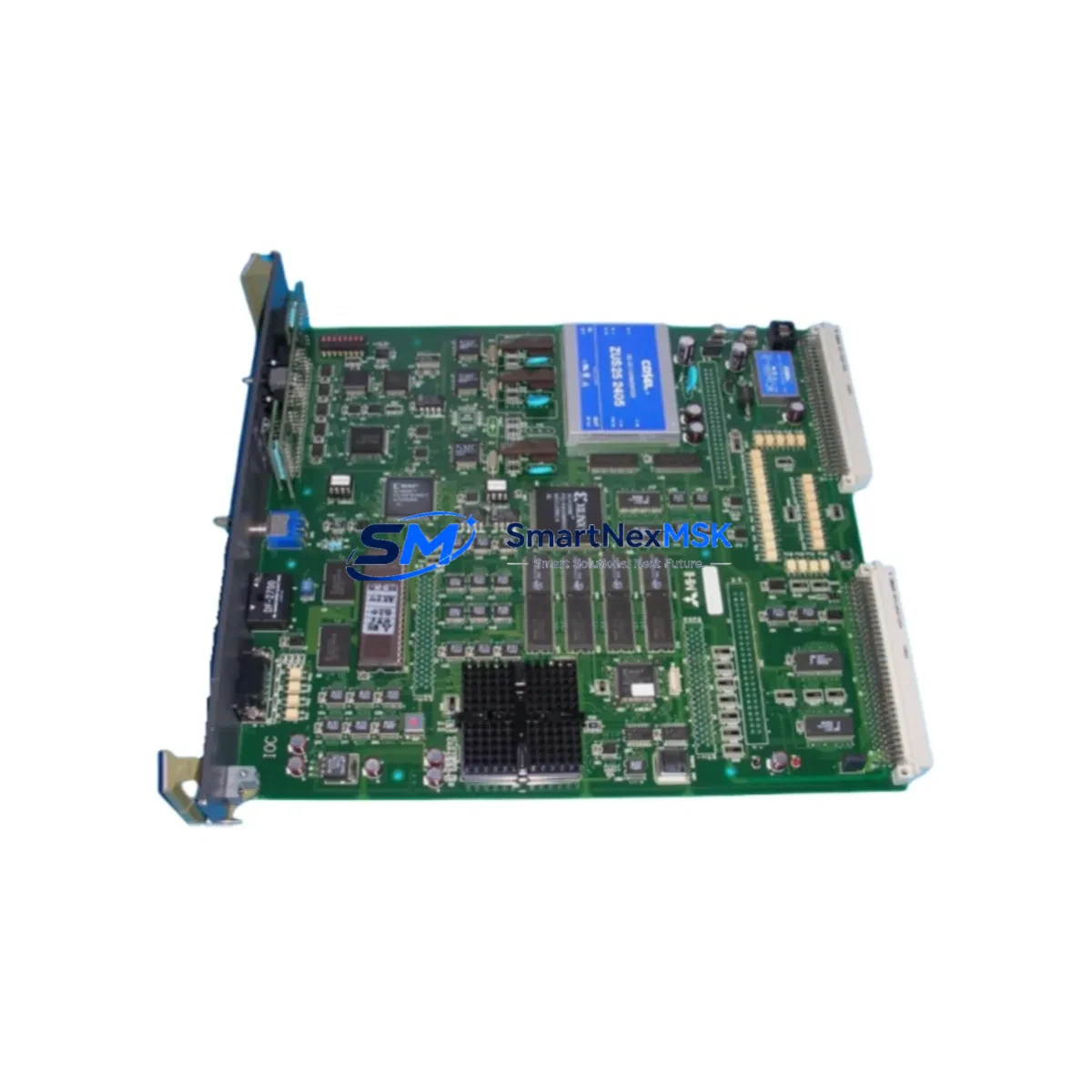
Mitsubishi DOIOC11 Maintenance-Ready Spare for MELSEC-A Automation
The Mitsubishi Electric DOIOC11 is a digital output module designed for the MELSEC-A series programmable controller and DCS control systems. As a maintenance-ready original spare, the DOIOC11 is a critical component for facilities that depend on continuous process control, discrete manufacturing automation, and legacy system longevity. Unplanned downtime caused by a failed digital output module can cascade across an entire production line — having a verified, tested replacement unit on the shelf is the single most effective strategy for rapid fault recovery.
For maintenance engineers managing aging MELSEC-A installations, the DOIOC11 provides a direct, pin-compatible replacement that requires no firmware reconfiguration or base rack modification. The module slots into the existing A-series base unit and restores full I/O functionality within minutes of installation. Procurement engineers sourcing this part should confirm the module revision and output circuit type (transistor sink/source) against the original system documentation before ordering to ensure seamless field substitution.
Our DOIOC11 units are sourced from authorized distribution channels, individually inspected, and shipped with full functional test documentation. Each unit is covered by a 12-month warranty against manufacturing defects, giving your maintenance team confidence in both the part quality and the supply chain behind it.
Spare Maintenance Table
| Parameter | Specification |
|---|---|
| Part Number / SKU | DOIOC11 |
| Brand | Mitsubishi Electric |
| Series | MELSEC-A (A-Series PLC/DCS) |
| Module Type | Digital Output Module |
| Output Points | 16 points (typical A-series DO configuration) |
| Output Type | Transistor (sink/source — confirm with system BOM) |
| Rated Load Voltage | 12–24 VDC |
| Rated Load Current | 0.5 A per point (max) |
| Isolation Method | Photocoupler |
| Base Unit Compatibility | MELSEC-A series base units (A1S, A2S, A3 series racks) |
| Installation | Direct slot insertion — no tools required |
| Operating Temperature | 0 °C to 55 °C |
| Storage Temperature | -20 °C to 75 °C |
| Origin | Japan |
| Condition | Original New / Tested Surplus (specify at order) |
| Warranty | 12 Months |
| Shipping | Worldwide — DHL / FedEx / EMS with tracking |
Maintenance Planning for Continuous Operation
A structured spare parts strategy for any MELSEC-A control cabinet should extend beyond the DOIOC11 itself. When a digital output module fails or shows intermittent behavior, experienced maintenance engineers know that the fault may originate upstream or downstream of the module. Before declaring the DOIOC11 as the root cause, inspect the A1S61PN or A1S62PN power supply module for output voltage stability — an under-voltage condition will cause erratic DO behavior without triggering a module fault LED. Similarly, check the A1SCPU or A2SCPU CPU module for error codes that may indicate a broader I/O bus fault rather than a single module failure.
The field wiring connected to the DOIOC11 output terminals should be inspected for insulation breakdown, loose terminal block connections, and ground faults — particularly in high-vibration or high-humidity environments. Terminal blocks and DIN rail connectors in the same cabinet section are often overlooked during module replacement and can cause repeat failures if not addressed. If the control cabinet includes A1SJ71UC24-R2 or A1SJ71QC24N communication modules, verify that the communication cycle time has not been affected by the I/O fault, as some MELSEC-A configurations will halt communication on a DO error.
For facilities running mixed analog and digital I/O, the A68AD analog input module and A62DA analog output module in the same rack should be checked for cross-interference after a DO module swap. Signal isolators installed between the DOIOC11 outputs and field devices — such as relay output signal conditioners or optocoupler barriers — should also be tested for proper switching response after the replacement module is installed.
Planned maintenance intervals for MELSEC-A systems should include inspection of the A1SX40 or A1SX80 digital input modules in the same rack, as input and output modules share the backplane bus and a degraded backplane connector can affect multiple slots simultaneously. HMI panels connected to the MELSEC-A system — such as Mitsubishi GOT1000 or GOT2000 series terminals — should be used to verify that all output point status indicators match the physical field device states after the DOIOC11 replacement is complete.
For long-term system life extension, consider maintaining a minimum stock of one DOIOC11 per control cabinet, alongside critical companion spares including the CPU module, power supply module, and at least one digital input module of the same series. This approach supports a 48-hour maximum recovery time objective for most industrial maintenance teams.
Site Replacement Workflow
Step 1 — Fault Confirmation: Use the MELSEC-A CPU diagnostic function (GX Developer or GX Works2 legacy mode) to confirm the DOIOC11 slot is reporting an I/O error. Note the slot number and base unit address before powering down.
Step 2 — Safe Isolation: De-energize the control cabinet following your site LOTO procedure. Disconnect field wiring from the DOIOC11 terminal block, labeling each wire by point number. Photograph the wiring layout before removal.
Step 3 — Module Removal: Release the module locking tab and slide the DOIOC11 out of the base unit slot. Inspect the backplane connector pins for corrosion or mechanical damage.
Step 4 — Replacement Installation: Insert the new DOIOC11 into the same slot. Reconnect field wiring in the original point-to-terminal mapping. Verify terminal torque to manufacturer specification (typically 0.5–0.8 N·m for A-series terminal blocks).
Step 5 — Power-Up and Verification: Restore power and observe the module RUN LED. Use the HMI or GX Developer I/O monitor to force-test each output point and confirm field device response. Clear any latched CPU error codes before returning the system to automatic mode.
Step 6 — Documentation: Record the replacement in the equipment maintenance log, including the old module serial number, new module serial number, date, and technician name. Update the spare parts inventory to trigger a reorder for the consumed DOIOC11 unit.
Spare Parts Support FAQ
Q1: Is the DOIOC11 still in production, and how long can I expect supply availability?
The MELSEC-A series has reached end-of-life status with Mitsubishi Electric, but the DOIOC11 remains available through authorized spare parts distributors and certified surplus channels. We maintain ongoing stock and can advise on long-term procurement strategies, including blanket orders and consignment stock arrangements for facilities with multiple MELSEC-A installations.
Q2: How do I verify compatibility before installation?
Confirm the base unit model (e.g., A1S, A2S, A3 series), the slot position, and the output circuit type (sink or source transistor) from your original system BOM or the existing module label. If the original module label is unreadable, the CPU module type and the system wiring diagram will confirm the required output configuration. Contact our technical team with your CPU model and we will confirm compatibility before shipment.
Q3: What pre-shipment testing is performed on each DOIOC11 unit?
Each DOIOC11 is powered up and tested for all output points using a dedicated MELSEC-A test rack. Output switching response, isolation resistance, and LED indicator function are verified. A test report is included with each shipment. Units that do not pass all test criteria are not shipped.
Q4: What does the 12-month warranty cover, and what is the replacement process?
The 12-month warranty covers manufacturing defects and functional failures under normal operating conditions. It does not cover damage caused by incorrect installation, overvoltage, or physical impact. In the event of a warranty claim, contact our support team with the test report and fault description. We will arrange a replacement unit shipment within 3 business days of claim approval, minimizing your system downtime.
© 2026 SMARTNEXMSK. All rights reserved.
Original Source: https://smartnexmsk.com
Contact: [email protected] | +86 18259474341



