
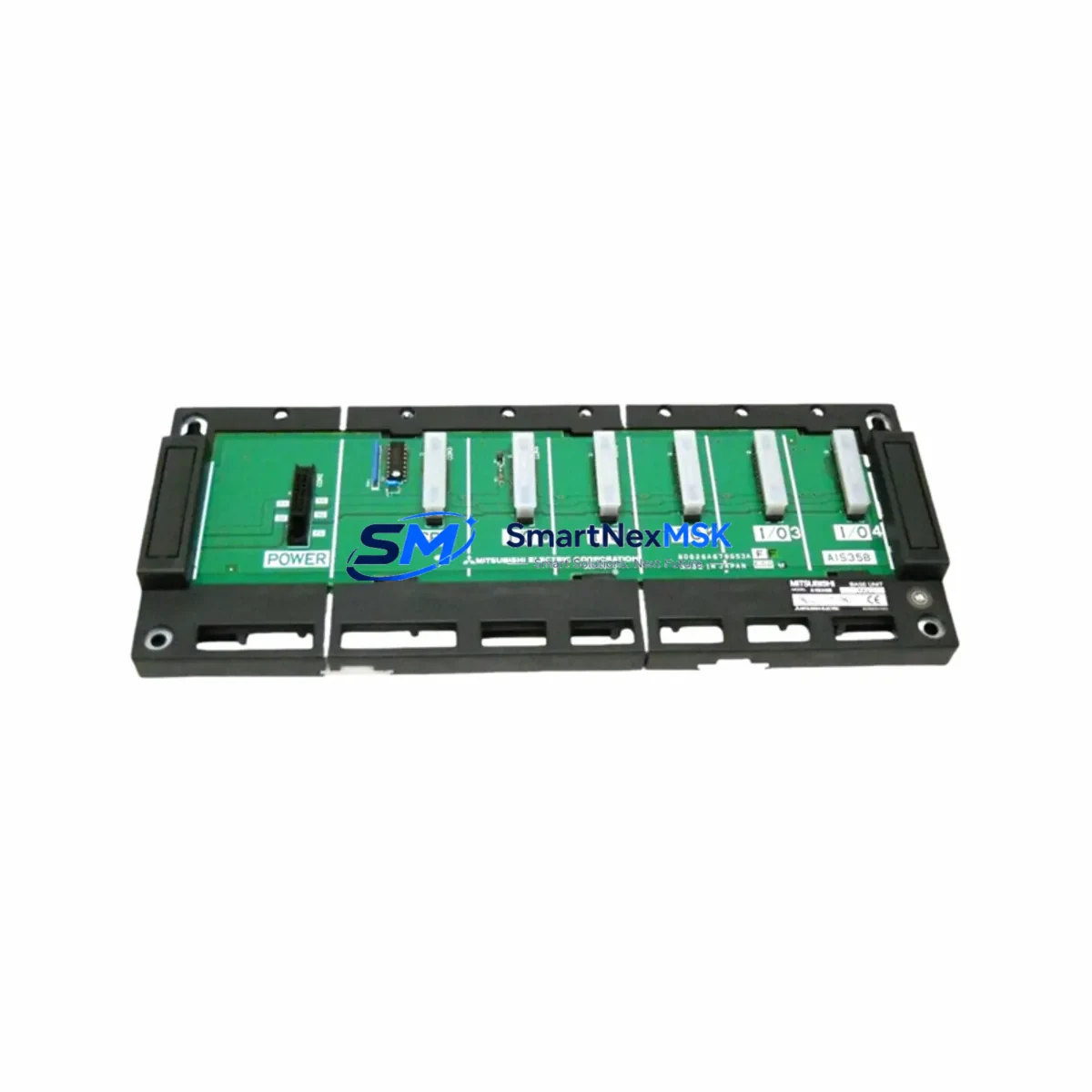
Mitsubishi BD625A989G52-A68B Maintenance-Ready Spare MELSEC-A Automation
The Mitsubishi Electric BD625A989G52-A68B is an original backplane module designed for the MELSEC-A Series programmable logic controller platform — one of Mitsubishi’s most widely deployed legacy automation architectures in manufacturing, process control, and infrastructure facilities worldwide. As production lines age and OEM support windows narrow, maintaining a verified stock of original spare modules like the BD625A989G52-A68B becomes a critical element of any industrial maintenance strategy.
For maintenance engineers managing aging MELSEC-A control cabinets, the backplane is the structural and electrical backbone of the entire PLC rack. A failed or degraded backplane directly threatens system availability: I/O modules lose communication, CPU modules drop scan cycles, and the entire control loop can halt without warning. Sourcing a tested, original-specification BD625A989G52-A68B replacement — rather than an unverified substitute — is the fastest path to restoring full system operation with confidence.
This unit is supplied as an original Mitsubishi Electric component, individually inspected and function-tested prior to dispatch. Each unit ships with a 12-month warranty covering manufacturing defects and operational failure under normal industrial service conditions. Global logistics support ensures rapid delivery to plant sites across Asia, Europe, and the Americas.
Spare Maintenance Table
| Parameter | Specification |
|---|---|
| Part Number | BD625A989G52-A68B |
| Brand | Mitsubishi Electric |
| Series | MELSEC-A |
| Module Type | Backplane Module |
| Slot Configuration | 8-slot (A68B) |
| Compatible CPU Modules | A1CPU, A2CPU, A3CPU, A1SCPU, A2SCPU series |
| Bus Standard | MELSEC-A parallel bus |
| Operating Voltage | 5 VDC (supplied via power module) |
| Operating Temperature | 0°C to 55°C |
| Storage Temperature | -20°C to 75°C |
| Humidity | 10% to 90% RH (non-condensing) |
| Country of Origin | Japan |
| Unit Weight | Approx. 500 g |
| Mounting | DIN rail or panel mount |
| Application Environment | Industrial control panels, process automation, legacy PLC systems |
| Maintenance Recommendation | Inspect bus connectors and slot contacts annually; replace if oxidation or mechanical wear is detected |
| Warranty | 12 Months — covers manufacturing defects and operational failure under normal service conditions |
Maintenance Planning for Continuous Operation
When a BD625A989G52-A68B backplane replacement is scheduled or triggered by a fault condition, experienced maintenance engineers treat the event as an opportunity for a broader cabinet inspection. The MELSEC-A rack architecture means that multiple interdependent components share the same backplane bus — and a degraded backplane often accelerates wear on adjacent modules.
Begin with the power supply module, typically an A1S61PN or A61P, which feeds regulated 5 VDC to the backplane. Measure output voltage under load before and after backplane replacement to confirm the supply is within specification. A marginal power module that was masking symptoms on the old backplane may cause premature failure on the new unit.
Next, inspect all I/O modules seated in the rack — including digital input modules such as the A1SX40 and digital output modules such as the A1SY10 — for signs of connector pin damage, contamination, or thermal stress. Re-seat each module firmly after backplane installation and verify that the CPU recognizes all I/O addresses correctly during the first scan cycle.
Communication modules deserve particular attention during this maintenance window. If the cabinet includes an A1SJ71UC24-R4 RS-232C communication module or an A1SJ71AP23Q MELSECNET/B module, verify that network addresses and baud rate settings are preserved after the backplane swap. Communication parameter loss is a common post-replacement issue that can delay restart.
For cabinets that include relay output modules or intermediate relay banks, inspect coil voltage ratings and contact condition. Relay modules such as the A1SY14EU are often overlooked during backplane maintenance but can exhibit intermittent contact failure that is misdiagnosed as a backplane or CPU fault.
Terminal blocks and wiring harnesses connected to I/O modules should be checked for loose terminations, insulation degradation, and correct labeling. A backplane replacement that disturbs field wiring without a systematic re-torque and continuity check introduces new fault risks. Signal isolators installed between field instruments and PLC inputs — particularly in environments with high electrical noise — should also be verified for correct output range and isolation integrity.
Finally, if the cabinet includes an A985GOT or similar GOT1000-series HMI panel communicating with the MELSEC-A CPU, confirm that the HMI communication cable and port settings are intact after the backplane change. HMI communication loss after a rack service is a frequent cause of unnecessary extended downtime.
Site Replacement Workflow
Step 1 — Pre-Replacement Documentation: Before powering down, photograph the existing rack layout, record all module slot positions, and note any DIP switch or jumper settings on CPU and I/O modules. Download the current PLC program from the A-series CPU to a backup medium using GX Developer or GX Works2 if the CPU supports it.
Step 2 — Safe Isolation: Follow site lockout/tagout (LOTO) procedures. Isolate the control panel from all power sources, including 24 VDC field supply rails. Allow capacitors in the power module to discharge for a minimum of 60 seconds before handling the backplane.
Step 3 — Module Removal: Remove all modules from the existing backplane in sequence, placing each in an anti-static bag labeled with its slot number. Do not stack modules or allow connector pins to contact metal surfaces.
Step 4 — Backplane Swap: Remove the failed BD625A989G52-A68B from the DIN rail or panel mount. Install the replacement unit, ensuring all mounting screws are torqued to the manufacturer’s specification. Inspect the bus connector on the new backplane for any shipping damage before proceeding.
Step 5 — Module Re-installation: Re-install all modules in their original slot positions. Apply firm, even pressure until each module’s locking tab engages. Do not force modules — misalignment can damage bus connector pins on both the module and the new backplane.
Step 6 — Power-Up and Verification: Restore power and observe the CPU’s RUN/ERROR LED indicators. Use GX Developer to perform an online connection test and verify that all I/O modules are recognized. Run a forced output test on critical I/O points before returning the system to automatic operation.
Step 7 — System Handover: Document the replacement in the site maintenance log, including the new backplane serial number, date of installation, and technician name. Update the spare parts inventory to reflect consumption and initiate a reorder for the next BD625A989G52-A68B unit.
Spare Parts Support FAQ
Q1: Is the BD625A989G52-A68B compatible with all MELSEC-A Series CPU modules?
The A68B backplane is compatible with the full range of MELSEC-A CPU modules, including the A1CPU, A2CPU, A3CPU, A1SCPU, and A2SCPU. It provides 8 expansion slots and supports the standard MELSEC-A parallel bus architecture. Always verify slot count requirements against your system configuration before ordering.
Q2: How is each unit tested before shipment?
Every BD625A989G52-A68B unit undergoes visual inspection for mechanical integrity, bus connector condition, and mounting hardware completeness. Functional verification is performed where test equipment is available. Units are packed in anti-static packaging with protective foam inserts to prevent transit damage. A test report is available upon request.
Q3: What is the recommended spare parts stocking strategy for MELSEC-A backplanes?
For facilities operating multiple MELSEC-A racks, a minimum stock of one BD625A989G52-A68B per five installed racks is a commonly adopted benchmark. Given that Mitsubishi Electric has transitioned MELSEC-A to legacy support status, sourcing and holding verified spare units now is strongly recommended to avoid extended lead times during a future emergency. Pair backplane stock with at least one spare A-series power module and one spare CPU module for a complete emergency kit.
Q4: What does the 12-month warranty cover?
The 12-month warranty covers manufacturing defects and operational failure under normal industrial service conditions from the date of shipment. It does not cover damage resulting from incorrect installation, overvoltage events, physical impact, or use outside the specified environmental ratings. Warranty claims are processed with return merchandise authorization (RMA); replacement units are dispatched within 5 business days of fault confirmation.
© 2026 SMARTNEXMSK. All rights reserved.
Original Source: https://smartnexmsk.com
Contact: [email protected] | +86 18259474341



