
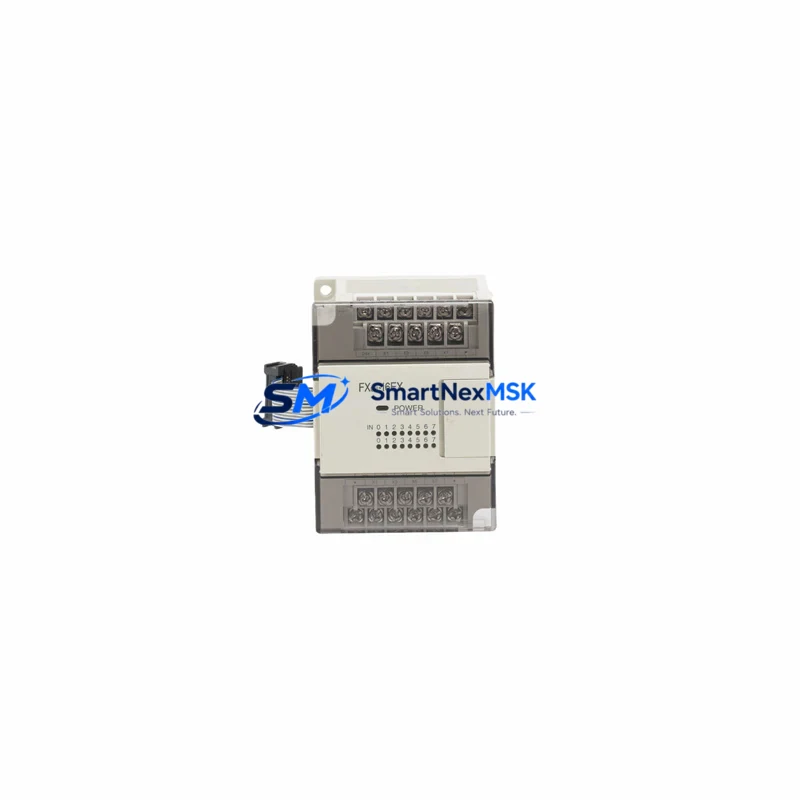
Mitsubishi FX0S-14MR-001 Retrofit-Ready Relay PLC Module: Compatible Upgrade for FX0S Series Control Systems
The Mitsubishi FX0S-14MR-001 is a compact, relay-output programmable logic controller from Mitsubishi Electric’s FX0S Series — a platform widely deployed across light manufacturing, packaging lines, conveyor systems, and small-scale process automation throughout the 1990s and early 2000s. As the FX0S Series has reached end-of-life status, sourcing verified replacement units has become a critical challenge for maintenance engineers and system integrators managing aging control infrastructure. This listing provides a retrofit-ready FX0S-14MR-001 module, fully tested and backed by a 12-month warranty, designed to support smooth, low-downtime transitions for facilities that depend on continued FX0S platform operation.
Upgrade Compatibility Table
| Parameter | FX0S-14MR-001 (This Unit) | Retrofit Notes |
|---|---|---|
| I/O Points | 14 points (8 DI / 6 DO) | Direct drop-in for existing FX0S-14MR-001 installations |
| Output Type | Relay (MR) | Compatible with AC/DC load circuits; verify load current ratings |
| Power Supply | 100–240V AC | Confirm panel supply voltage before installation |
| Programming Port | RS-422 (SC-09 cable compatible) | Use FX-232AWC or SC-09 programming cable; verify COM port settings |
| Communication | RS-422 / no built-in Ethernet | For Modbus or PROFIBUS migration, add FX0N-485ADP or equivalent adapter |
| Backplane / Rack | Standalone (no expansion rack required) | FX0S expansion units (FX0S-8EX, FX0S-8EYR) remain compatible |
| Program Memory | 2,000 steps | Backup original program via GX Developer or GX Works2 before swap |
| Replacement Compatibility | FX0S-14MR-001, FX0S-14MR-ES/UL | Functionally equivalent; confirm terminal layout before wiring |
| Installation | DIN rail or panel mount | Same footprint as original; no panel modification required |
| Warranty | 12 Months | Covers manufacturing defects; includes pre-shipment functional test |
Retrofit Planning for Existing Automation Systems
Replacing an FX0S-14MR-001 in a live production environment requires careful pre-work to avoid extended downtime and configuration errors. Before removing the existing unit, engineers should document all terminal wiring using the original panel drawings or a field-verified wiring diagram. The FX0S-14MR-001 uses a fixed terminal block layout — input terminals X0–X7 and output terminals Y0–Y5 — which must be matched exactly during reinstallation.
Power supply verification is the first critical checkpoint. The FX0S-14MR-001 operates on 100–240V AC; confirm that the control cabinet’s power supply module — often a Mitsubishi PS-5V or equivalent DIN-rail PSU — is delivering stable voltage within tolerance before powering the new unit. Voltage fluctuations during startup can corrupt internal memory or trigger false I/O states.
Program backup is non-negotiable. Use GX Developer or GX Works2 with an SC-09 RS-422 programming cable to upload the existing ladder logic from the old FX0S-14MR-001 before removal. Store the program file with version control notation. If the original unit is already non-functional, check whether a backup exists on a connected HMI panel — many installations using GOT1000 Series or GOT2000 Series HMI terminals retain a copy of the PLC program in the HMI’s internal storage or on a CF card.
For systems using FX0S expansion I/O — such as the FX0S-8EX input expansion or FX0S-8EYR relay output expansion — these units connect directly to the FX0S-14MR-001 via the right-side expansion connector. Confirm that the expansion cable and connector are undamaged before reconnecting. If the expansion unit itself is also aging, this retrofit is an appropriate time to evaluate whether FX0N-8EX or FX0N-8EYR units can serve as functional replacements, as the FX0N Series shares significant architectural compatibility with FX0S.
Communication link integrity must be verified if the FX0S-14MR-001 is connected to an upstream SCADA system or data logger via RS-422. After program download to the new unit, confirm that the communication parameters — baud rate, station number, data bits, stop bits, and parity — match the original configuration. If the facility is planning a protocol migration from RS-422 to Modbus RTU or Modbus TCP, the FX0N-485ADP communication adapter can be added to the FX0S-14MR-001 to enable RS-485 connectivity without replacing the base controller.
For facilities considering a longer-term platform upgrade, the FX0S-14MR-001 retrofit is often a bridge step before migrating to the Mitsubishi FX3S Series or FX5U Series. The FX3S-14MR/ES offers a direct I/O point match with enhanced instruction sets and built-in RS-485, while the FX5U-32MR/ES provides Ethernet connectivity and compatibility with GX Works3 programming software. Planning the FX0S replacement with this migration path in mind allows engineering teams to reuse existing ladder logic with minimal modification.
Downtime Control During System Migration
Minimizing production downtime during an FX0S-14MR-001 swap requires a structured changeover plan. The recommended approach is a scheduled maintenance window — ideally during a planned shutdown or shift change — with all replacement materials staged and verified in advance. The new FX0S-14MR-001 unit should be pre-loaded with the backed-up program before it is brought to the panel, so that the physical swap and program verification can be completed within a single maintenance window.
Terminal wiring should be photographed or mapped before disconnection. Label each wire with its terminal designation using adhesive markers. The FX0S-14MR-001’s terminal block is removable on some panel configurations — if so, the entire terminal block can be transferred to the new unit, eliminating individual wire reconnection and significantly reducing the risk of miswiring.
After installation, perform a controlled power-up sequence: energize the power supply first, confirm the RUN/STOP indicator on the FX0S-14MR-001, then verify I/O states against the original HMI display. If a GOT1000 or GOT2000 HMI is present, the HMI screen should reflect correct I/O status immediately upon PLC startup without requiring HMI reprogramming, provided the PLC station address and communication settings are unchanged.
All units supplied through this listing undergo pre-shipment functional testing, including power-on verification, I/O point actuation, and program write/read cycle confirmation. This reduces on-site commissioning time and provides confidence that the replacement unit is operationally sound before it reaches the panel.
Retrofit Support FAQ
Q: Is this FX0S-14MR-001 a direct drop-in replacement for my existing unit?
A: Yes. This unit is functionally equivalent to the original Mitsubishi FX0S-14MR-001 and FX0S-14MR-ES/UL. The terminal layout, I/O point count, relay output configuration, and DIN rail mounting dimensions are identical. No panel modification is required for a like-for-like swap.
Q: Can I use my existing SC-09 cable and GX Developer software to download my program?
A: Yes. The FX0S-14MR-001 uses an RS-422 programming port fully compatible with the SC-09 cable and GX Developer software. GX Works2 is also supported. Ensure your COM port driver is correctly installed and the baud rate matches your existing project settings (typically 9600 bps for FX0S).
Q: What is covered under the 12-month warranty?
A: The 12-month warranty covers manufacturing defects and functional failures under normal operating conditions. Each unit is tested prior to shipment for power-on operation, I/O functionality, and program read/write capability. Warranty claims are supported via email with return authorization; replacement or repair is provided at no additional cost within the warranty period.
Q: My FX0S-14MR-001 is connected to an FX0S-8EX expansion unit. Will the expansion still work after replacement?
A: Yes. The FX0S-8EX input expansion and FX0S-8EYR relay output expansion connect via the right-side expansion port of the FX0S-14MR-001 and are fully compatible with this replacement unit. Verify that the expansion connector and ribbon cable are in good condition before reconnecting. No changes to the PLC program’s I/O addressing are required if the expansion units remain in the same physical position.
© 2026 SMARTNEXMSK. All rights reserved.
Original Source: https://smartnexmsk.com
Contact: [email protected] | +86 18259474341



