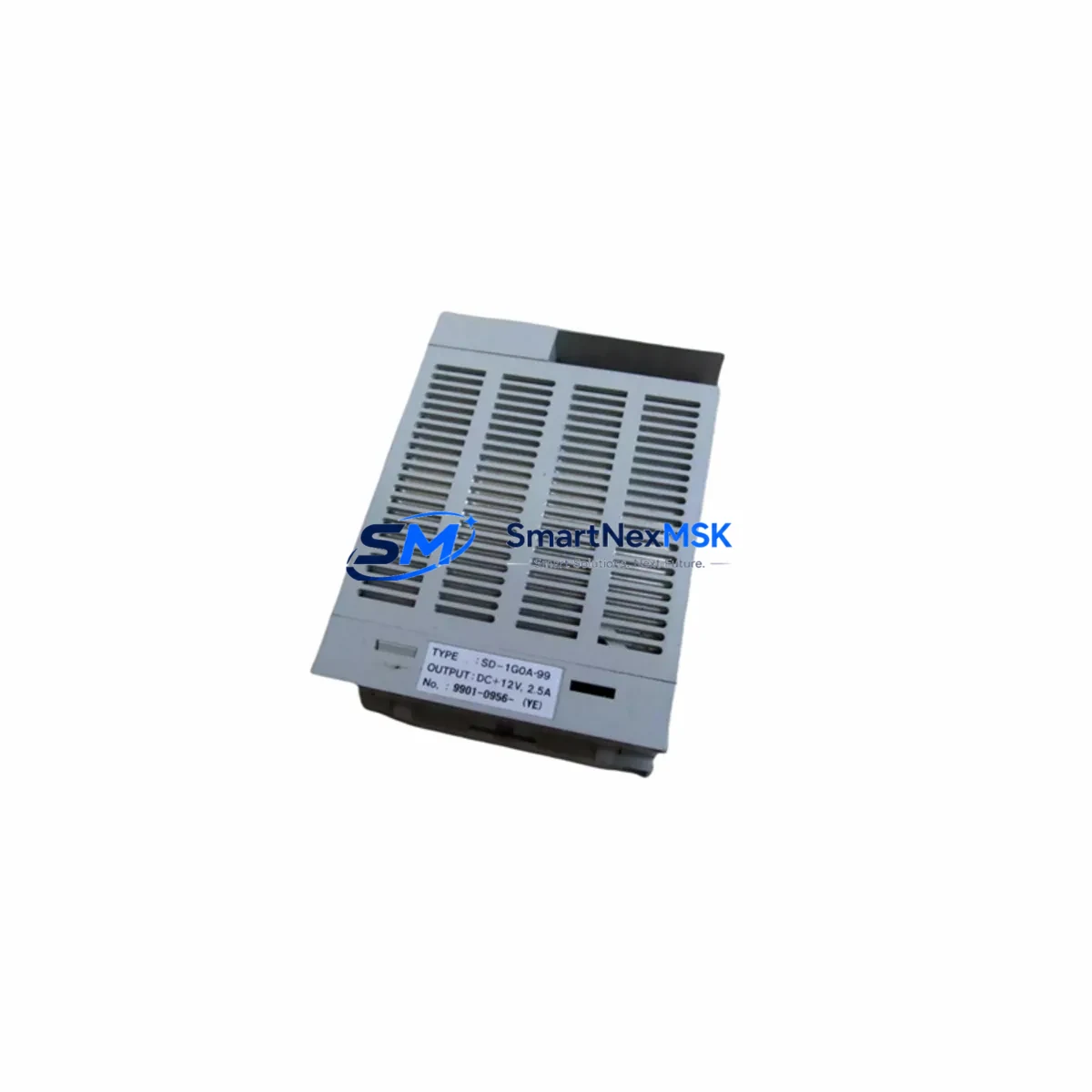
Mitsubishi SD-1G0A-99 Spare for MELSEC-Q Automation: Spare Parts Replacement & Industrial Downtime Risk Control
The Mitsubishi Electric SD-1G0A-99 is an original MELSEC-Q Series PLC CPU module engineered for high-reliability industrial automation environments. When a CPU module fails or reaches end-of-service life, every minute of unplanned downtime translates directly into production loss, safety risk, and escalating maintenance costs. Stocking a verified, tested SD-1G0A-99 spare ensures your maintenance team can execute a rapid swap, restore system operation, and return the line to full productivity — without waiting on extended lead times or uncertain sourcing.
This unit is supplied as an original Mitsubishi Electric component, inspected and function-tested prior to shipment. It is fully compatible with the MELSEC-Q Series backplane and base units, and integrates seamlessly with GX Works2 and GX Works3 programming environments. Whether you are managing a planned overhaul, responding to an emergency fault, or building a strategic spare parts inventory for aging MELSEC-Q control systems, the SD-1G0A-99 delivers the compatibility and reliability your operation demands.
Spare Maintenance Table
| Parameter | Specification / Detail |
|---|---|
| SKU / Part Number | SD-1G0A-99 |
| Brand | Mitsubishi Electric |
| Series | MELSEC-Q |
| Module Type | PLC CPU Module |
| Program Memory | 1 GB (SD Memory Card based) |
| Compatible Base Units | MELSEC-Q Series main base units (Q3□B, Q5□B, Q6□B, Q6□RB) |
| Compatible Power Supply | Q61P, Q62P, Q63P, Q64P Series power supply modules |
| Programming Software | GX Works2, GX Works3 |
| Operating Temperature | 0°C to 55°C |
| Installation | DIN rail / base unit slot mount |
| Origin | Japan |
| Condition | Original, New / Tested Surplus |
| Pre-Shipment Test | Function-tested before dispatch |
| Warranty | 12 Months |
| Application Environment | Industrial automation, process control, discrete manufacturing |
| Maintenance Recommendation | Replace at first sign of CPU fault codes, memory errors, or RUN/STOP instability |
Maintenance Planning for Continuous Operation
A CPU module replacement is rarely an isolated event. When the SD-1G0A-99 is removed from service — whether due to a fault, scheduled overhaul, or system upgrade — a disciplined maintenance engineer will use the opportunity to inspect and verify the condition of all adjacent components in the same control cabinet.
Begin with the Q Series power supply module (such as the Q61P or Q63P): verify output voltage stability and check for capacitor aging, as a degraded power supply is a leading cause of CPU instability and memory corruption. Next, inspect the MELSEC-Q main base unit (Q38B, Q512B, or equivalent) for slot connector wear, backplane trace integrity, and secure module seating. A damaged backplane can cause intermittent CPU communication faults that are difficult to diagnose without physical inspection.
Review all I/O modules installed in the same rack — digital input modules (QX40, QX41 series) and digital output modules (QY40P, QY41P series) should be checked for blown fuses, relay contact wear, and terminal block tightness. Loose I/O wiring is a common source of spurious fault signals that can trigger CPU error states. If the system includes analog I/O modules (Q64AD, Q62DA series), verify signal calibration and check for drift caused by temperature cycling.
For systems with communication modules — such as the QJ71E71 Ethernet module, QJ71C24 serial communication module, or CC-Link master/local modules — confirm firmware versions and network parameter settings are backed up before the CPU swap. After installing the SD-1G0A-99, re-verify all network connections and confirm that remote I/O stations and field devices re-establish communication correctly.
If the cabinet includes signal isolators or relay output modules, inspect isolation resistance and contact condition. Aging relay modules (such as the QY10 relay output module) may exhibit contact bounce or increased contact resistance that degrades output reliability. Terminal blocks and wiring ferrules throughout the cabinet should be torque-checked, as vibration over time loosens connections and increases resistance at critical signal paths.
Finally, if the system uses a GOT Series HMI (GT2710, GT2715, or similar) connected to the MELSEC-Q CPU via RS-232 or Ethernet, confirm that the HMI communication parameters match the new CPU configuration and that screen data and recipe files are intact. A complete cabinet inspection during a planned CPU replacement is the most cost-effective way to prevent secondary failures and extend the operational life of legacy MELSEC-Q systems.
Site Replacement Workflow
Step 1 — Backup: Before removing the existing CPU, use GX Works2 or GX Works3 to perform a full program backup to the SD memory card and to an engineering workstation. Confirm that all parameter files, network settings, and device comments are saved.
Step 2 — Power Down: Follow your site LOTO (Lockout/Tagout) procedure. Switch off the Q Series power supply module and verify zero voltage at the backplane using a calibrated multimeter.
Step 3 — Module Removal: Release the CPU module latch and slide the SD-1G0A-99 (old unit) out of Slot 0. Note the SD memory card position and remove it carefully for transfer to the replacement unit.
Step 4 — Inspection: Inspect the base unit slot connector for bent pins or debris. Clean with dry compressed air if necessary. Check the power supply output terminals and I/O module connectors as described in the maintenance planning section above.
Step 5 — Install Replacement: Insert the replacement SD-1G0A-99 into Slot 0, ensuring the module seats fully and the latch engages. Install the SD memory card containing the backed-up program.
Step 6 — Power On & Verify: Restore power and observe the CPU RUN/ERR LEDs. Use GX Works2/3 to confirm program execution, verify I/O status, and check all communication module connections. Confirm HMI connectivity and remote station status before returning the system to production.
This workflow minimizes downtime, preserves system configuration integrity, and ensures the replacement SD-1G0A-99 is operating correctly before the line resumes. Compared to sourcing from spot markets with unknown provenance, a pre-tested original spare from a verified supplier reduces re-work risk and supports your 12-month warranty claim if any issue arises post-installation.
Spare Parts Support FAQ
Q1: Is the SD-1G0A-99 compatible with all MELSEC-Q Series base units?
The SD-1G0A-99 is designed for use with MELSEC-Q Series main base units. Compatibility depends on the specific base unit model and system configuration. We recommend confirming your base unit model number (e.g., Q38B, Q312B) and CPU slot assignment before ordering. Our technical team can assist with compatibility verification prior to shipment.
Q2: What pre-shipment testing is performed on this unit?
Each SD-1G0A-99 unit undergoes functional testing before dispatch, including power-on verification, CPU RUN state confirmation, and memory card interface check. Units that do not pass testing are not shipped. A test report is available upon request for critical applications.
Q3: What does the 12-month warranty cover?
The 12-month warranty covers manufacturing defects and functional failures under normal operating conditions. It does not cover damage caused by incorrect installation, overvoltage, physical impact, or use outside the specified environmental parameters. Warranty claims are supported with replacement or repair at no additional cost within the warranty period.
Q4: Can you support long-term or repeat supply for legacy MELSEC-Q systems?
Yes. We maintain stock of MELSEC-Q Series spare parts including CPU modules, power supply modules, I/O modules, and communication modules to support long-term maintenance programs. For facilities managing multiple MELSEC-Q systems or planning multi-year spare parts contracts, contact our sales team to discuss inventory reservation, lead time commitments, and volume pricing.
© 2026 SMARTNEXMSK. All rights reserved.
Original Source: https://smartnexmsk.com
Contact: [email protected] | +86 18259474341