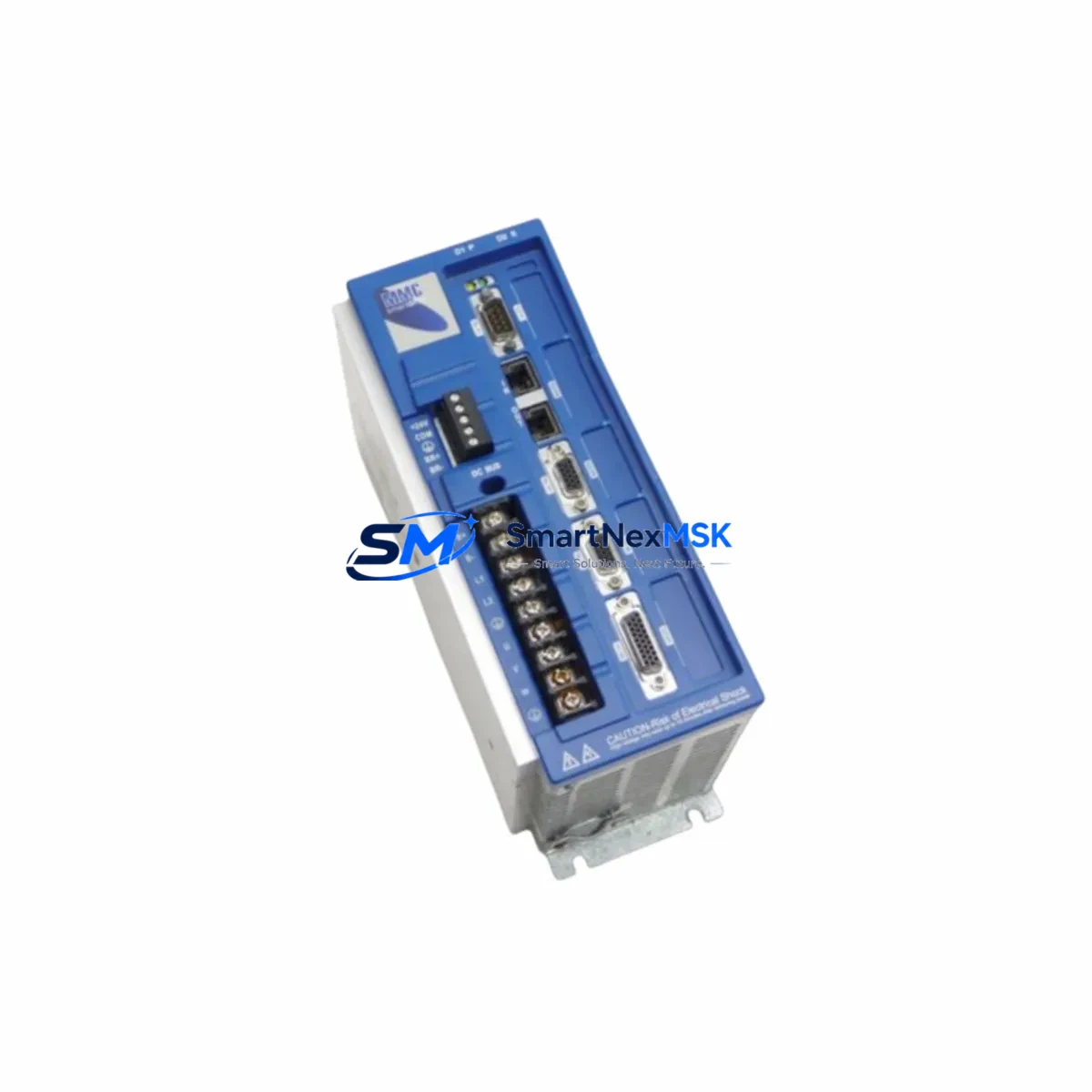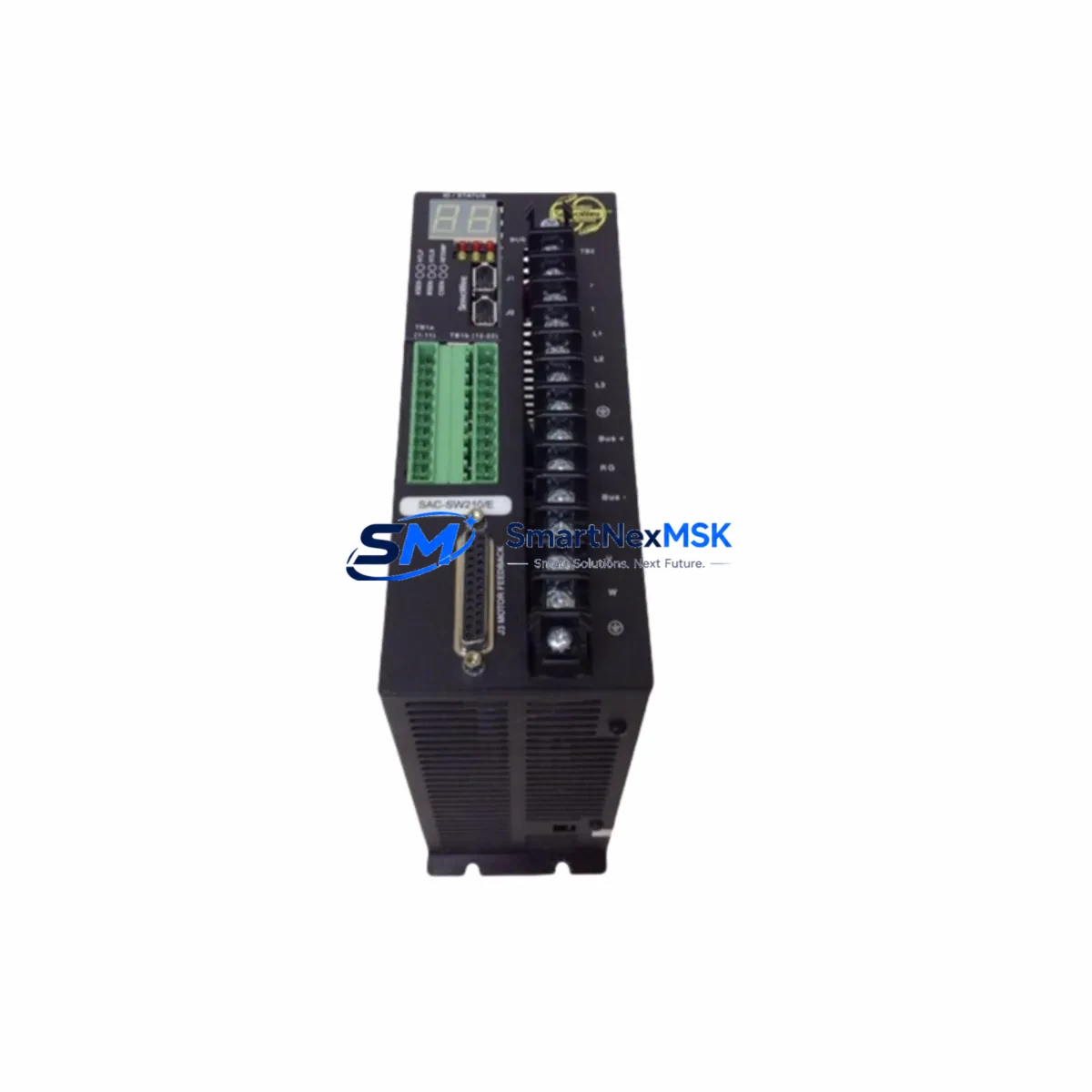
ORMEC SAC-SW210/E Retrofit-Ready AC Servo Drive for ServoWire Control Systems
The ORMEC SAC-SW210/E is a high-performance AC servo drive engineered for seamless integration into legacy ServoWire motion control architectures. As original ORMEC ServoWire components approach end-of-life and spare parts become increasingly scarce, the SAC-SW210/E provides a verified, drop-in retrofit solution that preserves existing program logic, wiring infrastructure, and HMI screen configurations — minimizing engineering rework and unplanned downtime during system modernization.
Designed for industrial environments where control continuity is non-negotiable, the SAC-SW210/E supports the ServoWire communication protocol natively, enabling direct substitution without gateway devices or protocol converters. Whether you are replacing a failed unit on an active production line, upgrading aging servo axes in a multi-axis gantry system, or consolidating spare parts inventory for a legacy ORMEC installation, the SAC-SW210/E delivers the electrical and functional compatibility required for a controlled, low-risk migration.
Each unit is pre-tested against ORMEC factory specifications and ships with a 12-month warranty covering both parts and labor. In-stock availability ensures rapid dispatch to minimize production interruption.
Upgrade Compatibility Table
| Parameter | Details |
|---|---|
| Compatible Series | ORMEC ServoWire (SAC-SW Series) |
| Replaces | SAC-SW210/E and equivalent legacy ORMEC servo amplifiers |
| Communication Protocol | ServoWire (proprietary ORMEC serial bus) |
| Backplane / Rack Interface | Compatible with ORMEC ServoWire rack and standalone mounting |
| Power Supply Requirement | Verify existing DC bus voltage and AC input capacity before swap |
| Terminal Wiring | Matches original SAC-SW210/E terminal layout; verify feedback connector pinout |
| Module Address | Configurable via ServoWire node address switches; match original axis address |
| Program Compatibility | Fully compatible with existing ORMEC motion programs; no re-commissioning required under standard conditions |
| HMI Screen Compatibility | Existing HMI screens remain valid; verify axis tag mapping post-installation |
| Installation Type | Direct replacement; no mechanical modification required |
| Warranty | 12 Months — Parts & Labor |
| Pre-shipment Testing | Full functional test against ORMEC factory parameters |
Retrofit Planning for Existing Automation Systems
Successful integration of the SAC-SW210/E into an existing ServoWire installation requires a structured pre-replacement audit. Begin by documenting the current axis configuration using the ORMEC programming software connected via the system’s RS-232 or RS-485 programming cable. Capture all axis parameters, motion profiles, and fault history before powering down the control cabinet.
Inspect the control cabinet for the ORMEC ServoWire controller — typically an SAC-C or SAC-M series master controller — which manages all servo axes over the ServoWire bus. Confirm the bus termination resistor is correctly positioned at the last node in the chain, as improper termination is a common source of communication faults after module replacement. If the installation includes an ORMEC I/O expansion module for digital inputs and outputs, verify that the I/O address map remains consistent with the replacement drive’s node assignment.
For multi-axis systems, identify all servo motors connected to the ServoWire network. Common motor pairings include ORMEC brushless servo motors in the SM or EM series, which are directly compatible with the SAC-SW210/E’s feedback interface. Confirm encoder cable integrity and connector pinout before reconnection, as damaged feedback cables are a frequent cause of post-replacement faults.
If the system includes an ORMEC operator interface panel or a third-party HMI communicating via Modbus RTU or a serial gateway, verify that the communication link to the ServoWire master remains unaffected by the drive replacement. In installations where a PLC — such as an Allen-Bradley SLC 500 or a Siemens S7-300 — interfaces with the ORMEC controller via a discrete I/O handshake or serial link, confirm that the interlock logic and ready/fault signals are correctly mapped after the swap.
Power supply capacity is a critical checkpoint. Measure the existing DC bus voltage under load and confirm that the replacement SAC-SW210/E operates within the specified input voltage range. If the control cabinet houses a shared DC bus with regenerative braking resistors, inspect the braking resistor connections and thermal protection circuits before energizing the new drive. For installations with an ORMEC power supply module or a third-party regulated DC supply, verify output current capacity against the SAC-SW210/E’s rated input current.
Finally, confirm that the replacement unit’s firmware revision is compatible with the ServoWire master controller version in use. In some legacy installations, firmware mismatches between the servo drive and the ServoWire master can cause initialization errors. Contact your supplier for firmware verification prior to installation if the system master controller is running an early firmware revision.
Downtime Control During System Migration
Minimizing production downtime during an SAC-SW210/E replacement requires advance preparation and a disciplined swap procedure. Before scheduling the maintenance window, complete a full backup of the ORMEC motion program using the system’s programming software. Store the backup on a dedicated engineering laptop and verify the backup file integrity by performing a test restore in simulation mode where possible.
Prepare a pre-labeled wiring diagram that maps every terminal connection on the existing drive, including power terminals, feedback connectors, I/O wiring, and the ServoWire bus cable. Photograph the existing wiring before disconnection. This documentation eliminates reconnection errors and reduces the risk of extended troubleshooting after the swap.
During the physical replacement, maintain control power to the ServoWire master controller and any connected PLCs where safe to do so, preserving the program state in volatile memory and keeping the HMI active. This approach allows the operator to monitor system status throughout the replacement and reduces the risk of program loss in controllers without battery-backed memory.
After reconnection, perform a controlled power-up sequence: energize the control circuit first, verify ServoWire bus communication and node recognition, then apply motor power. Execute a low-speed jog test on the replaced axis before returning the machine to automatic mode. Confirm that all fault codes are clear, that the axis home position is correctly established, and that the motion profile executes within specification before resuming production.
With a pre-tested, in-stock SAC-SW210/E unit and a structured swap procedure, most single-axis replacements can be completed within a planned maintenance window of two to four hours, preserving production continuity and protecting the integrity of the existing control system.
Retrofit Support FAQ
Q: Is the SAC-SW210/E a direct drop-in replacement for the original ORMEC SAC-SW210/E?
A: Yes. The replacement unit matches the original SAC-SW210/E in electrical interface, terminal layout, ServoWire communication protocol, and mechanical mounting dimensions. No wiring modifications or software changes are required under standard replacement conditions. Verify the axis node address switch setting matches the original configuration before powering up.
Q: What commissioning steps are required after installation?
A: After physical installation and wiring reconnection, power up the control circuit and verify ServoWire bus node recognition via the ORMEC programming software or the master controller’s diagnostic display. Perform a low-speed jog test to confirm motor direction and encoder feedback. Check all fault registers and confirm the axis home position before returning to automatic operation. No motor tuning is required if the replacement unit is the same model as the original.
Q: How do I verify wiring compatibility before installation?
A: Compare the terminal layout of the replacement SAC-SW210/E against the existing wiring diagram. Pay particular attention to the feedback connector pinout, the ServoWire bus cable polarity, and the enable/fault interlock wiring. If the original wiring diagram is unavailable, photograph all existing connections before disconnection and use the ORMEC SAC-SW210/E technical manual for reference.
Q: What does the 12-month warranty cover?
A: The 12-month warranty covers manufacturing defects and functional failures under normal operating conditions. Each unit undergoes full functional testing against ORMEC factory parameters prior to shipment. Warranty claims are supported by our technical team with direct replacement or repair service. Contact [email protected] for warranty registration and support.
© 2026 SMARTNEXMSK. All rights reserved.
Original Source: https://smartnexmsk.com
Contact: [email protected] | +86 18259474341