
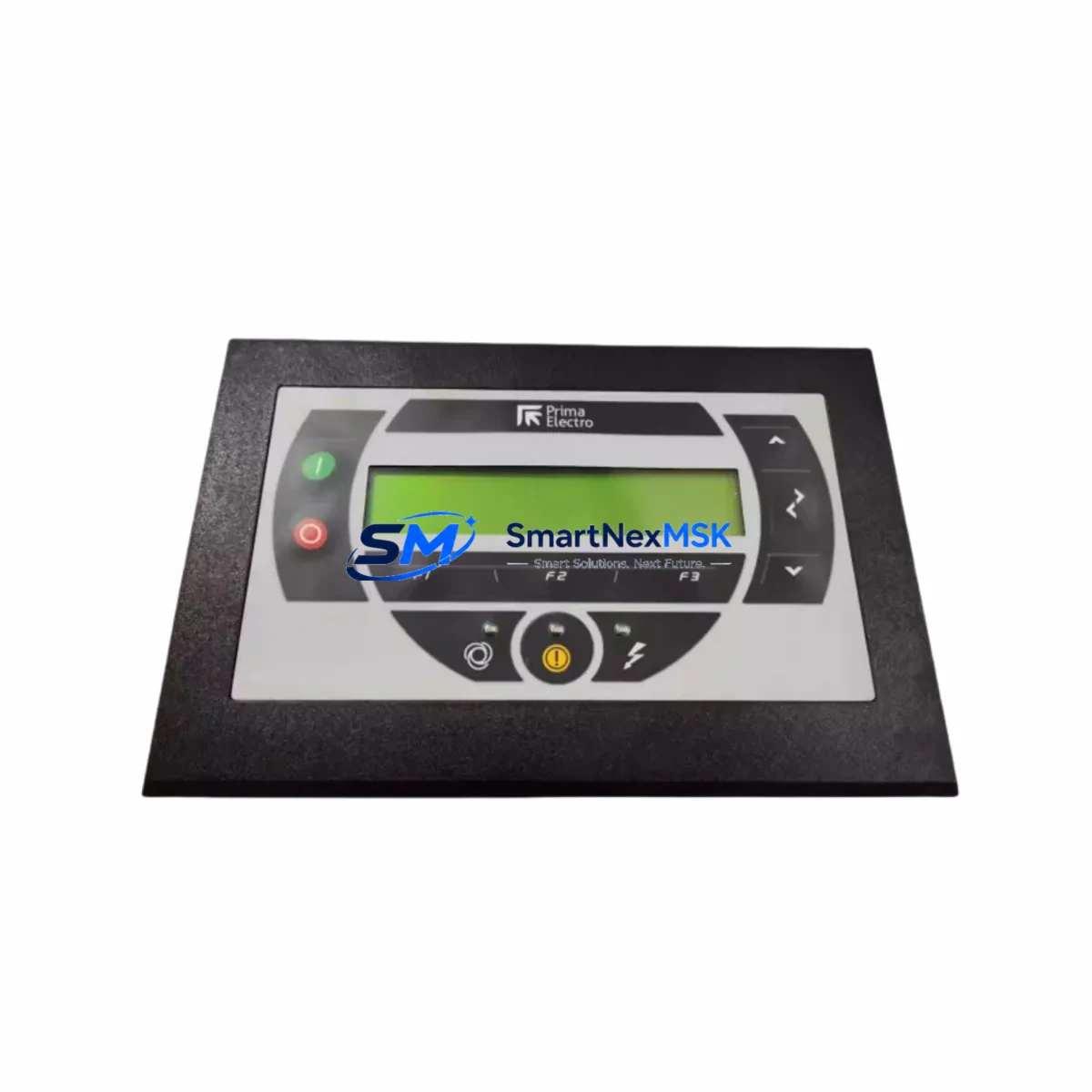
PRIMA LOGIC 9SSIS1623/0C Maintenance-Ready Spare for Automation
Unplanned downtime in industrial automation environments is costly — every hour an operator interface panel is offline can halt production lines, delay batch cycles, and trigger cascading failures across connected PLC and DCS systems. The PRIMA LOGIC 9SSIS1623/0C (P/N: 0549-050-50) is a maintenance-ready original spare operator interface module designed to support rapid field replacement, minimize system downtime, and restore control panel functionality with full compatibility across PRIMA LOGIC automation architectures.
Whether you are executing a planned shutdown inspection, responding to an unscheduled fault, or building out a strategic spare parts inventory for a legacy control system, the 9SSIS1623/0C delivers the reliability and specification accuracy that maintenance engineers and procurement teams require. Each unit is sourced from verified supply channels, electrically tested prior to shipment, and backed by a 12-month warranty — giving your team confidence from the moment it arrives on site.
For maintenance engineers managing aging automation infrastructure, having a pre-qualified replacement for the 9SSIS1623/0C on the shelf is not optional — it is a core element of any credible preventive maintenance programme. This module integrates directly into existing PRIMA LOGIC panel configurations without requiring firmware re-flashing or hardware modification, reducing mean time to repair (MTTR) and keeping your operators in control.
Spare Maintenance Table
| Parameter | Specification |
|---|---|
| Part Number | 9SSIS1623/0C |
| Reference P/N | 0549-050-50 |
| Brand | PRIMA LOGIC |
| Product Type | Operator Interface Module / HMI Panel |
| Series | PRIMA LOGIC Industrial Automation Series |
| Origin | China (CN) |
| Weight | 4,200 g |
| Compatibility | PRIMA LOGIC PLC/DCS control panel systems; direct drop-in replacement for legacy 9SSIS1623/0C installations |
| Installation | Panel-mount; standard DIN rail or enclosure bracket compatible |
| Application Environment | Industrial automation, process control, manufacturing, utilities |
| Condition | Original spare — new or refurbished to OEM specification |
| Pre-shipment Testing | Electrically tested and function-verified before dispatch |
| Warranty | 12 months from date of delivery |
| Maintenance Recommendation | Inspect interface connections, power supply rails, and I/O wiring harness at each planned shutdown; replace if display degradation, communication faults, or input response errors are detected |
Maintenance Planning for Continuous Operation
When a maintenance or procurement engineer identifies the 9SSIS1623/0C as a replacement candidate, the replacement scope should never be limited to the interface module alone. A thorough control cabinet inspection during the same maintenance window significantly reduces the risk of repeat failures and secondary faults.
Begin by verifying the 24 VDC power supply module feeding the operator interface — voltage sag or ripple is a leading cause of premature HMI failure and display corruption. Inspect the terminal blocks and wiring harness connected to the panel for signs of thermal stress, loose crimps, or insulation breakdown. If the 9SSIS1623/0C communicates with a PRIMA LOGIC PLC CPU module via RS-232, RS-485, or Ethernet, confirm that the communication cable assemblies and network switch or serial converter are within specification — a degraded cable can cause intermittent faults that mimic HMI hardware failure.
Check the I/O expansion modules connected to the same backplane or rack. Faulty digital input or output cards can generate spurious signals that overload the operator interface’s display logic. Inspect any signal isolators or signal conditioners in the analogue input loops — these components protect the HMI from field-side voltage transients and are often overlooked during routine maintenance. Review the fuse holders and circuit protection devices in the control cabinet; a marginal fuse that has not yet blown can cause intermittent power interruptions to the interface module.
If the system includes a PRIMA LOGIC relay output module or solid-state relay (SSR) bank controlled via the operator interface, verify their switching performance and thermal condition. For systems with remote I/O racks or PROFIBUS/PROFINET communication modules, confirm bus termination resistors are correctly installed and that the communication module firmware is current. Finally, inspect the UPS or battery backup unit supplying the control panel — an ageing battery that cannot sustain voltage during a power dip is a common root cause of HMI reboot loops and data loss events.
Stocking the 9SSIS1623/0C alongside these associated components as a coordinated spare parts kit is the most effective strategy for reducing unplanned downtime in facilities operating legacy PRIMA LOGIC automation systems.
Site Replacement Workflow
Replacing the PRIMA LOGIC 9SSIS1623/0C in the field follows a structured sequence that minimises system disruption and ensures compatibility is maintained throughout the process.
Step 1 — Isolation and documentation: Before removing the existing module, photograph the wiring layout, record all active parameter settings displayed on the interface, and note any custom screen configurations or alarm setpoints. Power down the control cabinet following your site’s lockout/tagout (LOTO) procedure.
Step 2 — Physical removal: Disconnect all communication cables, power connectors, and I/O wiring harnesses from the existing 9SSIS1623/0C. Label each connector before removal to prevent mis-wiring during reinstallation. Remove the module from its panel cutout or mounting bracket.
Step 3 — Inspection of mounting interface: Inspect the panel cutout, gasket seal, and mounting hardware for wear or corrosion. Clean the mounting surface and replace the gasket if the enclosure IP rating must be maintained.
Step 4 — Installation of replacement unit: Mount the new 9SSIS1623/0C, reconnect all cables in the documented sequence, and verify that all connectors are fully seated. Restore power and confirm that the module initialises correctly and establishes communication with the PLC or DCS host.
Step 5 — Functional verification: Navigate through all operator screens, verify alarm functions, confirm I/O status displays, and test any control outputs accessible via the interface. Document the replacement in your maintenance management system (CMMS) and update the spare parts inventory record.
This workflow is applicable whether you are replacing a failed unit on an emergency basis or executing a proactive swap during a planned shutdown. The 9SSIS1623/0C’s direct compatibility with existing PRIMA LOGIC panel configurations means no additional configuration tools or software licences are required for standard replacement scenarios.
Spare Parts Support FAQ
Q1: What is the expected service life of the 9SSIS1623/0C, and when should I plan a proactive replacement?
Operator interface modules in continuous industrial service typically exhibit performance degradation after 8–12 years, with display backlights and touchscreen overlays being the most common wear items. We recommend scheduling a proactive replacement during the next planned shutdown if the installed unit is approaching this age threshold, shows display dimming, or has logged repeated communication fault events. Holding a spare 9SSIS1623/0C in your on-site inventory ensures zero lead-time when the replacement window arrives.
Q2: How do I verify compatibility before installation?
Compatibility is confirmed by matching the full part number — 9SSIS1623/0C with reference P/N 0549-050-50 — against your existing panel documentation or the nameplate on the installed unit. If your system uses a variant or revision suffix not listed here, contact our technical team with your full system model number and we will confirm compatibility before shipment.
Q3: What pre-shipment testing is performed, and what does the 12-month warranty cover?
Every 9SSIS1623/0C unit undergoes electrical power-on testing and functional verification prior to dispatch. The 12-month warranty covers manufacturing defects and functional failures under normal operating conditions. It does not cover damage resulting from incorrect installation, overvoltage events, or physical mishandling. Warranty claims are supported with direct technical assistance and priority replacement dispatch.
Q4: Can you support long-term or repeat supply for legacy system maintenance programmes?
Yes. We maintain dedicated inventory for legacy PRIMA LOGIC components including the 9SSIS1623/0C to support facilities running extended asset life programmes. Procurement engineers managing multi-site or multi-year maintenance contracts are encouraged to contact us to discuss scheduled supply agreements, volume pricing, and consignment stock arrangements.
© 2026 SMARTNEXMSK. All rights reserved.
Original Source: https://smartnexmsk.com
Contact: [email protected] | +86 18259474341