
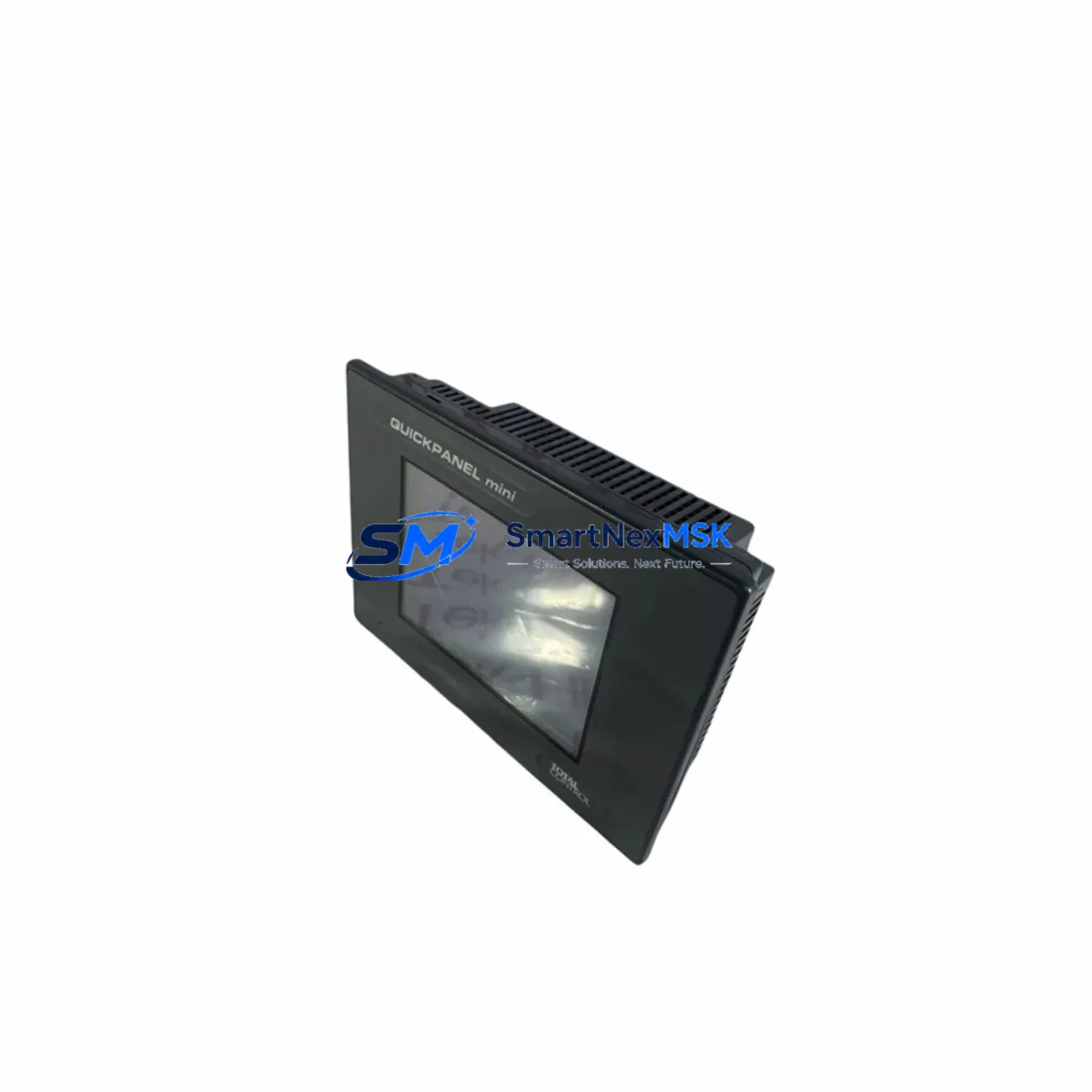
QUICKPANEL QPI3D200C2P Retrofit-Ready HMI for QuickPanel View Control Systems
The QUICKPANEL QPI3D200C2P is a retrofit-ready Human Machine Interface (HMI) panel engineered for seamless integration into existing QuickPanel View series control architectures. Whether you are replacing an end-of-life unit on a legacy production line, upgrading a control cabinet that has been in continuous service for over a decade, or migrating from an obsolete GE Fanuc HMI platform, the QPI3D200C2P delivers the compatibility, reliability, and field-proven performance that industrial automation engineers demand.
This unit is a direct functional replacement for the original QuickPanel View QPI3D200C2P, maintaining identical panel cutout dimensions, mounting hole patterns, and connector pinouts. Engineers undertaking a retrofit project can expect minimal mechanical rework, significantly reducing planned downtime during changeover. The display resolution, touch interface calibration, and backlight specifications are matched to the original, ensuring that existing HMI screen layouts and operator graphics require no redesign.
Before committing to a retrofit, engineers should verify several critical parameters. Power supply capacity at the control cabinet must be confirmed — the QPI3D200C2P operates on 24 VDC and draws a defined peak current that must be within the rating of the existing DIN-rail mounted power supply module. Terminal wiring at the rear connector block should be documented and photographed prior to removal of the legacy unit; the QPI3D200C2P uses the same terminal arrangement, but wire labeling on older installations is frequently incomplete. Backplane interface compatibility should be assessed if the HMI is integrated into a rack-based system alongside PLC I/O modules or communication adapters.
Module addressing and node configuration must be re-established during commissioning. If the original unit held a fixed IP address or serial node number for communication with a Series 90-30 PLC, a VersaMax Micro controller, or a PACSystems RX3i CPU, these parameters must be re-entered via the QuickPanel WorkShop programming environment. Technicians should retain a backup of the original project file before beginning the swap, as program logic, tag databases, and screen navigation scripts are stored on the HMI and are not automatically transferred.
Communication link integrity is a primary concern during any HMI retrofit. The QPI3D200C2P supports standard serial protocols including RS-232 and RS-485, as well as Ethernet-based communication. If the existing control network uses a SRTP (Service Request Transfer Protocol) connection to a GE PLC, the Ethernet port configuration — including IP address, subnet mask, and gateway — must be replicated exactly. Where the legacy installation used a serial programming cable such as the IC690ACC901 or a USB-to-serial adapter for initial configuration, the same interface will be required for the replacement unit.
I/O expansion considerations are relevant when the QPI3D200C2P is deployed alongside discrete or analog I/O modules. In systems where the HMI reads real-time process values from VersaMax I/O modules, IC200 series analog input cards, or remote I/O drops connected via Genius Bus, the data mapping within the HMI project must be validated post-installation. Any changes to rack slot assignments or module addresses in the PLC program will require corresponding updates to the HMI tag database.
For control cabinets undergoing a broader upgrade — for example, replacing an aging IC693CPU364 processor module with a current-generation PACSystems CPU, or adding a new IC695ETM001 Ethernet module to extend network connectivity — the QPI3D200C2P can serve as the operator interface anchor point while surrounding hardware is modernized incrementally. This phased approach allows production to continue on unaffected lines while the retrofit proceeds section by section.
All units are subject to pre-shipment functional testing covering display output, touch response, communication port integrity, and power-on self-test routines. Each QPI3D200C2P is supplied with a 12-month warranty covering manufacturing defects and component failure under normal operating conditions. Inventory is maintained in Xiamen for prompt dispatch, with export documentation available for international shipments.
Upgrade Compatibility Table
| Parameter | Detail |
|---|---|
| SKU / Part Number | QPI3D200C2P |
| Series | QuickPanel View |
| Brand | QUICKPANEL (GE Fanuc / Emerson heritage) |
| Panel Cutout Compatibility | Direct drop-in; identical cutout and mounting pattern |
| Power Supply Requirement | 24 VDC; verify cabinet PSU capacity before installation |
| Communication Interfaces | RS-232, RS-485, Ethernet (SRTP, Modbus TCP) |
| PLC Compatibility | Series 90-30, VersaMax Micro, PACSystems RX3i |
| Programming Environment | QuickPanel WorkShop |
| Installation Requirement | Re-enter IP/node address; restore project file from backup |
| Commissioning Focus | Tag database validation, I/O mapping, comms link test |
| Warranty | 12 months from date of shipment |
| Origin | CN (Xiamen) |
Retrofit Planning for Existing Automation Systems
A successful QPI3D200C2P retrofit begins with a thorough audit of the existing control cabinet. Engineers should document the current wiring layout at the HMI terminal block, note the firmware version of the outgoing unit, and confirm the revision level of the QuickPanel WorkShop project file. In systems where the HMI communicates with a Series 90-30 PLC via a IC693CMM321 communications module or a dedicated serial port on the CPU, the baud rate, parity, and stop-bit settings must be recorded and replicated on the replacement unit.
Where the control architecture includes a VersaMax Micro PLC as the primary controller, the HMI project’s driver configuration must reference the correct CPU model and communication port. If the cabinet also houses an IC200PWR002 power supply module, its output capacity should be verified against the combined load of the HMI, I/O modules, and any 24 VDC field devices. Undersized power supplies are a common cause of intermittent faults following an HMI replacement.
In larger installations where the QPI3D200C2P operates alongside a PACSystems RX3i rack — potentially including an IC695CHS016 chassis, an IC695CPU320 processor, and multiple IC695ALG600 analog I/O modules — the Ethernet network topology should be mapped before the retrofit begins. Assigning a duplicate IP address to the replacement HMI is a frequent commissioning error that can disrupt communication across the entire control network. A network scan prior to installation will identify any address conflicts.
For systems that include a Genius Bus network with IC660BBD024 discrete I/O blocks or IC660BBA020 analog blocks, the HMI’s Genius driver configuration must be validated to ensure that block addresses and data lengths match the PLC’s I/O map. Any mismatch will result in incorrect process values being displayed on operator screens, which can lead to unsafe operating conditions. Pre-commissioning simulation using QuickPanel WorkShop’s offline emulation mode is strongly recommended before the replacement unit is powered up on the live system.
Downtime Control During System Migration
Minimizing unplanned downtime is the primary operational concern during any HMI retrofit. A structured changeover plan should define a maintenance window of sufficient duration to complete mechanical removal, unit installation, communication configuration, and a full functional test of all HMI screens and PLC data links before production resumes.
The original PLC program logic does not need to be modified during an HMI swap, provided that the replacement QPI3D200C2P is configured with the same communication parameters and the HMI project file is restored from a verified backup. The PLC continues to execute its ladder logic and maintain control of field devices throughout the HMI changeover, ensuring that process control is not interrupted even if the operator interface is temporarily offline.
Where the control system includes redundant communication paths — for example, a primary Ethernet link and a backup serial connection — the backup path should be activated and verified before the primary HMI is removed. This ensures that supervisory visibility of the process is maintained throughout the changeover. After the QPI3D200C2P is installed and powered on, a systematic screen-by-screen functional test should be conducted to confirm that all analog values, discrete status indicators, alarm setpoints, and trend displays are operating correctly before the maintenance window is closed.
Retrofit Support FAQ
Q: Is the QPI3D200C2P a direct replacement for the original QuickPanel View unit of the same part number?
A: Yes. The QPI3D200C2P is supplied as a form-fit-function replacement. Panel cutout dimensions, mounting hardware, terminal wiring, and communication interfaces are identical to the original. The HMI project file from the outgoing unit can be loaded directly onto the replacement without modification, provided it was created in a compatible version of QuickPanel WorkShop.
Q: What commissioning steps are required after installation?
A: After mechanical installation and wiring, the unit must be powered on and the communication parameters — including IP address, serial port settings, and PLC driver configuration — must be entered or restored from backup. A full communication link test with the connected PLC should be performed, followed by a functional test of all HMI screens. Touch calibration should be verified and adjusted if necessary.
Q: Can the QPI3D200C2P be used with PLCs from other manufacturers?
A: The QPI3D200C2P is optimized for use with GE Fanuc and Emerson Automation Solutions PLC platforms, including Series 90-30, VersaMax, and PACSystems families. Compatibility with third-party PLCs depends on the availability of a suitable communication driver within QuickPanel WorkShop. Modbus RTU and Modbus TCP drivers provide a pathway for integration with non-GE controllers in many retrofit scenarios.
Q: What does the 12-month warranty cover?
A: The 12-month warranty covers manufacturing defects and component failure under normal operating conditions, including display, touch interface, communication ports, and power input circuitry. Physical damage resulting from incorrect installation, overvoltage, or environmental exposure beyond the unit’s rated specifications is excluded. Warranty claims are processed through SMARTNEXMSK with a target response time of one business day.
© 2026 SMARTNEXMSK. All rights reserved.
Original Source: https://smartnexmsk.com
Contact: [email protected] | +86 18259474341