
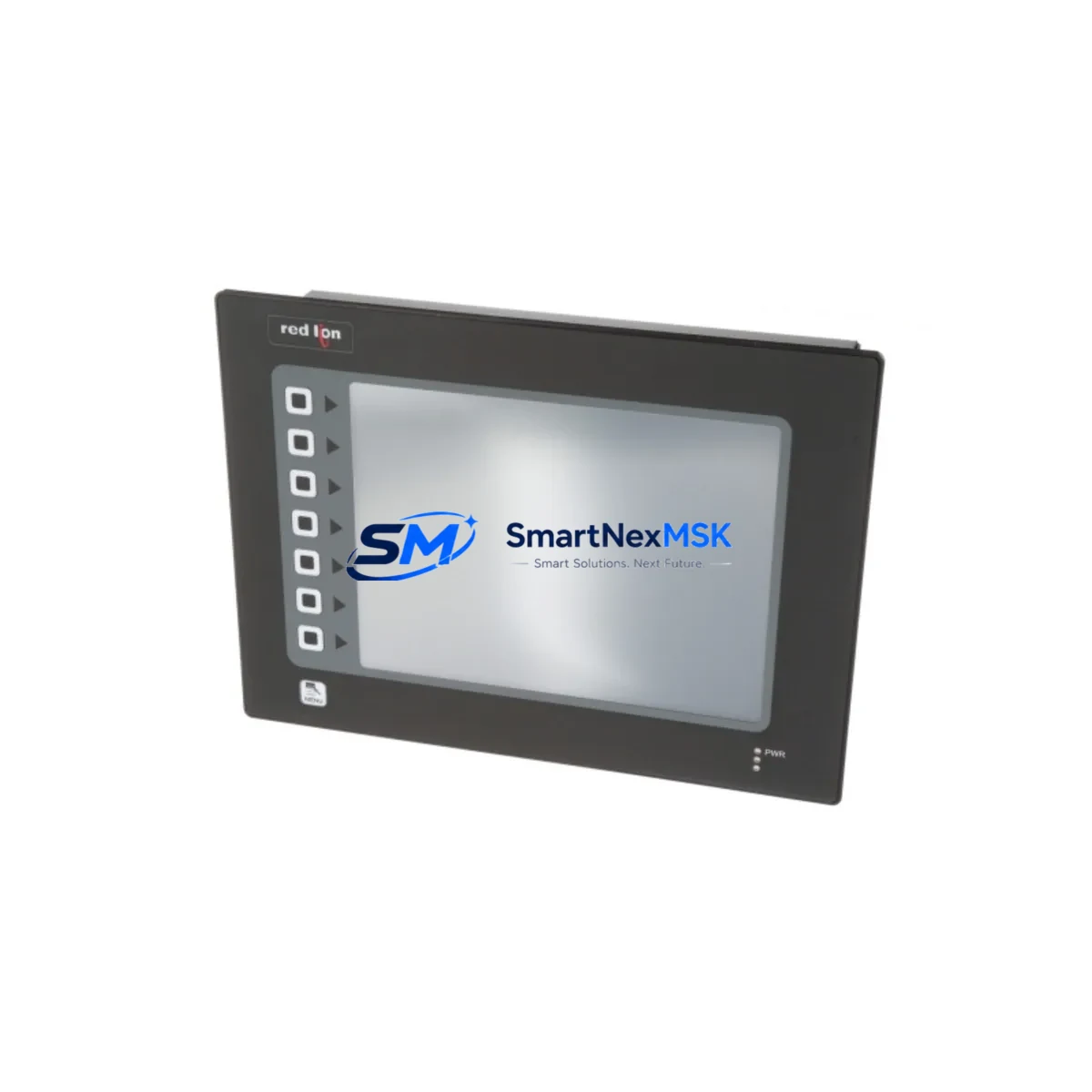
Red Lion G310C000 Retrofit-Ready Panel Meter for Gemini Series Control Systems
The Red Lion G310C000 is a Gemini Series 6-digit universal input digital panel meter engineered for seamless integration into legacy and modern industrial control systems. Whether you are replacing a discontinued G-series meter, upgrading an aging control cabinet, or migrating a production line to a more reliable measurement platform, the G310C000 delivers the compatibility, accuracy, and durability that industrial automation engineers demand. With support for thermocouple, RTD, process voltage, and current inputs, this unit eliminates the need for signal conditioning modules in most retrofit scenarios, reducing both installation time and overall system complexity.
For facilities running older Red Lion Gemini-series installations alongside legacy PLCs such as the Allen-Bradley SLC 500 or Siemens S7-300, the G310C000 provides a direct upgrade path without requiring panel cutout modifications. Its 1/8 DIN form factor matches the footprint of earlier Gemini models, allowing technicians to swap units during a planned maintenance window rather than a full shutdown. When paired with a Red Lion PAXCDC20 communications card or a Red Lion PAXCDV DeviceNet option, the meter can be integrated into existing fieldbus architectures, preserving the communication topology already validated in your SCADA or DCS environment.
Upgrade Compatibility Table
| Parameter | Details |
|---|---|
| Model / SKU | Red Lion G310C000 |
| Series | Gemini Series |
| Display | 6-Digit, 0.56″ Red LED |
| Input Types | Thermocouple (J, K, T, E, R, S, B, N), RTD (Pt100), Process (0–10 V, 4–20 mA) |
| Panel Cutout | 1/8 DIN — 92 × 45 mm (compatible with prior Gemini cutouts) |
| Power Supply | 85–265 VAC / 90–265 VDC universal |
| Communication Options | RS-232 / RS-485 via optional PAXCDC20 card; DeviceNet via PAXCDV |
| Relay Outputs | Up to 2 × SPDT relay outputs (field-configurable) |
| Replacement Compatibility | Direct replacement for G3 and earlier Gemini panel meters; compatible with Red Lion PAX series mounting accessories |
| Retrofit Recommendation | Verify terminal block pitch and wiring gauge before transfer; re-enter setpoints and scaling after installation |
| Commissioning Notes | Confirm input type DIP switch settings; validate display scaling against transmitter output range |
| Warranty | 12-Month Warranty — covers manufacturing defects and functional failures under normal operating conditions |
Retrofit Planning for Existing Automation Systems
A successful G310C000 retrofit begins well before the unit arrives on site. Start by auditing the existing control cabinet to confirm available panel space, power rail capacity, and terminal block compatibility. In many Gemini-era installations, the 24 VDC auxiliary supply shared by the panel meter, Red Lion PAXDRV signal conditioner, and the PLC I/O rack may be operating near its rated capacity. Adding a replacement meter without verifying the power budget can introduce ground loops or cause nuisance trips on the 24 V rail.
Next, document the existing wiring scheme. Gemini meters installed in the early 2000s frequently used screw-terminal blocks with 16 AWG stranded wire, which is fully compatible with the G310C000’s terminal design. However, if the original installation used ferrule-terminated conductors, confirm that the ferrule outer diameter does not exceed the G310C000’s terminal acceptance range. Where the existing system includes a Red Lion PAXCDC20 serial communications card, the card can typically be transferred directly to the replacement unit, preserving the RS-485 Modbus RTU address and baud rate configuration already programmed in the host SCADA system.
For lines where the G310C000 replaces a meter connected to a Siemens ET 200S distributed I/O station or an Allen-Bradley Point I/O analog input module, verify that the channel scaling in the PLC program matches the G310C000’s output range. If the original meter provided a 4–20 mA retransmission output to the PLC analog input card, confirm that the new unit’s retransmission scaling is configured identically before going live. Mismatched scaling is the most common cause of post-retrofit process alarms and can be resolved in minutes with the G310C000’s front-panel programming interface — no laptop or programming cable required for basic setpoint and scaling adjustments.
Where the control system includes an HMI — such as a Red Lion G315 Operator Interface or a third-party panel PC running FactoryTalk View — review the HMI tag database to confirm that the meter’s Modbus register map matches the addresses polled by the HMI. The G310C000 uses a standard Modbus RTU register structure compatible with most existing Red Lion Gemini HMI configurations, but register offsets should be verified against the G310C000 communications manual before cutover. In multi-drop RS-485 networks where the meter shares a bus with a Red Lion PAXCDC20-equipped unit or a Moxa NPort serial device server, assign a unique Modbus node address to the G310C000 before connecting it to the network to avoid address conflicts.
Finally, if the retrofit involves replacing multiple meters across a production line simultaneously, consider staging the work by zone. Replace and commission one meter per zone, validate process readings against a calibrated reference instrument, and obtain sign-off from the process engineer before moving to the next zone. This approach limits exposure and ensures that any wiring or configuration discrepancy is caught before it affects the broader system. Where the existing rack also houses a Red Lion PAXCDC20 communications module or a Phoenix Contact QUINT 24 VDC power supply, confirm that the power budget accommodates the G310C000’s 4 W typical consumption before finalizing the retrofit plan.
Downtime Control During System Migration
Minimizing downtime during a panel meter replacement requires a structured pre-outage preparation protocol. Before the maintenance window opens, photograph the existing wiring, record all setpoints and scaling parameters from the front panel, and print the current Modbus configuration from the SCADA historian. These records serve as the restoration baseline if the new unit requires re-configuration during commissioning.
During the outage, isolate the meter’s input signal at the field junction box rather than at the terminal block inside the panel. This preserves the field wiring integrity and allows the transmitter — whether a thermocouple head, RTD assembly, or 4–20 mA loop-powered transmitter — to remain energized and verified independently of the meter swap. Once the G310C000 is installed and powered, apply the recorded setpoints and scaling before reconnecting the input signal. This sequence ensures that the first live reading is immediately validated against the known process value, reducing the time spent in commissioning mode.
For critical loops where continuous monitoring is required, a temporary bypass using a portable process indicator connected in parallel at the field junction box can maintain visibility of the process variable throughout the swap. This is particularly valuable in temperature-critical applications such as furnace control or heat exchanger monitoring, where a gap in measurement visibility carries process risk. Once the G310C000 is confirmed stable and reading within ±0.1% of the reference instrument, the bypass can be removed and the loop returned to automatic control. Total elapsed time for a single-meter swap using this protocol is typically 20–45 minutes, well within a standard planned maintenance window. For sites where the control system backbone includes a Siemens S7-300 CPU or an Allen-Bradley ControlLogix rack, ensure that the PLC program’s analog input fault routine is temporarily suppressed during the swap to prevent spurious fault logs from propagating to the DCS historian.
Retrofit Support FAQ
Q1: Is the G310C000 a direct drop-in replacement for earlier Red Lion Gemini panel meters?
Yes. The G310C000 shares the 1/8 DIN panel cutout dimensions of the Gemini series, allowing direct mechanical replacement without panel modification. Terminal block positions and wiring assignments are compatible with most G3-series predecessors. Confirm input type DIP switch settings and re-enter setpoints after installation.
Q2: Can I transfer the existing PAXCDC20 communications card to the G310C000?
In most cases, yes. The PAXCDC20 RS-485 Modbus card is designed for the PAX/Gemini platform and is physically compatible with the G310C000’s option card slot. After transfer, verify the Modbus node address and baud rate settings match the host system configuration. No firmware update is typically required.
Q3: What wiring checks are required before powering up the replacement unit?
Verify input type selection (thermocouple type, RTD wiring, or process range), confirm power supply voltage matches the panel rail (85–265 VAC universal), check relay output wiring polarity, and ensure the RS-485 network termination resistor is correctly placed if the G310C000 is the last device on the bus. A pre-power continuity check on the input terminals is recommended to rule out open-circuit conditions from the field sensor.
Q4: What does the 12-month warranty cover, and how is it processed?
The 12-month warranty covers manufacturing defects and functional failures under normal operating conditions from the date of shipment. Units that fail to power up, display incorrect readings outside calibration tolerance, or exhibit relay output faults within the warranty period are eligible for replacement or repair. Contact [email protected] with the order reference and a description of the fault. Replacement units are dispatched after fault verification, and failed units are returned for inspection at our cost.
© 2026 SMARTNEXMSK. All rights reserved.
Original Source: https://smartnexmsk.com
Contact: [email protected] | +86 18259474341