
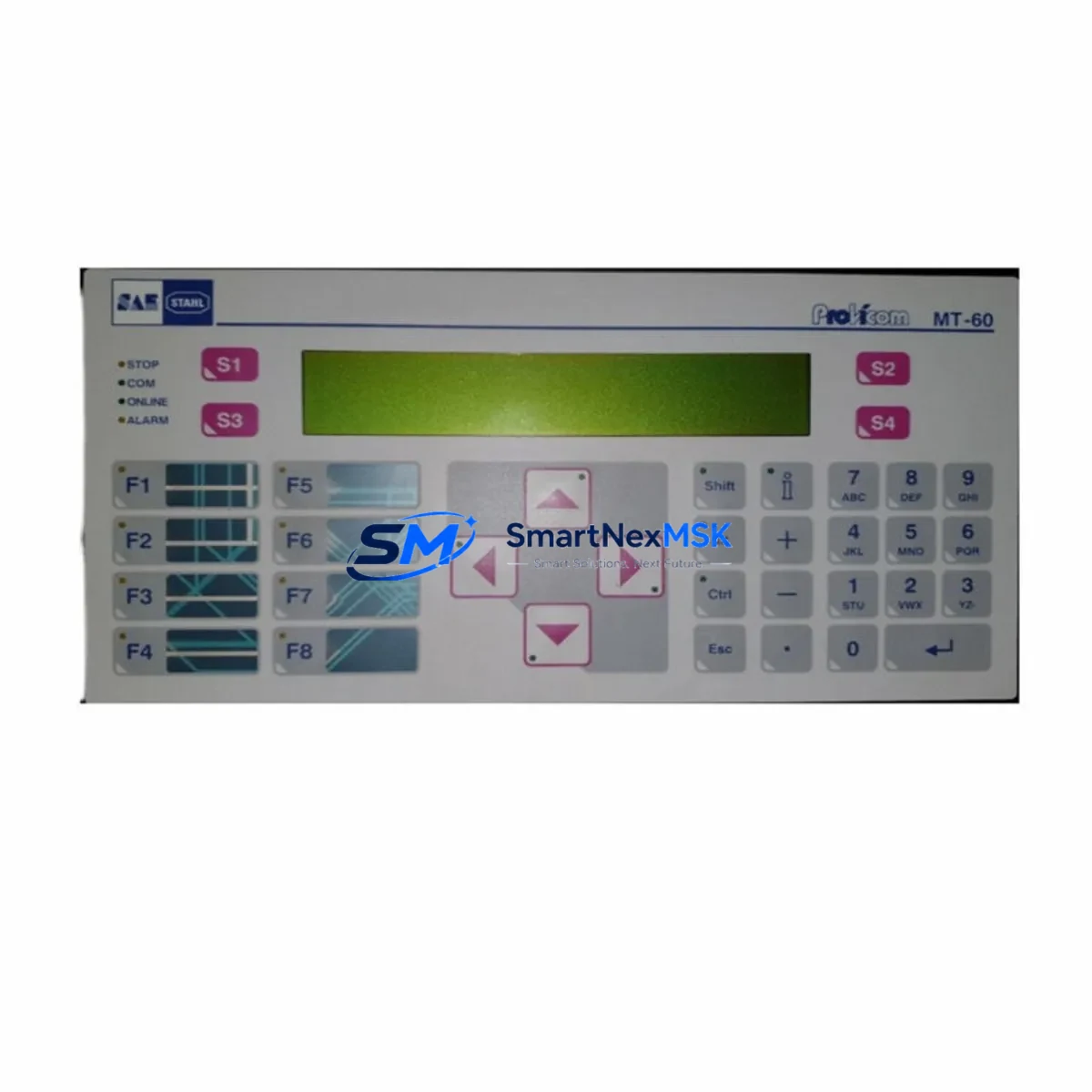
SAE STAHL PROVICOM MT-60 Spare for PROVICOM Automation: Spare Replacement & Industrial Downtime Risk Control
The SAE STAHL PROVICOM MT-60 is a ruggedized industrial HMI operator panel engineered for demanding automation environments. As a maintenance-ready spare, the PROVICOM MT-60 is a critical component in control cabinet assemblies where operator interface continuity directly determines production uptime. Whether you are managing a planned shutdown, responding to an unscheduled fault, or building a strategic spare parts inventory, sourcing a verified PROVICOM MT-60 replacement unit ensures your PROVICOM Series automation system remains operational with minimal disruption.
Industrial maintenance engineers and procurement specialists working with SAE STAHL PROVICOM systems understand that HMI panel failures are among the highest-impact fault events in a control architecture. The PROVICOM MT-60 serves as the primary operator interface for process visualization, parameter input, alarm acknowledgment, and system diagnostics. When this unit fails or degrades, operators lose visibility into the entire control loop — making rapid spare replacement not just a maintenance task, but a production continuity imperative.
Each PROVICOM MT-60 unit supplied by SMARTNEXMSK is sourced from verified industrial channels, individually inspected, and function-tested prior to dispatch. All units carry a 12-month warranty covering manufacturing defects and operational failures under normal industrial use conditions. We support long-term supply continuity for legacy PROVICOM Series installations, including systems where the original OEM supply chain has been discontinued or lead times are extended.
Spare Maintenance Table
| Parameter | Specification |
|---|---|
| Part Number / SKU | PROVICOM MT-60 |
| Manufacturer | SAE STAHL |
| Product Series | PROVICOM Series |
| Product Type | Industrial HMI Operator Panel |
| Country of Origin | Germany (DE) |
| Unit Weight | 2,920 g (approx.) |
| Application Environment | Industrial automation, process control, control cabinet integration |
| Compatibility | PROVICOM Series automation systems; SAE STAHL control architectures |
| Installation | Panel-mount; refer to OEM mechanical drawing for cutout dimensions |
| Interface | Operator input/output, process visualization, alarm management |
| Condition | Original spare; inspected and function-tested before dispatch |
| Warranty | 12 months from date of shipment |
| Supply Continuity | Long-term availability supported for legacy PROVICOM installations |
Maintenance Planning for Continuous Operation
When replacing the PROVICOM MT-60 in a live or recently faulted control cabinet, a disciplined maintenance engineer will not limit the inspection to the HMI panel alone. The PROVICOM MT-60 interfaces with multiple subsystems, and a root-cause analysis of the panel failure often reveals upstream or downstream component stress that must be addressed concurrently to prevent repeat failures.
Begin by verifying the 24 VDC power supply module feeding the HMI panel. Voltage sag, ripple, or transient spikes are a leading cause of HMI display degradation and communication lockups in PROVICOM Series installations. If the power supply is original to the system and has accumulated significant operating hours, treat it as a co-replacement candidate. Inspect the terminal blocks and wiring harness at the panel connector — oxidized or loose terminals are a common source of intermittent faults that are misdiagnosed as HMI failures.
Check the communication interface module connecting the PROVICOM MT-60 to the PLC or DCS controller. In PROVICOM Series architectures, the HMI typically communicates via a serial or fieldbus link; inspect the cable, connectors, and any signal isolator or RS-232/RS-485 converter in the signal path. A degraded communication module can cause the HMI to display frozen screens or fail to update process values, symptoms that mimic a panel hardware fault.
During the same maintenance window, inspect the I/O modules associated with the process signals displayed on the PROVICOM MT-60. Faulty analog input cards or digital I/O modules can generate erroneous readings that trigger operator alarms and accelerate HMI wear through excessive interaction cycles. If the control cabinet includes relay output modules or solid-state relay (SSR) assemblies driven by the PLC outputs visualized on this HMI, verify their switching integrity and thermal condition.
For cabinets with extended service histories, also inspect the backplane or rack assembly hosting the PLC CPU and I/O cards. Loose card seating, corroded backplane connectors, or failed rack power distribution can cause intermittent system resets that are logged as HMI communication errors. A UPS or buffer module protecting the control system from mains interruptions should also be tested for battery health and transfer time during this maintenance cycle.
Finally, if the PROVICOM MT-60 is part of a larger operator station that includes a membrane keypad overlay or function key panel, inspect these components for wear, delamination, or key bounce — conditions that can cause spurious command inputs and are often overlooked during HMI replacement procedures.
Site Replacement Workflow
Replacing the PROVICOM MT-60 on-site follows a structured sequence designed to minimize downtime and ensure system compatibility is maintained throughout the transition.
Step 1 — Pre-replacement verification: Confirm the replacement unit SKU (PROVICOM MT-60) matches the installed unit’s part number and hardware revision. Cross-reference the nameplate on the existing panel with the supplied unit documentation. If the installed unit carries a firmware version label, note it for post-installation configuration reference.
Step 2 — Safe isolation: Follow your site’s lockout/tagout (LOTO) procedure. De-energize the control cabinet supply feeding the HMI panel. Verify absence of voltage at the panel power terminals before proceeding.
Step 3 — Connector and cable documentation: Photograph or sketch all connector positions, cable routing, and terminal assignments before disconnecting. Label cables if not already marked. This step is critical for systems where wiring documentation is incomplete or outdated.
Step 4 — Panel removal and installation: Remove the panel mounting hardware, extract the PROVICOM MT-60 from the cutout, and install the replacement unit. Reconnect all cables and terminals per the documented positions. Torque terminal screws to specification to prevent future connection failures.
Step 5 — Power-up and functional test: Re-energize the cabinet in a controlled sequence. Verify the PROVICOM MT-60 initializes correctly, establishes communication with the PLC or DCS, and displays process values accurately. Test all operator input functions and confirm alarm acknowledgment operates as expected.
Step 6 — Documentation update: Record the replacement in the equipment maintenance log, including the date, replaced unit serial number, and the new unit’s serial number. Update the spare parts inventory to reflect the consumed unit and initiate a replenishment order to maintain buffer stock.
Spare Parts Support FAQ
Q1: What is the expected service life of the PROVICOM MT-60, and when should I plan for replacement?
The PROVICOM MT-60, like most industrial HMI panels of its generation, is designed for extended service life under normal operating conditions. However, display backlights, membrane keypads, and internal capacitors have finite lifespans typically measured in tens of thousands of operating hours. Maintenance engineers should schedule proactive replacement inspections at 8–10 year intervals for continuously operated systems, or immediately upon observation of display dimming, communication instability, or keypad response degradation. Maintaining at least one spare unit in inventory eliminates the risk of extended downtime during unplanned failures.
Q2: How do I verify compatibility before installing the replacement PROVICOM MT-60?
Compatibility verification should include three checks: (1) confirm the part number PROVICOM MT-60 matches the nameplate of the installed unit; (2) verify the power supply voltage and connector type match the cabinet wiring; (3) if the system uses a specific firmware configuration, confirm whether the replacement unit requires re-programming or if it ships with a compatible default configuration. SMARTNEXMSK can provide technical documentation support to assist with pre-installation compatibility review upon request.
Q3: What pre-shipment testing is performed on each PROVICOM MT-60 unit?
Every PROVICOM MT-60 unit dispatched by SMARTNEXMSK undergoes individual function testing prior to shipment. This includes power-on initialization verification, display integrity check, communication port functionality, and input response testing where applicable. Units that do not pass all test criteria are quarantined and not dispatched. A test record is maintained for each unit. The 12-month warranty covers failures attributable to manufacturing defects or pre-existing conditions not detected during testing.
Q4: Can SMARTNEXMSK support long-term supply of PROVICOM MT-60 for legacy system maintenance programs?
Yes. SMARTNEXMSK specializes in long-term spare parts supply for industrial automation systems, including legacy and discontinued product lines. We maintain sourcing relationships that support multi-year procurement programs for maintenance engineers managing aging PROVICOM Series installations. For facilities operating multiple PROVICOM MT-60 units across several control cabinets, we recommend establishing a blanket order or annual supply agreement to ensure priority allocation and stable pricing. Contact our technical sales team to discuss your site’s specific inventory requirements.
© 2026 SMARTNEXMSK. All rights reserved.
Original Source: https://smartnexmsk.com
Contact: [email protected] | +86 18259474341