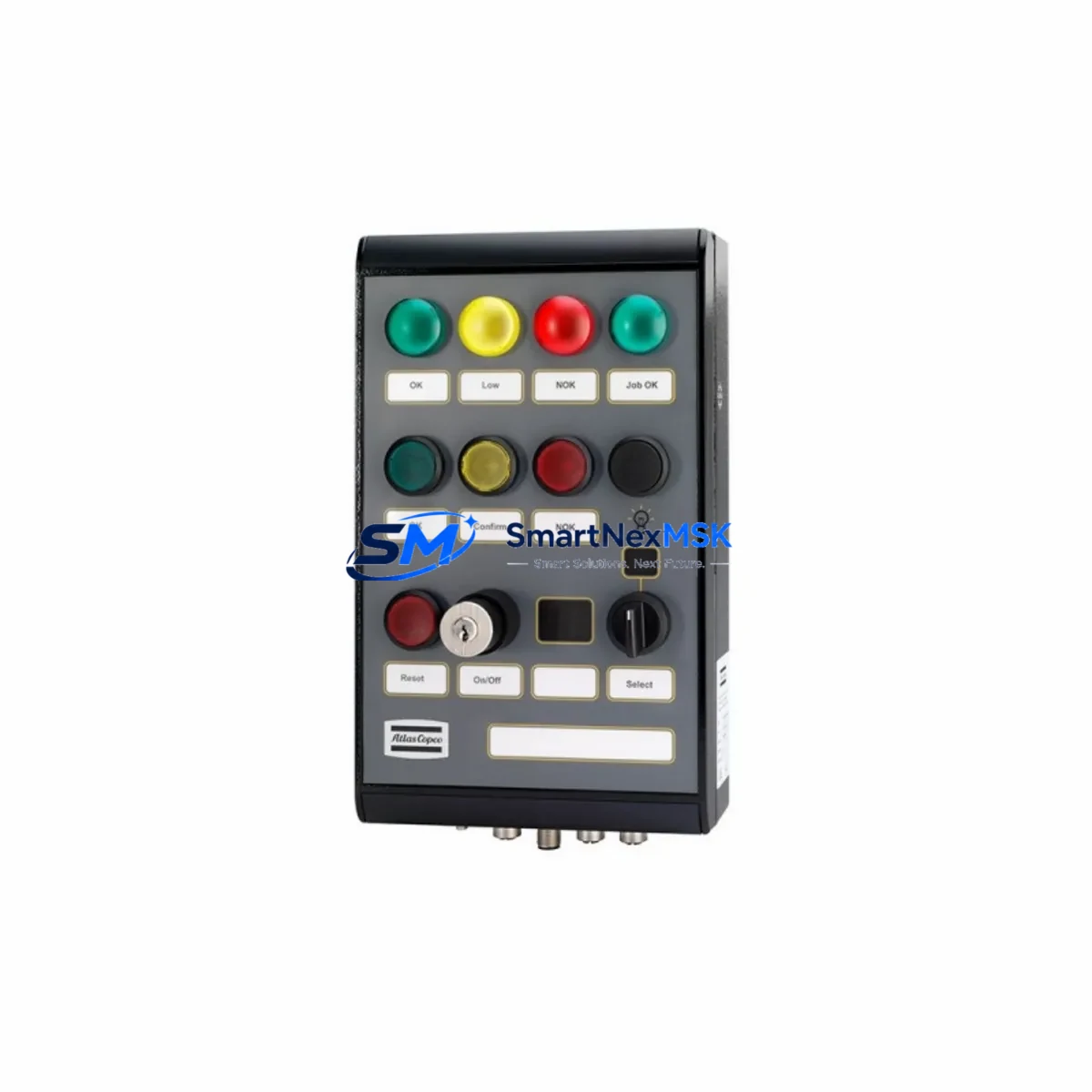
SANYO PQM1A100A5HKSSA Retrofit-Ready Operator Panel: Compatible Modernization & Smooth PQM1 Series Upgrade
The SANYO PQM1A100A5HKSSA is a retrofit-ready operator panel engineered for seamless integration into existing SANYO PQM1 Series control systems. As legacy automation infrastructure ages and original components reach end-of-life, plant engineers and system integrators face mounting pressure to source verified replacement units that preserve operational continuity without triggering full-system overhauls. The PQM1A100A5HKSSA addresses this challenge directly — delivering a drop-in compatible HMI solution backed by 12-month warranty coverage and pre-shipment functional testing.
Whether you are managing a phased retrofit of a production line, recovering from an unplanned panel failure, or executing a scheduled control cabinet upgrade, the PQM1A100A5HKSSA provides the dimensional, electrical, and communication compatibility required to restore system operation with minimal downtime. Our inventory is sourced from verified supply channels, and each unit undergoes outgoing quality inspection before dispatch.
Upgrade Compatibility Table
| Parameter | Detail |
|---|---|
| SKU / Part Number | PQM1A100A5HKSSA |
| Brand / Manufacturer | SANYO |
| Series | PQM1 Series |
| Product Type | Operator Panel (HMI) |
| Origin | Japan |
| Mounting Interface | Compatible with standard PQM1 Series panel cutout dimensions |
| Power Supply Requirement | Verify existing cabinet PSU capacity before installation; confirm rated voltage and current draw match PQM1 series specification |
| Communication Interface | Compatible with PQM1 Series communication protocol; verify baud rate, station address, and cable pinout before commissioning |
| Terminal Wiring | Confirm terminal block layout against original wiring diagram; re-use existing cable harness where pin assignments are identical |
| Replacement Recommendation | Direct replacement for discontinued PQM1A100A5HKSSA; verify firmware version compatibility with connected controller |
| Commissioning Focus | Module address assignment, HMI screen mapping, communication link verification, I/O tag re-binding |
| Warranty | 12 Months from date of shipment |
| Pre-Shipment Testing | Functional outgoing quality inspection on every unit |
Retrofit Planning for Existing Automation Systems
A successful retrofit of the PQM1A100A5HKSSA operator panel begins well before the physical swap. Start by auditing the existing control cabinet to document the current SANYO PQM1 Series backplane configuration, rack slot assignments, and the power distribution architecture. In many legacy installations, the panel shares a 24 VDC rail with adjacent I/O modules and communication cards — confirm that the existing SANYO PQM1 power supply module has sufficient headroom to support the replacement unit without voltage droop under full load.
Next, review the terminal wiring documentation. The PQM1A100A5HKSSA connects to the control system via a defined terminal block layout; cross-reference the original wiring diagram against the replacement unit’s pinout to identify any differences in signal assignment, shielding requirements, or ground topology. Where the existing cable harness is reused, inspect connector condition and re-terminate any degraded crimps before reinstallation.
Communication link integrity is a critical checkpoint. The PQM1A100A5HKSSA interfaces with the host SANYO PQM1 Series controller over a serial or proprietary fieldbus link. Before powering the replacement panel, verify the station address DIP switch or software address setting matches the original configuration. Confirm baud rate, parity, and stop-bit settings in the controller’s communication parameter table — mismatches here are a common source of post-swap communication faults that extend commissioning time unnecessarily.
For sites running extended PQM1 architectures, the retrofit scope may also involve adjacent components. SANYO PQM1 I/O expansion modules connected downstream of the operator panel must be verified for address conflict after the panel replacement. If the control cabinet includes a SANYO PQM1 analog input module or digital output module, confirm that the I/O tag mapping in the host program remains intact after the panel swap — particularly if the replacement unit carries a different firmware revision that alters internal register addressing.
HMI screen migration is another area requiring careful pre-planning. If the original PQM1A100A5HKSSA was programmed with custom operator screens, alarm pages, or trend displays, retrieve the project file from the engineering workstation before decommissioning the old panel. Re-download the project to the replacement unit using the appropriate SANYO PQM1 programming cable or USB transfer tool, and validate each screen page for correct tag binding and display scaling. Where the original project file is unavailable, screen recreation from P&ID documentation and alarm lists is the recommended fallback.
Sites that also operate SANYO PQM1 communication gateway modules for Modbus RTU or PROFIBUS DP integration should verify that the gateway’s node table still correctly references the operator panel after the replacement. Similarly, if the control system includes a SANYO PQM1 remote I/O rack connected via a dedicated backplane bus, confirm that the rack’s bus termination resistor and cable routing remain undisturbed during the panel changeout to avoid introducing bus reflection errors.
Finally, document the as-built configuration of the replacement installation — including module slot positions, address settings, firmware versions, and communication parameters — and update the site’s maintenance records. This documentation becomes the baseline for future preventive maintenance cycles and simplifies any subsequent component replacements within the same control platform.
Downtime Control During System Migration
Minimizing production downtime during a PQM1A100A5HKSSA panel replacement requires a structured pre-outage preparation protocol. Begin by scheduling the swap during a planned maintenance window and communicating the expected outage duration to operations. A well-prepared technician with all required tools, a verified replacement unit, and a complete wiring reference document can typically complete the physical changeout in under two hours for a standard PQM1 Series cabinet installation.
Before initiating the shutdown, capture a full backup of the existing panel project file and controller program. Store copies on both the engineering workstation and a portable USB drive kept on-site. This ensures that if the replacement unit requires a fresh program download, the source data is immediately available without network dependency.
During the outage, follow a defined sequence: isolate cabinet power, photograph the existing wiring before disconnection, remove the old panel, install the replacement PQM1A100A5HKSSA, reconnect terminals in reverse order of removal, restore power, and execute the communication link verification checklist before releasing the system to operations. Avoid skipping the communication verification step even under time pressure — an undetected address conflict or baud rate mismatch will cause a second unplanned outage that is far more disruptive than the additional five minutes required for proper commissioning.
For critical production lines where even a planned outage carries significant cost, consider staging the replacement unit in a test bench environment beforehand. Load the project file, configure the communication parameters, and verify basic I/O response on the bench before bringing the unit to the field. This approach effectively transfers the majority of commissioning risk out of the production environment and into a controlled setting, reducing field commissioning time to a final verification rather than a full setup sequence.
Retrofit Support FAQ
Q1: Is the PQM1A100A5HKSSA a direct drop-in replacement for the original discontinued unit?
The PQM1A100A5HKSSA is designed as a compatible replacement for the original SANYO PQM1 Series operator panel of the same part number. Physical mounting dimensions, terminal block layout, and communication interface are consistent with the PQM1 Series specification. However, we recommend verifying firmware version compatibility with your specific controller revision before installation, as minor firmware differences may affect screen project compatibility or internal register mapping.
Q2: What wiring checks are required before powering the replacement panel?
Confirm that the power supply voltage and current rating match the panel’s specification. Verify terminal block pin assignments against the original wiring diagram, inspect connector condition, and ensure all shield grounds are correctly terminated. Do not power the unit until the communication cable is connected and the station address is configured to match the original setting — this prevents address conflicts on the bus that can affect other connected modules.
Q3: How do I verify communication compatibility after installation?
After powering the replacement panel, use the controller’s diagnostic screen or communication monitor tool to confirm that the panel is responding on the correct station address. Check that the baud rate, parity, and stop-bit settings in the controller’s communication parameter table match the panel’s configuration. If the panel does not appear on the bus within 30 seconds of power-up, re-check the address setting and cable pinout before escalating to a firmware-level diagnostic.
Q4: What does the 12-month warranty cover, and what pre-shipment testing is performed?
Every PQM1A100A5HKSSA unit shipped by SMARTNEXMSK undergoes a functional outgoing quality inspection that verifies power-up behavior, display operation, and communication interface response. The 12-month warranty covers manufacturing defects and functional failures under normal operating conditions from the date of shipment. Warranty claims are supported by our technical team; contact [email protected] with your order reference and a description of the observed fault to initiate a warranty assessment.
© 2026 SMARTNEXMSK. All rights reserved.
Original Source: https://smartnexmsk.com
Contact: [email protected] | +86 18259474341