
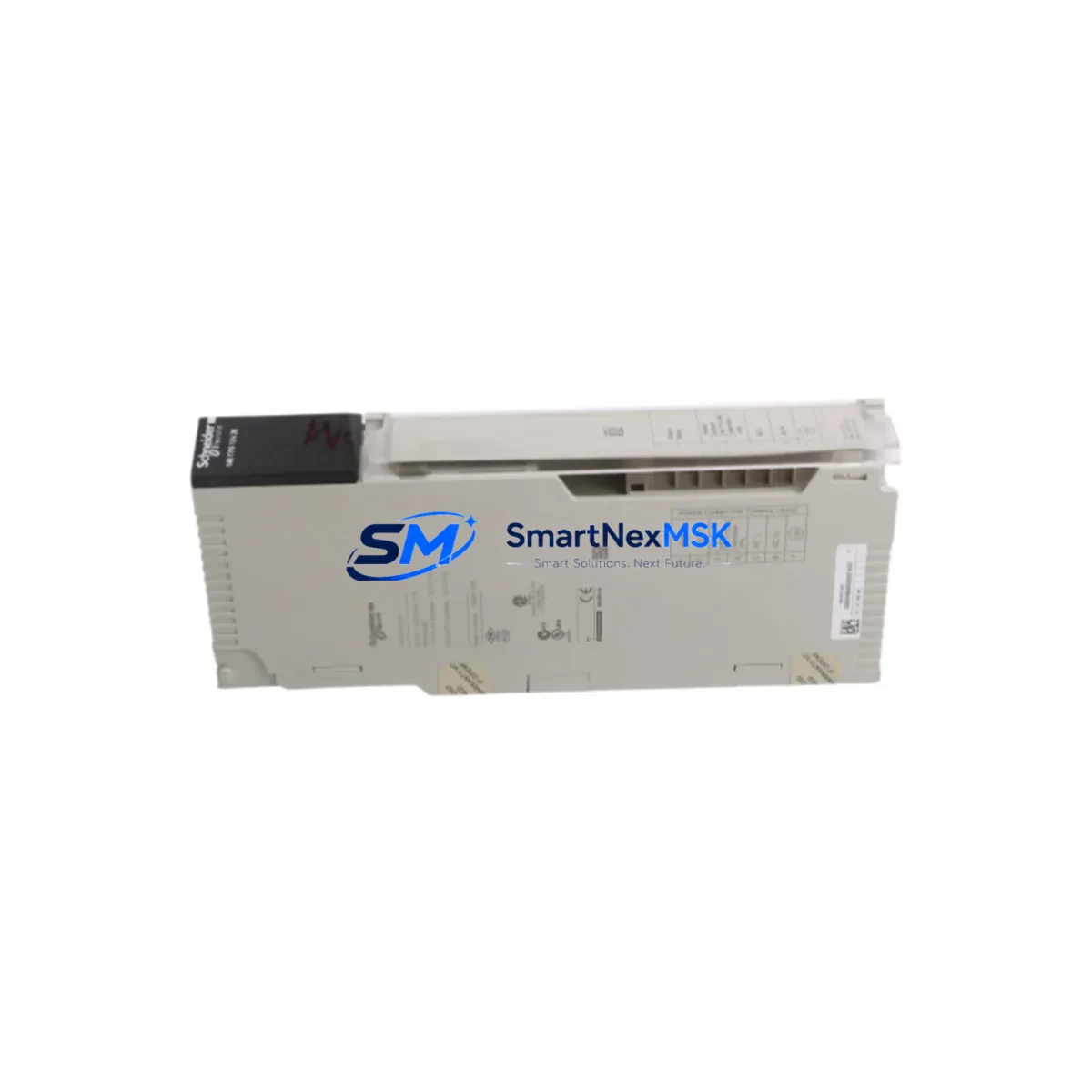
Schneider 140CPS12420 Retrofit-Ready Power Supply for Modicon Quantum Control Systems
The Schneider Electric 140CPS12420 is a 24 VDC input power supply module engineered for the Modicon Quantum PLC platform — one of the most widely deployed process automation architectures in heavy industry, utilities, and critical infrastructure. As legacy Quantum installations approach end-of-life and original spare parts become increasingly scarce, the 140CPS12420 has become a cornerstone component in brownfield retrofit projects, control cabinet upgrades, and emergency system restoration programs worldwide.
Whether you are replacing a failed 140CPS11420, upgrading an aging power distribution rail, or consolidating a multi-rack Quantum system into a modernized control cabinet, the 140CPS12420 delivers the electrical performance, form factor compatibility, and firmware transparency required for a smooth, low-risk transition. Its direct mechanical and electrical compatibility with the Quantum backplane means no custom wiring adapters, no rack modifications, and no changes to the existing terminal block layout — critical advantages when downtime budgets are measured in hours, not days.
Upgrade Compatibility Table
| Parameter | 140CPS12420 (This Unit) | 140CPS11420 (Legacy) |
|---|---|---|
| Input Voltage | 24 VDC | 24 VDC |
| Output Power | 42 W | 30 W |
| Backplane Interface | Quantum Standard Backplane | Quantum Standard Backplane |
| Rack Compatibility | 140XBP01600 / 140XBP00600 / 140XBP00400 | 140XBP01600 / 140XBP00600 |
| Communication Compatibility | Modbus Plus, Ethernet TCP/IP (via NOE modules) | Modbus Plus |
| Installation Requirement | Slot 1 of Quantum rack; no tools required | Slot 1 of Quantum rack |
| Replacement Recommendation | Direct drop-in for 140CPS11420; verify load budget | Discontinued — limited availability |
| Commissioning Note | No firmware update required; verify I/O module addressing post-swap | — |
| Warranty | 12 Months | — |
Retrofit Planning for Existing Automation Systems
A successful 140CPS12420 retrofit begins well before the module arrives on site. Engineers responsible for the upgrade must first audit the total power consumption of all modules installed in the target rack. In a typical Quantum configuration, a single rack may house a 140CPU67160 processor module, multiple 140ACI04000 analog input modules, 140DDI35300 discrete input modules, and 140DDO35300 discrete output modules — each drawing a defined load from the backplane’s 5 VDC and 24 VDC rails. The 140CPS12420’s 42 W output capacity must comfortably cover the aggregate load with a minimum 20% headroom margin to ensure thermal stability during peak process cycles.
Terminal block wiring is the next critical checkpoint. The 140CPS12420 uses a standard screw-terminal input connector compatible with the existing field wiring harness in most Quantum cabinets. However, engineers should verify wire gauge, ferrule type, and torque specifications against the original installation drawings before re-terminating. In cabinets where the power supply feeds redundant racks via a 140XBP01600 extended backplane, the inter-rack power cable routing must also be inspected for insulation integrity and connector seating.
For systems running Modbus Plus as the primary network, the 140NOM21100 network option module configuration does not require modification when swapping the power supply — the Modbus Plus node address is stored in the CPU module, not the power supply. However, in installations that have migrated to Ethernet TCP/IP using a 140NOE77101 Ethernet communication module, engineers should confirm that the NOE module’s IP address and subnet configuration remain intact after the power cycle caused by the swap procedure.
I/O module addressing is another area requiring careful pre-swap documentation. Before removing the failed power supply, record all module slot assignments and verify them against the Unity Pro or Concept programming software project file. The 140CRA93200 remote I/O head adapter, if present in the rack, must be re-initialized after power restoration to re-establish the RIO drop communication link. Similarly, any 140AVO02000 analog output modules should be verified for correct scaling and output hold behavior after the power interruption.
HMI screens connected via Vijeo Designer or FactoryLink should be reviewed for alarm suppression during the maintenance window. Operators should place the system in manual mode and suppress process alarms at the XBTGT5330 or equivalent operator panel before initiating the swap to prevent spurious trip signals from propagating to the DCS or safety system. Programming cables such as the TSXPCX3030 USB-to-serial adapter should be on hand to allow immediate online diagnostics via Unity Pro once the replacement module is seated and powered.
Downtime Control During System Migration
Minimizing unplanned downtime is the primary operational objective in any Quantum power supply replacement. The 140CPS12420 swap procedure, when properly planned, can be completed within a single scheduled maintenance window of 2–4 hours, including pre-swap verification, module exchange, post-swap diagnostics, and control loop restoration.
The recommended sequence is: (1) place all controlled processes in a safe hold state and notify upstream/downstream operators; (2) document the current CPU module status, I/O force table, and active alarm list via Unity Pro online mode; (3) de-energize the rack by switching off the upstream 24 VDC supply breaker — do not rely solely on the power supply’s internal protection; (4) remove the failed 140CPS12420 by releasing the module locking lever and sliding it from Slot 1; (5) seat the replacement unit firmly until the backplane connector engages and the locking lever clicks; (6) restore 24 VDC input power and observe the module’s LED status indicators — a steady green RUN LED confirms normal operation; (7) reconnect Unity Pro online and verify that all I/O modules have returned to their pre-swap states; (8) release process holds in reverse order and confirm control loop stability before closing the maintenance record.
Original program logic stored in the CPU module’s battery-backed RAM is preserved throughout this procedure, provided the CPU battery is in good condition. Engineers should verify battery status in Unity Pro’s hardware configuration view before initiating the swap. If the battery indicator shows a low-battery warning, replacing the CPU battery concurrently with the power supply is strongly recommended to avoid program loss during the next unplanned power interruption.
All units supplied by SMARTNEXMSK undergo pre-shipment functional testing under load conditions, including output voltage verification, ripple measurement, and thermal cycling. Each 140CPS12420 is shipped with a test report and is covered by a 12-month warranty against manufacturing defects and functional failure under normal operating conditions.
Retrofit Support FAQ
Q1: Is the 140CPS12420 a direct replacement for the 140CPS11420?
Yes. The 140CPS12420 is mechanically and electrically compatible with the same Slot 1 position in all standard Quantum racks. Its higher 42 W output rating makes it a preferred upgrade over the 140CPS11420’s 30 W rating, particularly in racks with high I/O module density. No wiring changes or rack modifications are required for a direct swap.
Q2: Will my Unity Pro program be affected by the power supply replacement?
No. The application program is stored in the CPU module’s battery-backed RAM and is independent of the power supply. As long as the CPU battery is healthy, the program, I/O configuration, and network parameters are fully preserved through the power cycle. We recommend verifying battery status before the swap and performing an online backup to a PC as a precaution.
Q3: What commissioning steps are required after installing the 140CPS12420?
After seating the module and restoring input power, confirm the green RUN LED is steady. Connect Unity Pro online and verify all I/O modules are in their expected states. Check the I/O force table for any residual forces, confirm Modbus Plus or Ethernet NOE module communication status, and re-initialize any RIO head adapters if required. Full commissioning typically takes 30–60 minutes for a single-rack system.
Q4: What does the 12-month warranty cover?
The warranty covers functional failure and manufacturing defects under normal operating conditions (specified input voltage range, ambient temperature, and installation per Schneider Electric guidelines). Each unit is pre-tested before shipment. In the event of a warranty claim, SMARTNEXMSK provides a replacement unit or full refund within the warranty period. Contact [email protected] with your order number and fault description to initiate a claim.
© 2026 SMARTNEXMSK. All rights reserved.
Original Source: https://smartnexmsk.com
Contact: [email protected] | +86 18259474341



