
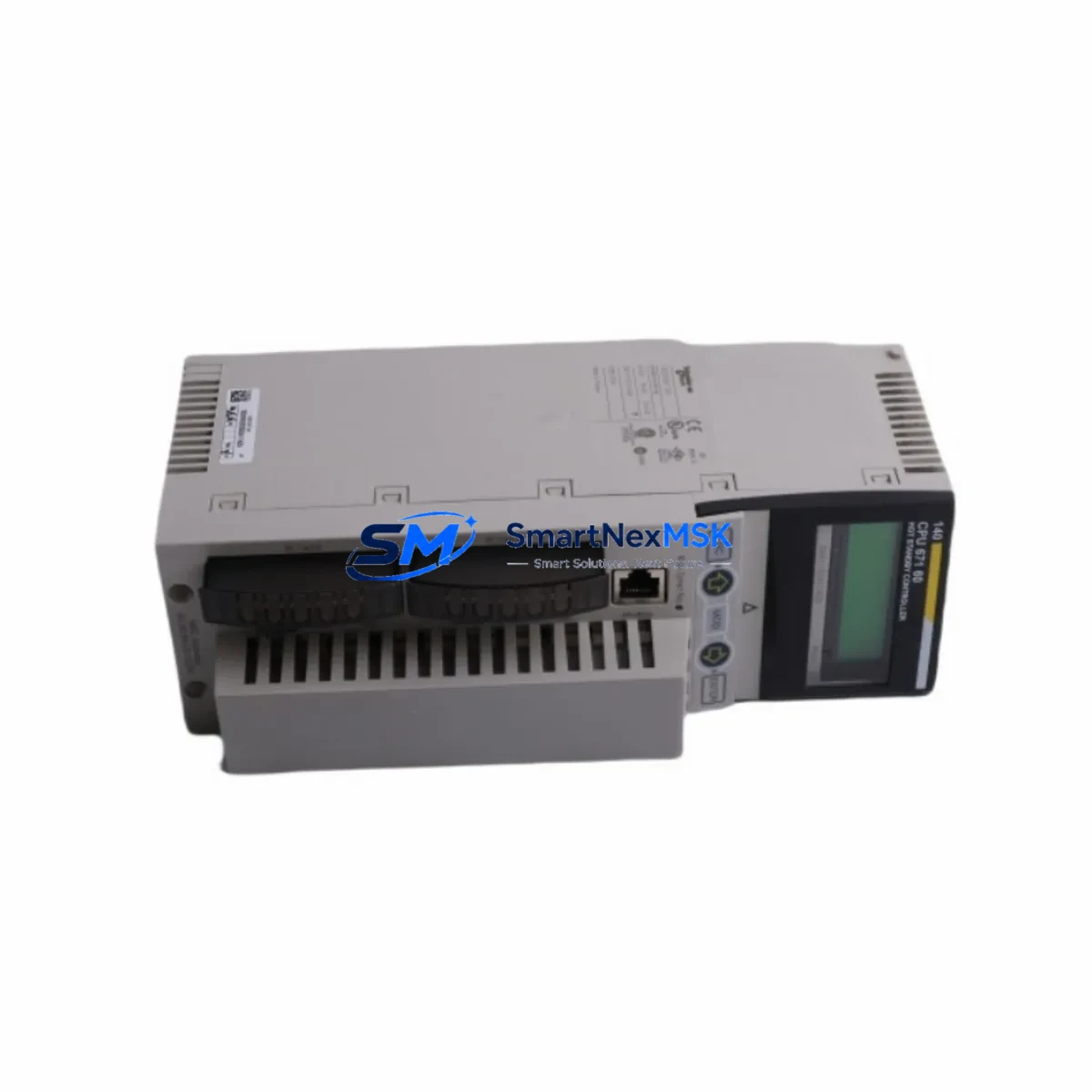
Schneider 140CPU67160S Spare for Modicon Quantum Automation
The Schneider Electric 140CPU67160S is a Safety CPU module engineered for the Modicon Quantum PLC platform — one of the most widely deployed process automation architectures in heavy industry, oil & gas, power generation, and chemical processing. When this module fails or reaches end-of-service life, the consequences are immediate: unplanned downtime, safety system bypass, and costly production interruption. Sourcing a verified, original spare is the fastest path to restoring full system integrity.
At SMARTNEXMSK, we supply the 140CPU67160S as a maintenance-ready, tested spare with a 12-month warranty, pre-shipment functional verification, and same-week dispatch capability. Whether you are executing a planned turnaround, responding to an emergency fault, or building a strategic spare parts buffer, this module ships ready for direct installation into your Quantum rack.
Spare Maintenance Table
| Parameter | Specification |
|---|---|
| Part Number / SKU | 140CPU67160S |
| Brand | Schneider Electric |
| Series | Modicon Quantum |
| Module Type | Safety CPU (SIL 2 / SIL 3 capable) |
| Processor | Dual-processor safety architecture |
| Memory | Up to 7 MB user application memory |
| Communication Ports | Modbus Plus, Ethernet (Modbus TCP/IP) |
| Backplane Compatibility | Modicon Quantum 140 series racks |
| Power Supply Compatibility | 140CPS series (e.g. 140CPS11420, 140CPS21400) |
| Operating Temperature | 0°C to 60°C |
| Mounting | DIN rail / rack-mount, Quantum backplane slot |
| Certifications | IEC 61508, CE, UL |
| Origin | France |
| Product Condition | Original, new or refurbished-to-spec |
| Warranty | 12 Months — covers functional defects, DOA replacement |
| Pre-shipment Testing | Power-on, communication, and I/O verification |
| Typical Lead Time | 3–7 business days (express available) |
Maintenance Planning for Continuous Operation
Replacing the 140CPU67160S is rarely an isolated task. A thorough maintenance engineer will treat a CPU swap as an opportunity to audit the entire control cabinet. Before or during replacement, the following components in the same Quantum rack and electrical circuit should be inspected or replaced as part of a complete maintenance cycle:
Start with the power supply module — the 140CPS11420 or 140CPS21400 feeds the backplane directly. A degraded power supply is a common root cause of intermittent CPU faults and should be load-tested before the new CPU is commissioned. Next, verify the 140XBP series backplane for bent pins, corrosion, or cracked connectors, as backplane damage can cause the replacement CPU to fault immediately after installation.
On the I/O side, inspect the 140DAI series digital input modules and 140DAO series digital output modules for blown fuses, failed optocouplers, or wiring terminal oxidation. Analog I/O modules such as the 140ACI series should be calibrated and signal-checked against field instruments. If the system uses 140NOE series Ethernet communication modules or 140NOM series Modbus Plus network modules, verify firmware versions are compatible with the replacement CPU’s operating system version to avoid communication faults post-restart.
For safety-critical loops, check the 140EHC series high-speed counter modules and any 140SDO series safety digital output modules that interface with the safety CPU. Signal isolators and barriers in the field junction boxes — particularly those on 4–20 mA loops feeding the analog inputs — should be tested for drift. Relay output modules and interposing relays in the control cabinet should be inspected for contact wear, especially if the system has been in service for more than five years.
Finally, review the terminal blocks and wiring harnesses on the I/O sub-bases. Loose or corroded terminals are a leading cause of nuisance faults that are often misdiagnosed as CPU failures. A complete cabinet inspection during a planned CPU replacement significantly reduces the risk of repeat downtime within the same maintenance cycle.
Site Replacement Workflow
Step 1 — Pre-replacement backup: Using Schneider Electric’s Unity Pro or Control Expert software, perform a full project backup and export the current CPU configuration, including I/O mapping, safety parameters, and Modbus Plus node addresses. Store the backup on an isolated engineering workstation.
Step 2 — Safe system isolation: Follow your site’s Lockout/Tagout (LOTO) procedure. Place the safety system in a safe state and notify the DCS/SCADA operator before removing the CPU. Do not remove the module under live backplane power unless the rack supports hot-swap for this module type.
Step 3 — Physical replacement: Remove the 140CPU67160S from its backplane slot. Inspect the slot connector on the backplane for damage. Insert the replacement module firmly until the locking tabs engage. Verify the module LED indicators cycle through the expected startup sequence.
Step 4 — Configuration restore: Reconnect the programming terminal and download the backed-up project to the new CPU. Verify all I/O addresses, safety function blocks, and communication node configurations match the pre-replacement state. Run a full I/O force test before returning the system to automatic mode.
Step 5 — Commissioning verification: Monitor the CPU for a minimum of 30 minutes under normal load. Check Modbus Plus and Ethernet communication status, verify safety loop integrity, and confirm no fault codes are active. Document the replacement in the site maintenance log with the new module serial number and warranty start date.
This workflow minimizes downtime to under two hours for experienced maintenance teams and ensures full system compatibility is maintained without requiring a full system re-engineering effort.
Spare Parts Support FAQ
Q1: Is the 140CPU67160S still available as a new original spare?
Yes. SMARTNEXMSK maintains stock of the 140CPU67160S sourced from authorized distribution channels and legacy inventory. Each unit undergoes pre-shipment power-on and communication testing. Units are supplied with original packaging where available, or in anti-static protective packaging with full traceability documentation.
Q2: What is covered under the 12-month warranty?
The warranty covers all functional defects, including failure to power on, communication port faults, and I/O processing errors under normal operating conditions. Dead-on-arrival (DOA) units are replaced at no cost within 30 days of receipt. The warranty does not cover physical damage caused by incorrect installation, overvoltage, or environmental contamination beyond the module’s rated specifications.
Q3: Can the 140CPU67160S replace the non-safety 140CPU671 60 variant in an existing Quantum rack?
The 140CPU67160S is the safety-rated variant and is physically compatible with standard Quantum 140 series backplanes. However, substituting a safety CPU for a standard CPU requires a safety function review and re-validation of the safety application. Consult your functional safety engineer before making this substitution in a SIL-rated loop.
Q4: How do you verify compatibility before shipment?
Our technical team cross-references the SKU against Schneider Electric’s official compatibility matrices and firmware revision history. For customers providing their current Unity Pro / Control Expert project version, we can confirm firmware compatibility before dispatch. All modules are tested on a Quantum reference rack prior to shipment to ensure the unit communicates correctly and passes self-diagnostics.
© 2026 SMARTNEXMSK. All rights reserved.
Original Source: https://smartnexmsk.com
Contact: [email protected] | +86 18259474341



