
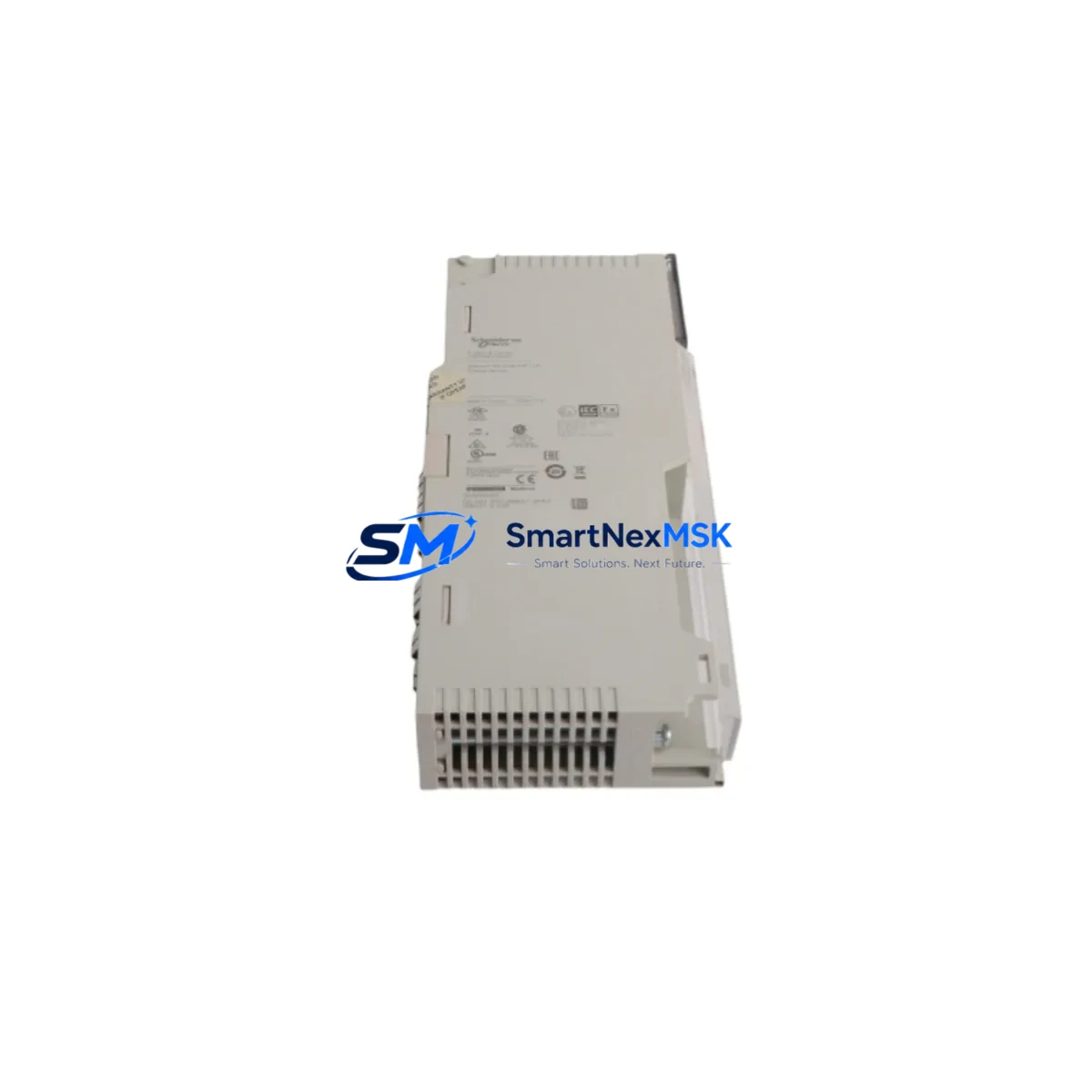
Schneider 140NOE77111 Retrofit-Ready Ethernet Module for Quantum Control Systems
The Schneider Electric 140NOE77111 is a high-performance Ethernet TCP/IP communication module designed for the Modicon Quantum PLC platform. As legacy Quantum systems approach end-of-life and spare parts become increasingly scarce, the 140NOE77111 remains one of the most sought-after retrofit components for engineers tasked with keeping aging production lines operational. Whether you are replacing a failed unit, upgrading communication infrastructure, or migrating from an older Modbus Plus network to a modern Ethernet backbone, the 140NOE77111 delivers the compatibility and reliability that industrial environments demand.
This module slots directly into the Quantum backplane — including the 140XBP01600, 140XBP00600, and 140XBP00400 rack configurations — without requiring mechanical modification to the control cabinet. It supports 10/100 Mbps auto-negotiation and is fully compatible with Modbus TCP/IP, making it an ideal drop-in replacement for the earlier 140NOE77100 and 140NOE77101 variants that have been discontinued. Engineers migrating from Modbus Plus (using 140NOM21100 or 140NOM21200 network option modules) will find the 140NOE77111 a natural upgrade path, enabling transparent integration with SCADA systems, HMI panels, and distributed I/O networks over standard Ethernet infrastructure.
Before installing the 140NOE77111 into an existing Quantum rack, technicians should verify several critical compatibility parameters. First, confirm that the 140CPS11420 or 140CPS21100 power supply module in the rack can support the additional current draw of the communication module — the 140NOE77111 draws approximately 800 mA at 5 VDC from the backplane bus. Second, review the slot addressing configuration in Unity Pro or Concept programming software to ensure the module address does not conflict with existing I/O modules such as the 140ACI04000 analog input module or 140DDO35300 discrete output module already installed in the rack. Third, if the existing control program uses Modbus Plus global data or peer-to-peer messaging, those communication blocks will need to be remapped to Modbus TCP/IP function blocks before the retrofit is complete.
HMI compatibility is another key consideration during the retrofit process. Magelis HMI panels communicating via Uni-Telway or Modbus serial links may need driver updates or gateway devices to maintain connectivity after the network migration. In many cases, upgrading the HMI communication driver within Vijeo Designer is sufficient, but older Magelis XBT panels may require replacement with a current-generation Magelis GTO or STO series panel that natively supports Ethernet TCP/IP. Similarly, if the plant network includes third-party SCADA systems communicating via OPC-DA, the transition to Ethernet opens the door to OPC-UA, significantly improving data integrity and security.
For I/O expansion during the retrofit, the 140NOE77111 works seamlessly alongside distributed I/O adapters such as the 140CRA93100 remote I/O head module, allowing engineers to extend the Quantum system’s reach across the plant floor without running additional dedicated I/O cables. This is particularly valuable in large-scale retrofit projects where the control cabinet is being upgraded but field wiring is being preserved to minimize downtime and installation cost.
All units supplied by SMARTNEXMSK are tested prior to shipment, including power-on verification, communication port integrity checks, and firmware version confirmation. Each 140NOE77111 is shipped with a 12-month warranty covering manufacturing defects and functional failures under normal operating conditions. Stock is maintained to support urgent retrofit and emergency replacement requirements, with global shipping available to minimize production downtime.
Upgrade Compatibility Table
| Parameter | Details |
|---|---|
| SKU / Part Number | 140NOE77111 |
| Brand | Schneider Electric |
| Series | Modicon Quantum |
| Module Type | Ethernet TCP/IP Communication Module |
| Communication Protocol | Modbus TCP/IP, 10/100 Mbps Ethernet |
| Backplane / Rack Compatibility | 140XBP01600, 140XBP00600, 140XBP00400 |
| Direct Replacement For | 140NOE77100, 140NOE77101 (discontinued) |
| Power Supply Compatibility | 140CPS11420, 140CPS21100 |
| Programming Software | Unity Pro, Concept |
| Installation Type | Direct backplane slot insertion — no mechanical modification required |
| Commissioning Notes | Verify slot address, IP configuration via Unity Pro, and Modbus TCP/IP mapping before go-live |
| Warranty | 12 Months — covers manufacturing defects and functional failures |
| Origin | France |
| Pre-Shipment Testing | Power-on, communication port integrity, firmware verification |
Retrofit Planning for Existing Automation Systems
A successful retrofit of the 140NOE77111 into an operational Quantum system begins well before the module arrives on site. The engineering team should start by auditing the existing rack configuration — documenting every module installed in the 140XBP01600 or 140XBP00600 backplane, including the CPU (such as the 140CPU65160 or 140CPU67160), the 140CPS11420 power supply, any 140ACI04000 analog input modules, 140DDO35300 discrete output modules, and existing communication modules such as the 140NOM21100 Modbus Plus network option module that the 140NOE77111 will replace.
Once the rack audit is complete, the programming team should export the current Concept or Unity Pro project and create a backup on an isolated engineering workstation. The communication variables and I/O mapping tables should be reviewed to identify all Modbus Plus global data exchanges that will need to be converted to Modbus TCP/IP read/write function blocks. If the system uses a 140NWM10000 network management module for diagnostics, its configuration should also be reviewed to ensure compatibility with the new Ethernet topology.
Field wiring to terminal blocks and I/O modules — including connections to the 140CRA93100 remote I/O head module and any distributed I/O drops — should be documented and photographed before any physical work begins. This documentation is invaluable during post-retrofit commissioning, particularly when verifying that analog signal ranges and discrete I/O polarities have been preserved correctly after the control cabinet upgrade.
For sites using a 140PCM01000 or similar programming cable for direct CPU connection, engineers should confirm that the Unity Pro version installed on the programming laptop supports the firmware version present on the target CPU. Mismatched firmware can cause unexpected behavior during the first program download after the retrofit, so a firmware update plan should be included in the project schedule if required.
Downtime Control During System Migration
Minimizing production downtime during a Quantum Ethernet retrofit requires a structured cutover plan. The recommended approach is to pre-configure the 140NOE77111 on a bench test rack — using a spare 140XBP00400 backplane and a 140CPS11420 power supply — before the scheduled maintenance window. This allows the IP address, subnet mask, gateway, and Modbus TCP/IP slave table to be fully configured and verified in Unity Pro before the module is installed in the live system.
During the cutover window, the sequence should follow a strict order: save and export the running program from the CPU, power down the rack, remove the legacy 140NOE77100 or 140NOM21100 module, install the pre-configured 140NOE77111, restore power, and download the updated program. The entire physical swap typically takes less than 15 minutes when the module has been pre-configured. The remaining cutover time is spent on communication verification — confirming that all Modbus TCP/IP connections to SCADA, HMI, and remote I/O are established and that all I/O points are reading correctly before releasing the system back to production.
To protect the original program logic, always maintain at least two independent backups of the Concept or Unity Pro project file — one on the engineering workstation and one on removable media stored off-site. If the retrofit reveals unexpected compatibility issues, the ability to restore the original program and reinstall the legacy module within minutes is the most effective insurance against extended unplanned downtime.
Retrofit Support FAQ
Q: Is the 140NOE77111 a direct replacement for the discontinued 140NOE77100?
A: Yes. The 140NOE77111 is the current-generation successor to the 140NOE77100 and 140NOE77101. It installs in the same backplane slot, uses the same Modbus TCP/IP protocol, and is fully compatible with existing Unity Pro and Concept programs with minor communication variable remapping.
Q: What commissioning steps are required after installing the 140NOE77111?
A: After physical installation, connect to the module via Unity Pro, assign the IP address and subnet mask, configure the Modbus TCP/IP connection table, download the updated program to the CPU, and verify all communication links to SCADA, HMI, and remote I/O before returning the system to automatic mode.
Q: Can the 140NOE77111 coexist with a 140NOM21100 Modbus Plus module in the same rack?
A: Yes. The Quantum backplane supports multiple communication modules simultaneously. Both modules can be installed in the same 140XBP01600 rack, allowing a phased migration where Modbus Plus and Ethernet TCP/IP networks operate in parallel during the transition period.
Q: What does the 12-month warranty cover?
A: The 12-month warranty covers manufacturing defects and functional failures under normal industrial operating conditions. Each unit undergoes pre-shipment power-on testing, communication port verification, and firmware confirmation. Warranty claims are handled directly by SMARTNEXMSK — contact [email protected] for support.
© 2026 SMARTNEXMSK. All rights reserved.
Original Source: https://smartnexmsk.com
Contact: [email protected] | +86 18259474341



